When I first started using WhatsApp, it was a simple messaging app. You could chat with friends and family, make voice or video calls, and share photos or videos. That was pretty much it. Over time, WhatsApp has evolved, especially as AI took center stage. Meta brought AI into the app with Meta AI, letting you tag it in chats, generate images, or chat with it privately in a dedicated space.
Now, one of the most useful additions is the WhatsApp Writing Help feature. It uses AI to help you write messages faster, sound more natural, and match the right tone for the situation. In this guide, I’ll break down what WhatsApp Writing Help is, how it works, how to access it, and a few practical tips to get the most out of it.
What Is the AI Writing Feature on Whatsapp?
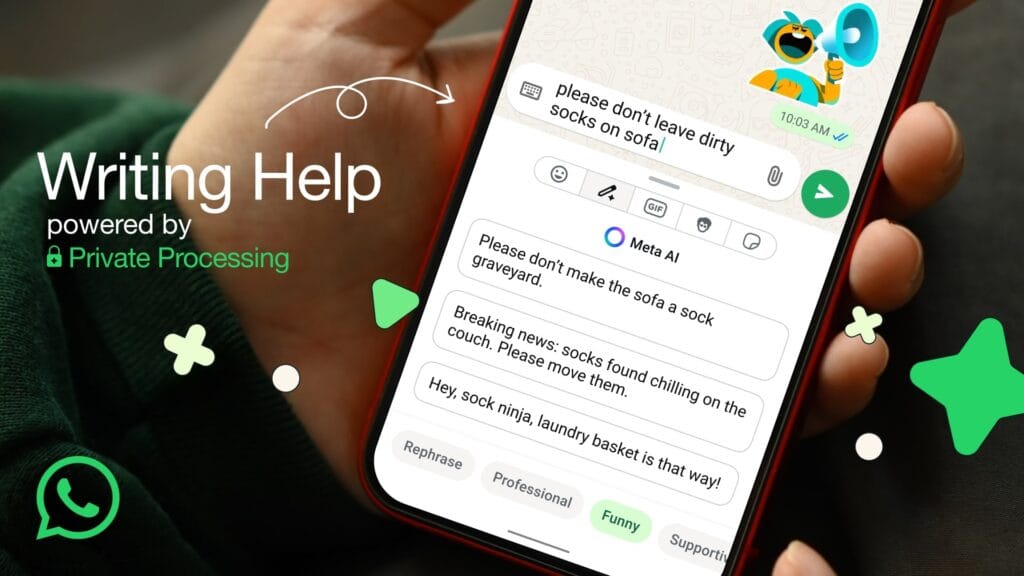
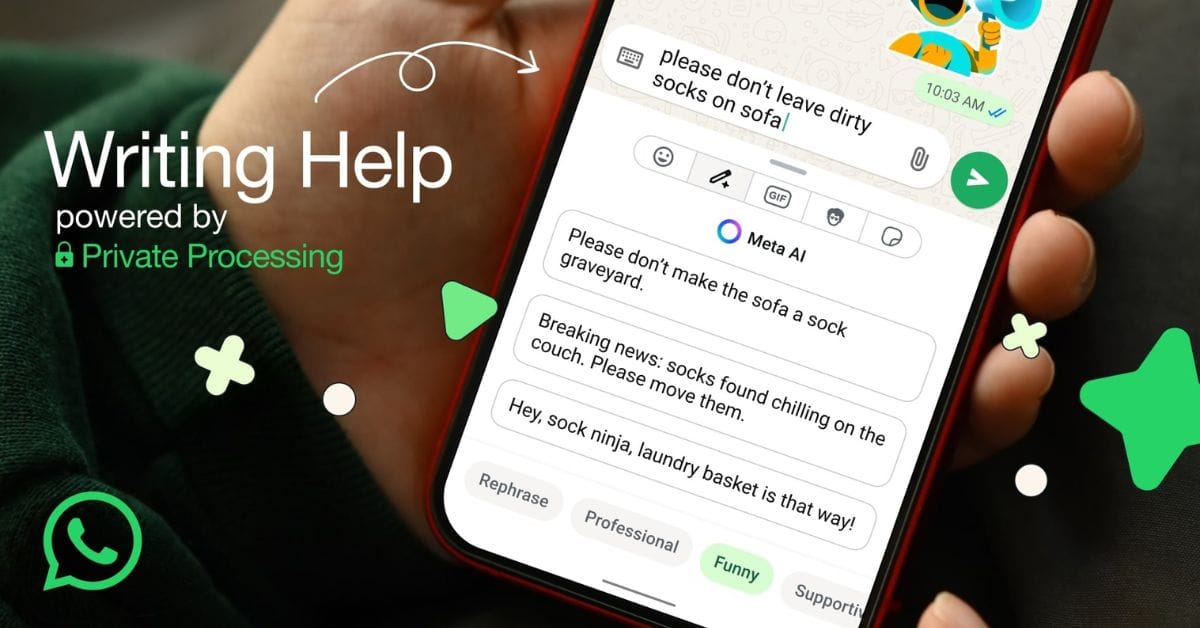
The Writing Help feature is an AI assistant built right into the app. It helps you improve your message with better grammar and a clearer tone before you hit send. You simply type a sentence in the chat box, and the tool can instantly reframe it in various styles, such as professional, polite, humorous, and more.
At first, it might sound very similar to Grammarly or other AI writing tools. However, the biggest difference is that everything happens directly within WhatsApp, right in your chat box.
Until now, if you wanted to polish or rephrase a message, you probably had to type it out, open a separate chat with Meta AI or ChatGPT on WhatsApp, ask it to rewrite the text in a certain style, copy the new version, and then paste it back into the chat where you wanted to send it.
With Writing Help, WhatsApp makes this whole process much easier. You get those same AI-powered suggestions instantly, without switching apps or copying messages elsewhere. In fact, it can even suggest improvements or tones for your message without you having to write much or manually choose a style.
How Does the Writing Help Work?
The Writing Help feature inside WhatsApp works by using built-in AI models that read the message you’ve typed and then suggest a more polished version while keeping the original meaning. Once you write the text, you can select the Writing Help option, and WhatsApp will instantly reframe it in the way you choose the tone or style.
For example, if your message sounds too formal but you want it to be casual, Writing Help can adjust it accordingly. Similarly, if you’re writing something too casually but want it to sound professional, it can do that as well.
Must Read : How to Add Music to WhatsApp Status on iPhone and Android
How to Use WhatsApp’s Writing Help AI Feature?
Before you begin, make sure to update WhatsApp on your iPhone or Android device from the App Store or Google Play Store, and then follow these steps:
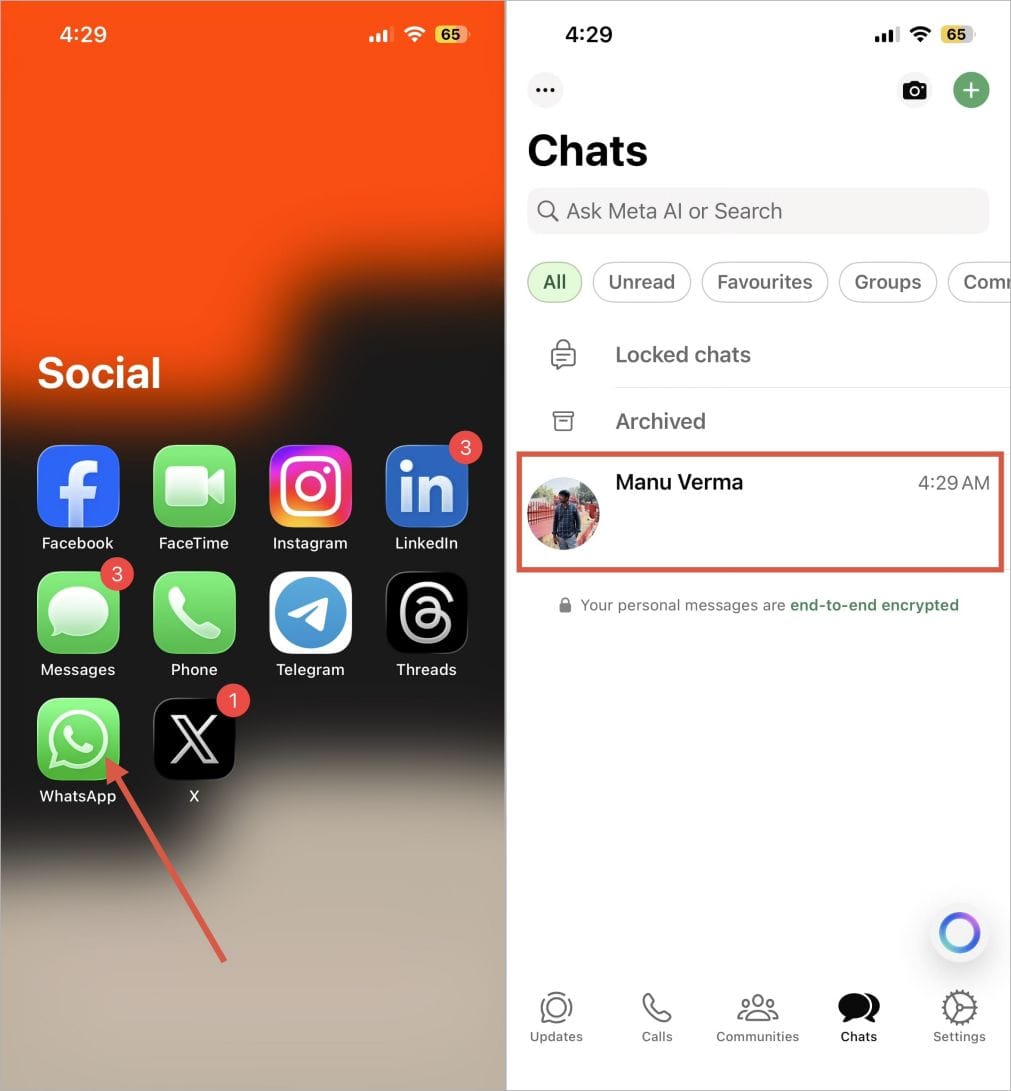
- Launch WhatsApp on your iPhone or Android device.
- Open any individual to whom you want to send a message.
- Tap on the typing box and start writing the message.
- After typing, you’ll see a pencil icon appear inside the chat box. Tap on it to open Writing Help.
- If you don’t see the pencil icon, check the sticker icon — some users report the Writing Help option appears there.
- Once opened, you can use Writing Help to rephrase, polish, or even completely change the tone of your message.
- Once you get the results, you can quickly go through the suggestions and decide if they match the tone or style you want.
- If you’re happy with the rewritten text, tap to Apply in the upper right corner and then finally hit Send.

Tips for Getting the Best Out of WhatsApp Writing Help
As I promised above, it’s time to share some tips to make the most out of it so you can unlock its full potential by following these tips:
- When using this tool, ensure your original text is clear enough to convey your intended message. Even if the grammar isn’t perfect, the AI needs to understand your message at least. If your text is clear, Meta AI can easily rewrite it in the style you want without changing the meaning.
- Ensure the message you type is neither too short nor too long. Short to medium-length messages usually get the best results. This way, Meta AI can understand your message and rewrite it accurately in the tone you want. If your message is too brief, the AI might misinterpret it, and the rewritten version could alter its meaning. However, if your message is long, the AI may struggle to capture the main point, and the result could become unclear or lose focus.
- Even if your message has grammatical mistakes or isn’t very clear, Meta AI can still understand it and rewrite it in the tone or style you’ve chosen. However, it’s always a good idea to review your message before sending it. The clearer and more accurate your original text is, the better the AI can provide suggestions and deliver a polished final result.
- When Meta AI rewrites your message in any tone or style, it’s usually very accurate. However, it’s still a good idea to double-check before sending the final rewrite. Ensure the message accurately reflects the tone or style you want and that its original meaning remains unchanged. Once both are correct, you can send the message to the recipient with confidence.
Extra Tips:
- Experiment With Tones: Don’t just stick to professional; try funny, supportive, or creative depending on who you’re messaging.
- Keep WhatsApp Updated: That way, whenever a new feature is rolled out in WhatsApp or any improvements to Writing Help, you’ll use them right away.
FAQs
Currently, the Writing Help feature is being released first in English, starting in the United States and a few other countries. WhatsApp will add more languages and regions later this year or in early 2026.
Yes, your data is safe. WhatsApp Writing Help uses private processing, doesn’t store your data, and only scans the message you’re currently typing.
Yes, the Writing Help feature rewrites both short and long messages. Short to medium-length messages usually get the best results. While the feature can handle longer texts too, breaking them into smaller parts often gives more accurate rewrites.