If you’re a Galaxy owner, Samsung Messages has officially reached the end of the road. As of July 6, 2026, the app can no longer send messages on Galaxy devices running Android 12 or later, with Samsung directing users to Google Messages instead. While newer Galaxy phones already shipped with Google’s messaging app by default, the shutdown marks the end of Samsung’s long-running in-house messaging platform.
But Samsung Messages may have found an unofficial second life.
A new app called Messages by OzarksMade recreates the familiar Samsung Messages experience and is now available in open beta on the Google Play Store. Here’s how it works, how it brings back RCS messaging, and whether it’s worth installing.
What Happened to Samsung Messages?
For longtime Galaxy users, the shutdown may have felt abrupt, but Samsung had been preparing users for the transition for months.
When the company first confirmed its retirement plans, we explained what to do before Samsung Messages disappeared, including how existing conversations would automatically migrate to Google Messages.
The migration process itself is relatively straightforward.
According to Samsung, your message history is transferred automatically, although the process can take up to 24 hours, depending on the size of your conversation history.
After migration finishes, Samsung Messages effectively becomes a read-only archive. You can still browse previous conversations, but you can no longer send new SMS or RCS messages through the app.
Samsung hasn’t provided a detailed technical explanation beyond its goal of creating a more consistent messaging experience across Android devices.
From a practical standpoint, though, the reasoning is easy to understand.
Google Messages already provides:
- RCS messaging
- AI-powered spam detection
- Scam protection
- Cross-device synchronization
- Ongoing feature updates
Maintaining two separate messaging platforms across Galaxy devices eventually stopped making sense.
If you’re still deciding what to replace Samsung Messages with, our roundup of the best Samsung Messages alternatives compares Google Messages and several other options in more detail.
Meet Messages by OzarksMade
This is where things become interesting.
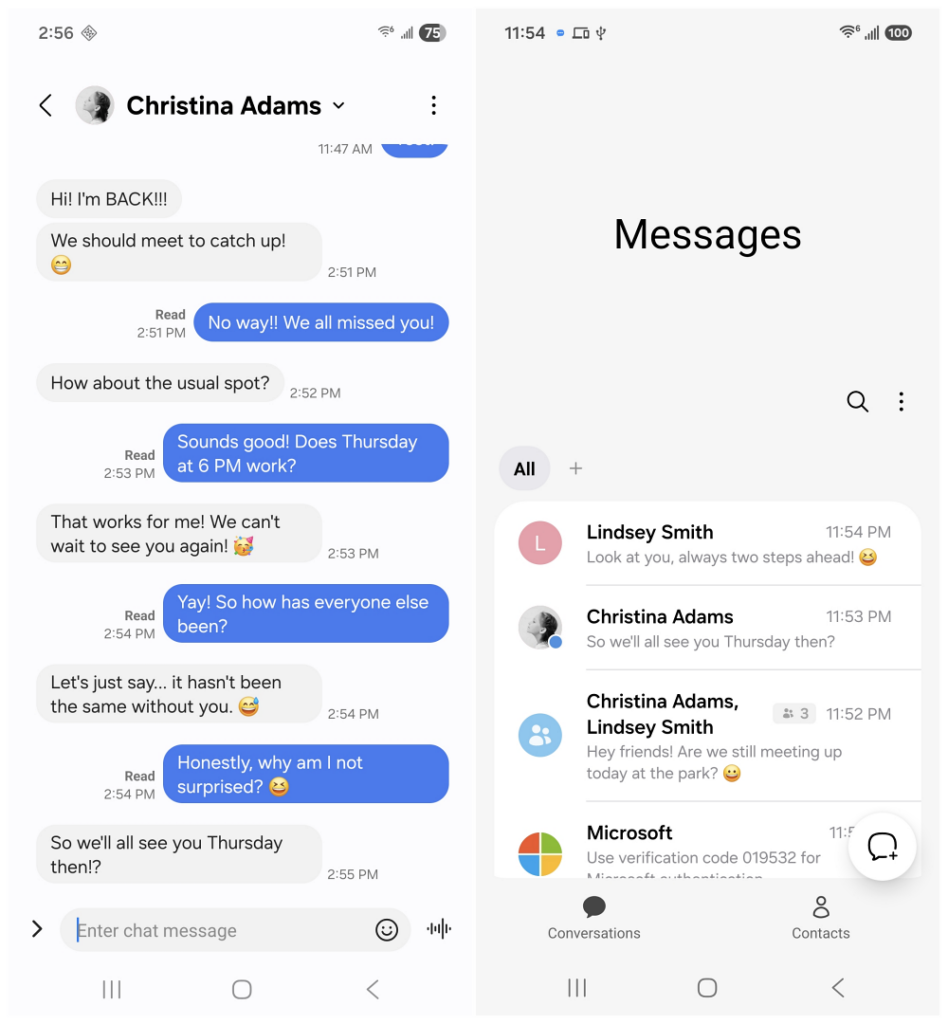
An independent developer known as OzarksMade has created an unofficial messaging app that closely recreates Samsung Messages’ overall design and user experience.
From the moment you open it, longtime Galaxy owners will immediately recognize familiar elements, including:
- Rounded conversation cards
- Collapsible conversation headers
- Category tabs
- Chip-based conversation filters
- A dedicated Trash folder
Rather than trying to compete with Google Messages by introducing entirely new features, the goal is much simpler:
Bring back the Samsung Messages interface that many Galaxy users preferred.
For anyone who spent years using Samsung’s messaging app, opening Messages by OzarksMade feels surprisingly familiar.
It’s important to remember, however, that this is not an official Samsung application. It’s an entirely independent project with no affiliation with Samsung or Google.
How Does RCS Work Without Google’s Support?
The most impressive part of the app isn’t its appearance; it’s how it handles RCS messaging.
Google doesn’t allow third-party messaging apps to connect directly to its Jibe RCS network, which powers Google Messages. Developers can’t simply plug into Google’s infrastructure the way Samsung previously could.
Instead of trying to bypass those restrictions, OzarksMade built around them.
The app currently offers two operating modes.
Standalone Mode
Standalone Mode handles traditional SMS and MMS messaging directly.
If you only care about sending regular text messages and want the familiar Samsung interface back, this mode works independently without requiring Google Messages in the background.
Companion Mode
Companion Mode is where things get more creative.
Rather than replacing Google Messages, the app quietly works alongside it.
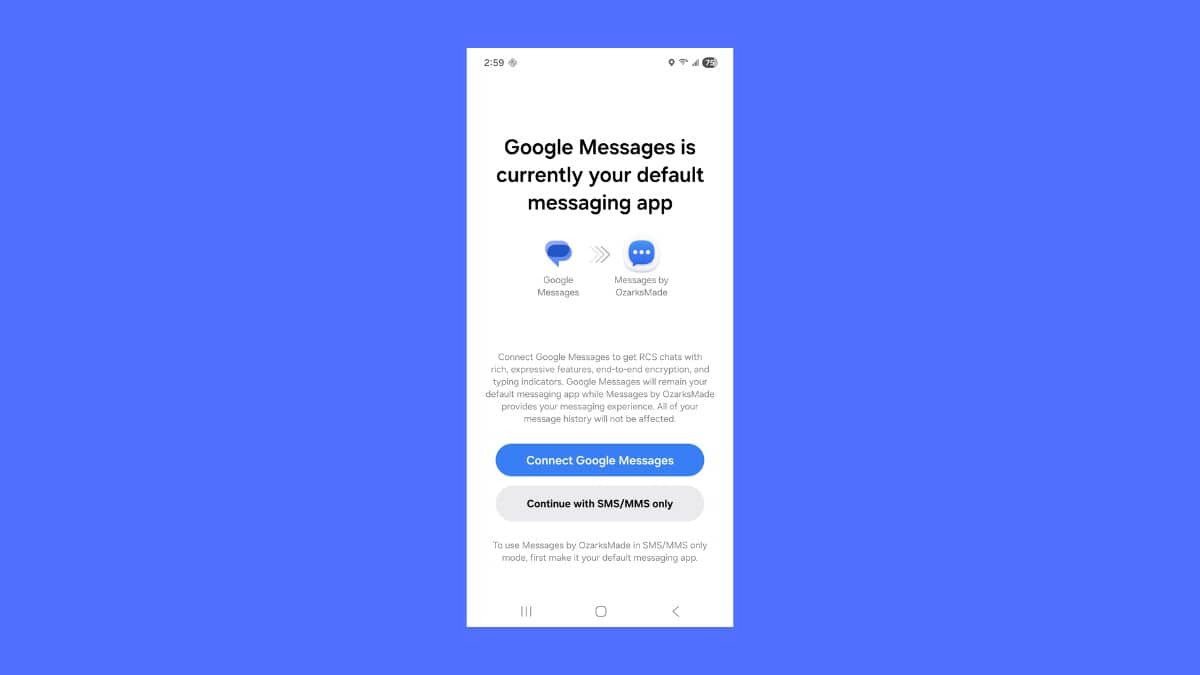
Google Messages continues running in the background while Messages by OzarksMade acts as the front-end interface. All RCS traffic is still handled through Google’s Jibe servers, allowing users to retain features such as:
- Read receipts
- Typing indicators
- High-quality image sharing
- Modern RCS conversations
In practice, you’re still using Google’s messaging infrastructure; the app simply presents everything through an interface that closely resembles Samsung Messages.
It’s an elegant workaround, but it also means Google Messages must remain installed if you want RCS functionality.
This isn’t a complete replacement for Samsung Messages so much as a faithful recreation built on top of Google’s existing messaging platform.
What’s Available in the Open Beta?
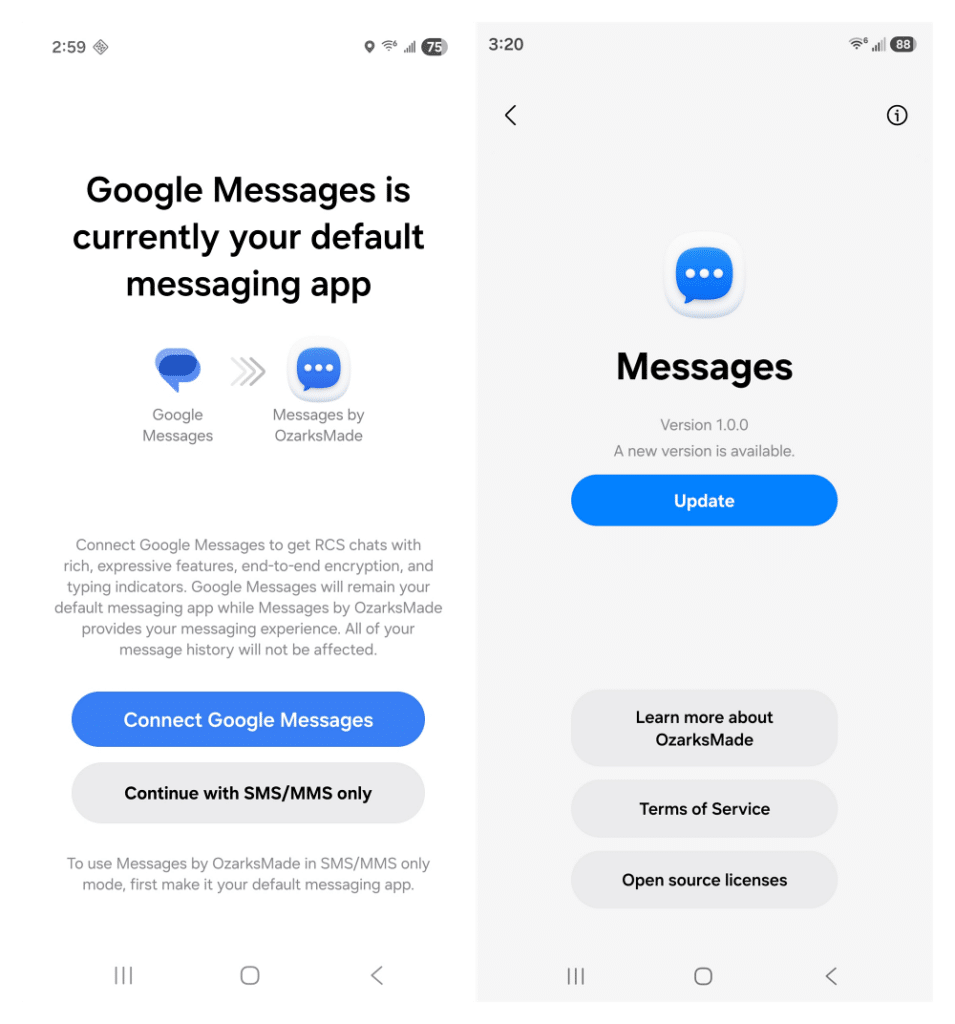
Beyond recreating Samsung’s familiar interface, the current beta already includes several useful features.
These include:
- Scheduled messages
- Local conversation backups
- Dual messaging modes
- Samsung-inspired interface
Additional customization options, including chat themes, are already planned for future updates but aren’t available in the current beta release.
While none of these features fundamentally change how messaging works, they restore something many Galaxy owners unexpectedly missed after Samsung retired its own app: familiarity.
For longtime Samsung users, that’s arguably the biggest selling point.
Should You Install It?
Whether Messages by OzarksMade is worth installing depends largely on what you’re looking for.
The app is currently available as an open beta through Google Play, with a wider public release expected roughly two weeks after the beta reaches capacity.
The developer plans to charge $0.99 once the app officially launches.
That’s an affordable price, but there are a few important considerations before making it your primary messaging app.
First, this remains an independent project maintained by a single developer—not Samsung or Google. Long-term support isn’t guaranteed, and many promising beta projects eventually disappear.
Second, because the app intentionally recreates Samsung Messages’ visual design—including its layout, icons, and overall appearance—there’s always the possibility that Samsung could challenge it on intellectual property grounds. Nothing suggests that’s happening today, but it’s a possibility worth keeping in mind.
If you simply want the most reliable messaging experience available today, Google Messages remains the safest choice and is already where Samsung migrated your conversations.
However, if you’ve genuinely missed Samsung Messages and don’t mind using beta software, Messages by OzarksMade offers one of the closest recreations available today.
Final Thoughts
Samsung Messages is unlikely to return as an official Samsung app. What Messages by OzarksMade demonstrates, however, is that many Galaxy owners cared far more about Samsung’s messaging experience than Samsung may have expected. Enough, in fact, for an independent developer to recreate much of it from scratch.
Whether the project grows into a long-term alternative or eventually disappears remains to be seen.
For now, it’s one of the most compelling options available for users who miss Samsung Messages’ familiar interface and are comfortable using beta software while the project continues to evolve.
Availability, pricing, and features mentioned above reflect the app’s open beta status as of late July 2026 and may change before its public release.
Make the Most of Your Samsung Devices: