
There’s a specific kind of frustration every podcast listener knows. You hear something brilliant: a killer one-liner, a surprising stat, a story that gives you chills, and your only option is to screenshot the timestamp and hope your friends care enough to seek it out themselves. They rarely do.
Spotify just solved that. Spotify launches podcast clips as of May 27, 2026, and it’s the kind of small update that quietly changes how you interact with podcasts every single day.
What Is the Spotify Podcast Clips Feature?
The new podcast clip-sharing feature lets you capture a specific moment from any supported podcast episode, trim it to exactly what you want, and share it, all without leaving the app. Think of it less like a technical feature and more like giving podcasts the same shareable DNA that made short-form video impossible to ignore.
Both Free and Premium users get access. It works on iOS and Android. The catch? Support is still rolling out show by show, so you won’t see it everywhere just yet.
How to Create a Podcast Clip on Spotify
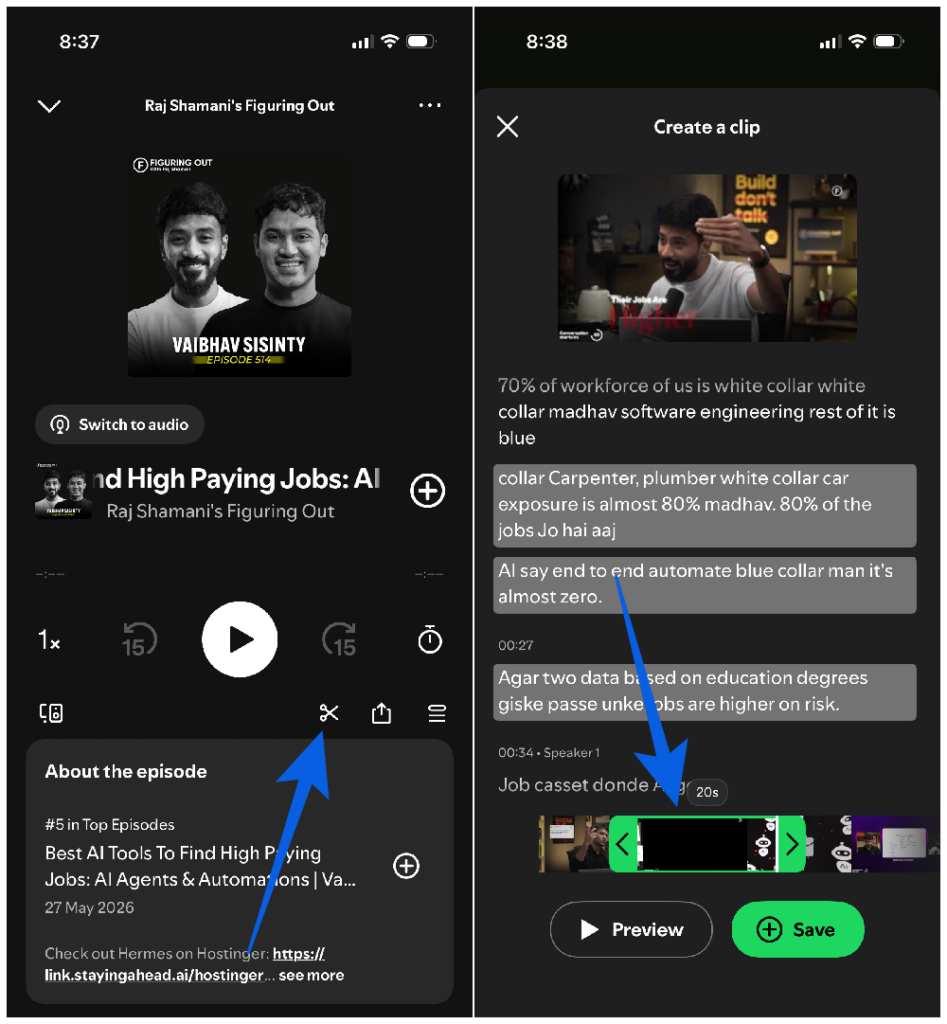
Open a podcast episode and head to the Now Playing screen. You’ll notice a new scissors icon in the playback controls. That’s your entry point.
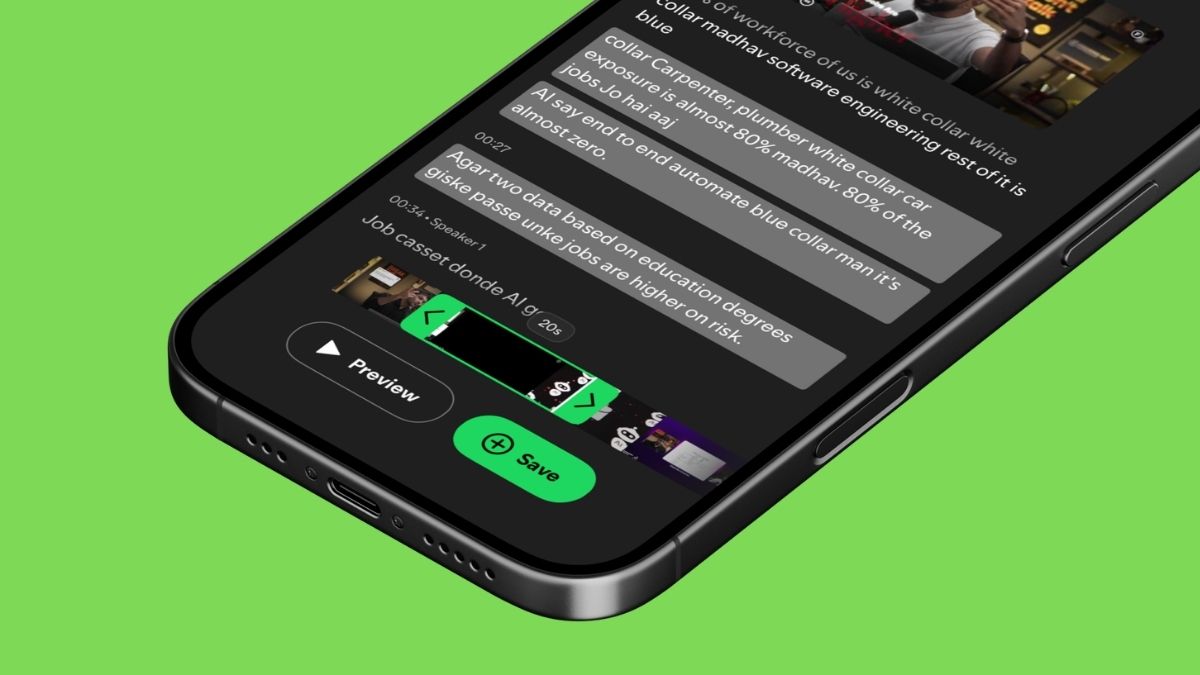
Tap it, and Spotify opens the clip creator. From here:
- Drag the handles to set your start and end points
- Hit preview before committing. You can refine the trim until it’s exactly right
- Choose Save or Share once you’re happy with the cut
It takes about 30 seconds once you get the hang of it. For anyone who’s ever fumbled through a voice memo trying to recreate a podcast quote for a friend, this is a genuine upgrade.
Where Do Your Saved Clips Go?
Saved clips land in a dedicated “Your Clips” section inside Your Library, organized, searchable, and separate from your regular saved episodes. No more scrolling back through an hour-long episode to find that moment again.
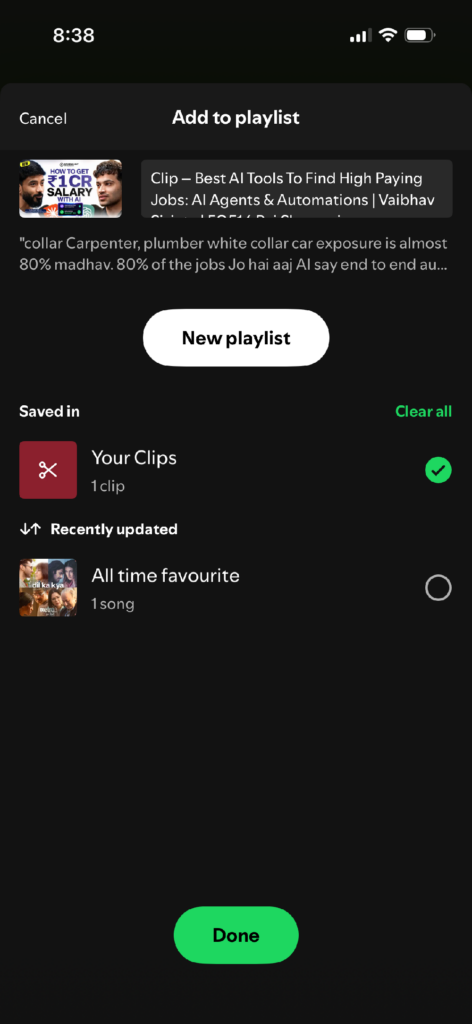
You can also drop clips directly into podcast playlists. This builds on Spotify’s Chapters feature, which listeners are already using to save and add moments to playlists over 2 million times every month. Clips take that behavior further. Now you’re not just bookmarking a chapter, you’re extracting the exact 60 seconds that mattered.
If you’re already deep into Spotify’s audio ecosystem, maybe using the Spotify Fitness Hub with Peloton for workout-synced audio, this is another layer of personalization that makes the app feel genuinely built around how you actually listen.
Sharing: More Options Than You’d Expect
The sharing menu got a quiet but meaningful refresh alongside this rollout. When you tap share, you can now send:
- A clip (your trimmed moment)
- A full episode
- A specific chapter
- A timestamp link
All from the same menu. That flexibility matters. Sometimes a 45-second clip is perfect. Other times, a timestamp link that drops someone straight into the middle of an episode is exactly what you need.
Clips can go out through Spotify Messages, copied as a direct link, or pushed to any other platform you’d normally share to. Spotify is quietly positioning itself as the place where podcast conversations happen, not just podcast listening.
Why This Actually Matters (for Listeners and Creators)
For listeners, the obvious win is rediscoverability. Clips you save stay accessible. No more hunting through your history because you vaguely remember an episode from three weeks ago had something useful in it.
The deeper value is in sharing. Before this, recommending a podcast meant asking someone to commit to an unknown length of content on faith. A well-cut podcast clip on Spotify acts as a preview. It earns the listen rather than demanding it. Early testing by Spotify showed noticeably higher podcast-saving activity when clips were available, which suggests listeners engage more deeply when they can interact with content in smaller pieces.
For creators, viral clip moments are now something that lives inside Spotify’s own ecosystem rather than disappearing into someone’s Instagram Stories. That’s a distribution shift worth paying attention to.
A Few Things Worth Knowing Before You Dive In
The scissors icon isn’t everywhere yet. Spotify is rolling out clip support to more shows over time, so if you’re not seeing it on a specific podcast, that’s why. Not a bug, just an expanding rollout.
Video podcasts are included. Spotify confirmed that the clips feature supports both audio and video podcast formats, which makes it even more useful for shows that already have a visual component.
The feature is days old. As of May 30, 2026, this launched just three days ago. Expect minor UI refinements and broader show availability in the coming weeks. If something feels slightly rough around the edges, that’s normal for a fresh rollout.
Quick Orientation: Finding Your Way Around the App
If you’re new to some of Spotify’s interface quirks, or just want to understand what you’re looking at after this update, it helps to spend a few minutes with the full breakdown of icons and symbols in Spotify. The scissors icon is intuitive enough, but Spotify has accumulated a lot of visual shorthand over the years.
And if you’re a heavy podcast listener who tends to fall asleep mid-episode, the Spotify sleep timer for music and podcasts is worth setting up alongside this, so your clips aren’t starting mid-snore.
The Bigger Picture
Spotify rolls out podcast Clips as part of a clear and ongoing push to make audio content more social, more shareable, and more sticky. The app already knows what you listen to, when you listen, and how long you stay engaged. Clips give that behavioral data a shareable surface and give listeners a reason to spend more time in the app, not just more time listening.
It’s a small button with a scissors icon. But the thinking behind it is anything but small.
The Podcast Clips feature is available now on iOS and Android for all Spotify users. Check the Now Playing screen on a supported podcast to see the scissors icon. For the official rollout details, Spotify’s newsroom has the full announcement.