Almost all of us know about ChatGPT. Some people use it daily to correct grammar, while others use it to get answers to their questions, generate ideas, and much more. It has become many users’ first choice for everyday queries. If you feel addicted to the platform, you may want to get rid of it by deleting your account. Or there might be other reasons for doing so. If that’s the case, this guide explains what happens when you delete your ChatGPT account, why someone might want to delete it, and the steps to permanently remove the account.
Why You Might Want to Delete Your ChatGPT Account
There can be several reasons why a user may want to delete their account. Some common ones include:
- Concerns about privacy and data storage
- Spending too much time on the platform
- Not using ChatGPT anymore
- Switching to another AI platform such as Perplexity or Gemini
Whatever the reason may be, OpenAI allows users to delete their account just like many other online platforms.
What Happens When You Delete Your ChatGPT Account
Before learning the steps to delete your account, it’s important to understand what happens after your ChatGPT account is deleted.
- The process is permanent, which means you cannot recover your account once it’s deleted.
- You will no longer be able to access your account.
- You will lose access to OpenAI services, including the API, DALL·E, and ChatGPT.
- You cannot create a new ChatGPT account using the same email address or mobile number for 30 days.
How to Delete Your ChatGPT Account
Deleting a ChatGPT account is quite simple. You can do it from a browser on your computer or mobile device. You can either submit a request through OpenAI’s Privacy Portal or delete your account from the account settings.
Method 1: Through OpenAI’s Privacy Portal
The steps to submit a request through OpenAI’s Privacy Portal are simple. Here’s what you need to do.
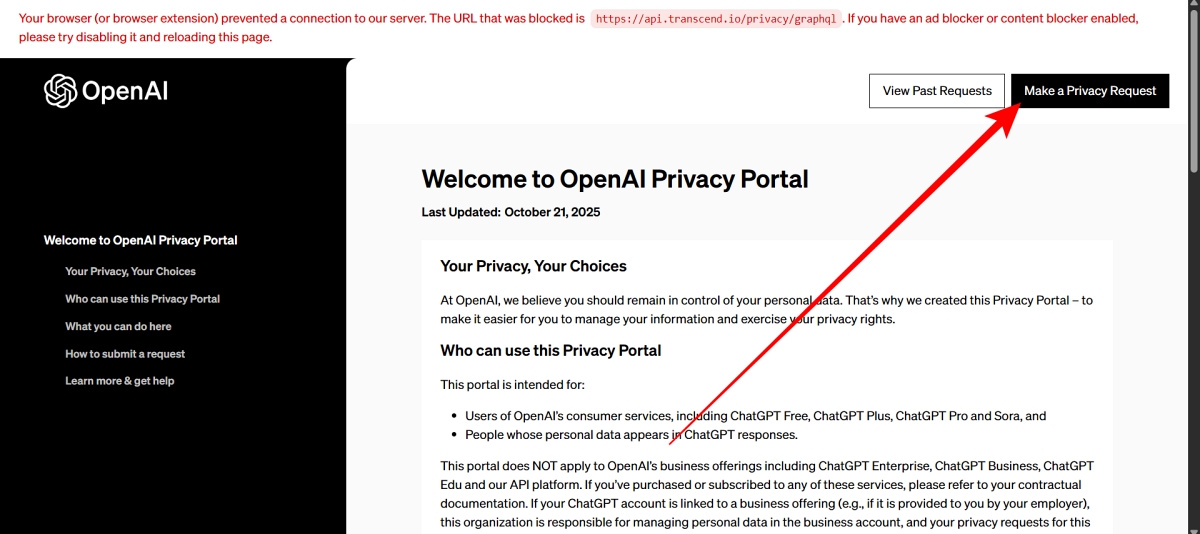
- Open a browser on your device and visit the OpenAI Privacy Portal page.
- Click Make a Privacy Request in the top-right corner.
- On the next screen, select I have a consumer ChatGPT account.
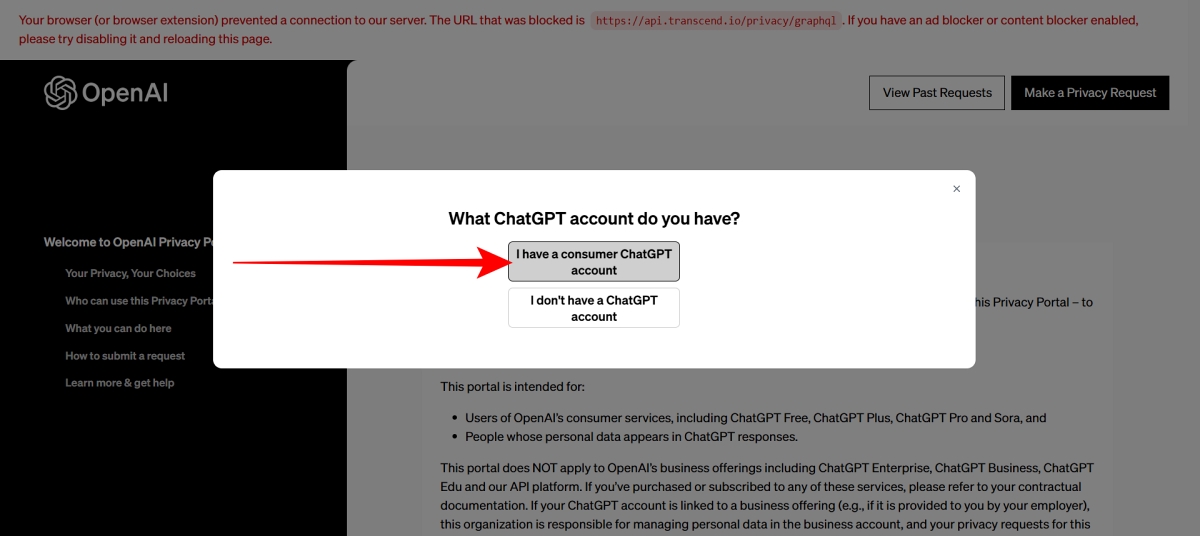
- Choose Delete my ChatGPT account and follow the on-screen instructions to submit your request.
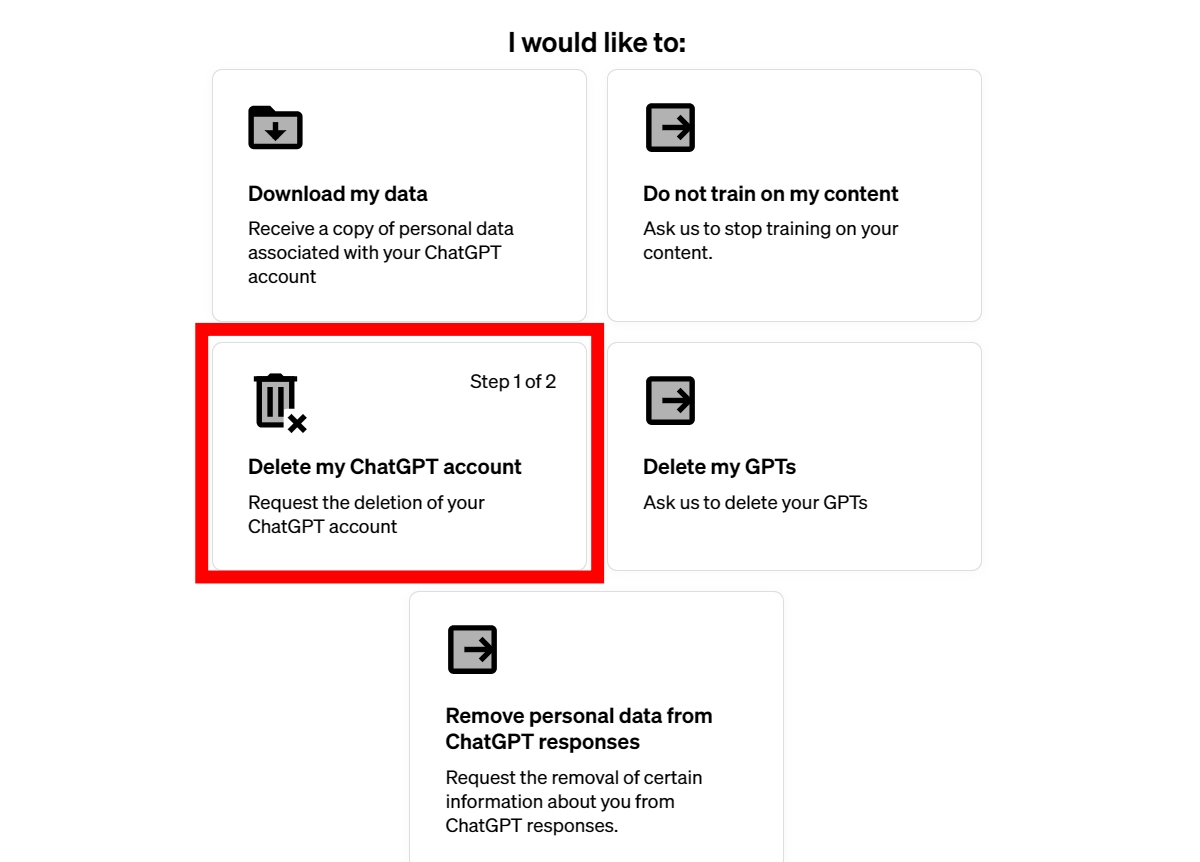
Method 2: Via Account Settings
Another way to delete your account is through the account settings. Here’s how to do it.
- Open the ChatGPT website in a browser.
- Sign in to your account if you are not already logged in.
- Click your profile picture in the sidebar and select Settings from the menu.
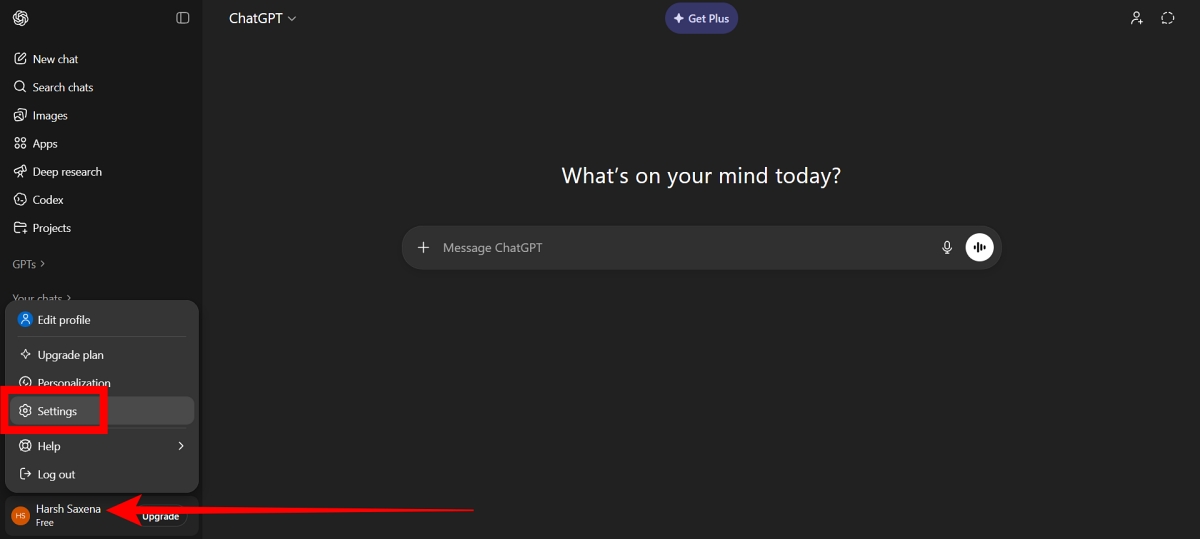
- In the settings menu, select Account.
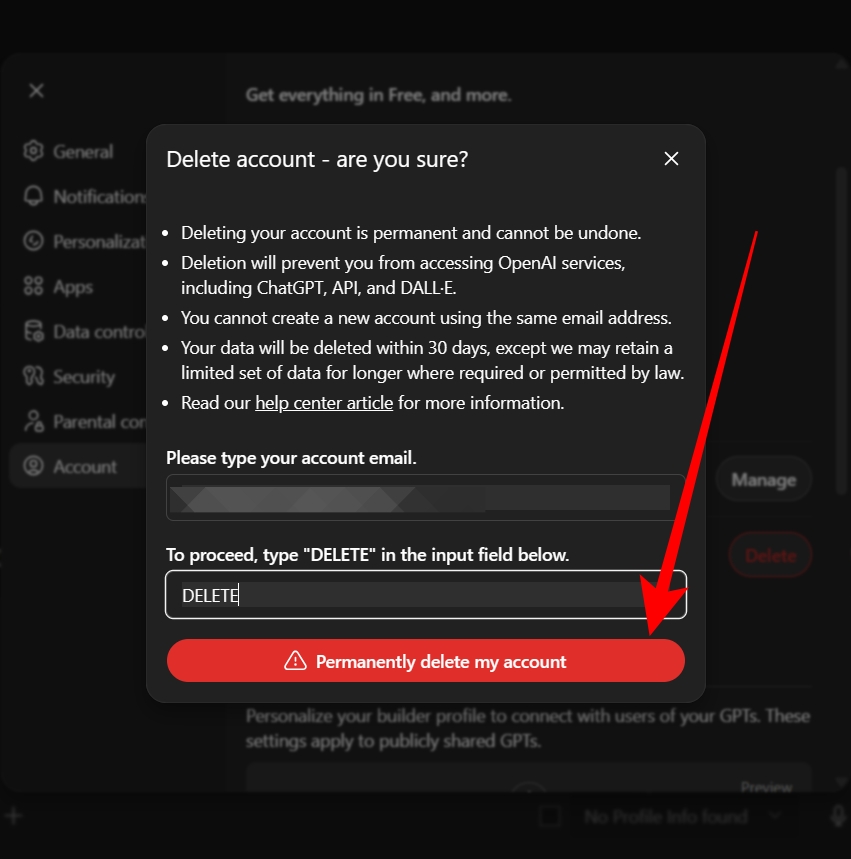
- You will see a Delete account option. Click Delete next to it.
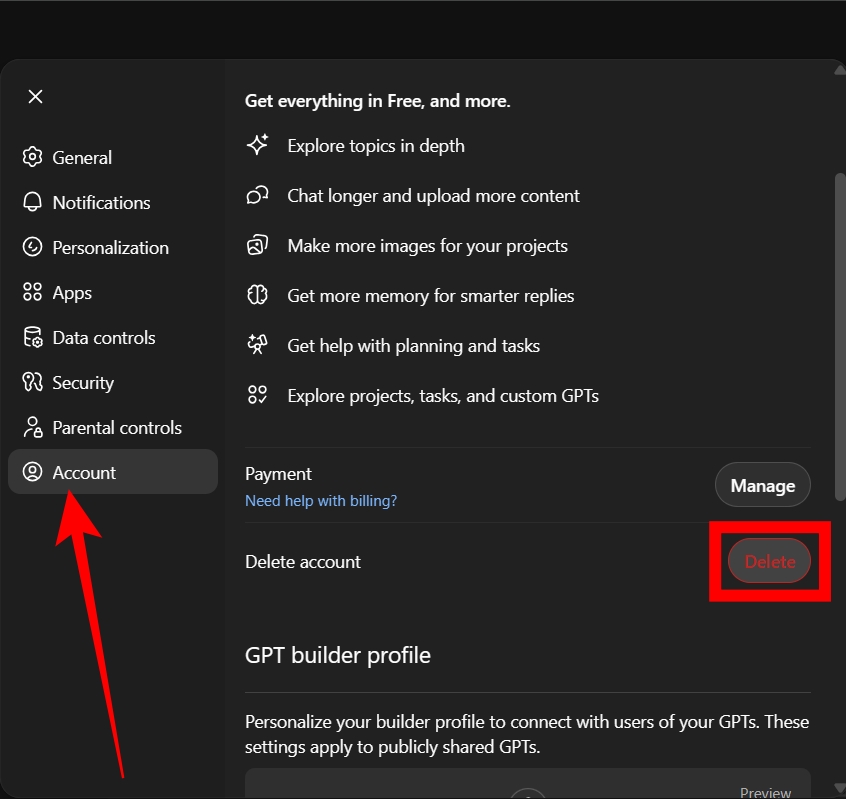
- If you haven’t logged in within the last 10 minutes, you will need to log in again. Click Refresh login to continue.
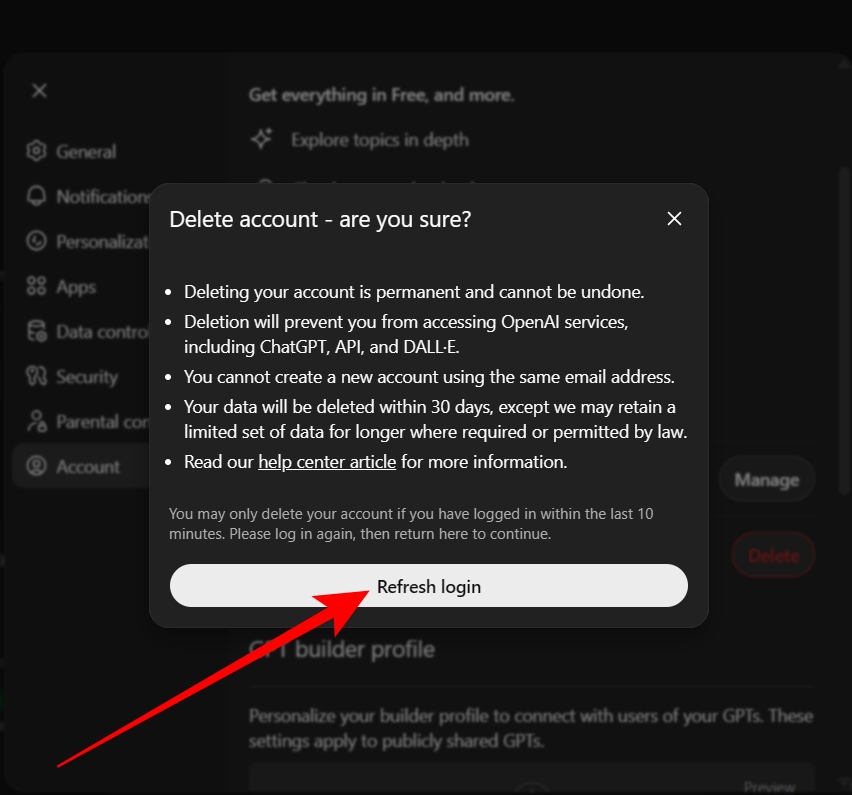
- After logging in again, a confirmation page will appear. Enter your email address and type DELETE in the confirmation field.
- The Permanently delete my account option will become available. Click it to complete the process.
How to Delete Your ChatGPT Account Using the Mobile App (iPhone and Android)
You can also delete your ChatGPT account from the mobile app. Here’s how.
- Open the ChatGPT app on your Android or iPhone and make sure you are signed in.
- Tap the menu icon in the top-left corner, then tap your name to open the settings.
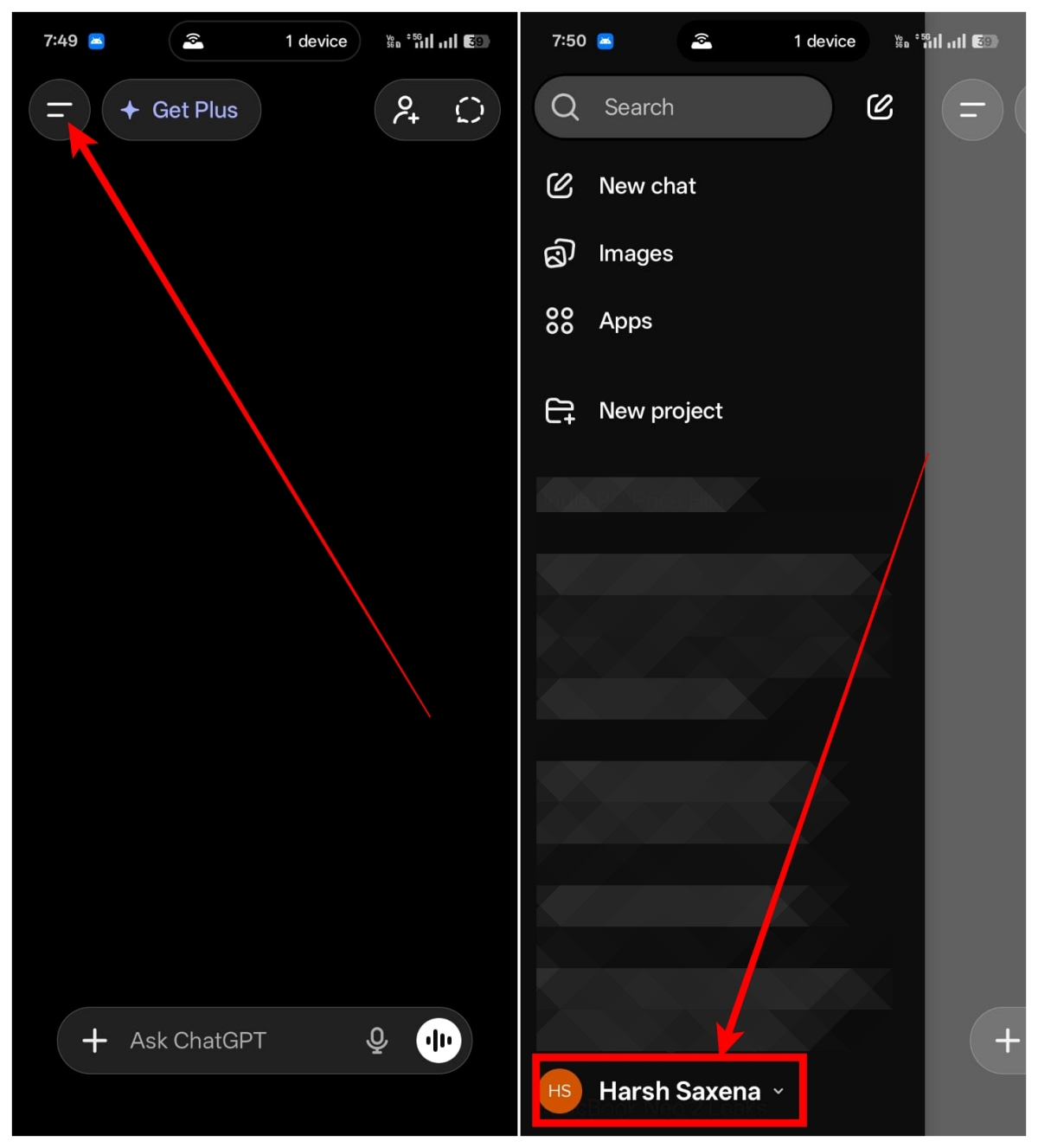
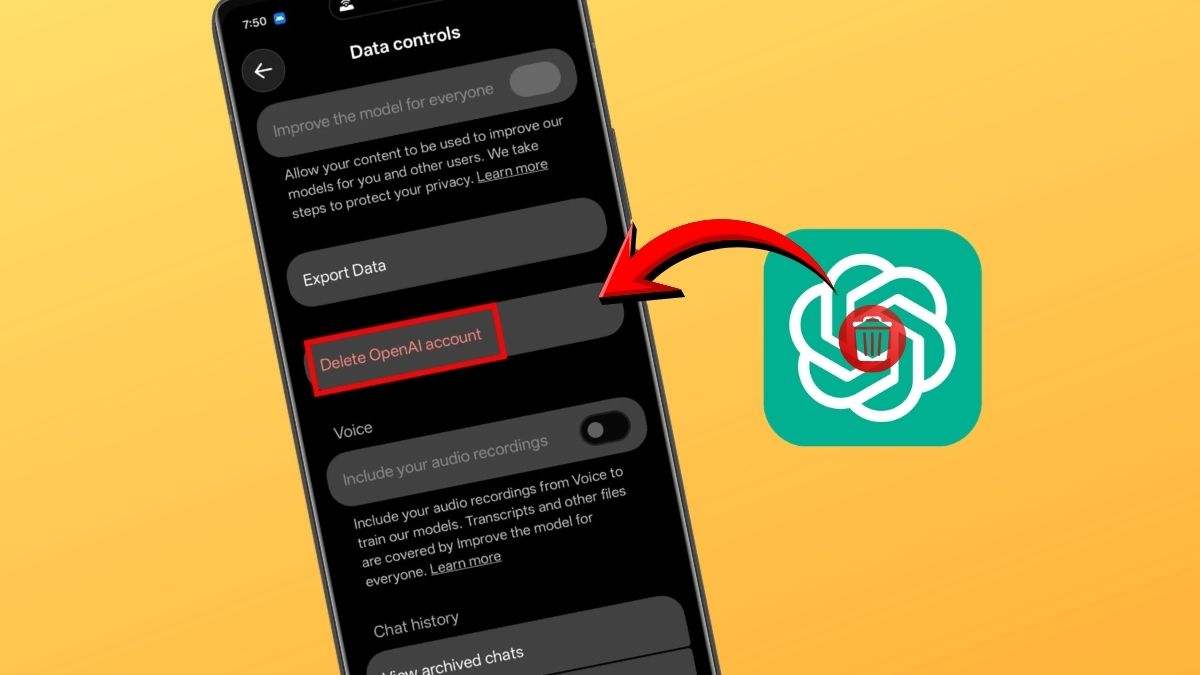
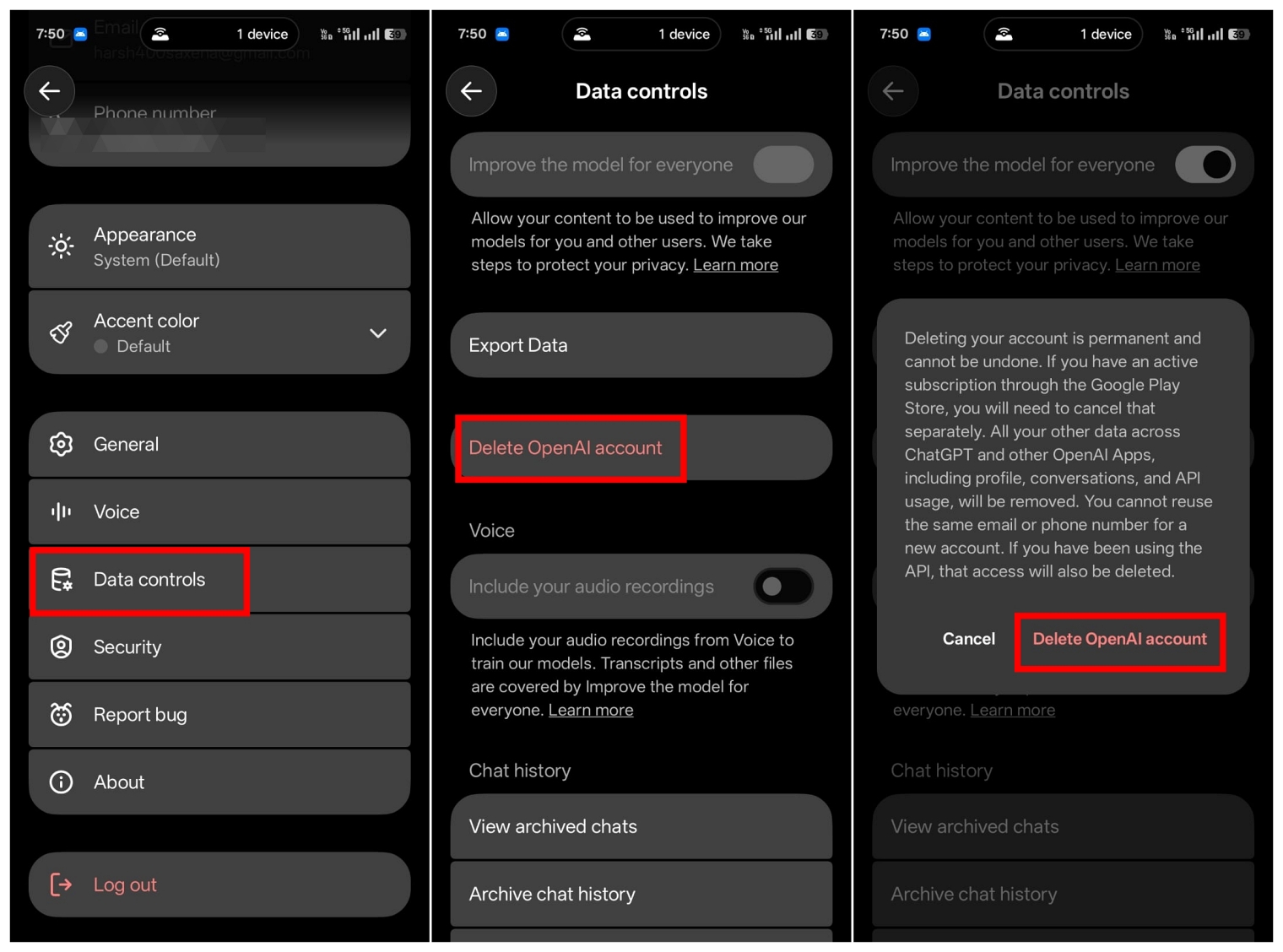
- Scroll down until you find Data controls, then tap it.
- Tap Delete OpenAI account.
- Confirm the action by tapping Delete OpenAI account on the pop-up screen.
Things to Know Before Deleting Your ChatGPT Account
Before deleting your ChatGPT account, make sure to save any important conversations you may need later. Also remember to cancel any active subscriptions to avoid being charged, especially if you subscribed through the Google Play Store or Apple App Store.
Wrapping Up
These are the simple ways to delete your ChatGPT account. If you are using a mobile device, you have three methods to remove the account. On a desktop, you can delete it either through the account settings or by submitting a request through the Privacy Portal.
No. Once your account is deleted, it cannot be recovered because the deletion process is permanent.
Yes. You can create a new ChatGPT account using the same email address, but only after 30 days.
If you see this error while trying to log in, it usually means your ChatGPT account has already been deleted or deactivated.
Don’t miss these related reads: