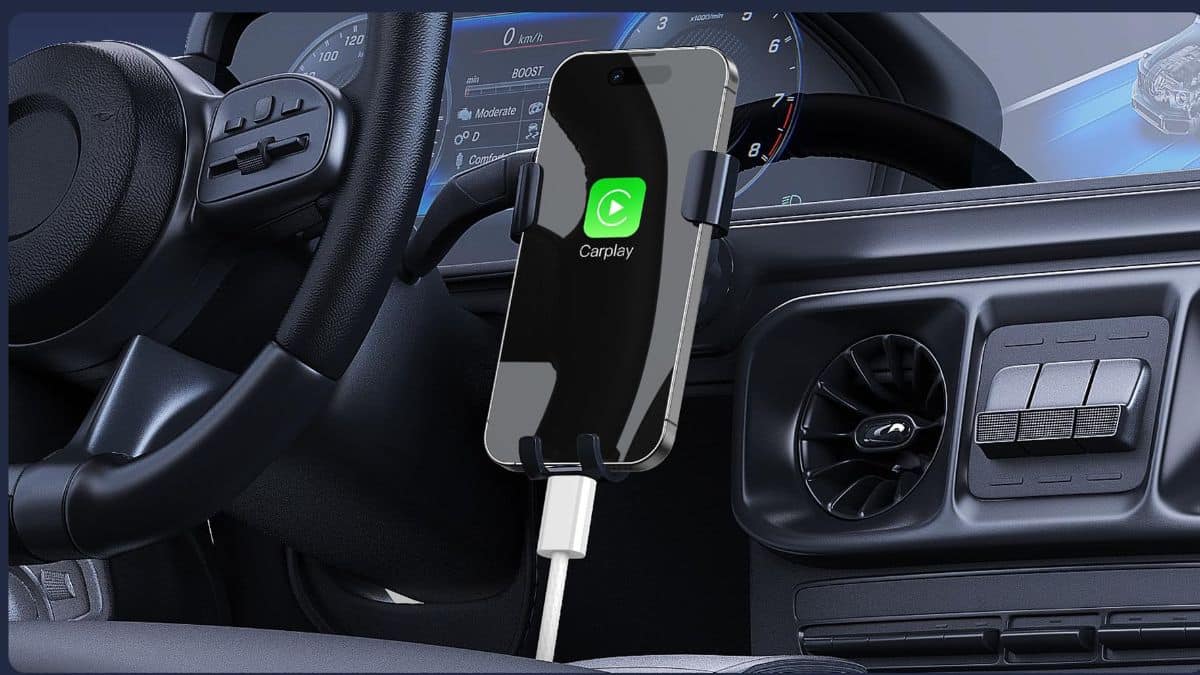
You get in the car, connect your iPhone to the CarPlay port, and nothing happens. Or worse, CarPlay disconnects the moment you hit a pothole, leaving Maps frozen while you’re looking for the next exit. A CarPlay cable is one of those accessories you barely notice until it fails at the worst possible moment.
A reliable wired CarPlay connection depends on more than charging. The cable needs to carry data consistently while supplying power to your iPhone, and it has to survive far more abuse than the cable sitting beside your bed. Car cables get bent around consoles, stepped on, pulled tight, crushed between seats, and unplugged several times a day.
That makes build quality, data support, length, and connector type more important than simply choosing whichever USB-C cable is cheapest.
What Does a CarPlay Cable Need to Do?
A wired CarPlay cable needs to support both charging and data transfer. A charging-only cable may power your iPhone but will not establish the data connection CarPlay needs.
Connector type matters too. Many vehicles still provide a USB-A CarPlay port, while iPhone 15 and later models use USB-C. In that situation, you need a USB-A to USB-C data cable.
If your vehicle has a USB-C CarPlay port instead, choose a USB-C to USB-C cable rather than using unnecessary adapters.
Owners of older Lightning iPhones should use a USB-A to Lightning or USB-C to Lightning data cable that matches the vehicle’s port. I would avoid stacking adapters onto a USB-C cable for wired CarPlay because every additional connection creates another potential failure point.
Length also matters. Around three feet works well for most center-console setups, while a longer cable makes sense if the USB port sits under the dashboard or far from your phone mount.
Why the Right USB-C Cable Matters for CarPlay
A cable that repeatedly disconnects is more than annoying. Losing navigation, music, or a call while driving can pull your attention away from the road while you try to reconnect the phone.
Durability matters for the same reason. Heat, repeated bending, tight console lids, and frequent plugging and unplugging can wear down a poorly made cable much faster inside a car than at home.
You also do not need extremely high USB transfer speeds for CarPlay. A reliable USB 2.0 data connection is enough for this job. Charging speed depends on the weakest part of the setup, including the car’s USB port. Even if a cable supports higher power, an older vehicle port may provide only basic charging.
If you would rather skip wired CarPlay completely, a wireless Android Auto and CarPlay adapter can remove the cable from the equation. For long drives, though, I still prefer a wired connection because it keeps the phone powered while CarPlay is running.
5 Best USB-C Cables for Apple CarPlay
The cables below use USB-A on the car side and USB-C on the phone side, which remains a common wired CarPlay setup for USB-C iPhones. I compared them based on data support, construction, length, in-car usability, and anything they offer beyond a basic rubber cable.
1. UGREEN USB-A to USB-C Cable
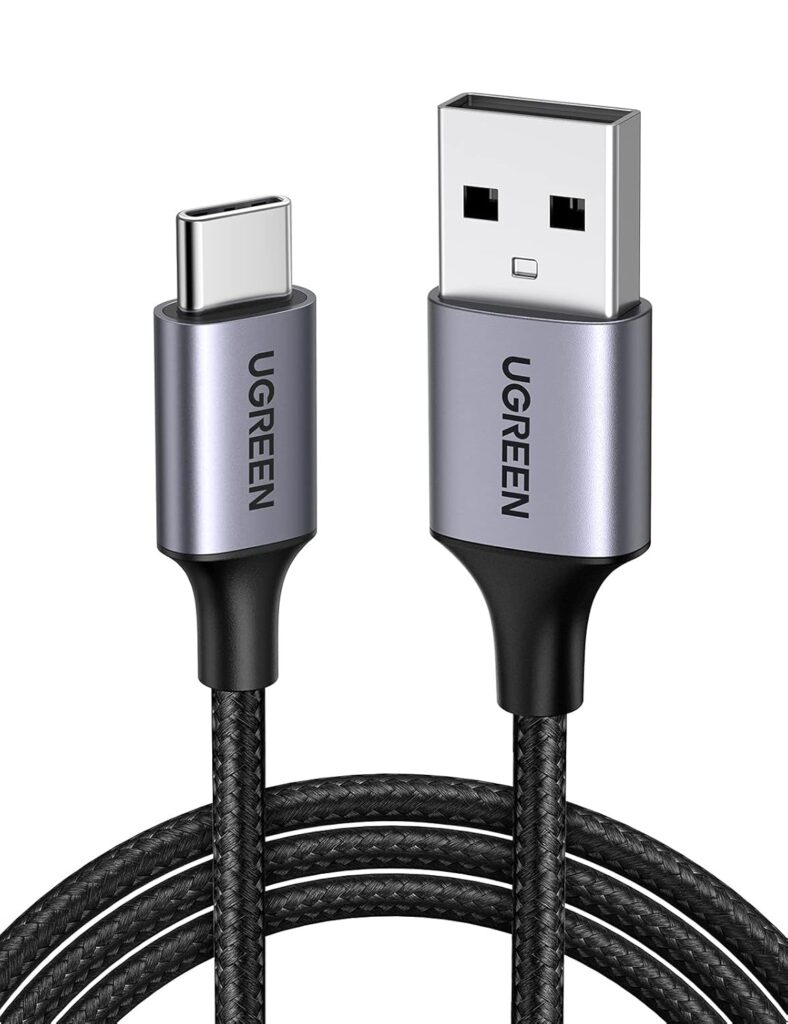
If you simply want a dependable USB-A to USB-C cable without spending much, UGREEN is an easy place to start. The braided construction makes it better suited to life inside a car than a thin rubber cable. You can coil it inside the console, pull it around a phone mount, and use it repeatedly without the outer jacket feeling as fragile.
More importantly for CarPlay, make sure you choose UGREEN’s data-capable USB-A to USB-C version, not one of its charging-only cables. Not every charging cable supports data, which is exactly why checking the specification matters for CarPlay.
A roughly 3.3-foot cable is also a practical length for most vehicles. It gives you enough room to reach a dashboard mount without leaving several feet of loose cable around the cupholders.
The main appeal here is value. There are cables with heavier reinforcement and more specialized designs below, but if you want a straightforward braided cable for everyday wired CarPlay, UGREEN covers the basics.
Best for: Anyone who wants an inexpensive braided cable for everyday CarPlay.
2. Belkin Braided USB-C to USB-A Cable
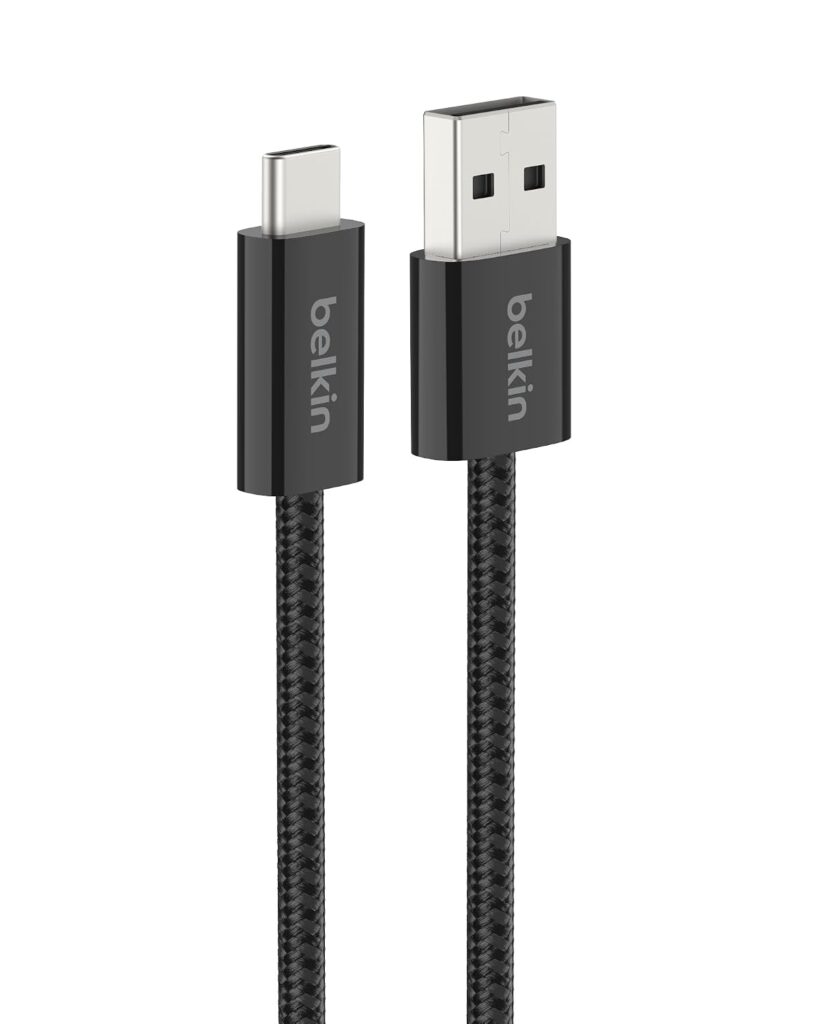
Belkin’s braided USB-A to USB-C cable is the one I would pick if you want something simple from an established accessory brand. The 3.3-foot version supports charging and syncing, with up to 15W charging support. The braided design is also built to handle repeated bending, which matters for a cable that spends its life twisted around a car console.
The braided jacket feels flexible enough to coil neatly instead of fighting you every time you put the phone away. That is a small detail, but it matters in a center console where stiff cables tend to take over the available space.
Do not buy it expecting fast charging just because it says 15W on the box. The car’s USB port still determines the actual output, and many built-in CarPlay ports supply less power. Still, for CarPlay, stable data transfer and durability matter more than chasing charging wattage.
Best for: Drivers who want a straightforward cable from a trusted accessory brand.
3. Anker USB-A to USB-C Upcycled Braided Cable
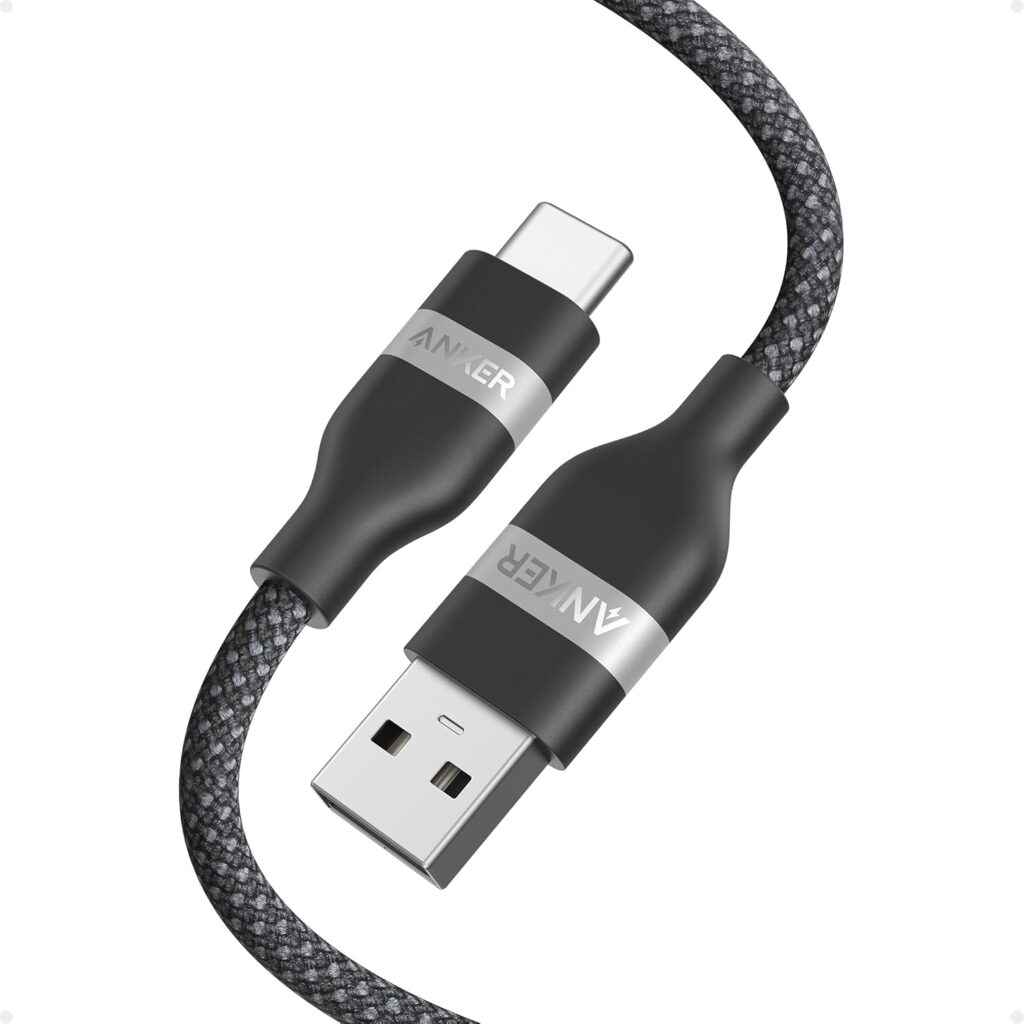
Anker’s USB-A to USB-C cable uses an upcycled braided exterior and comes in different lengths. More importantly for CarPlay, it supports data transfer, making it suitable for a wired connection rather than being a charging-only cable.
The braid feels more substantial than many cheaper cords, while the included cable organizer helps keep it wrapped when you are not using it. In a car, that is genuinely useful because loose cables inevitably end up under a seat or tangled around whatever else is in the console.
The cable does not support USB Power Delivery, but that is not a major drawback for most USB-A CarPlay ports because those ports generally are not delivering USB-C PD power anyway.
At around $14.99, it costs more than basic alternatives, but you are paying for the stronger construction and a cable designed to withstand repeated use.
Best for: Drivers who want a durable cable they can leave in the car for years.
4. Pioneer USB-A to USB-C CarPlay Cable
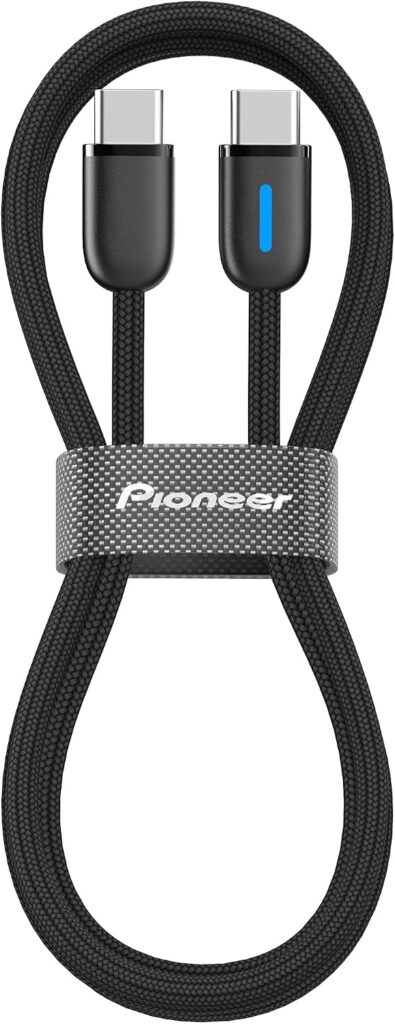
Pioneer has an advantage the other brands on this list do not: it primarily builds car audio equipment. Its USB-A to USB-C cable is marketed specifically for wired Apple CarPlay and Android Auto rather than as a generic charging cable. That makes it a good option if you want an accessory designed around dashboard use.
The braided construction should handle frequent movement and repeated plugging better than a thin rubber cord, while the roughly 3.3-foot length works for most dashboard and center-console layouts.
It is substantially more expensive than Belkin or UGREEN. You are paying for a car-specific accessory from an established head-unit manufacturer rather than dramatically higher charging performance.
If your priority is a cable explicitly designed for CarPlay use, though, Pioneer makes the strongest case.
Best for: Drivers who want a CarPlay cable from a dedicated car-audio brand.
5. LISEN Coiled USB-A to USB-C Cable
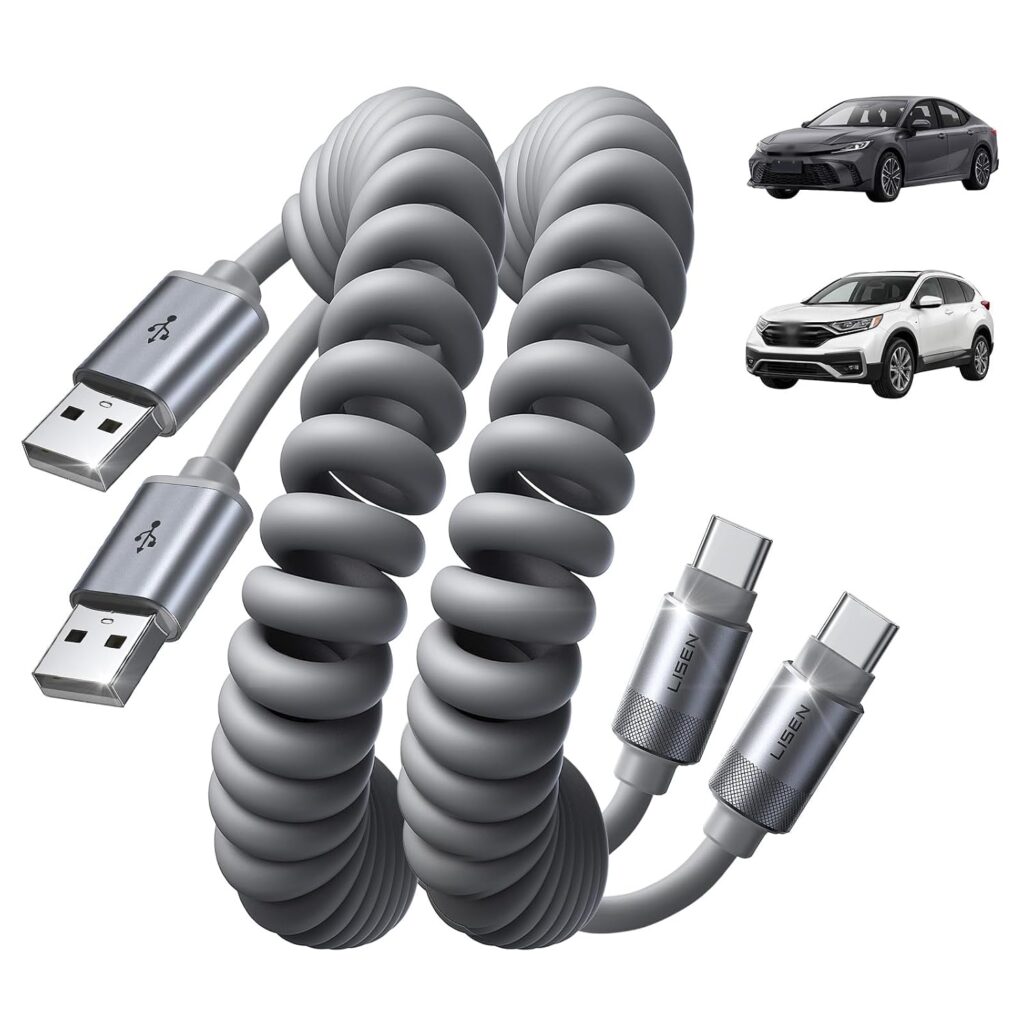
LISEN solves a different problem: cable clutter. Instead of using a traditional straight cable, this USB-A to USB-C design coils back toward itself when you do not need the full length. That keeps less cable hanging around the gear selector, cupholders, or center console.
The cable supports data transfer for CarPlay and Android Auto, while the reinforced design is intended to reduce disconnects during movement. The two-pack is useful if you have more than one vehicle or simply want to keep a spare cable in the glovebox. The coiled design also gives you extra reach when the USB port sits under the dashboard.
The trade-off is tension. A coiled cable naturally pulls back toward its shorter shape, so if your phone mount sits near the maximum stretched distance, the cable can feel like it is constantly tugging on the phone.
For a nearby console or dashboard mount, though, the coiled design is much cleaner than leaving a long braided cable loose.
Best for: Drivers who want a tidy console or need flexible reach.
Which CarPlay Cable Should You Buy?
For most drivers, I would start with Belkin or UGREEN. Both keep things simple, cost relatively little, and provide the charging and data connection wired CarPlay needs.
The Anker Upcycled Braided Cable makes more sense if durability is your biggest concern. Its reinforced construction and data support make it well suited to staying permanently in a vehicle.
Choose the Pioneer cable if you prefer an accessory designed specifically around CarPlay and Android Auto rather than a general-purpose USB cable.
The LISEN coiled cable is my pick for anyone tired of loose cables taking over the center console. Its coiled design keeps things compact while still providing the data connection CarPlay requires.
Final Thoughts
The best CarPlay cable is not necessarily the one with the highest charging wattage or fastest advertised USB speed. Wired CarPlay mainly needs a stable data connection, the correct connectors, and a cable that can survive daily use inside a car.
For a straightforward budget option, UGREEN does the job. Belkin offers a stronger balance between flexibility, durability, and brand reputation, while Anker is worth the extra money if you want heavier-duty construction.
Pioneer makes sense if you specifically want a cable designed for automotive use, and LISEN is the most practical choice for keeping your console free of loose cable.
Whichever one you choose, check your vehicle’s CarPlay port before ordering. If it uses USB-A, buy USB-A to USB-C for an iPhone 15 or newer. If your car uses USB-C, use a proper USB-C to USB-C data cable instead.
And if your iPhone still has a Lightning connector, buy a Lightning data cable that matches your vehicle’s USB port rather than relying on adapters. You can also browse our iPhone 17 accessories roundup for more gear to complete your in-car setup.