If you often play games, edit videos, or keep your phone plugged in for long hours, you’ve probably noticed how hot it can get. This constant charging and discharging your phone for heavy tasks can also wear down your battery in the longer run. This is where bypass charging comes in, a feature designed to reduce battery wear and keep your phone cool while it’s plugged in.
What is Bypass Charging?
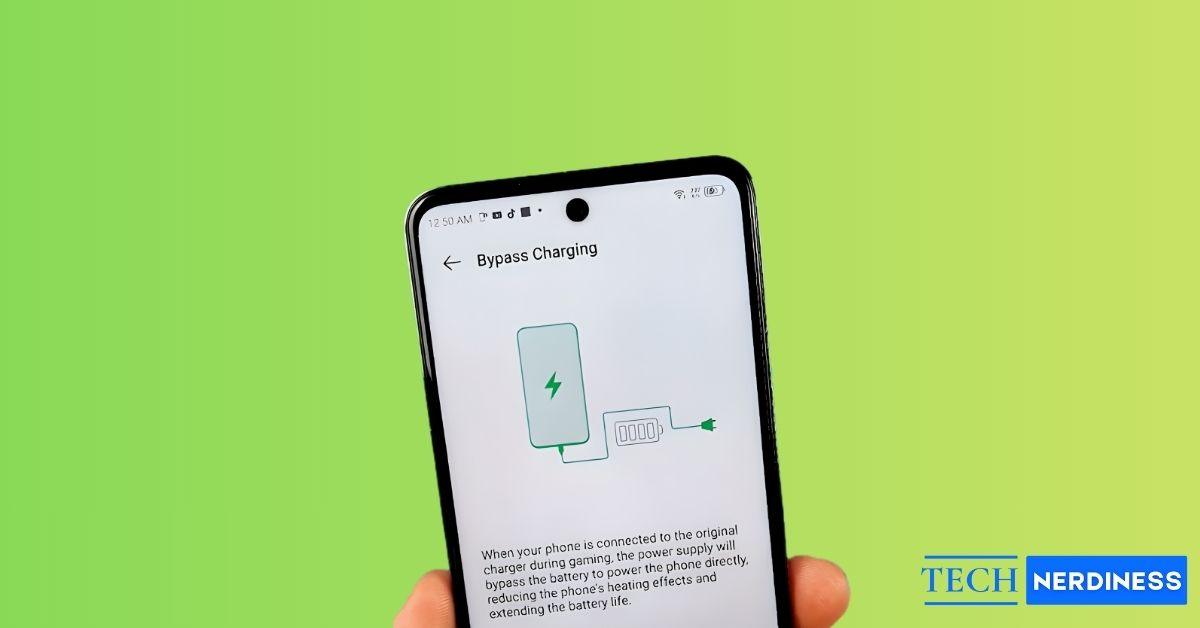
Normally, when you plug in your phone, the charger sends power to the battery first, which then powers the phone. This constant charge-discharge cycle (especially when gaming or streaming), generates heat and gradually reduces your battery’s health.
Bypass charging,as the name suggests, bypasses your phone’s battery. Instead of sending power to the battery first, the charger directly powers components like the processor and display. That means your phone runs entirely on wall power, and when you unplug it, the battery percentage remains the same as when you started.
This feature is available on many Android phones and especially as a gaming feature. So it comes in handy during long gaming sessions by using the wall power directly skipping the battery in the process.
Bypass Charging vs. Charging Limit
These two sound similar but do different things. Bypass charging powers your phone directly, skipping the battery. Charging limits, on the other hand, stop charging once your battery hits a certain level (like 80% or 85%) to avoid overcharging.
Charging limits help when you keep your phone plugged in for long hours, like overnight charging. But if you’re gaming or in long video calls, bypass charging is the better option since it prevents the battery from cycling at all.
The only thing to keep in mind with Bypass Charging is that it doesn’t charge your phone, it just powers it directly. So if your battery is low and you unplug the charger, you’ll be back at the same percentage you started with.
How to Use Bypass Charging in Smartphones
Different brands handle bypass charging differently, and in most cases, it’s tucked away under gaming or battery settings. Let’s go through them one by one.
Samsung
Supported on Galaxy S22 series and newer models. On Samsung phones, bypass charging appears as Pause USB Power Delivery inside the Game Booster app. To activate:
- Plug in a USB PD charger (25W or higher).
- Open Gaming Hub.
- Tap the three-dot menu in the top right corner.
- Select Game Booster.
- Toggle Pause USB PD charging when gaming.
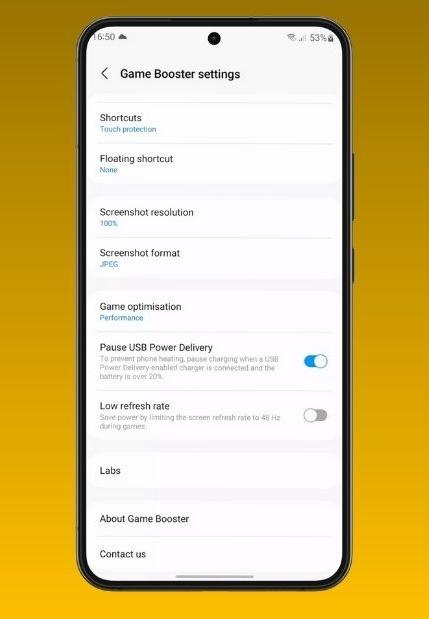
If the option is grayed out, you may be using a non–PD-compatible charger.
OnePlus
Supported on recent models including OnePlus 13, 13T, 12, Ace 5, and Nord models like Nord 5 and Nord CE5. Steps to activate:
- Plug in your charger and start a game.
- Open the Game Space app or the in-game control overlay.
- Look for the Bypass Charging toggle.
- Enable it to pause battery charging while gaming.
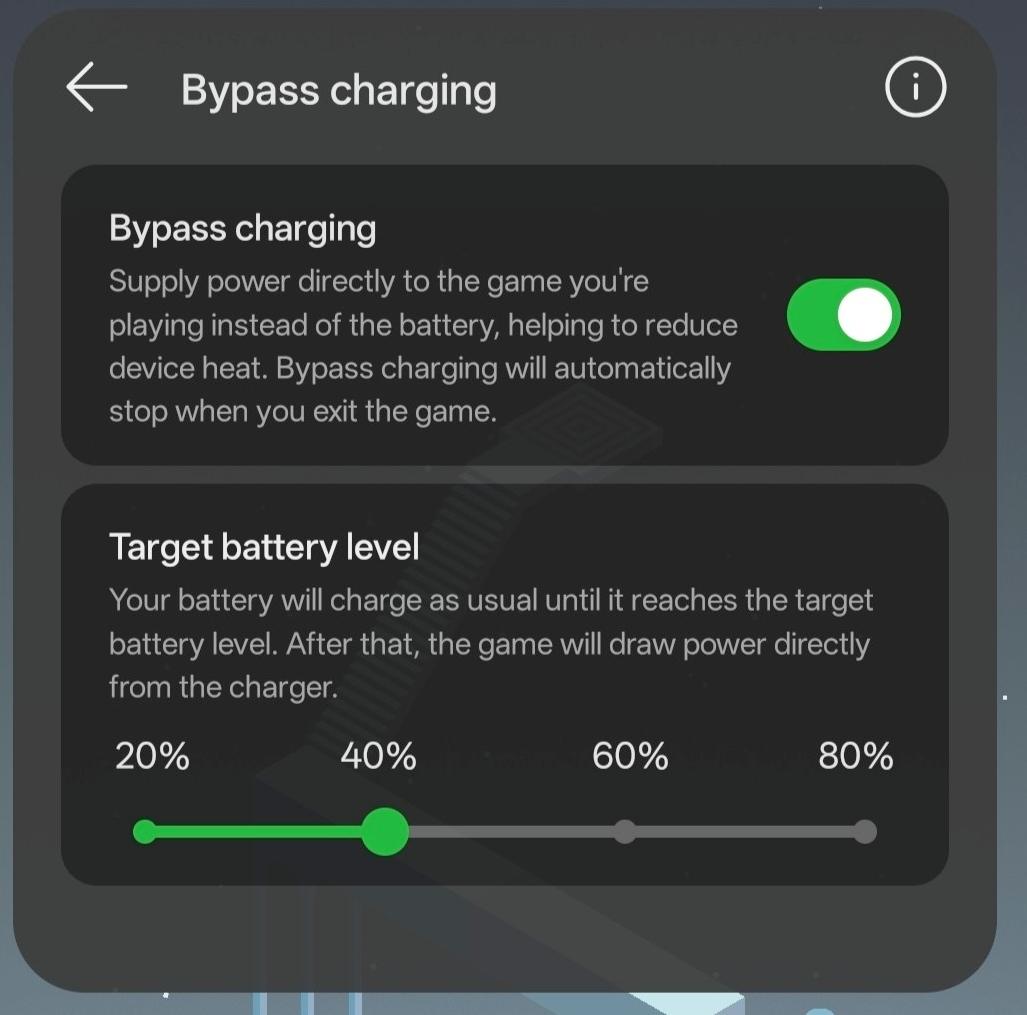
The phone may automatically resume charging if battery level drops below a set limit or after exiting the game.
Infinix and IQOO
Bypass charging is available in their Game Zone or Game Mode apps on select recent models like the Infinix Hot 40 Pro and IQOO 12 and later and Neo 9/Pro and later.
Steps to activate:
- Open the Game Zone or Game Mode app.
- Look for the Bypass Charging option.
- Toggle it while gaming.
Sony
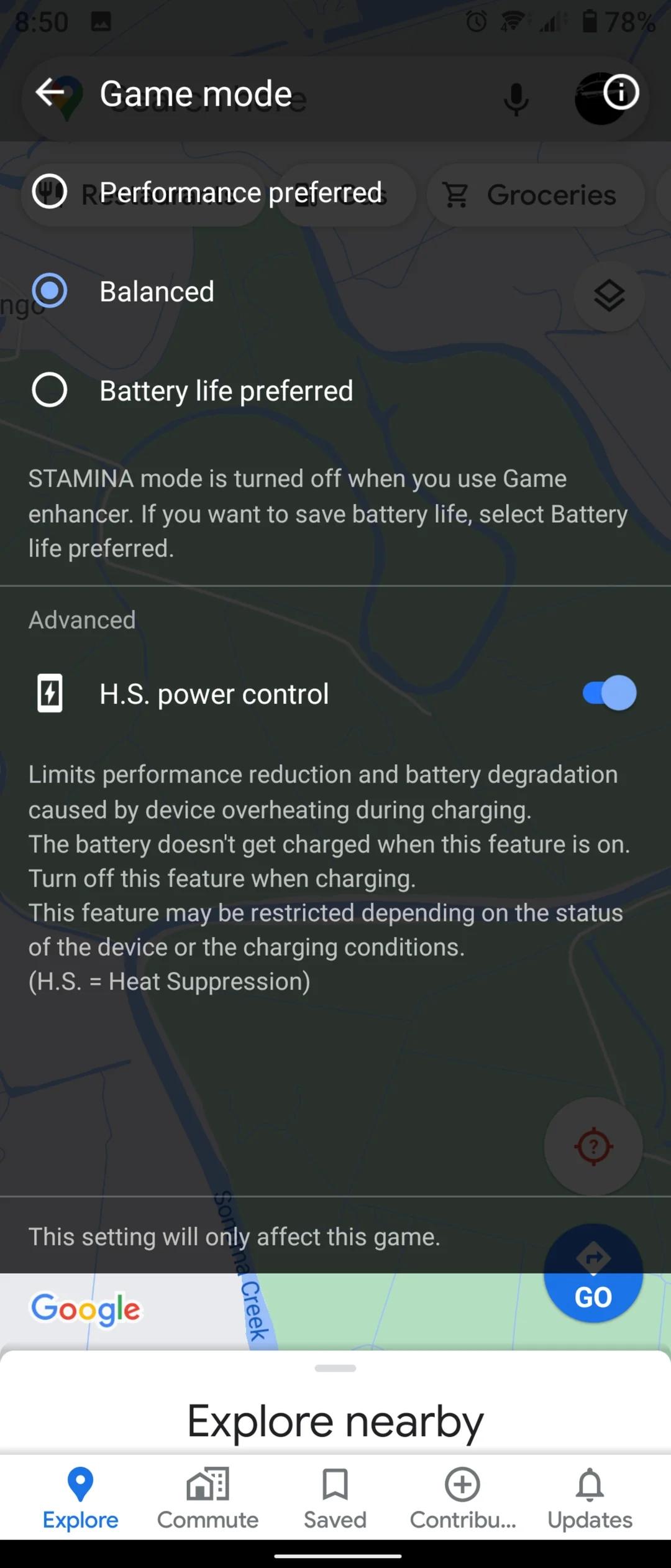
Available on Xperia phones under Heat Suppression Power Control in the Game Enhancer app.
Steps to activate:
- Open the Game Enhancer app.
- Locate H.S. power control.
- Enable it for each app individually.
Google Pixel
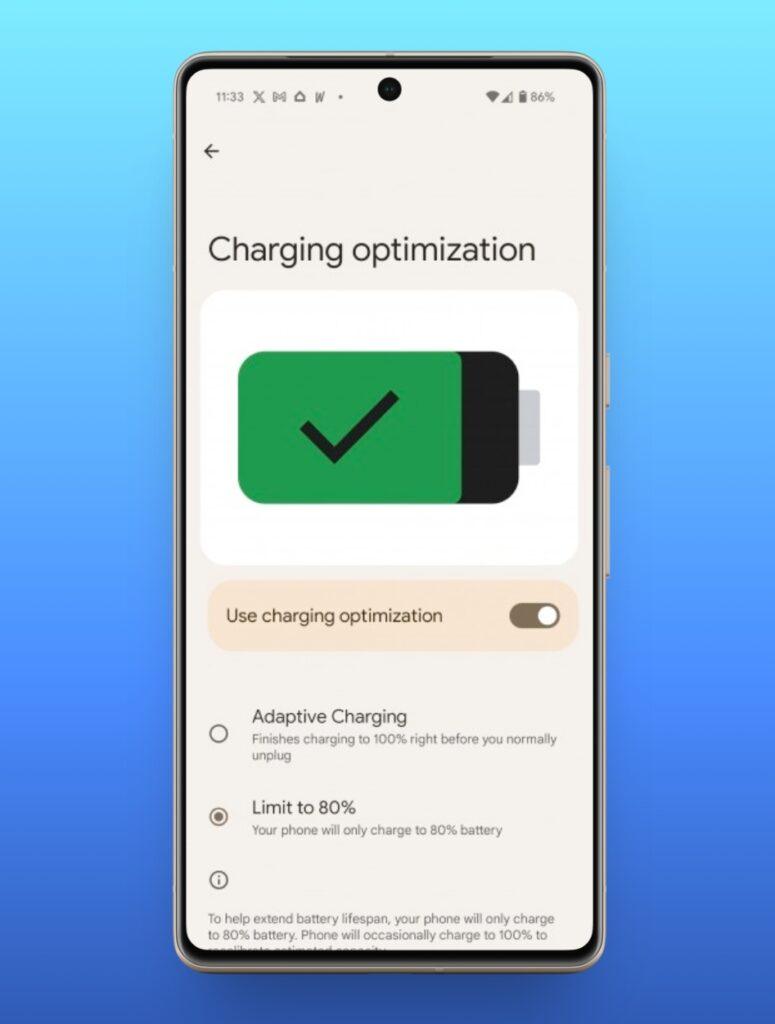
Pixels does not have a proper Bypass charging feature similar to other models. However, their bypass mode kicks in when you Pixel reaches 80%. Available on Pixel 8 and later.
- Go to Settings.
- Tap Battery.
- Select Charging Optimization.
- Toggle Limit to 80%.
ASUS
Found on ROG Phone 3 and later, and Zenfone 11 Ultra. You can also set charging limits between 80% and 100% for better battery care.
Steps to activate:
- Open the Game Genie app.
- Go to Battery Care.
- Select Bypass Charging.
Others
Phones like Xiaomi Black Shark 5 and nubia REDMAGIC 9 Pro also support bypass charging, though mainly in gaming modes.
To activate it, open the respective gaming app or performance settings on your device and enable the Bypass Charging option if available.
Unfortunately, as of now, iPhones does not support a feature such as Bypass charging. However, with Apple’s focus on gaming recently, we can expect the feature to be available sooner or later.
Related: iPhone Battery Cycle Count: What It Is and How to Check
Final Thoughts
Bypass charging is one of the most practical features you can have. It keeps your phone cool, boosts performance, and helps your battery last longer, especially if you’re someone who games a lot or spends hours on calls or video editing.
It’s still a relatively new feature, but now that brands like Google and Samsung are adopting it, expect it to become a standard in the next few years. If you see it on your next phone’s spec sheet, you’ll know it’s worth turning on.