Roblox has reshaped private chat throughout 2026. A mandatory age check went live worldwide on January 7, 2026, Connections became Friends again from April 2, and Roblox Kids and Select accounts arrived on June 16. If you haven’t done it yet, verify your age on Roblox first, since no private chat option works without it.
Once you’re age-checked, you can message friends from the Chat tab, whisper to any player in your server with /w @Username, or start a Party that follows your group between games. Here’s quick guide on how you can private chat in Roblox.
Which Roblox private chat method should you use?
Each method suits a different situation. Pick based on who you’re messaging and whether you need the conversation to stick around.
| Method | Who you can message | Conversation saved? | Best for |
|---|---|---|---|
| Chat tab (DM) | Friends only | Yes, across devices | Ongoing one-on-one or group chats |
| Whisper (/w) | Any player in your server | No, ends when either player leaves | Quick trades or plans mid-game |
| Party chat | Up to 5 invited friends (6 total) | Yes, while the Party lasts | Groups hopping between games |
How to send a private message from the Chat tab
The Chat tab is the only option that keeps your messages after a game ends. You can only message people on your friends list.
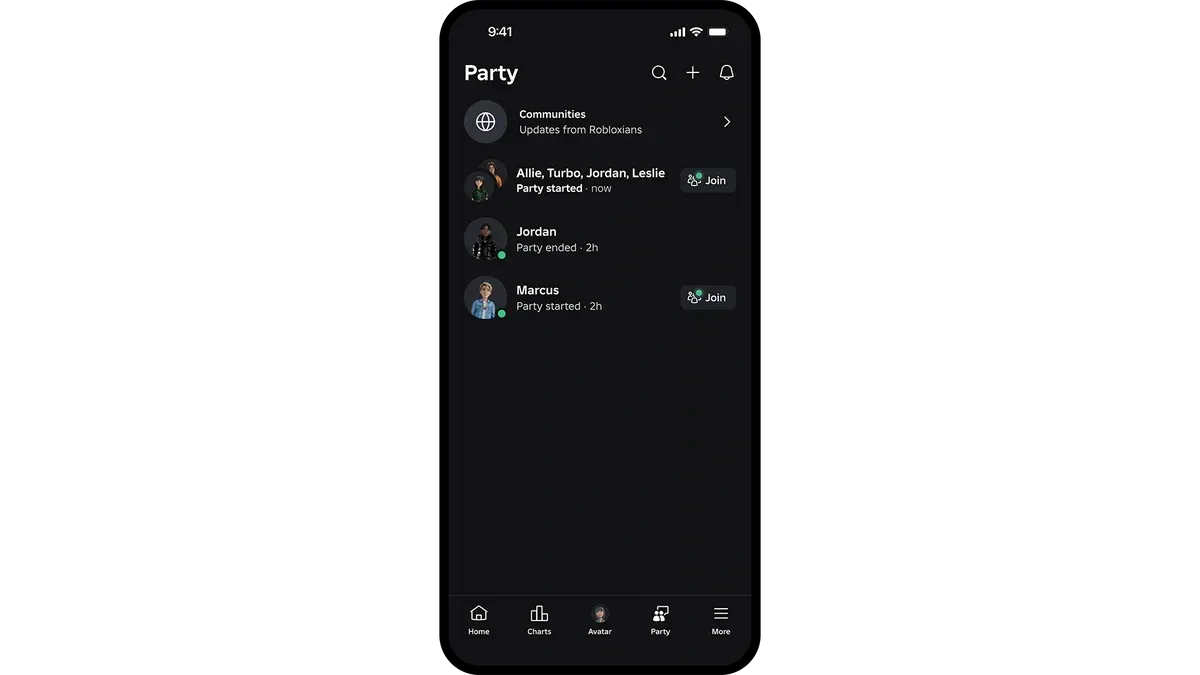
- Open the Roblox app and tap the Chat tab at the bottom of the screen. In some regions it still reads Party.
- Tap an existing conversation, or tap the + button to choose a friend.
- Type your message and tap Send.
On a computer browser, click the gray chat box in the lower-right corner, pick a friend or use Search, then type in the Send a Message box. For a group DM, select up to five friends after tapping + and click Create.
How to whisper to a player inside a game
Whispers are the fastest way to message someone you haven’t friended yet, as long as you share a server. Roblox deletes the whisper channel as soon as either of you leaves, according to its TextChatService documentation.
- Press / on PC, or tap the chat bubble icon on mobile, to open experience chat.
- Type /w @Username, replacing Username with the player’s account username, and press Space.
- Type your message and press Enter.
Use the @Username rather than a display name. Display names aren’t unique, so two players called “Alex” in one server can send your whisper to the wrong person. Some games also replace the default chat with a custom one, which can disable /w entirely.
How to use Party chat with a group
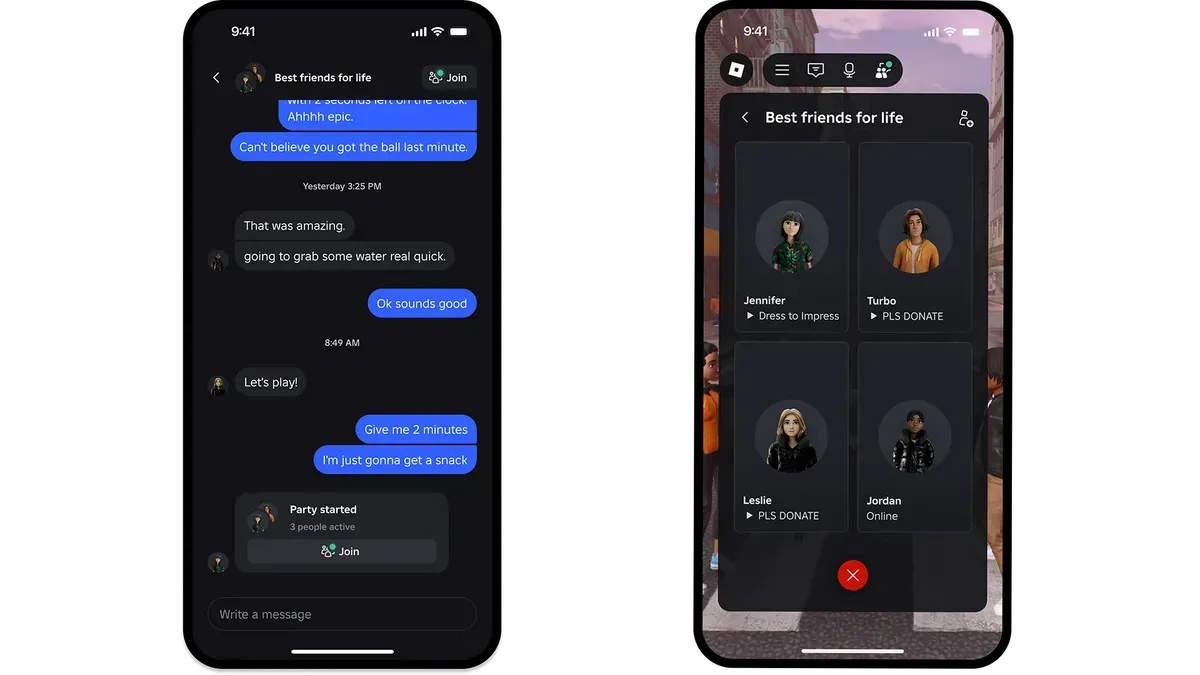
Party keeps a group of up to six friends together across experiences, with a shared text chat. Open Chat, select Start Party, add friends and tap Start. Inside a game, open Party chat from the experience controls.
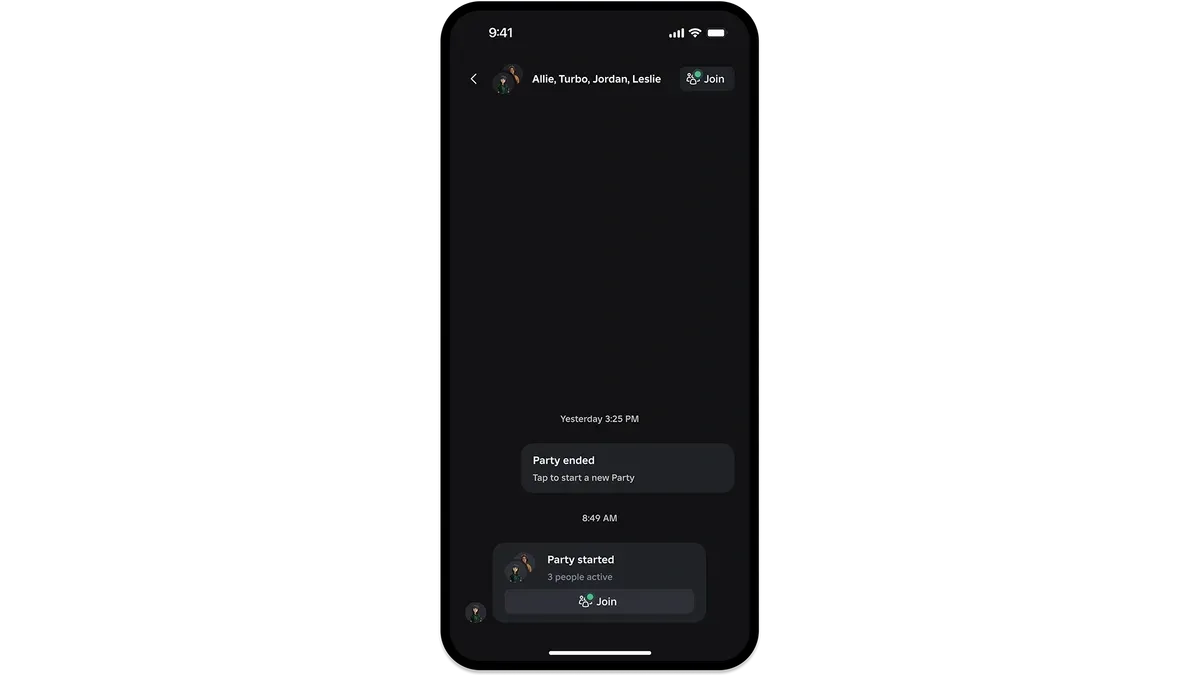
If your friends are 13 or older and added as Trusted Friends, Party also unlocks Party Voice. Our guide on getting voice chat on Roblox covers the extra requirements.
Why your Roblox private messages aren’t sending
Most failed messages trace back to one of five causes:
- No age check: Roblox blocks all chat for accounts without one, regardless of age. If the result looks off, see how to fix a wrong Roblox age estimate.
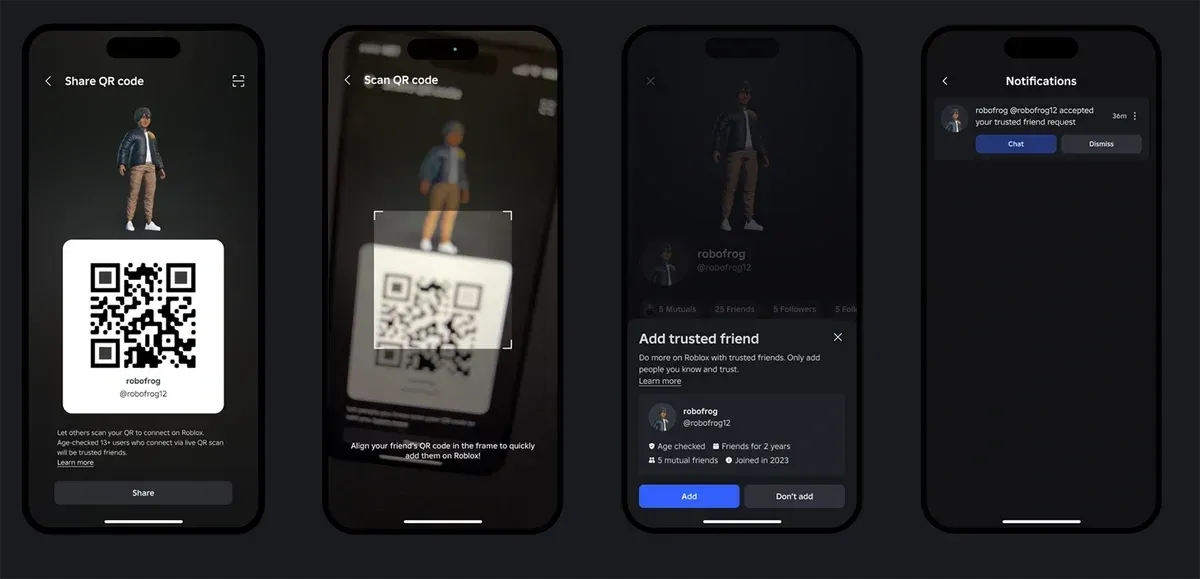
- Different age groups: You can only chat with users in your own or similar age groups, unless you’re Trusted Friends. Add family or real-life friends as Trusted Friends with a live QR scan or contact import (13+ only).
- Under 9: Roblox Kids accounts get no DMs. A linked parent can allow in-game text chat only. Our Roblox Kids vs Select breakdown covers the limits by age.
- Communication settings: Go to Settings > Privacy & content maturity > Communication and set Chat and Party with friends to All friends or Trusted friends. No one disables it.
- Filtered text: Hashtags (####) replace any words the filter blocks, including phone numbers and usernames from other apps.
How private is Roblox private chat?
Private only means other players can’t see it. Roblox filters every chat, monitors all messages for child exploitation and blocks attempts to share personal information between users who aren’t Trusted Friends. Image sharing has never been allowed, at any age.
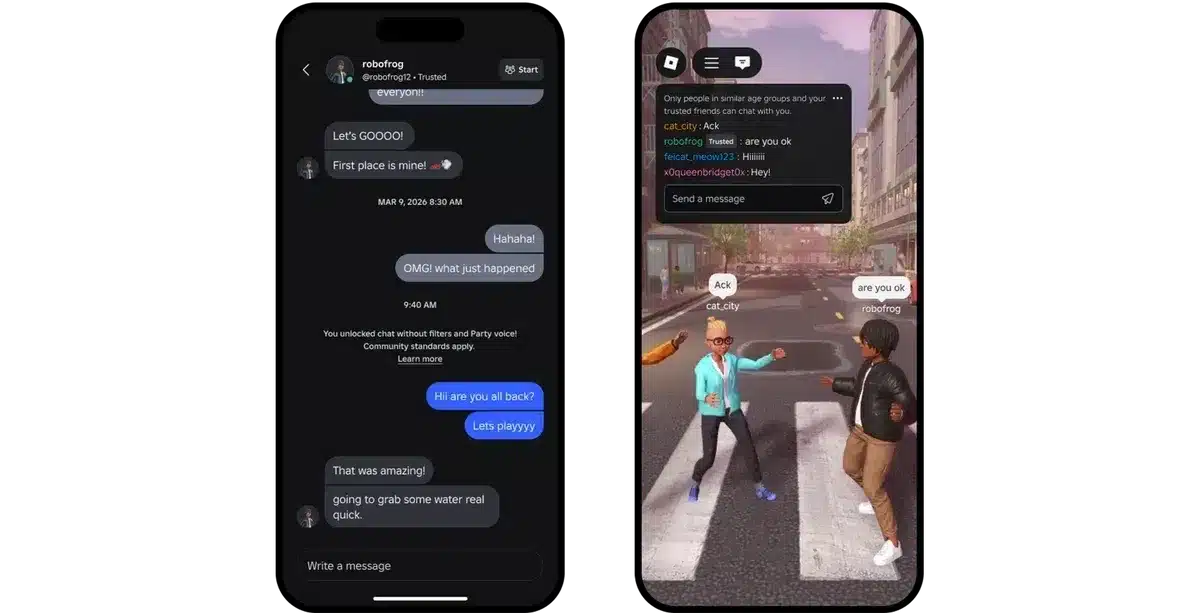
Trusted Friends aged 13 and up can chat without filters, though Roblox still monitors those conversations for critical harm. Parents can also adjust chat settings for children until they turn 16.
Wrapping up
Private chat on Roblox now depends less on finding the right button and more on your age check status, age group and friend type. Once those line up, the Chat tab handles lasting conversations, whispers cover quick in-game exchanges and Party keeps groups together.
Roblox has said it plans more ways to add Trusted Friends, so cross-age chat rules could loosen for verified family and friends. For now, sticking to @Username whispers and checking your Communication settings solves most problems.
Type /w @Username or /whisper @Username in experience chat, followed by your message. Only the selected player sees it, and the channel closes when either of you leaves the server.
Only through a whisper while you’re both in the same server. Chat tab DMs and Party require the other person to be on your friends list.
You can add up to five friends to a group chat or Party, making six people including you.
No. Roblox Kids accounts have DMs and chat outside games disabled. A linked parent can turn on in-game text chat only.
Roblox’s systems filter and monitor all chat, including DMs, whispers and Trusted Friends conversations. Other players can’t see your private messages, but they’re not hidden from Roblox moderation.