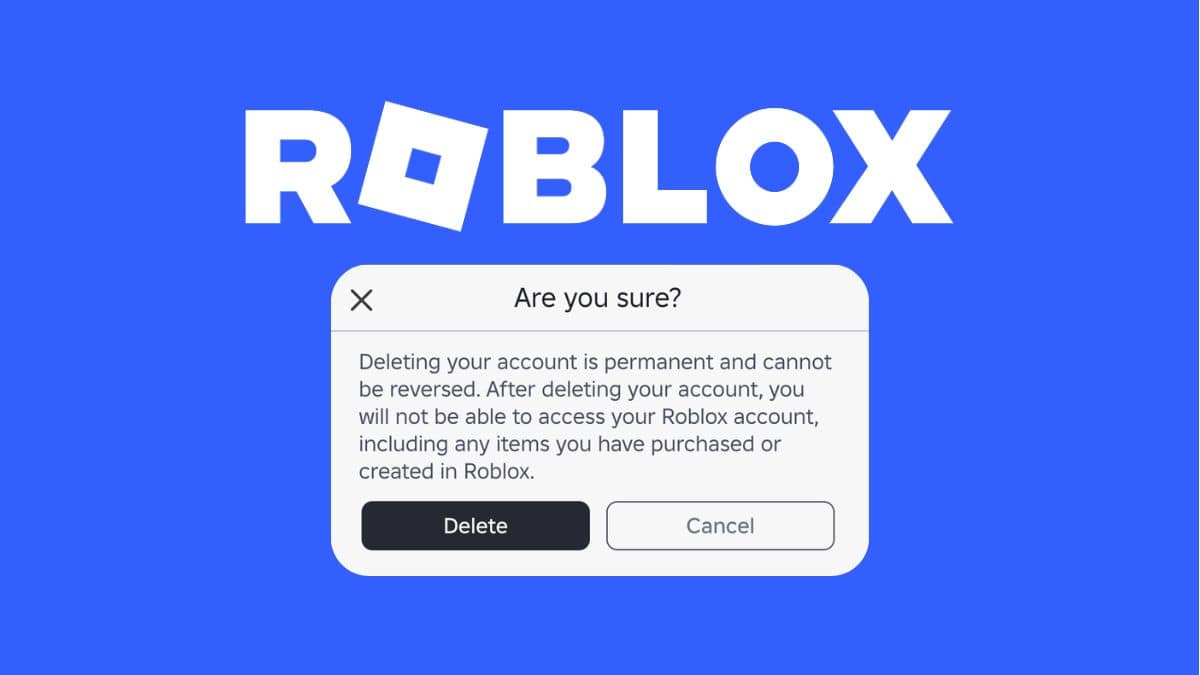
Roblox does not give you a one-click delete button. Unlike deactivating your profile, which you can do from your own settings in seconds, permanently erasing a Roblox account means filing a formal data privacy request and waiting for Roblox to verify you before it processes the deletion. That distinction trips up a lot of players who expect an app-store-style “delete account” toggle and can’t find one.
This guide covers both options: quick deactivation, which hides your profile while preserving your data, and permanent deletion, which removes your account and everything associated with it.
If you’re a parent managing an account for a younger player, read our Roblox account status guide first. It explains Roblox’s moderation system and helps clarify why some accounts described as “deleted” may actually have been banned rather than voluntarily removed.
Deactivating vs. Deleting a Roblox Account
Deactivation pauses your account. Your profile disappears from public view, but marketplace listings and some account data stay intact, and you can reactivate simply by logging back in.
Deletion is permanent. Roblox erases your account, your Robux balance, your inventory, and your saved data. There’s no reactivation and no recovery window once it processes.
How to Permanently Delete Your Roblox Account
- Log in to Roblox on desktop or mobile.
- Open Settings, then go to Privacy & content restrictions.
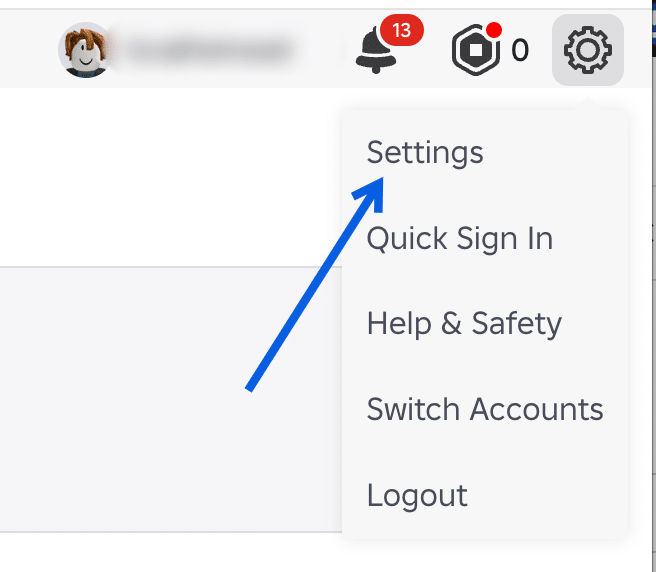
- Under Account Deactivation and Deletion, select Delete.
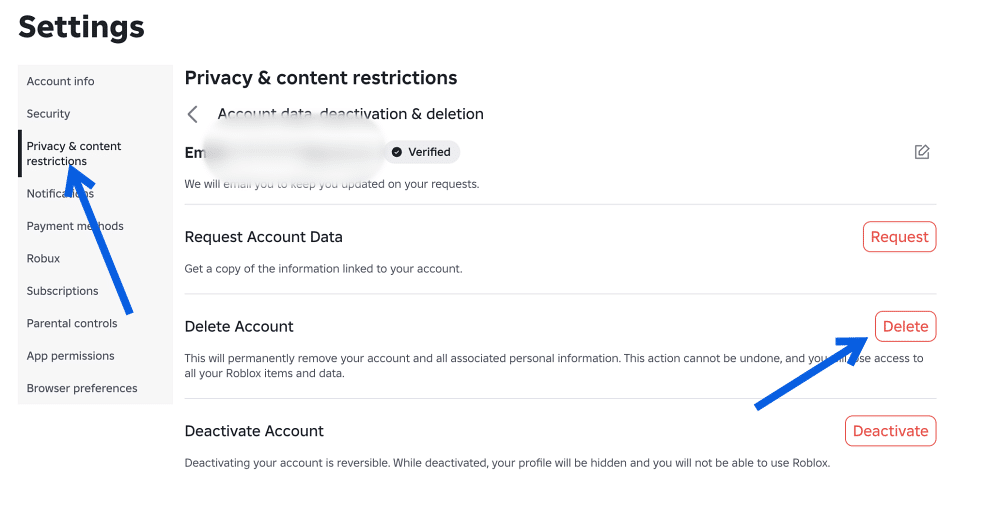
Roblox reviews the request manually to confirm you own the account. Processing can take up to a week, sometimes longer if verification stalls.
Before you submit the request, unlink any connected Xbox or PlayStation account and cancel an active Roblox Premium subscription. Roblox does not do this automatically, and a live subscription will keep billing until you cancel it separately.
If you only want to deactivate your account, select Deactivate. Your profile will be hidden, and you will be unable to use Roblox until you reactivate the account.
What Happens to Your Robux, Items, and Friends
Deletion wipes everything tied to the account. Robux balances, purchased items, avatar customizations, and saved game progress are all lost, and Roblox does not refund completed Robux purchases. Friends, group memberships, and social connections tied to the account are deleted too, and none of it transfers to a new account.
Once Roblox processes the request, there’s no recovery path, so back up anything you want to keep before you submit the form.
Deleting a Child’s Roblox Account (Under 13)
Roblox requires a parent or legal guardian to submit the deletion request for accounts belonging to users under 13, using verified contact information already tied to the account. The steps are the same RTBF process above, but Roblox routes the request through parental verification before it processes anything.
If you’re deciding whether your child should be on Roblox at all rather than just closing an account, our guide on whether Roblox is safe for kids covers the safety controls worth setting up first.
Final Thoughts
Roblox’s deletion process stays manual because verification protects accounts, not because the platform is slow to improve. Until a self-service option arrives, the RTBF form remains the only reliable way to erase an account for good.
Deactivating hides your profile and lets you log back in anytime to reactivate it. Deleting permanently erases the account, your Robux, your items, and your data, with no way to recover it.
Roblox doesn’t publish a fixed timeline, but processing typically takes up to a week once you confirm the request and pass identity verification.
No. Once Roblox processes a deletion request, the account and its data are gone permanently, with no reactivation option.