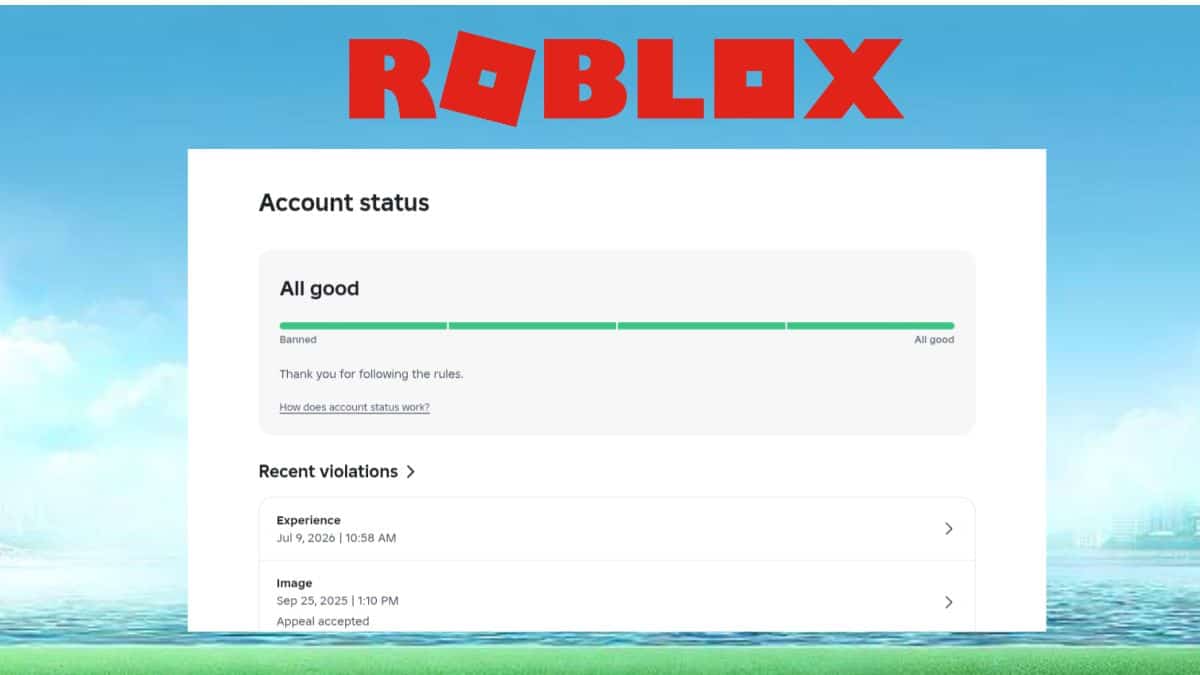
Roblox has begun rolling out a new Account Status page, and it’s the closest thing the platform has ever given players to a real-time view of their own standing. Spotted first by Bloxy News on 7th August 2026, the page sits at a dedicated safety dashboard and shows recent rule violations alongside how close an account may be to a permanent ban. If you’ve spent any time managing your Roblox account, this is the kind of transparency the community has been asking for since the platform’s moderation process has historically felt like a black box.
The timing matters too. Roblox has spent the past year tightening enforcement around chat, age verification, and content standards as part of a broader push covered in our breakdown of whether Roblox is safe for kids, so a warning or a timeout can land without much context on why or what happens next. This new page is apparently modeled on the same idea behind Discord’s Account Standing feature, giving players a running record instead of leaving them to guess after a moderation email shows up.
Below, you’ll find how to check your own status, what each section actually means, and what the escalation ladder looks like if you do have a violation on file.
What is the Roblox Account Status page?
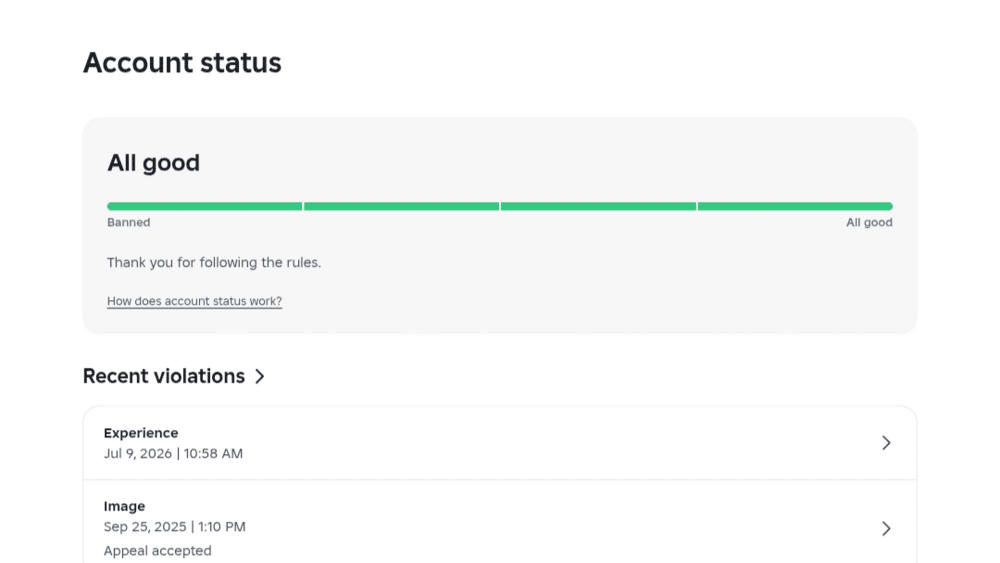
The Account Status page, also referred to as the Safety Dashboard, is a self-service view of your account’s moderation standing. It’s built to show your recent Account Moderation Actions and your overall Account Standing in one place, rather than making you dig through old emails or wait for a support reply. It effectively supplements the older Violations & Appeals portal, which only surfaced information after you’d already received a moderation notice.
Importantly, this is still an early-stage rollout as of this writing. Multiple developers on the Roblox Developer Forum have reported that access is inconsistent between accounts, and it isn’t tied to whether you have a clean record or not. Some accounts with zero violations can already see the new page, while others with a moderation history still only have access to the older portal. So if you check and don’t see it yet, that’s expected behavior during a staged rollout rather than a bug specific to your account.
How to Check Your Roblox Account Status
- Sign in to your account at roblox.com on desktop or mobile web.
- Go directly to the Safety Dashboard page, currently reachable at roblox.com/safety-dashboard.
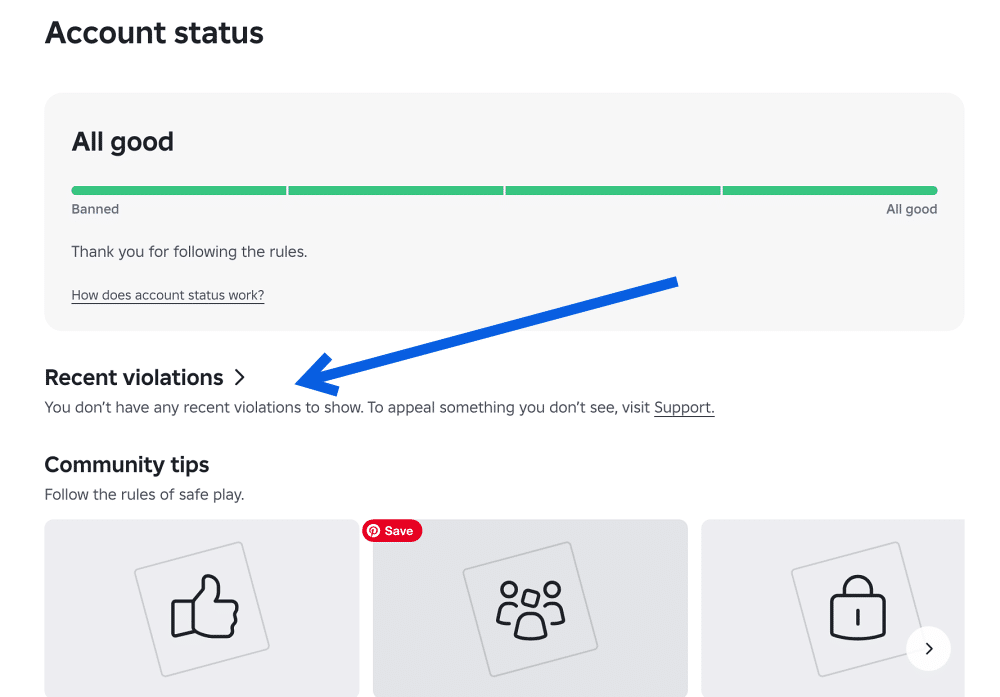
- If your account has been given access to the new rollout, you’ll see your Account Standing and a list of any recent moderation actions.
- If the page shows nothing or redirects you elsewhere, your account likely hasn’t been included in the rollout yet. In that case, check the Violations & Appeals section under Roblox Support instead, since that’s the fallback most accounts still use.
- If you’ve verified your age or ID on Roblox, it’s worth double-checking that process is complete too, since some publishing and safety checks are tied together.
Our guide on verifying your age on Roblox walks through that separately.
Apart from visiting the dashboard directly, there currently isn’t a menu shortcut buried inside Settings for every account, so bookmarking the URL is the most reliable way to check back periodically.
What Each Section of the Account Status Page Means
Once you have access, the dashboard breaks down into a few core pieces of information.
- Account Standing: An overall snapshot of whether your account is in good standing, has active restrictions, or is nearing a more severe action. This is the headline indicator Bloxy News and RoNews both referenced when describing how the page shows “how close you may be to a permanent ban.”
- Recent Moderation Actions: A log of warnings, timeouts, or suspensions applied to your account within a recent window, generally including what the action was for and when it happened.
- Violation History: Older entries that may no longer be actively affecting your standing but remain visible for context. Roblox has noted elsewhere that account-level consequences typically escalate based on both the severity of a violation and a user’s prior history, so this history section is essentially showing you the same signals moderators use.
Notably, none of this is punitive by itself. Viewing the page doesn’t add anything to your record. It’s purely informational, similar to checking a credit report rather than applying for one.
It also has no bearing on features tied to your account, such as Trusted Connections or whether you’re subscribed to Roblox Plus, unless a violation specifically restricts one of those privileges.
Roblox’s Ban Ladder: What Happens If You Have Violations
Roblox’s account-level enforcement generally follows an escalating scale, with severity depending on the nature of the violation and whether it’s a repeat offense. Based on Roblox’s own Content Moderation documentation and account moderation records, the typical progression looks like this:
| Stage | Action | Typical trigger |
|---|---|---|
| 1 | Warning (instant) | First minor violation |
| 2 | 1-day suspension | Repeated or moderate violation |
| 3 | 3-day suspension | Continued violations |
| 4 | 7-day suspension | Escalating pattern of violations |
| 5 | 14-day suspension | Serious or repeated violations |
| 6 | 6-month suspension | Severe or persistent violations |
| 7 | 1-year suspension | Near-maximum severity, prior history |
| 8 | Account deletion (permanent) | Severe violation or exhausted escalation |
This isn’t a strict, guaranteed sequence for every user, since a single severe violation, such as a Terms of Use breach involving safety risks, can skip straight to a longer suspension or permanent deletion. But for the more common, lower-severity infractions, this is roughly the ladder Roblox climbs through before an account is deleted outright.
What to Do If Your Status Shows a Violation
If your Account Status page (or the older Violations & Appeals portal) shows an active moderation action you believe was applied in error, Roblox does allow appeals, though the window is time-limited. According to Roblox’s appeals guidance, you generally have 30 days from the moderation action to file an appeal, with EU users getting an extended 6-month window under the Digital Services Act.
Appeals typically route through one of two paths: a direct link inside your moderation notification email that takes you to the Violations & Appeals portal, or Roblox’s general support form if that link isn’t available for your specific violation type.
You’ll need to explain why you believe the action was incorrect, and once a moderation decision has been reviewed once, it generally can’t be reviewed again. So it’s worth being thorough the first time rather than submitting a rushed explanation.
Wrapping Up
The Account Status page is still making its way to more accounts, and Roblox hasn’t published a firm date for when it’ll be available platform-wide. Given how closely it mirrors Discord’s Account Standing feature, though, it seems like a permanent addition rather than a limited test.
Expect more visibility tools like this as Roblox continues leaning into safety transparency alongside its broader age verification and parental control push.
Don’t miss these related reads: