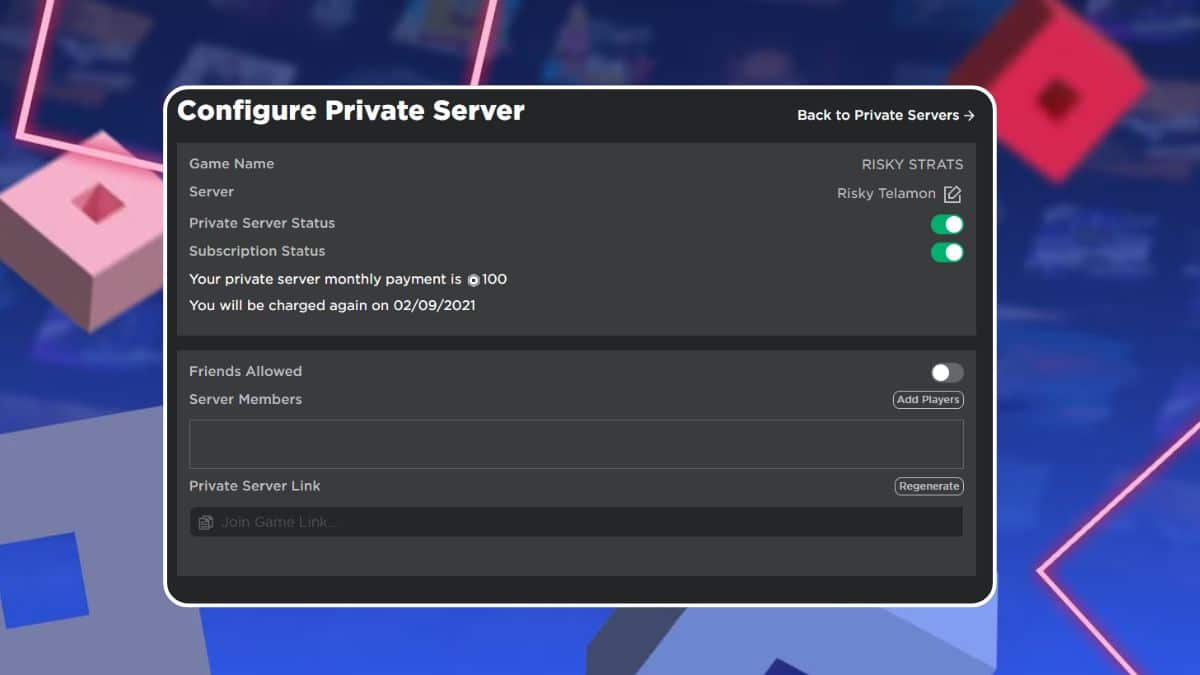
Roblox private servers have quietly become one of the platform’s most popular features, allowing you to lock a game instance to only the people you invite instead of matching with strangers. If you’ve spent any time browsing Roblox‘s biggest experiences, you’ve probably noticed the Servers tab near the bottom of a game’s page without fully understanding what it does.
The feature has also seen significant changes this year. Roblox made private servers free for Roblox Plus subscribers on April 30, 2026, but recently announced it’s scaling that benefit back. Starting September 24, 2026, Roblox Plus will include just one free private server per game instead of unlimited access. According to Roblox, a small number of members were creating thousands of free servers per game, reducing the revenue creators normally earn from private server subscriptions. That’s an important change for Plus subscribers who regularly rely on private servers, making it worth understanding how the feature works today and what’s changing later this year.
Below, you’ll find everything you need to know about Roblox private servers, including how they work, how much they cost, how to create and manage one, and what the upcoming Roblox Plus changes mean for players.
What Is a Roblox Private Server?
A Roblox private server, formerly known as a VIP Server, is a dedicated instance of an experience that only you and the players you invite can join. Unlike public servers, where matchmaking determines who you play with, private servers give you complete control over who can enter your session.
Not every Roblox experience supports private servers. Developers must enable the feature for their game before players can purchase or create one.
Once enabled, a private server functions just like a public instance of the experience, except it’s isolated from public matchmaking. That’s why many players use private servers to play with friends, host events, record videos, or avoid griefers in crowded games.
How Much Do Roblox Private Servers Cost?
Private server pricing is set entirely by each experience’s creator, not Roblox, so costs vary from game to game. Some developers offer private servers for free, while others charge a monthly Robux subscription.
| Detail | What to know |
|---|---|
| Currency | Robux only |
| Price | Set individually by each experience’s creator |
| Charge structure | Initial purchase followed by a recurring monthly subscription |
| Renewal | Automatically deducted from your Robux balance each month |
| Free option | Available if the creator enables free private servers |
| Cancellation | Can be canceled anytime before renewal; access remains until the current billing period ends |
If your Robux balance isn’t enough to cover the renewal fee, the subscription expires automatically. The server can’t be reactivated afterward, but you can always purchase a new one.
How to Create a Roblox Private Server
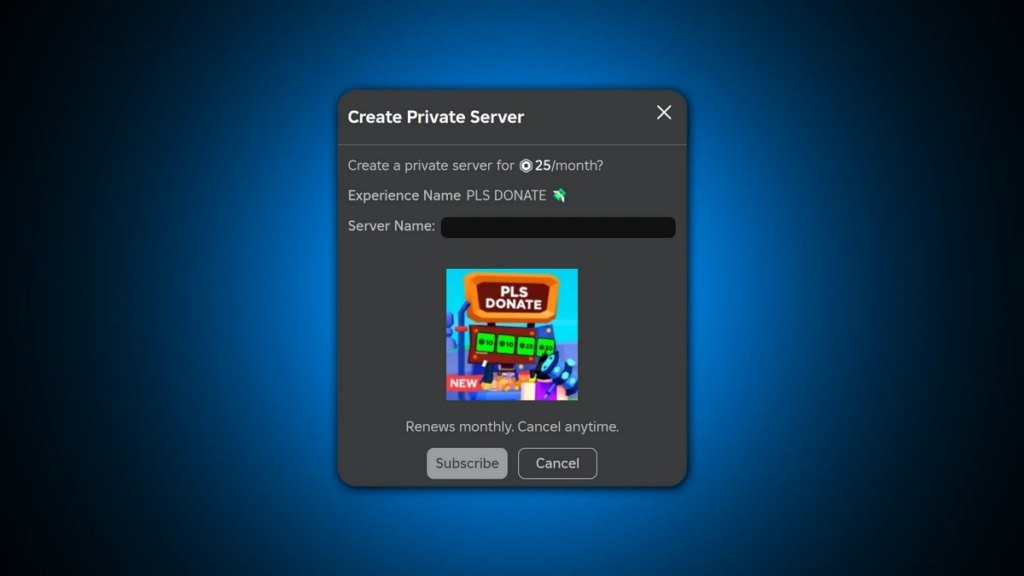
Creating a private server only takes a few minutes, provided the experience supports the feature.
- Open the experience’s page on the Roblox website or app.
- Scroll down to the Servers section.
- Under Private Servers, select Create Private Server.
- Enter a name for your server.
- Review the subscription details and click Buy Now.
- Configure your server immediately or return to it later through the Servers tab.
If another player has invited you to their private server or shared a direct join link, you’ll also find it listed under the Servers section for that experience.
How to Configure Your Roblox Private Server
You can update your server’s settings at any time.
- Return to the experience’s Servers section.
- Click the three–dot menu beside your private server.
- Select Configure.
- From there, you can:
- Rename your server.
- Allow up to 50 individual users to join.
- Grant access to your entire friends list.
- Generate and share a private invite link.
- Adjust join permissions whenever needed.
Changing who can access your private server doesn’t affect your monthly subscription price or renewal schedule.
Who Can Join a Roblox Private Server?
Roblox automatically applies age-based safety restrictions to private servers.
Players under 13 can only join private servers created by their friends, and only friends can join the private servers they create. Players aged 13 and older have more flexibility but can still limit who can invite them through their account’s privacy settings.
These privacy settings apply across your entire Roblox account, meaning they affect every private server you currently own and any new ones you create in the future.
Roblox Plus Private Servers: What’s Changing in 2026?
This is where Roblox has made the biggest change.
On April 30, 2026, Roblox introduced improved private server management tools and made eligible private servers free for Roblox Plus subscribers, even if the experience normally charged Robux for them.
However, that benefit is changing.
Roblox says some Plus members created thousands of free paid private servers within individual experiences, unintentionally reducing the Robux revenue developers rely on. To address that issue, Roblox announced that starting September 24, 2026, Roblox Plus will include only one free private server per game.
Here’s what that means:
- If you currently have multiple free Plus private servers in the same experience, only one will continue renewing after September 24.
- The remaining servers will require manual renewal at the creator’s standard subscription price.
- Roblox will automatically mark your free server as Included with Roblox Plus inside your subscription list.
- Private servers purchased separately with Robux aren’t affected and will continue renewing normally.
- If a creator offers private servers free to everyone, the new Plus limitation doesn’t apply.
How Developers Enable Private Servers in Roblox Studio
Developers can enable private servers directly through Roblox Studio.
- Open Game Settings (or Experience Settings, depending on your Studio version).
- Select Monetization.
- Enable Private Servers.
- Choose whether the server will be Free or Paid.
- If paid, enter the Robux price.
- Click Save.
One important limitation is that developers can only change private server pricing once every 60 days. Changing the price also cancels all active subscriptions for that server, which is one reason Roblox introduced improved management tools earlier this year.
Wrapping Up
Roblox private servers have evolved from a simple paid feature into something the company is actively refining to balance player benefits with creator revenue. The latest Roblox Plus changes make it clear that the platform is still adjusting how much free access it can offer without affecting developers’ earnings.
If you’re a Roblox Plus subscriber with multiple private servers for the same experience, you’ll want to review them before September 24, 2026, and decide which ones are worth keeping. As Roblox continues expanding its subscription benefits and creator tools, don’t be surprised if private server management receives even more improvements in future updates.
Running multiple Roblox Plus private servers? Let us know in the comments how the upcoming September changes will affect you.
Level Up Your Gaming: