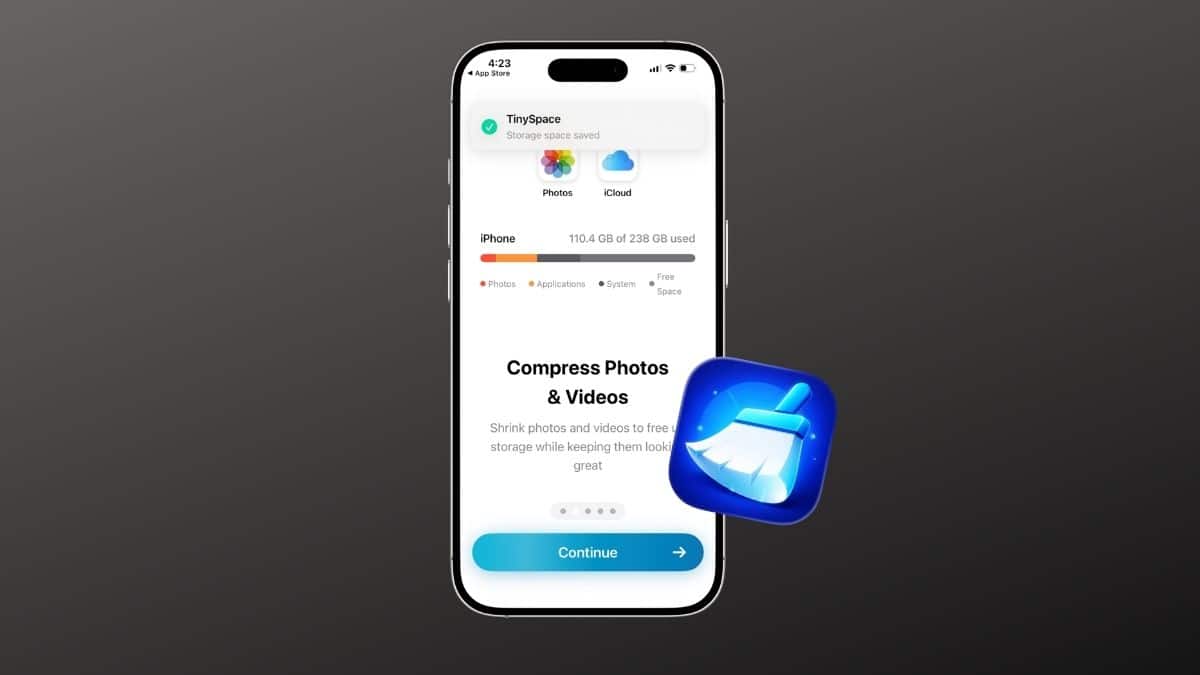
Tiny Space takes a different approach to the “iPhone Storage Almost Full” problem: instead of asking you to delete memories, it compresses them. If you’ve ever watched that storage banner pop up right before you needed to record something important, or spent twenty minutes scrolling through your camera roll trying to figure out what’s safe to delete, you already know the frustration. I’ve been testing the Tiny Space – Free Up Storage app for a few weeks now, on a phone where storage had been hovering uncomfortably close to full for a while.
In this review, I’ll break down how Tiny Space actually performs, what features stand out, and whether it’s worth installing if your storage situation looks like mine did.
Tiny Space at a Glance
| Pros | Cons |
|---|---|
| ✅ Compresses photos and videos instead of deleting them | ❌ Premium price points on the listing aren’t labeled by plan |
| ✅ Fully on-device; no cloud uploads, works offline | ❌ Very new app with almost no ratings or review history |
| ✅ Apple privacy label shows no data collected | ❌ Large libraries take real processing time to compress |
| ✅ Compressed photos look identical at normal viewing sizes | ❌ Maximum preset can show quality loss when zoomed in |
| ✅ Swipe-based duplicate finder for burst shots | ❌ No Android version |
| ✅ Lightweight 18.6MB install, free core features |
What Is Tiny Space – Free Up Storage?
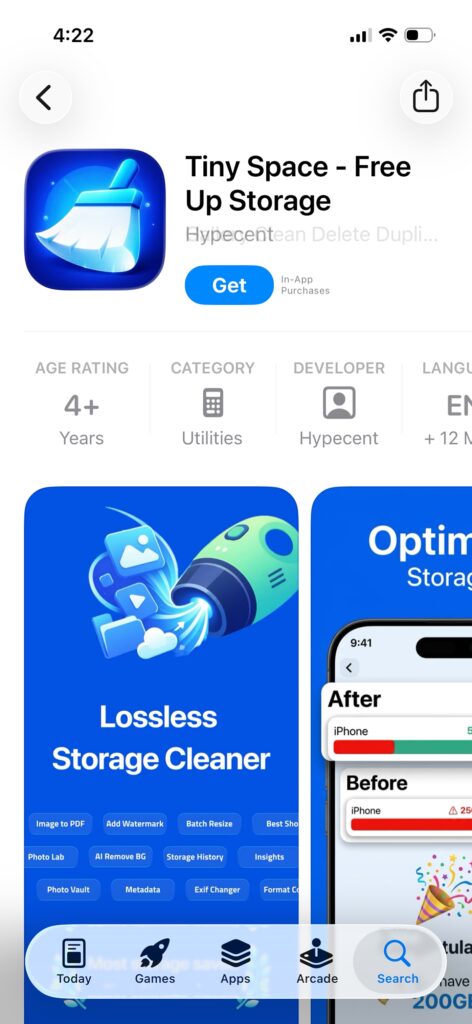
Tiny Space is a free iPhone and iPad utility from developer Hypecent that stands out among the best free iPhone cleaner apps by freeing up storage through photo and video compression instead of asking you to delete your memories. It scans your photo library, shows you how much space you could realistically save, and lets you shrink files using the compression level you choose. Nothing touches iCloud, and nothing uploads off your device. It also includes a swipe-based duplicate finder for cleaning up burst shots, separate from the compression side of the app.
Compression Quality: Genuinely Hard to Tell Apart
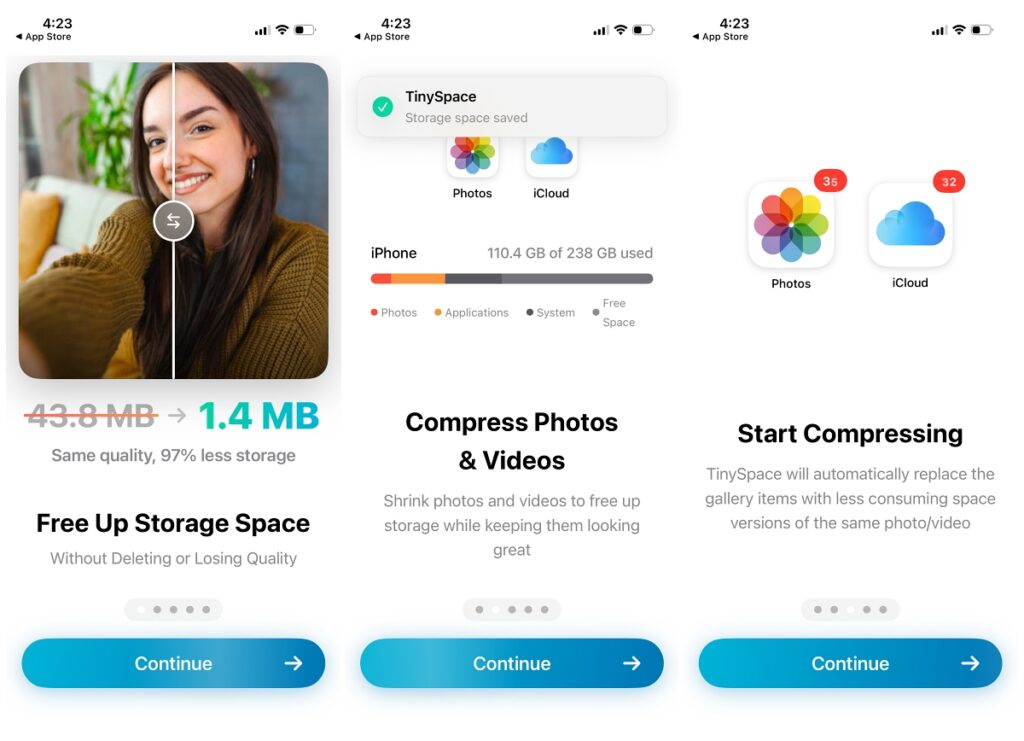
The core of Tiny Space is its compression engine, which works on HEIC and JPEG photos as well as video. Three presets (Gentle, Balanced, and Maximum) trade off file size against how aggressively the image is re-encoded. Tiny Space advertises up to 97% smaller file sizes with no visible quality loss, and up to 80% smaller 4K video files at the same resolution.
In real use, Gentle and Balanced are where I spent most of my time. Honestly, I couldn’t pick out which photos had been compressed once I was just scrolling through my camera roll normally. Maximum is the one to be careful with. The app itself warns you may notice changes if you zoom in closely, and that held true when I pixel-peeped a couple of test shots.
The one limitation worth naming: compression takes real device processing time. Running it against a large library (thousands of photos) is not an instant operation, even though the app processes in batches.
Privacy: Everything Stays On Your Phone
Because compression happens entirely on-device, Tiny Space never uploads your photos or videos anywhere. There’s no cloud processing step at all, which also means it works fully offline. Apple’s own privacy label on the App Store listing confirms the developer doesn’t collect any data from the app. A few specifics worth calling out:
- Tiny Space only deletes originals after it safely saves the compressed version and you explicitly approve the deletion through a standard iOS confirmation prompt.
- No account creation or sign-in required to use the core compression features.
- No internet connection needed for scanning or compressing.
For an app whose entire job is handling your personal photo library, that local-only design is the right call. It’s reassuring in a category where some competitors route media through their own servers.
Tiny Space Free Up Storage Key Features That Stand Out
Tiny Space packs a handful of genuinely useful tools into a small (18.6MB) app. Here’s what stood out during testing.
1. Lossless Photo Compression
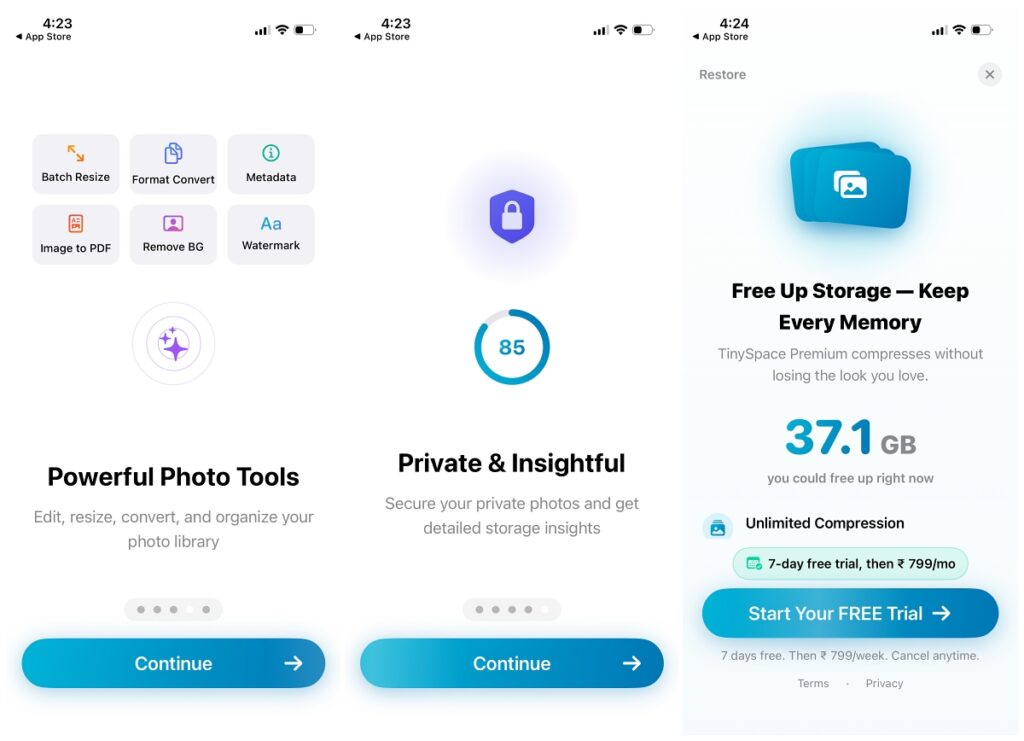
The headline feature. You pick a compression level (Gentle, Balanced, or Maximum), and Tiny Space re-encodes your HEIC and JPEG photos to take up dramatically less space while keeping them visually intact at the lower settings. You can run this across your entire library in a batch rather than photo by photo.
2. Video Optimizer
Video is usually the biggest space hog on any phone, and Tiny Space’s optimizer targets 4K footage specifically, shrinking it while preserving resolution and clarity. This feature made the single biggest dent in my available storage, since a handful of long 4K clips were eating gigabytes on their own.
3. Duplicate Photo Finder
Tiny Space groups near-identical shots (burst photos and near-duplicate takes of the same moment) and lets you swipe through each group Tinder-style, keeping your favorite and clearing out the rest. It’s a fast way to deal with the kind of clutter that builds up without you noticing.
4. Biggest Files Browser
A simple but practical view that sorts your entire media library by file size, filterable by photos, videos, or screenshots. It’s the fastest way to find the handful of files actually responsible for your storage problem instead of guessing.
5. PNG-to-JPEG Screenshot Conversion
iOS saves screenshots as PNG by default, which takes up meaningfully more space than JPEG for the same image. Tiny Space converts them in bulk with, in my testing, no visible difference.
6. Live Photo Stripping
Live Photos quietly attach a short video clip to every still shot, which adds up fast if you have Live Photos enabled by default (many people do without realizing it). Tiny Space converts them to regular still photos, reclaiming that space instantly.
7. Savings History and Home Screen Widgets
Tiny Space logs everything you’ve compressed over time, so you can see your cumulative savings rather than a one-time number. It also offers home screen widgets for monitoring storage (and battery) at a glance, which is a nice touch for a utility app.
Platforms & Compatibility
Tiny Space requires iOS 17.0 or later on iPhone and iPadOS 17.0 or later on iPad. Apple’s listing also shows visionOS and Mac (Apple Silicon) compatibility, but the App Store page itself flags the Mac build as “not verified.” I wouldn’t count on a polished Mac experience yet. There’s no Android version.
Pricing
Tiny Space is free to download, and the free tier gives you access to the core scanning and compression tools. For advanced features, there’s TinySpace Premium, offered as an in-app purchase with a free trial.
One honest caveat here, and it’s a confusing one. The App Store description states “no subscriptions,” yet the same listing shows several Premium price points ($2.49, $4.99, $7.99, $19.99, and $29.99, alongside a Lifetime option at $49.99) without labeling which price corresponds to which plan. That combination suggests one-time unlocks rather than recurring billing, but I couldn’t confirm the exact structure from the outside.
If pricing is a deciding factor for you, check the in-app paywall directly before committing, and review any active trial under Settings > Apple ID > Subscriptions.
How Does Tiny Space Work?
Getting started is genuinely simple:
- Open the app and let it Scan Library. Tiny Space analyzes your entire photo library and calculates how much space is recoverable.
- Choose Biggest Files to tackle your largest photos and videos first, or jump straight into Compress to process your whole library at your chosen quality level.
- Use Best Shot (the duplicate finder) to swipe through burst shots and near-duplicates, keeping the ones you want.
- Confirm the deletion of originals when prompted. Tiny Space only removes them after the compressed version is safely stored.
- Check Enjoy Space for the results, and revisit your savings history anytime to see what you’ve recovered.
Who Should Get Tiny Space?
- Anyone who keeps hitting “Storage Almost Full.” If manually deleting photos feels like a losing battle, this automates the hard part.
- Heavy photo and video takers. People who shoot a lot of bursts or 4K video will see the biggest gains from the duplicate finder and video optimizer specifically.
- Privacy-conscious users. If you’d rather not pay for more iCloud storage or route your photos through a third-party server, the fully on-device approach is a real advantage.
- Anyone about to install an iOS update. Freeing up several gigabytes quickly before an update is exactly the kind of task this app is built for.
My Experience With Tiny Space
What I care about most with a utility app like this is whether a non-technical user can actually pick it up, and whether it delivers real, usable results rather than a marketing number that doesn’t hold up. My storage had been hovering near full for a while. Manually going through my camera roll to decide what to delete was taking forever, and I kept putting it off.
- Tiny Space grouped similar photos, duplicate shots, and large videos into one place automatically, instead of leaving me to hunt for them myself.
- Within a few minutes of running compression, I’d freed up enough space to install a pending iOS update that had been stuck for days.
- I also had enough headroom afterward to record more video without immediately worrying about running out of space again.
- The compressed photos I checked back on looked identical to the originals at a normal viewing size.
Put together, it did exactly what I needed without asking me to sacrifice anything, and the whole process was noticeably faster than deleting files one by one. The honest caveat is that Tiny Space is a very new app. At the time of writing, it has a grand total of 3 ratings on the App Store, so there’s no broad track record or user consensus to lean on yet, and the exact Premium pricing tiers aren’t clearly labeled from the outside. If you’re relying on independent reviews to make your decision, there simply isn’t much of a public one yet. You’re mostly trusting the vendor’s claims and, now, mine.
Final Verdict: 8/10
Tiny Space isn’t a well-known name yet. It only launched in March 2026 and has barely any App Store ratings. But the app itself works exactly as advertised: it compresses photos and videos with no visible quality loss, finds duplicates fast, and does all of it locally without touching your data. The unclear Premium pricing tiers and the lack of any real review history are the two things holding it back from a higher score.
If your iPhone storage is constantly hovering near full and you don’t want to start deleting memories to fix it, then try Tiny Space.