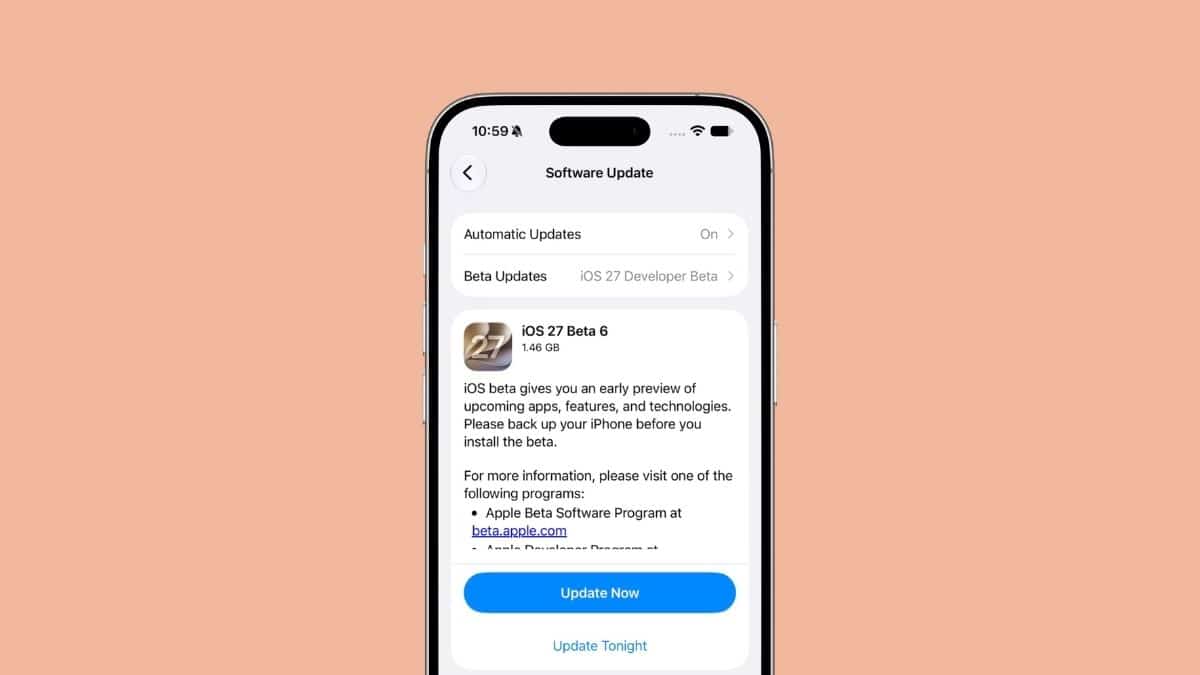
Apple did not wait the usual two weeks this time. Just six days after beta 5 arrived, Apple released iOS 27 beta 6 to developers on August 17, 2026, marking a faster weekly release cycle as the company moves closer to the public launch.
The timing shift is the biggest story. iOS 27 beta 6 arrives with build 24A5418b, replacing beta 5’s 24A5408d, and comes alongside beta 6 updates for iPadOS 27, macOS 27 “Golden Gate,” tvOS 27, watchOS 27, and visionOS 27.
This is the sixth developer build since Apple introduced iOS 27 at WWDC on June 8, 2026. With the next iPhone lineup expected soon, Apple has moved from adding major features to refining performance, fixing bugs, and preparing the software for release.
Here is everything new in iOS 27 beta 6 and what it means if you are already testing the update.
When iOS 27 Beta 6 Released and What Comes Next
Apple released iOS 27 beta 5 on August 11, 2026, after a longer gap following beta 4. Beta 6 arrived only six days later, suggesting Apple is now moving into a weekly beta schedule ahead of the final release.
- iOS 27 beta 6: August 17, 2026
- Expected release candidate: Around September 9, 2026
- Expected public release: Around September 14, 2026, alongside the new iPhone lineup
Apple has not officially confirmed the release candidate or stable release dates. These estimates are based on Apple’s previous release patterns and current beta timing.
If you are deciding whether to install iOS 27 beta 6, keep expectations realistic. This update focuses on stability rather than major feature additions. If your iPhone is your primary device, waiting for the public beta or final release remains the safer choice.
iOS 27 Beta 6 Focuses on Stability Improvements
Early testing suggests Apple is focusing on performance improvements, bug fixes, and polishing existing features before the final release. 9to5Mac reported that testers were still identifying changes shortly after launch, suggesting this build is primarily focused on refinement.
AppleInsider also noted that beta 6 appears aimed at improving reliability as Apple prepares iOS 27 for a wider release.
That does not make the update unimportant. At this stage of development, Apple’s priority shifts from introducing new features to ensuring existing features work properly across millions of devices.
Small Interface Changes Reported in Beta 6
While most changes appear to be under the hood, early reports suggest Apple has made a few small interface adjustments.
According to initial testing from Geeky Gadgets, screen recording now clears the recording indicator automatically after stopping a capture instead of leaving it visible. Apple has also added a short countdown before screen recording begins, giving users time to prepare.
The Siri icon is also reportedly replacing the older Apple Intelligence symbol across more parts of the system. The Camera app now displays an “A” indicator when Night Mode activates automatically, making it clearer when computational photography is being applied.
These changes are based on early testing from the first beta 6 release and may change before the final version arrives.

Features Already Added in Earlier iOS 27 Betas
iOS 27 beta 6 builds on several improvements introduced in previous releases, especially beta 5.
Siri received more customization options, including adjustable voice speed and expressiveness across Apple’s American and British voice options. However, these controls are limited to devices capable of handling advanced on-device processing, including the iPhone 17 Pro, iPhone 17 Pro Max, and iPhone Air.
The Contacts app now displays company names directly under contact names in lists and search results, making it easier to identify professional contacts without opening each profile.
Apple also cleaned up Control Center by removing the duplicate cellular signal indicator when the iPhone is already connected to Wi-Fi.
Battery settings received a useful improvement too. iOS 27 can now explain when poor cellular reception, especially weak 5G coverage, is contributing to increased battery drain.
These features are not new to beta 6, but they show the direction Apple is taking with the update before the final release.
Should You Install iOS 27 Beta 6?
If you are a developer testing app compatibility, iOS 27 beta 6 makes sense to install. For everyone else, the answer depends on how much you rely on your iPhone. Beta software can still cause battery drain, app crashes, or unexpected bugs, especially shortly after release.
If you already use the developer beta, you can update from: Settings > General > Software Update
Users enrolled in the Apple Beta Software Program will receive the public beta version when Apple makes it available. For everyday users, waiting for the stable release next month is the better option.
The Bottom Line
iOS 27 beta 6 is not a feature-packed update, and that is expected at this stage of Apple’s beta cycle. This release shows Apple shifting into final preparation mode, with weekly builds focused on improving stability before the September iPhone launch.
If you are already testing iOS 27 beta 5, beta 6 is mainly about refinement rather than a major change. Check your iOS 27 compatible devices and, unless you need developer testing tools, waiting for the final release remains the smarter move.