Google has rolled out Gemini 3 across the Gemini app, Google Search, developer tools, and enterprise products. And for the first time, many users are actually shifting from ChatGPT to Gemini. So, what’s the buzz about? What has improved in this model? And most importantly, do you really need to switch to Gemini 3?
In this article, I’ll cover everything that’s new in Gemini 3 and how those improvements can help in real life.
1. Gemini 3 Answers Complex Questions More Accurately
The biggest improvement in Gemini 3 shows up when you ask something complicated, layered, and filled with conditions. Instead of losing track midway or skipping a constraint, it follows every step of the prompt from start to finish.
In real use, this means:
- You can compare multiple investment options based on risk level, timeline, and personal constraints, and the model won’t ignore a detail you mentioned earlier.
- When you ask it to explain a technical topic, you usually get a clear step-by-step breakdown instead of a rushed summary.
- When planning something like moving to another city, building a project roadmap or managing a trip itinerary, it keeps referencing earlier points instead of derailing halfway.
You won’t see this improvement in simple, quick prompts. It becomes obvious only when the problem is long, complex or needs structured thinking. While following complex instructions was way better than Gemini 2, I still had a far better experience with Claude and ChatGPT, especially with the new GPT 5.1 model.
2. Can Better Understand Images and Text Together in One Query
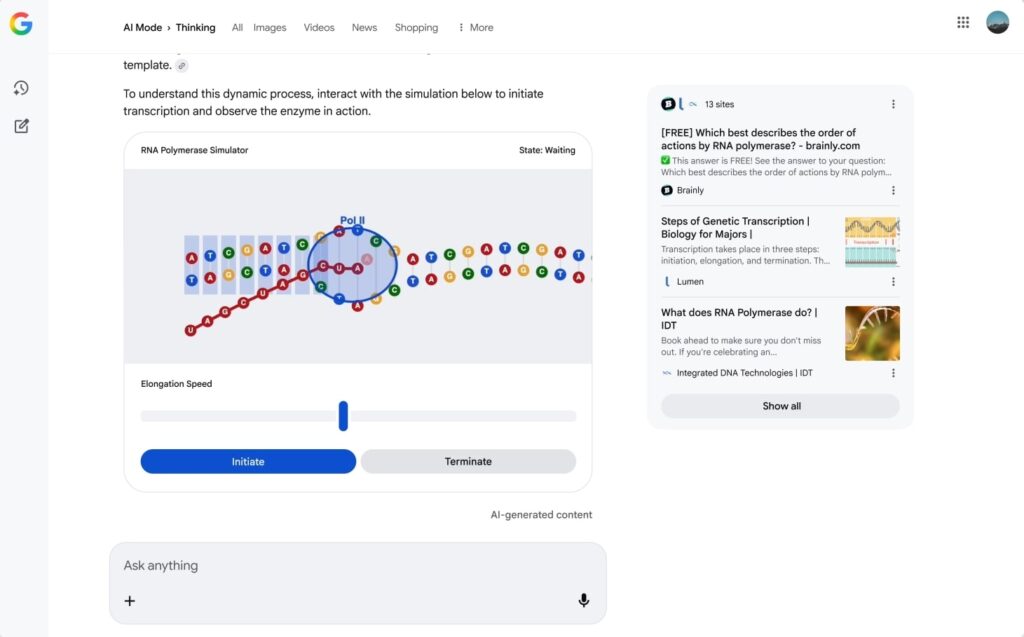
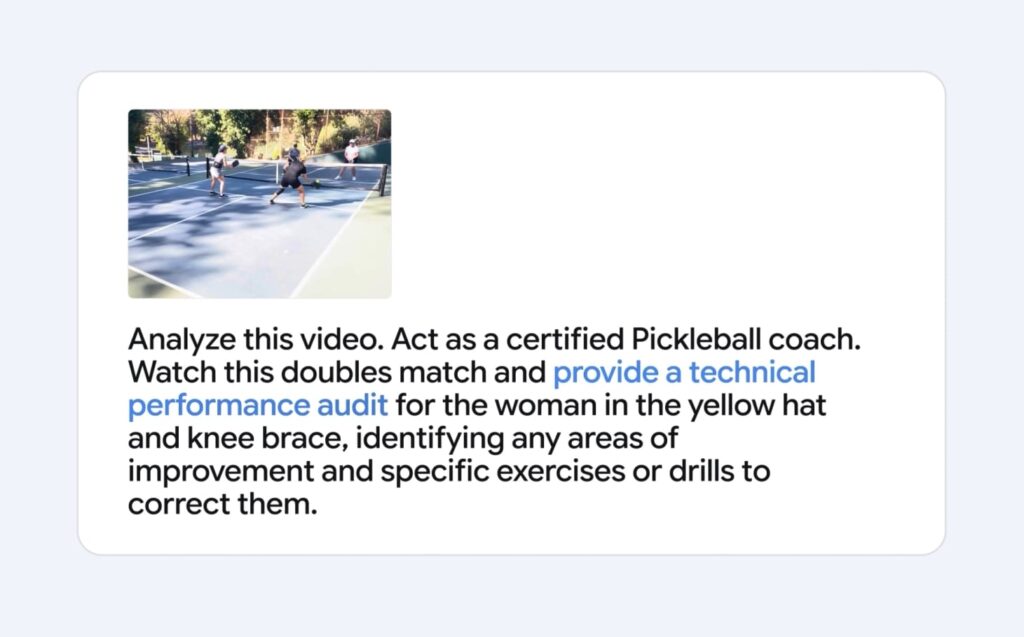
Gemini 2 could already understand text and images. Gemini 3 improves the part that actually matters for us: it can connect what you write and what you upload in a more meaningful way. Instead of treating the picture and the text as two separate inputs, it merges them into one understanding so the response matches your real intent.
In practice, when you upload an image of an error message, a prompt appears asking to solve it. Gemini can better relate the image and your requirement than it could previously, and give a clear step-by-step answer.
So when you mix text and media, you spend less time clarifying and correcting the model and more time getting the actual answer you need. Also, its understanding of images and text inside the images has improved a lot compared to previous models.
Also Read: How to Create a Nano Banana AI 3D Figurine With Google Gemini
3. Simulations on the Fly in AI Mode
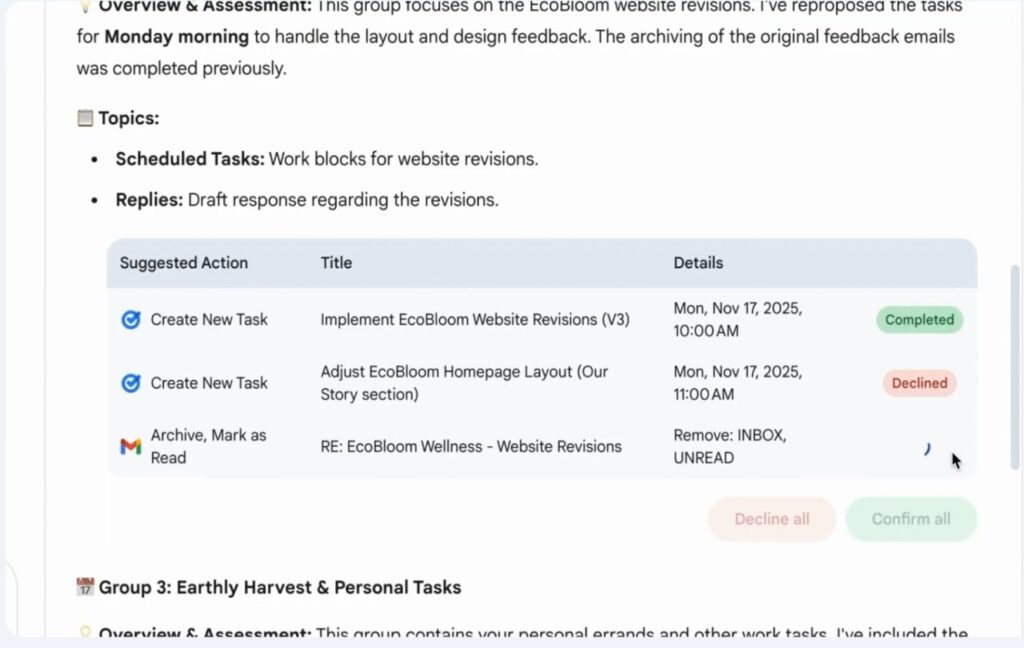
When you use Search in AI Mode, you don’t just get paragraphs of text anymore. Gemini 3 can build visual layouts with tables, widgets, and small simulations on the fly. It’s designed to show rather than describe when that makes the explanation easier to understand.
This helps you when you’re trying to learn something complicated. For example:
- If you search how compound interest works, you might get an interactive slider that shows how the amount changes when you adjust the duration or interest rate.
- If you compare two laptops, you might get a side-by-side table that updates automatically when you change a requirement like RAM or display size.
- If you ask how a combustion engine cycle works, you may see a step-through diagram instead of only text.
Instead of decoding long explanations on your own, the AI gives you visual elements that make the idea click faster. This is something no other AI model currently does. And once you try it on the AI mode or even Google Labs, it’s very hard to get back to just text and images.
4. Gemini 3 Is More Useful for Developers and Coding Projects
Gemini was always known for its context window; now, with the ability to better reason and the existing context window, Gemini can make edits in your projects that do not break something in another folder. Well, at least it will be much better than before in this context.
Google also brought a new IDE called Google Antigravity that has Gemini 3 built in. This IDE first forces you to plan first and then make the changes. Also, it can open the browser window to verify the results and even fix things if anything breaks. So we can also skip the manual process of copying the console log of errors to AI models and directly wait for a working output.
You’re not stuck with Google tools either. Gemini 3 works inside JetBrains, Cursor, GitHub, Replit and other popular editors. This was really a welcome change; however, Claude is still the top model when it comes to coding tasks.
5. Gemini 3 Improves Productivity Across Google Apps and Search
If you use Google’s ecosystem every day, Gemini 3 adds convenience without needing a chat window.
Where you’ll see real benefits:
- Search shows answers in tables and visuals, so you get information directly instead of opening multiple links.
- Gmail shortens long threads, groups related emails and suggests replies to save time on decision making.
- Docs turn long text into outlines or slides, and Sheets converts plain language into charts and insights without formulas.
- Vids builds a first‑draft video from Drive files so you don’t start from zero.
All of this reduces the tiny tasks between gathering information and getting something usable.
6. Gemini 3 Deep Think and Safety Work
Deep Think is tuned for very difficult reasoning tasks. It scores higher than Gemini 3 Pro on benchmarks like ARC-AGI-2, which measure reasoning on pattern-recognition problems instead of memorized knowledge.
Because this mode is more powerful, Google is doing heavier safety evaluations before giving it to everyone. The company claims:
- Less “agreeing with the user even when they are wrong.”
- Better resistance to prompt injection.
- Stricter checks on cybersecurity-related misuse.
The model isn’t perfectly safe, but Deep Think is going through more structured testing than previous generations.
Should You Care About Gemini 3 Right Now?
Gemini 3 introduces features that currently exist only in Google’s ecosystem. Interactive elements generated on the fly, a huge context window and deep integration across everyday Google apps are things other popular AI models do not match in the same way.
Reasoning and coding have improved enough to match or sometimes beat competing models in benchmarks. So Gemini 3 is absolutely worth trying. Whether you should switch depends entirely on your use case.
If your AI tasks involve large codebases or summarizing long PDFs and videos, Gemini is an excellent choice. And if you are already inside Google’s ecosystem, the productivity boost across Docs, Gmail and Search is significant.
If none of these features matter to you, you can even disable Gemini on your Android phone.