It’s highly likely that you’ve come across an AI action figure image, whether on X (formerly Twitter) or on a friend’s WhatsApp status. Trends just have a way of spreading quickly, and even if you’re skeptical, curiosity tends to win 9 out of 10 times.
That’s especially true with this particular trend because the images are easy to create, look as though they were professionally designed, and can be made on a smartphone, tablet, or PC. When something delivers great results with minimal effort and no special equipment, it’s hard not to give it a try.
What Are AI Action Figure Images?
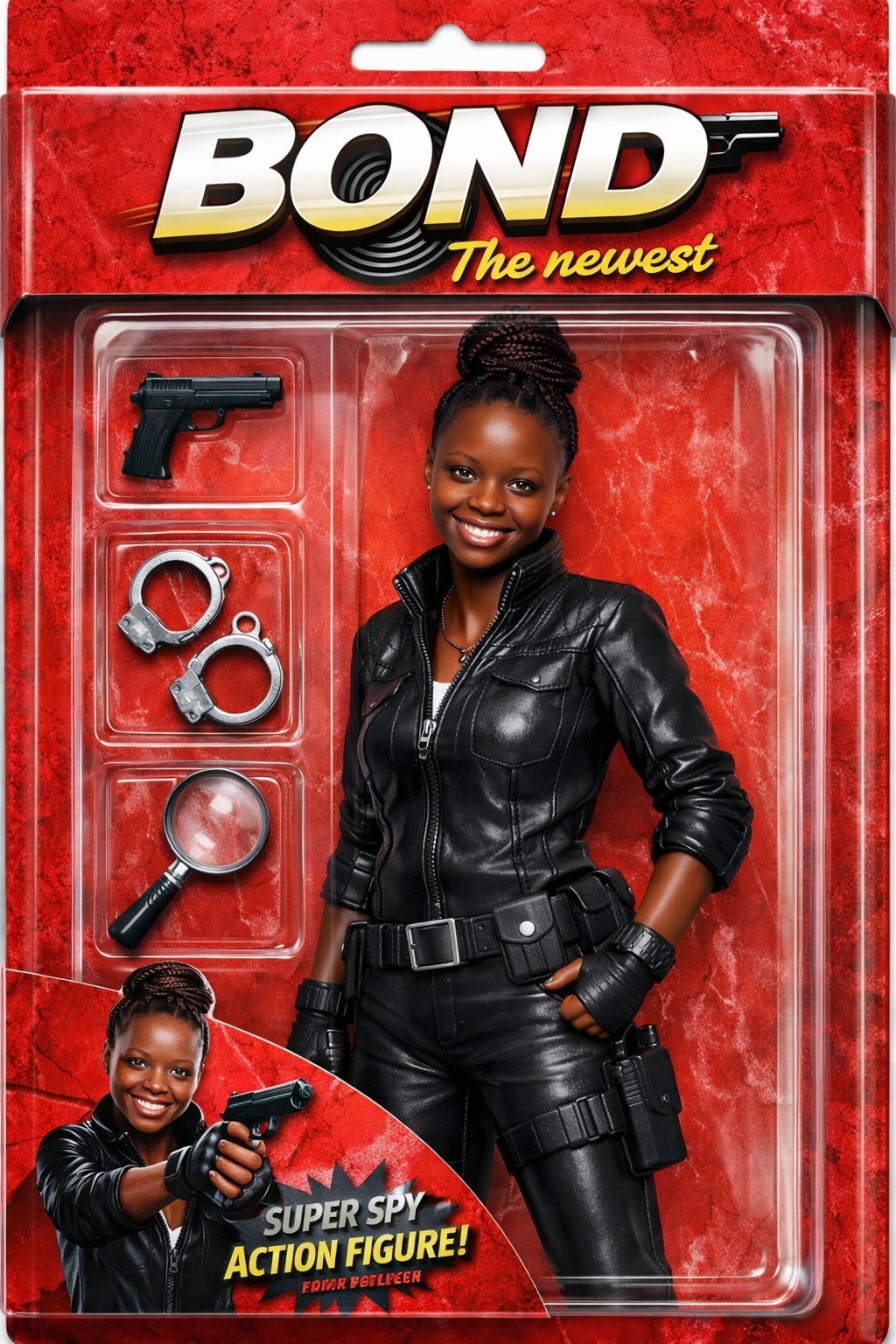
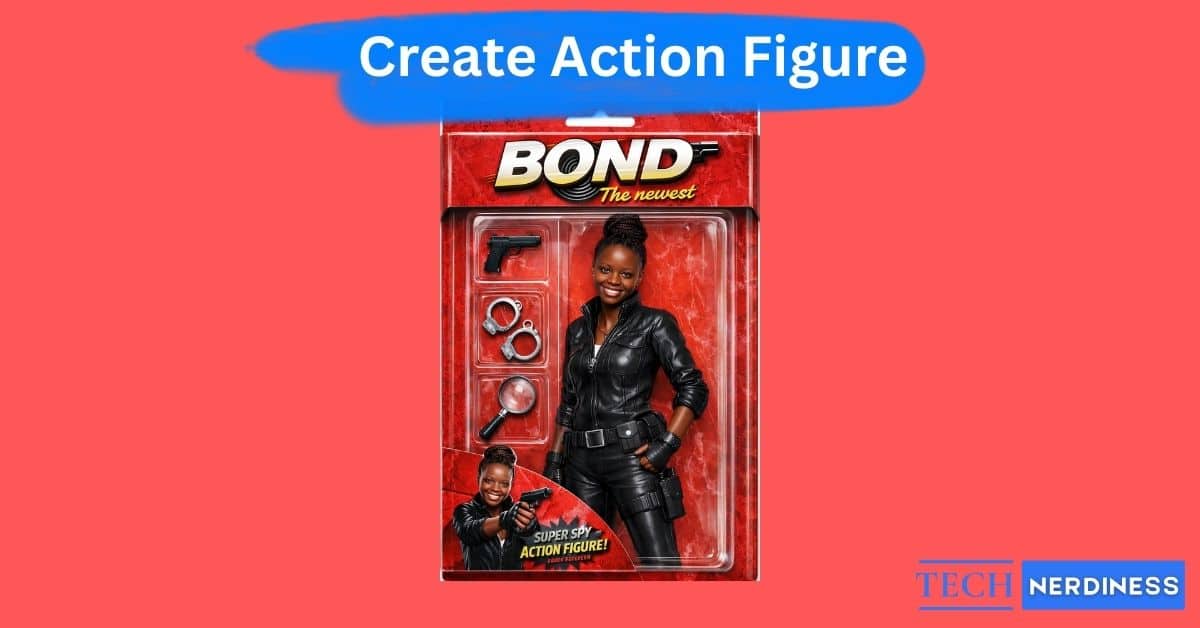
AI action figure images are AI-generated self-portraits that recreate the look of poseable character model figures, most commonly made of plastic and often inspired by characters from films, TV shows, comic books, the military, video games, or sports, whether fictional or historical. Rather than presenting your usual human appearance, these images reimagine you as an action figure, complete with plastic-like skin, glossy eyes, and stylized proportions, such as an oversized head.
If any of your friends have shared these images with you, you’ve probably noticed that many of them feature toy box–style packaging. The prompts used to generate these images often specify that the box includes the person’s name, along with accessories like computers, robots, or cameras that reflect the individual’s real-life hobbies or interests.
These images are typically created using AI image generators such as GPT Image 1.5, accessed through ChatGPT, or tools like Midjourney. To generate one, you usually upload a full-length photo of yourself and pair it with a detailed prompt that describes the appearance, outfit, and overall style you want the action figure to have.
Why Use ChatGPT for Action Figure Creation?
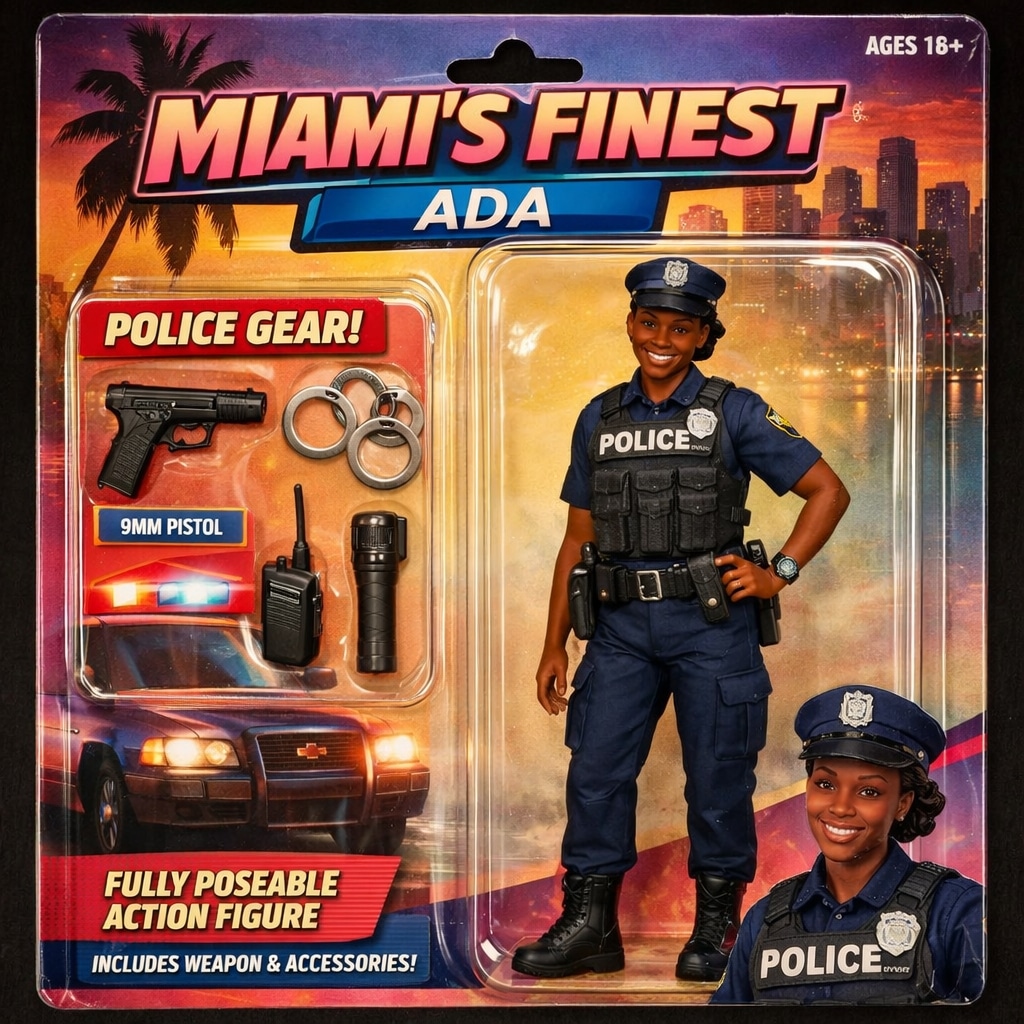
I prefer to use ChatGPT to create AI action figure images because its latest image model, GPT-Image-1.5, is very capable. This new model is designed to generate results up to four times faster than previous versions, which means that you can re-prompt quickly and refine a specific look multiple times, especially if you’re on a paid plan. It also does a great job of maintaining your facial likeness, lighting, and overall composition across multiple edits. And unlike older AI models, this one excels at text generation, which is essential for action figure images where names, logos, and labels must appear clearly on the digital toy packaging.
ChatGPT also includes a dedicated Images tab in the sidebar, accessible on both web and mobile, which speeds things up. You don’t always need to write complex prompts, as there are preset filters and trending ideas that can help you jump-start image creation. Moreover, the model remains highly reliable when following detailed instructions, such as placing specific accessories, such as cameras, inside the box or arranging the figure in a particular pose.
Also Read: How to Group Chats in ChatGPT for Smarter Workflows
Prerequisites: What You Need Before Creating AI Action Figures
In order to create action figures with ChatGPT, you should have the following:
- A free or premium ChatGPT account, either is fine
- A reliable internet connection
- A high-quality photo of the subject you’d like to make into an action figure
With these three, you’re all set to go.
How to Generate Action Figure Images Using ChatGPT
Once the three prerequisites are sorted, it’s super easy to turn any image into an AI action figure:
- Open ChatGPT on your smartphone or in your web browser.
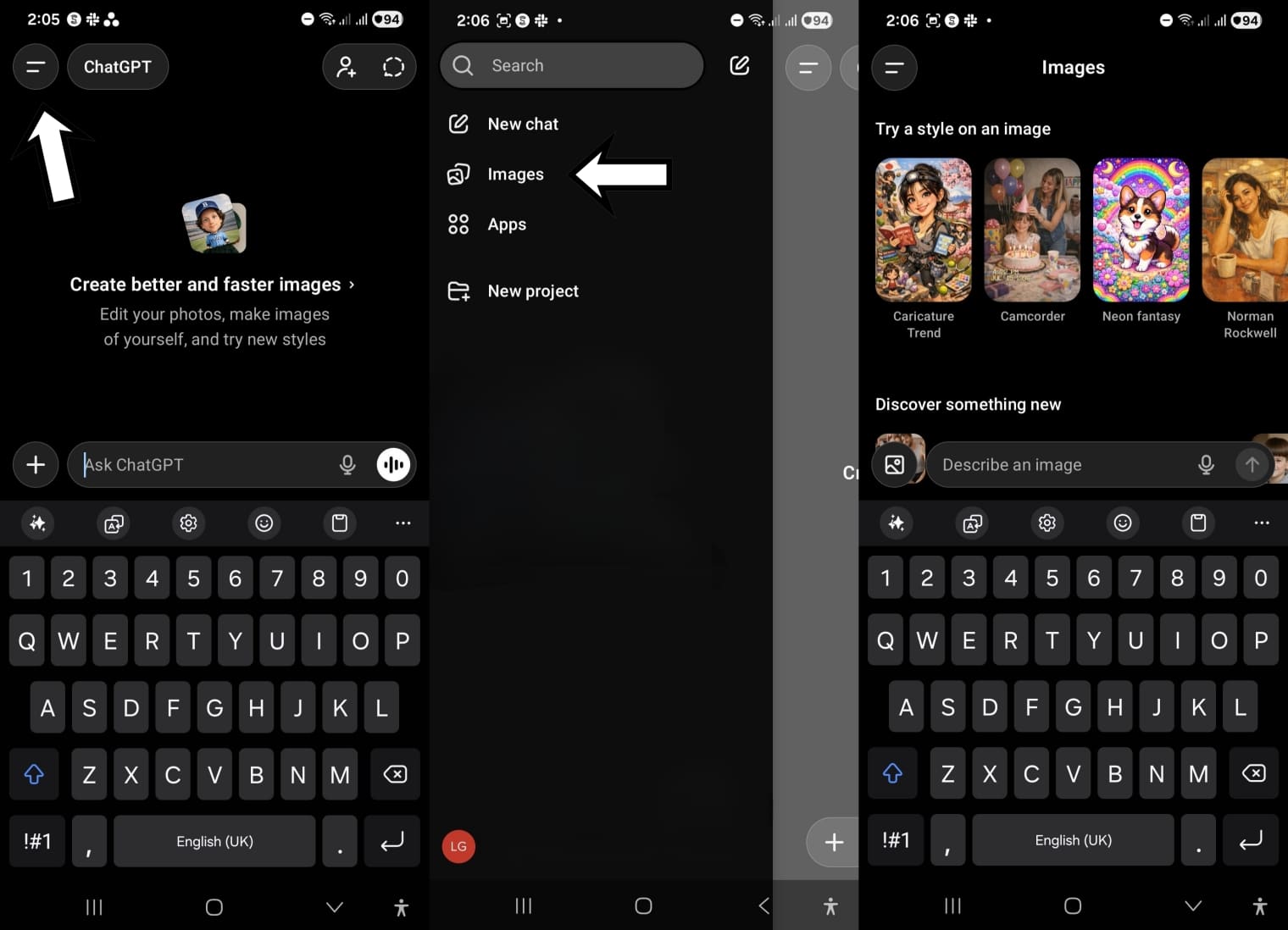
- In ChatGPT, select Images in the menu bar. The menu bar will be fully displayed in a web browser, but you’ll need to tap the two-line icon at the top right corner of the app.
- Upload a photo of the subject by selecting the photo icon in the input field.
- In the Describe a new image text box, type in a clear prompt describing the AI action figure you’d like to create. This prompt should include the action figure’s details, environmental specifications, and box packaging details, if you’d like it in a box.
- Hit the send icon, which is an upward-facing arrow.
In a few minutes, ChatGPT will generate your AI action figure for you to download and share.
3 Best Action Figure Prompts to Generate Viral AI Images
Drafting a great prompt that delivers exactly what you want can be challenging, which is why I’ve selected three prompts to help you take part in this trend. Below, you’ll find each prompt paired with example images, so you have a clear idea of what to expect from the results. To use them, simply copy a prompt into ChatGPT, add your name, theme, or any other details indicated in the parentheses, attach a photo, and hit send.
Prompt 1: Simplest Customization
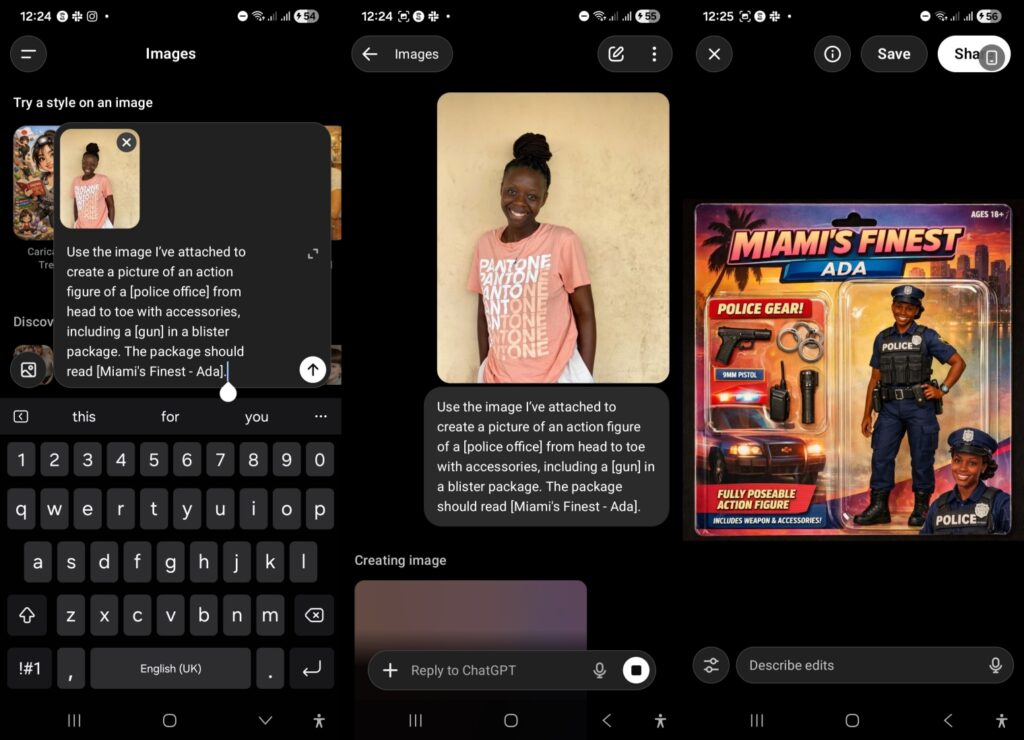
Use the image I’ve attached to create a picture of an action figure of a [xxx] from head to toe with accessories, including a [xxx] in a blister package. The package should read [xxx].
Prompt 2: Intermediate Customization
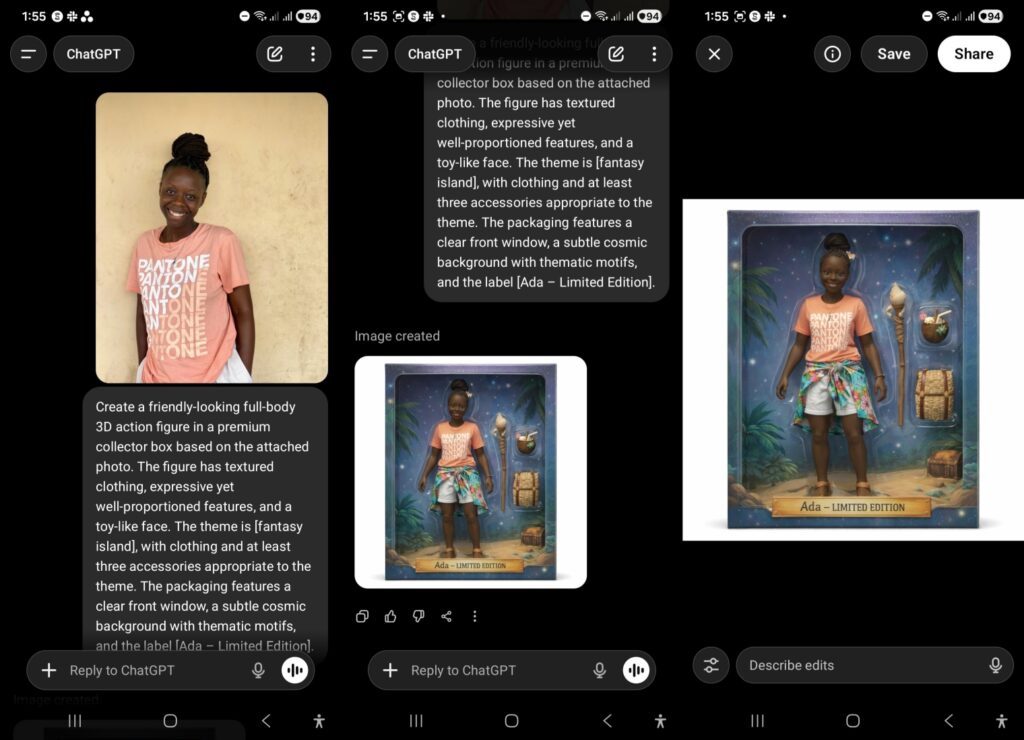
Create a friendly-looking full-body 3D action figure in a premium collector box based on the attached photo. The figure has textured clothing, expressive yet well-proportioned features, and a toy-like face. The theme is [Theme], with clothing and at least three accessories appropriate to the theme. The packaging features a clear front window, a subtle cosmic background with thematic motifs, and the label [Your Name – Limited Edition].
Prompt 3: More Detailed Customization
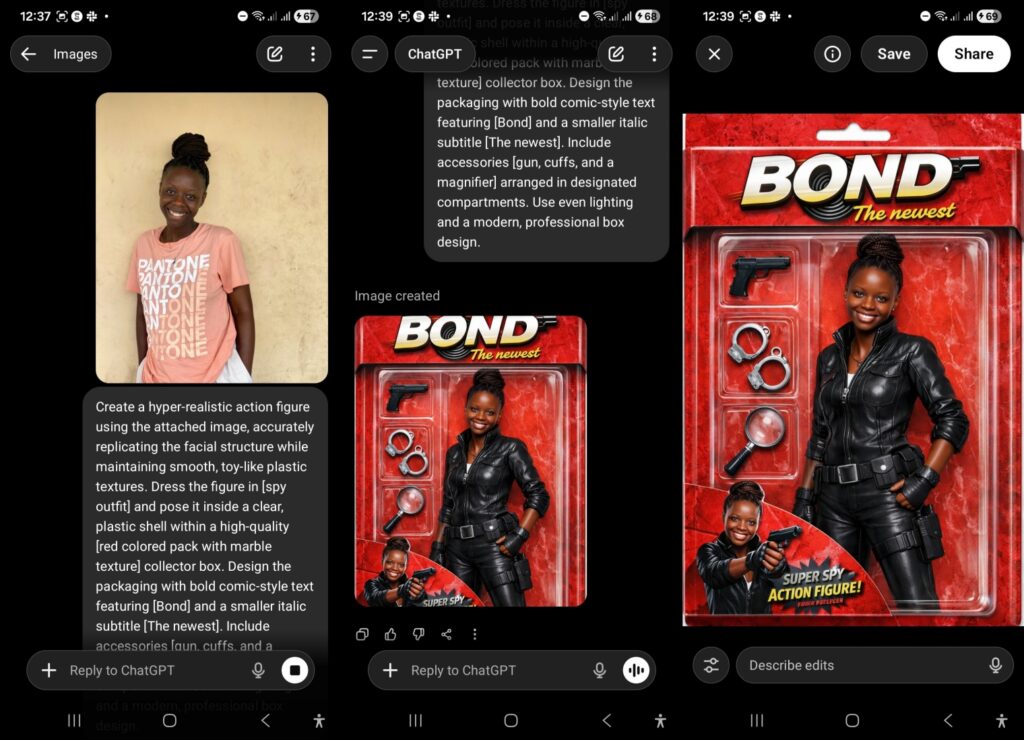
Create a hyper-realistic action figure using the attached image, accurately replicating the facial structure while maintaining smooth, toy-like plastic textures. Dress the figure in [Outfit] and pose it inside a clear, plastic shell within a high-quality [Packaging Color/Texture] collector box. Design the packaging with bold comic-style text featuring [Name or Alias] and a smaller italic subtitle [Tagline]. Include accessories [Accessories] arranged in designated compartments. Use even lighting and a modern, professional box design.
Also Read: How to Personalize and Customize ChatGPT Responses
Final Thoughts
Creating AI action figure images on ChatGPT is such a fun way to experiment with generative AI while creating something that’s interesting enough for you to share with your friends. With the right prompt and a clear idea of the look you’re going for, it’s super easy to produce the right results. Whether you’re joining the trend out of curiosity or trying to create something beautiful, ChatGPT simplifies the entire process, so you can get started today.