That’s where these five NotebookLM alternatives come in. Some, like Nouswise and The Drive AI, focus on the same core experience as NotebookLM by letting you ask questions and get source-backed answers from your documents. Others, such as Obsidian and Notion, solve a related problem by helping you organize and connect your knowledge instead. None of them are direct replacements, and that’s exactly the point. The best choice depends on what you were actually using NotebookLM for in the first place.
What Is a NotebookLM Alternative?
At their core, these tools let you upload documents—PDFs, notes, transcripts, presentations—and ask questions in plain language. Instead of pulling answers from the open web, they respond using only the information you’ve provided.
The best ones cite their sources, clearly show where an answer came from, and avoid making up information when the documents don’t contain it.
Where they diverge is scope. Some tools stay narrowly focused on Q&A over a fixed set of files. Others extend into file organization, team collaboration, or full workspace software where AI search is one feature among many.
How to Choose the Right NotebookLM Alternative
Today, “chat with your PDF” is no longer the standout feature—it has become the baseline. What really matters is whether the platform fits the way you work. A student cramming for finals needs flashcards and lecture transcription, not enterprise access controls. A compliance team needs answers it can defend with a citation trail, not a casual study buddy. A solo note-taker who’s been burned by a subscription price hike wants their files in plain text on their own disk, full stop.
Picking the right alternative means matching the tool’s actual design intent to your real use case. Think student tool, enterprise research agent, file manager, or general workspace, rather than assuming every “AI notebook” app solves the same problem.
Best NotebookLM Alternatives Compared
We pulled each of these from its own official site and pricing page as of July 2026. For each one, we looked at what it grounds its answers in, how it prices access, and where it’s designed to be used.
1. Nouswise — Best for Enterprise AI Research
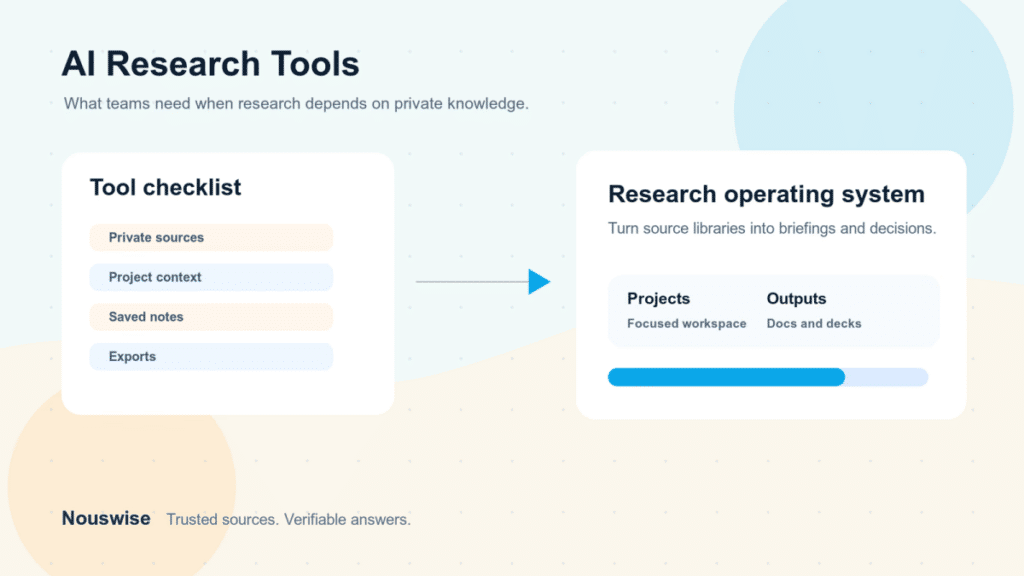
Nouswise positions itself as an AI research agent that stays grounded in trusted information. Like NotebookLM, it answers questions using only the documents in your library instead of searching the public internet. That approach dramatically reduces hallucinations and makes every response much easier to verify.
The platform mainly targets businesses, research organizations, and regulated industries. In fact, the World Bank Group uses Nouswise to power its internal research assistant, AVA. That deployment highlights the platform’s focus on enterprise research rather than casual personal use.
Nouswise uses an agentic search system that assigns multiple AI agents to review your documents. These agents compare sources, resolve conflicting information, and produce a final answer with supporting citations. The platform also includes an API, MCP integrations, and a Visual Recap feature that creates short AI-generated video discussions based on your documents. The experience resembles NotebookLM’s Audio Overview while presenting information in a different format.
Security also plays a major role. Nouswise encrypts data during storage and transmission. Organizations can deploy the platform on-premises and benefit from SOC 1 and SOC 2 compliance, making it suitable for industries that require strict data governance.
The free Starter plan includes unlimited uploads and unlimited questions. However, you can keep only 25 files in focus at one time, and each file must stay under 25MB. The Essential plan costs $10 per month and increases file limits, unlocks advanced AI models, and raises the upload limit to 100MB per file. The Professional plan costs $50 per month and removes file-size restrictions while adding unlimited Visual Recaps.
The biggest limitation is platform availability. Nouswise currently operates as a web application and does not offer a dedicated mobile app. While individuals can certainly use it, the product clearly prioritizes research teams, enterprises, and institutions over students looking for a simple AI study companion.
| Pros | Cons |
|---|---|
| ✅ Citation-first AI responses | ❌ No dedicated mobile app |
| ✅ Unlimited uploads on the free plan | ❌ Enterprise-focused interface |
| ✅ Strong enterprise security | ❌ Professional plan costs significantly more than the Essential plan |
| ✅ On-premises deployment available | |
| ✅ API and MCP integrations |
Best For: Organizations, research teams, compliance professionals, and businesses that need reliable, source-backed AI answers.
2. Atlas — Best for Students
Atlas takes a very different approach from Nouswise. Instead of targeting businesses, it focuses entirely on students. The platform combines AI-powered document search with study tools that help users learn, revise, and complete coursework.
Instead of analyzing a single document, Atlas understands your entire course. You can upload lecture recordings, textbook chapters, syllabi, class notes, and previous assignments. Atlas then answers questions using information from all those materials, giving you responses based on the complete context of your course.
The platform includes six built-in AI tools:
- Chat – Ask questions about your uploaded documents.
- Solve – Get step-by-step explanations for homework problems.
- Write – Generate essays, outlines, and written assignments.
- Record – Capture lectures and automatically generate notes.
- Memorize – Create AI-generated flashcards.
- Practice – Generate quizzes to test your understanding.
These tools make Atlas more than a simple “chat with your PDF” app. It works as a complete AI study assistant that supports students throughout the semester.
Another advantage is accessibility. Atlas offers native apps for iPhone and Android alongside its web version. Students can record lectures, review notes, or study from virtually anywhere.
One of Atlas’s biggest selling points is its pricing. The company currently markets the platform as completely free for students. Unlike many competitors, it doesn’t separate features into paid subscription tiers on its official website.
That free access makes Atlas an attractive NotebookLM alternative for students on a budget. However, the platform lacks the enterprise features found in tools like Nouswise. It doesn’t advertise on-premises deployment, advanced security certifications, or administrative controls for organizations.
The Solve feature also deserves consideration. While it helps explain homework problems, students should use it responsibly and follow their school’s academic integrity policies.
| Pros | Cons |
|---|---|
| ✅ Completely free for students | ❌ Focuses exclusively on education |
| ✅ Six dedicated AI study tools | ❌ Lacks enterprise security features |
| ✅ Works across an entire course instead of a single document | ❌ Limited information about long-term usage limits |
| ✅ Native iOS and Android apps | |
| ✅ Automatically creates flashcards and quizzes |
Best For: Students who want a free AI study assistant for lectures, textbooks, homework, and exam preparation.
3. Obsidian — Best for Personal Knowledge Management
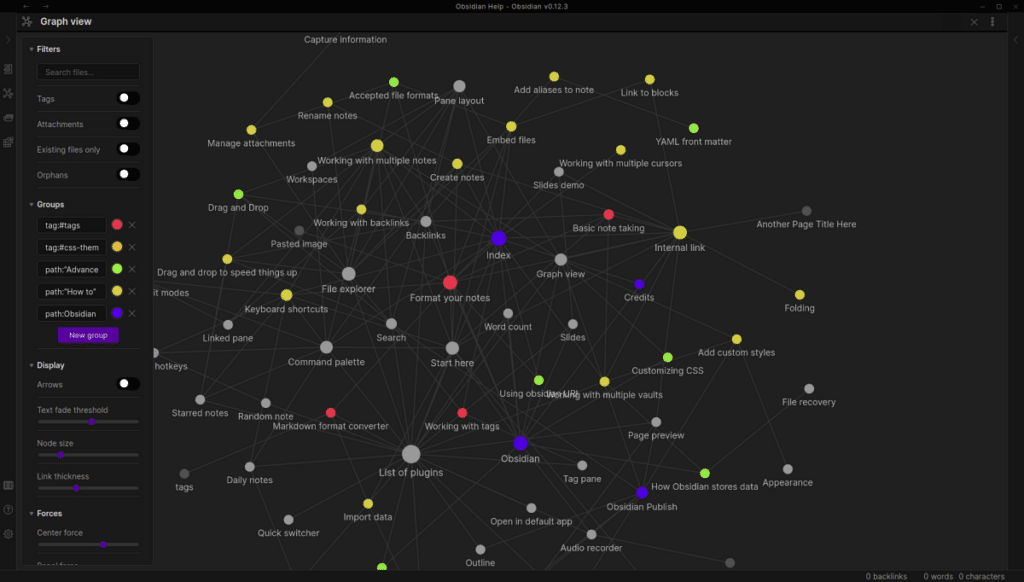
Obsidian differs significantly from NotebookLM. It doesn’t include built-in AI document chat or source-grounded question answering. Instead, it helps users organize, connect, and manage large collections of personal notes.
Many people search for NotebookLM alternatives because their notes become difficult to manage over time. That’s where Obsidian really shines.
The application stores every note as a local Markdown file on your device. Your notes remain accessible even if you stop using the software. If you enable Obsidian Sync, the service encrypts your data end-to-end so only you can access it.
Obsidian’s biggest strength is knowledge management. You can create bidirectional links between notes, build visual knowledge graphs, organize ideas with Canvas, and extend the platform through thousands of community plugins.
This flexibility allows users to build anything from a personal journal to a research database or a complete second brain.
Unlike cloud-first note-taking apps, Obsidian never locks your information into a proprietary format. Every note stays as a standard Markdown file, making it easy to move your data whenever you choose.
The core application is completely free for personal use. Optional services include Obsidian Sync, which costs $4 per month when billed annually or $5 per month when billed monthly. Obsidian Publish costs $8 per month per site with annual billing or $10 per month with monthly billing. Users can also purchase a one-time $25 Catalyst license for beta access and community benefits. Businesses can optionally purchase a Commercial license for $50 per user per year.
The biggest drawback is the lack of native AI document chat. Users who want NotebookLM-style conversations must install and configure community AI plugins. Although the setup isn’t difficult, it requires additional time and technical knowledge.
| Pros | Cons |
|---|---|
| ✅ Completely free core application | ❌ No built-in AI document chat |
| ✅ Local-first storage with Markdown files | ❌ Requires plugins for NotebookLM-like features |
| ✅ End-to-end encrypted syncing | ❌ Takes time to learn and customize |
| ✅ Powerful note linking and graph visualization | |
| ✅ Thousands of community plugins | |
| ✅ No vendor lock-in |
Best For: Writers, researchers, developers, and anyone building a long-term personal knowledge base.
4. The Drive AI — Best for AI File Organization
The Drive AI combines AI-powered document search with intelligent file management. While NotebookLM focuses on answering questions about your documents, The Drive AI also helps you organize them automatically.
Instead of organizing files by their names alone, The Drive AI analyzes the actual content inside each document. It can rename files, categorize them, and place them into folders that it creates automatically. As you continue using the platform, it learns your preferences and improves its organization over time.
Like NotebookLM, The Drive AI answers questions using your uploaded documents and cites the exact file and section where it found the information. If it can’t locate an answer in your files, it tells you so and offers to search the web instead. This approach keeps responses transparent and easy to verify.
Beyond AI search, The Drive AI includes several productivity features designed for businesses. It connects with Gmail and Outlook to organize email attachments automatically. It also integrates with Google Drive, OneDrive, Dropbox, Slack, and Microsoft Teams, making it easier to manage files across multiple platforms.
The platform also supports secure file requests and built-in e-signatures. These features make it particularly useful for industries that handle large volumes of documents, such as real estate, legal services, accounting, and property management.
The Drive AI works on the web and offers native apps for macOS, iOS, and Android, giving users access across multiple devices.
The free plan includes 10 AI actions per day (300 per month), 5 automatically organized files per month, 1GB of storage, and support for up to 50 files. However, it only supports text documents on the free tier, so you can’t upload images or audio files.
The Premium plan costs $199.99 per year (about $16.67 per month). It increases the limit to 100 AI actions per day, supports 100 automatically organized files each month, expands storage to 20GB, and unlocks support for all file types along with multiple AI models.
The Max plan costs $999.99 per year. It removes limits on AI actions and automatic organization, increases storage to 500GB, and unlocks the complete business feature set, including advanced integrations, secure file requests, and e-signatures. Team workspaces start at $500 per month for up to 50 users.
Although The Drive AI offers powerful automation, its pricing climbs quickly. The free plan also feels more restrictive than those offered by Nouswise or Atlas because of its daily AI limits and limited file support.
| Pros | Cons |
|---|---|
| ✅ Automatically organizes files using AI | ❌ Free plan has strict daily AI limits |
| ✅ Source-backed answers with citations | ❌ Images and audio require a paid plan |
| ✅ Integrates with Gmail, Outlook, Google Drive, Dropbox, Slack, and Microsoft Teams | ❌ Max plan is expensive |
| ✅ Supports e-signatures and secure file requests | ❌ Better suited for businesses than casual users |
| ✅ Native apps for macOS, iOS, and Android |
Best For: Small businesses, legal professionals, accountants, real estate teams, and anyone who wants AI to organize documents automatically before searching them.
5. Notion — Best All-in-One Workspace Alternative
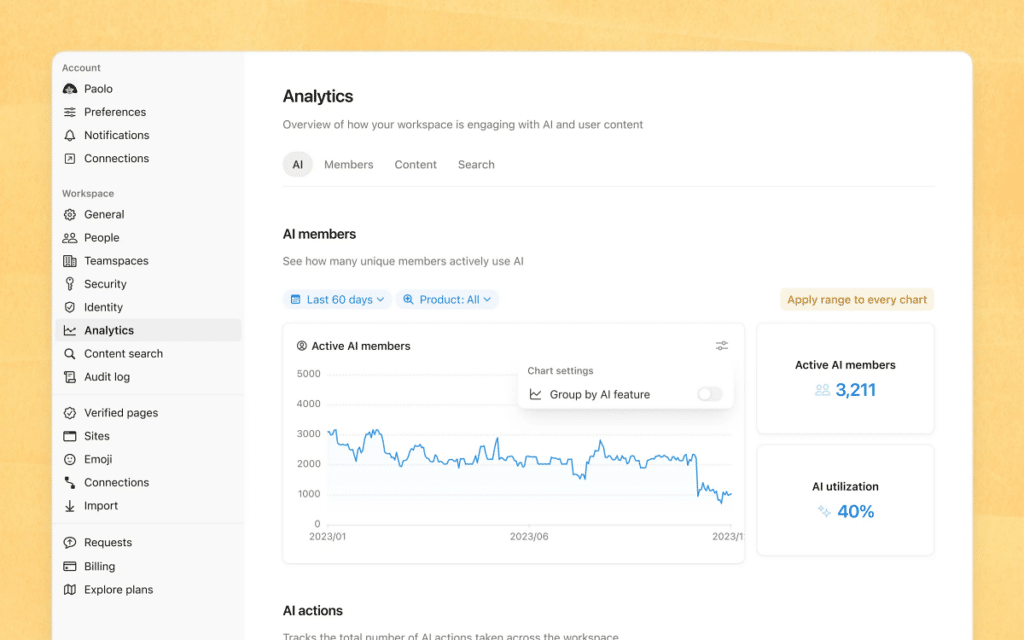
Notion approaches the problem differently. Rather than focusing solely on AI document search, it combines notes, documents, databases, projects, calendars, and AI into a single workspace. If your team already uses Notion, you can add AI features without switching to another platform.
One of Notion’s biggest advantages is Enterprise Search. Unlike NotebookLM, which searches only the documents you upload, Enterprise Search pulls information from connected services such as Slack, Google Drive, GitHub, and Jira. This gives teams a single place to search knowledge across multiple tools.
Notion also includes Notion AI and Notion Agent. Notion AI can summarize documents, answer questions, rewrite content, and generate new text and Agent goes a step further by completing multi-step tasks using information from your connected workspace. The platform also offers a Research mode that combines internal knowledge with live web results for more comprehensive answers.
The free plan works well for individuals. It includes unlimited pages and blocks for personal use, along with a limited trial of Notion AI features. However, the AI tools remain restricted until you upgrade.
The Plus plan costs $10 per member per month when billed annually. It adds unlimited file uploads, custom websites, and more collaboration features. However, AI capabilities remain limited to a trial.
The Business plan costs $20 per member per month and unlocks the platform’s most valuable AI features. Subscribers gain access to Notion Agent, AI Meeting Notes, and Enterprise Search (beta), along with SAML single sign-on and premium integrations. Organizations that need advanced security and administration can choose the Enterprise plan, which offers custom pricing and includes SCIM provisioning, audit logs, and zero data retention with AI providers.
Notion also lets users build Custom Agents. You can try this feature for free, and afterward, it costs $10 per 1,000 monthly credits.
The biggest drawback is pricing. While Notion offers a generous free workspace, its most useful AI features require the Business plan. If you’re looking for a free NotebookLM replacement, Notion won’t deliver the same AI experience without a paid subscription.
| Pros | Cons |
|---|---|
| ✅ Complete productivity workspace | ❌ Most AI features require the Business plan |
| ✅ Searches across Slack, Google Drive, GitHub, Jira, and other connected apps | ❌ Can feel overwhelming for new users |
| ✅ Powerful AI writing, search, and automation tools | ❌ More expensive than several NotebookLM alternatives |
| ✅ Excellent collaboration features | |
| ✅ Scales well from individuals to large organizations |
Best For: Teams and businesses that already use Notion and want AI-powered search, collaboration, and automation across their existing workspace.
NotebookLM Alternatives Comparison Table
| App | Pricing | Best Feature | Best For |
|---|---|---|---|
| Nouswise | Free / $10 / $50 per month | Citation-first AI research | Enterprises |
| Atlas | Free | AI study assistant | Students |
| Obsidian | Free | Local-first knowledge management | Writers & researchers |
| The Drive AI | Free / Paid | AI file organization | Small businesses |
| Notion | Free / Paid | Connected AI workspace | Teams |
Which NotebookLM Alternative Should You Choose?
If your priority is trustworthy, citation-backed answers for regulated work, Nouswise is the strongest choice. Students will likely get the most value from Atlas, thanks to its free study tools and course-focused AI. If you’re building a long-term knowledge base, Obsidian remains one of the best note-taking platforms available, especially if you’re comfortable adding AI through plugins.
For businesses dealing with thousands of documents, The Drive AI stands out with its automatic file organization and grounded search. And if your team already runs on Notion, upgrading to its AI-powered Business plan can turn your existing workspace into a powerful knowledge hub.
None of these tools is a perfect NotebookLM clone—and they don’t need to be. The right choice depends on whether you’re looking for AI research, studying, note-taking, file organization, or an all-in-one productivity workspace.
Worth checking on Amazon: