Choosing the best iPhone data recovery software matters most in the exact moment you least want to think about it. A photo album vanishes. A thread of messages disappears. A folder of app data goes missing after an accidental swipe, a failed iOS update, or a broken screen.
The problem is that this category is full of software promising to recover almost anything, while the reality on a modern iPhone is much narrower. Some tools are excellent at extracting data from Finder, iTunes, or iCloud backups. Others add useful system-repair features. Very few can reliably bring back files that were permanently deleted, never backed up, and have already been overwritten.
Editorial note: the comparisons below draw on vendor documentation, official specifications, and independent reporting rather than a single in-house test run. Where a claim is uncertain, we say so rather than presenting it as settled.
Before paying for anything, try Apple’s own recovery options first. Check Recently Deleted in Photos, Messages, Notes, or Files where applicable, then check iCloud and any Finder, Apple Devices, or iTunes backups you already have.
One more thing: once you notice something important is missing, avoid creating unnecessary new data. Do not shoot dozens of new photos, install large apps, or perform a factory reset while you are still deciding how to recover it.
The Truth About iPhone Data Recovery Software
This is the part worth understanding before comparing features.
What iPhone Recovery Software Does Well
These tools are at their best when the data still exists somewhere. That could be:
- A Finder or iTunes backup on your computer
- An iCloud backup
- iCloud-synced data
- A damaged but still readable backup database
- Data still present on the phone and accessible to the software
- Third-party app databases that haven’t yet been removed
In those situations, recovery software can save you from restoring the entire iPhone just to get one conversation, contact, or photo back. That’s a genuinely useful capability.
Where the Marketing Gets Ahead of Reality
The harder promise is recovering something that has been permanently deleted from a modern iPhone with no backup anywhere. That is where expectations need to drop.
Modern iPhones use encryption and aggressive storage management. Once deleted data is no longer referenced by the operating system and the underlying storage has been reused, consumer software generally cannot reconstruct it simply by “scanning deeper.”
A tool may report thousands of recoverable files, but some of those may simply be existing files, cached content, thumbnails, or items pulled from a backup rather than genuinely resurrected deletions.
That does not make the software useless. It just means backup extraction and selective recovery are much more realistic use cases than recovering something that is truly gone.
How iPhone Data Recovery Software Works
Most established recovery tools use some combination of three methods.
Direct iPhone Scan
The software connects to your iPhone over USB, establishes a trusted connection, and scans the data iOS allows it to access. Depending on the tool and iPhone model, the software may create or inspect a local backup rather than reading raw flash storage directly.
This is the least predictable recovery method. The results depend heavily on what data still exists and how iOS stores the specific type of information you’re trying to recover.
Finder, Apple Devices, or iTunes Backup Recovery
This is usually the most reliable method. Instead of restoring your entire iPhone from a backup, the software opens an existing backup and lets you browse individual categories such as photos, messages, contacts, notes, or app data.
You can then export only what you need. Apple’s own restore process normally restores the full backup to the device, so selective extraction is one of the strongest reasons to use third-party recovery software in the first place.
iCloud Recovery
Some tools can sign in to your Apple Account and retrieve supported iCloud data or backups. This is useful if your iPhone is lost, badly damaged, or no longer available to connect over USB.
However, not every tool offers the same iCloud access, and Apple’s security protections mean the exact categories available can change.
What to Look for in iPhone Data Recovery Software
Before paying for anything, check for these features:
- Multiple recovery modes: Device, computer backup, and iCloud support where possible.
- Preview before recovery: You should be able to confirm your data is actually visible before buying.
- Selective export: Recover individual files instead of restoring everything.
- Encrypted backup support: Important if your Finder or iTunes backup was encrypted.
- Current iOS compatibility: Especially important after a major iOS update.
- Third-party app support: Useful if WhatsApp, LINE, WeChat, or similar apps are the reason you’re recovering data.
- Local processing: Prefer software that processes personal data on your own computer.
- Read-only behavior: Recovery should not modify the original data source during scanning.
The preview feature matters most. If the trial doesn’t show the missing file intact, buying the full version probably won’t suddenly make it appear.
Best iPhone Data Recovery Software Compared
1. Dr.Fone Data Recovery: Best All-in-One Toolkit
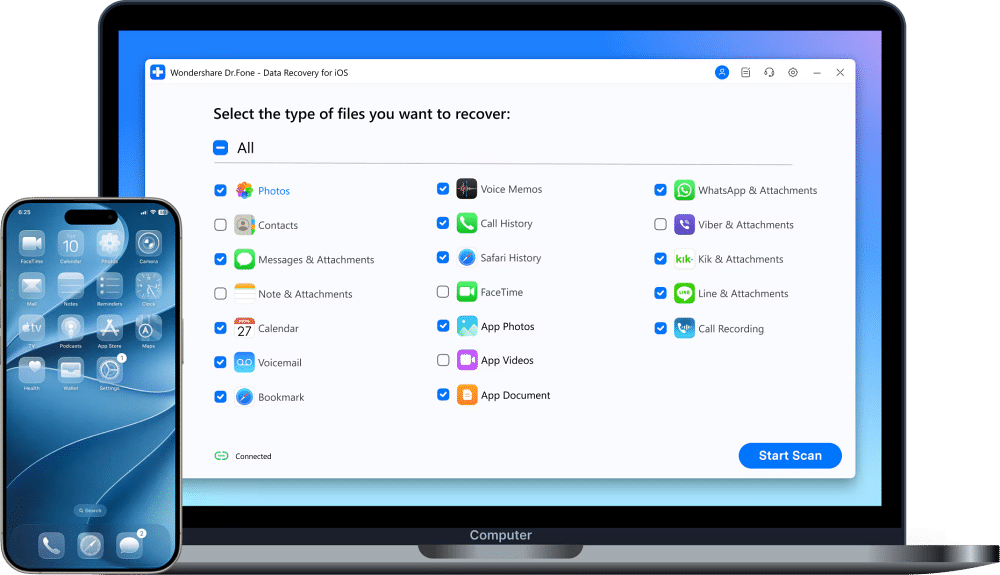
Wondershare Dr.Fone is one of the biggest names in the category, largely because it does much more than data recovery. Its iOS Data Recovery module supports device recovery, local backups, iCloud backups, and multiple app-data categories. Dr.Fone is also part of a wider toolkit that includes iOS system repair, transfer utilities, device management, and other features.
That makes it more useful if your iPhone isn’t simply missing a few files but is also stuck in a boot loop or behaving incorrectly. The downside is complexity and price. If you only need to inspect one backup once, you’re paying for a much larger ecosystem than necessary.
Pros:
- Device, local backup, and iCloud recovery
- Broad range of supported data categories
- Available alongside system-repair tools
- Selective recovery and previews
- Multiple licensing options
Cons:
- More expensive than simpler recovery-only tools
- Interface can feel busy
- Direct deep recovery should not be treated as guaranteed
- Some plans use recurring billing
Best for: Users who need recovery plus iOS system repair or other phone-management tools.
2. iMyFone D-Back: Best for Backup Extraction
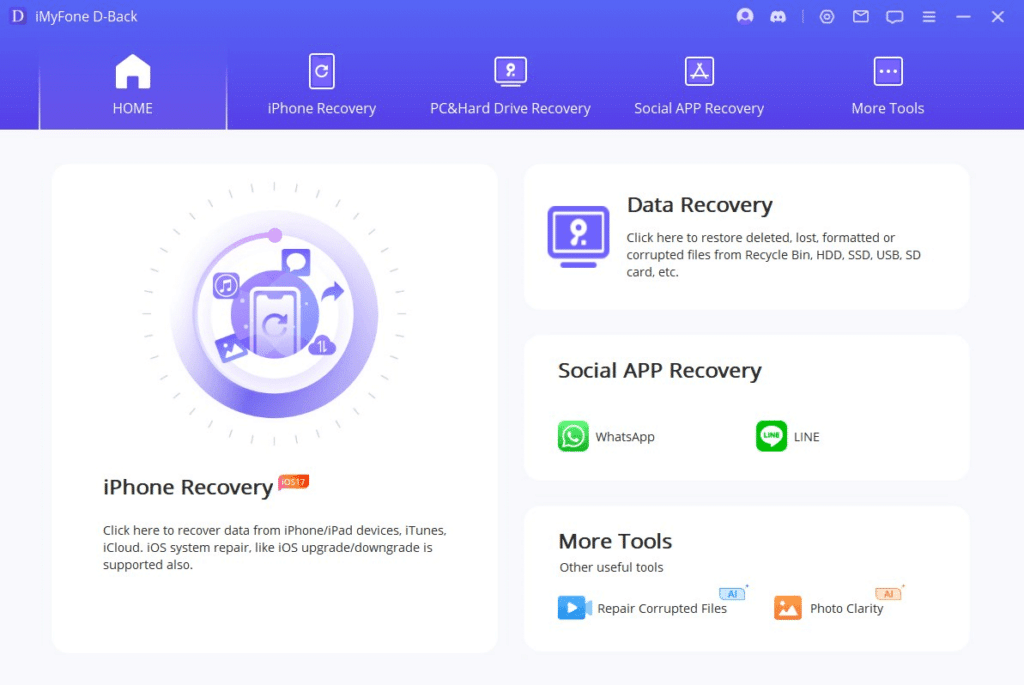
iMyFone D-Back is strongest when you already know where the data should be. If you have a Finder, iTunes, or iCloud backup and want to inspect it without wiping and restoring your entire iPhone, D-Back provides a straightforward way to scan by data type and selectively export what matters.
Its Smart Recovery workflow is also helpful for less technical users because it asks what happened first, such as accidental deletion, device damage, or a failed update, then points you toward an appropriate recovery method.
Where expectations should stay lower is direct recovery of permanently deleted files with no backup. That’s not unique to D-Back. It’s a limitation of modern iPhone recovery in general.
Pros:
- Strong backup extraction
- Device, computer backup, and iCloud options
- Smart Recovery workflow
- Good category filtering
- Support for a broad range of data types
Cons:
- Direct recovery success varies substantially
- Trial mainly previews results
- Interface contains more options than some users need
Best for: Anyone who has an existing backup but wants to recover only specific items from it.
3. Tenorshare UltData: Best for WhatsApp and App Data
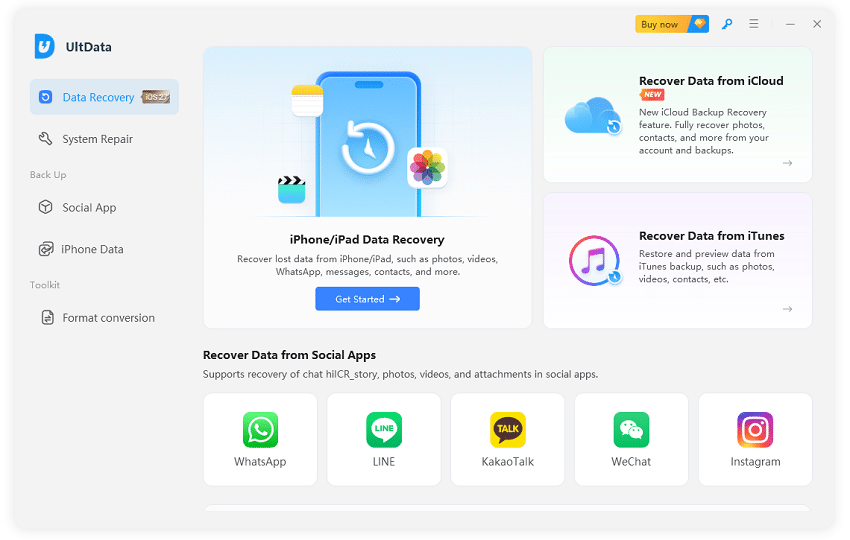
Tenorshare UltData stands out because of the breadth of app data it targets. Beyond photos, contacts, messages, and notes, UltData focuses heavily on third-party messaging services such as WhatsApp, LINE, WeChat, Viber, and other social apps.
That makes it more useful if the missing content isn’t sitting inside an Apple app. UltData supports the usual recovery paths, including the device itself, computer backups, and iCloud-related data where supported.
Its biggest drawback is scan time. Large iPhones and backups can take a while, and seeing an entry during a scan doesn’t automatically mean it can be fully restored.
Pros:
- Excellent third-party app coverage
- Device, local backup, and iCloud recovery
- Preview before export
- Good WhatsApp-focused tools
- Regular compatibility updates
Cons:
- Scans can be slow
- Subscription-based plans can get expensive
- Deep recovery of old deletions remains unpredictable
Best for: WhatsApp, WeChat, LINE, Viber, and other third-party app recovery.
If WhatsApp is the only thing you’ve lost, try your existing WhatsApp or iCloud backup before buying dedicated recovery software.
4. PhoneRescue by iMobie: Best for a Broken iPhone
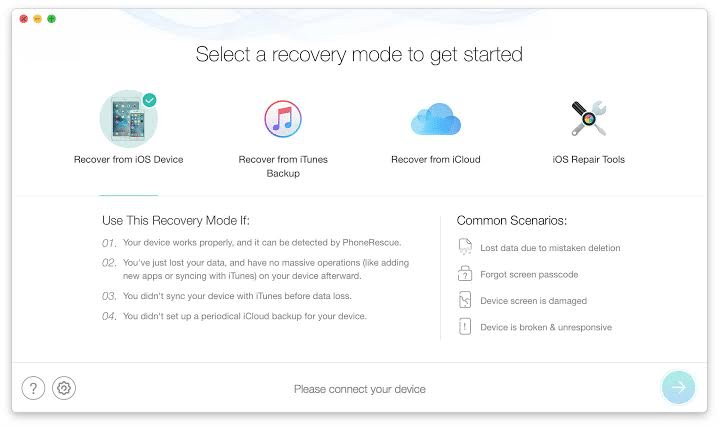
PhoneRescue makes the most sense when the iPhone itself is malfunctioning. It combines recovery features with iOS repair tools, so if your phone is stuck on the Apple logo, trapped in a boot loop, or not starting correctly, you can potentially address the system problem and recover accessible data from the same application.
It also supports backup extraction, which remains the more dependable side of the product. The interface isn’t as polished as Disk Drill’s, but it exposes plenty of controls for users willing to spend more time working through them.
Pros:
- Combines recovery and iOS repair
- Good for boot-loop and startup problems
- Supports multiple recovery paths
- Selective data recovery
Cons:
- Direct scans can take a long time
- Interface feels dated in places
- Deep deleted-data recovery is not guaranteed
Best for: An iPhone that is malfunctioning as well as missing data.
5. FoneLab iPhone Data Recovery: Best for Messages and Call History
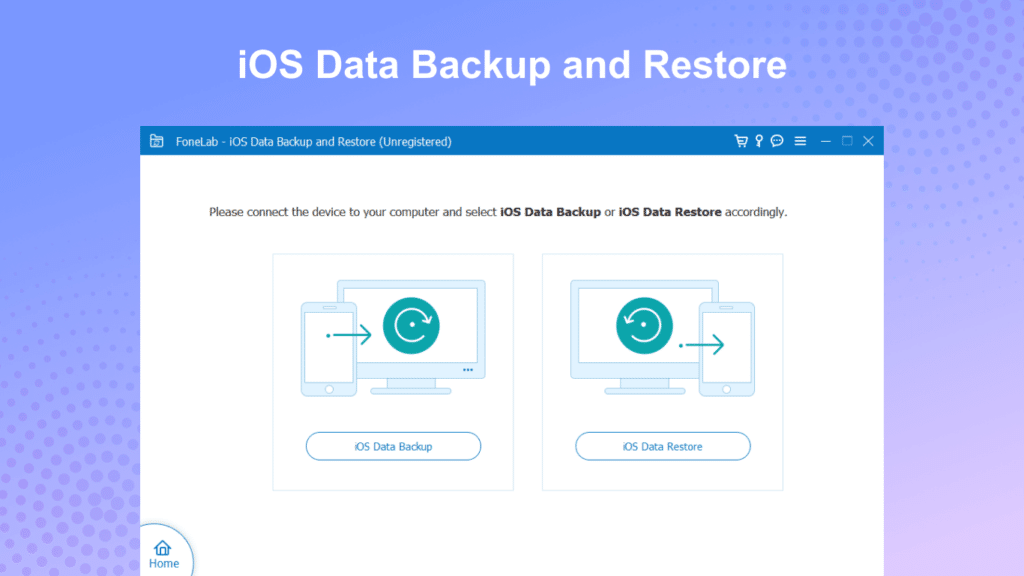
FoneLab keeps things comparatively simple. Its strongest use case is communication data such as SMS, iMessage conversations, contacts, and call history, particularly when those records still exist inside an accessible backup.
You get the standard device, local backup, and iCloud-oriented recovery workflows along with selective preview. It doesn’t have the same reputation or ecosystem as Dr.Fone, Disk Drill, or Tenorshare, but that can make it easier to use if you only need a straightforward recovery utility.
Pros:
- Strong focus on messages and call history
- Multiple recovery modes
- Preview before recovery
- Relatively simple workflow
Cons:
- Smaller user community
- Slower scans on large backups
- Less polished than category leaders
Best for: Messages, iMessage conversations, contacts, and call logs.
6. EaseUS MobiSaver: Best for Checking Whether Anything Is Recoverable
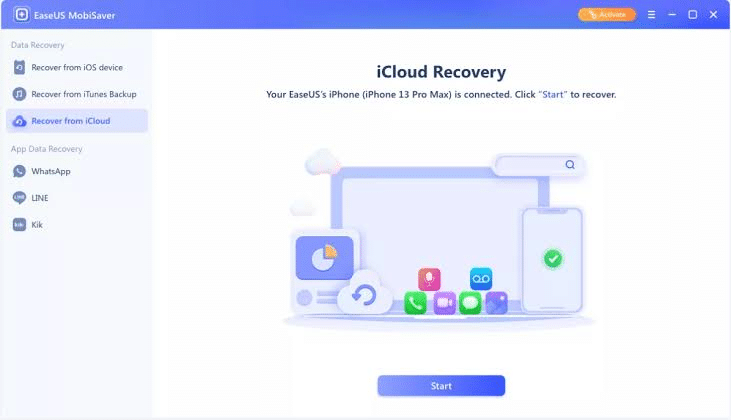
EaseUS MobiSaver makes the most sense as a first scan rather than a first choice for a full recovery workflow. Its free tier can help you inspect an iPhone or backup and determine whether the missing content appears before you pay for more capable recovery.
That is useful because the worst thing you can do in this category is buy software before knowing whether it sees the data at all. The free recovery limits are restrictive, though, and its paid version faces strong competition from tools with broader features.
Pros:
- Free scan and limited recovery
- Simple interface
- Good for an initial recoverability check
- Established software company
Cons:
- Free recovery limits are small
- Less feature-rich than stronger paid alternatives
- Limited cloud-recovery options compared with some rivals
Best for: Running a quick scan before deciding whether paid recovery software is worth it.
Best iPhone Data Recovery Software Compared
| Software | Recovery Modes | Free Preview | Standout Strength | Best For |
|---|---|---|---|---|
| Dr.Fone Data Recovery | Device, backup, iCloud | Yes | System repair bundled in | An iPhone that is also frozen or boot-looping |
| iMyFone D-Back | Device, backup, iCloud, Smart Recovery | Yes | Guided workflow for less technical users | Recovering from an existing backup |
| Tenorshare UltData | Device, backup, iCloud | Yes | Widest third-party app coverage | WhatsApp, WeChat, LINE, and similar app data |
| PhoneRescue by iMobie | Device, backup, iCloud | Yes | Combined recovery and iOS repair | A malfunctioning iPhone alongside missing data |
| FoneLab | Device, backup, iCloud | Yes | Focused on communication data | Messages, iMessage, and call history |
| EaseUS MobiSaver | Device, backup, limited iCloud | Yes, limited | Genuine free tier | Checking whether anything is recoverable at all |
Feature availability can change with iOS updates, so verify support for your specific iPhone and iOS version before purchasing. Pricing shifts often enough across this category that we have left it out of the table; check each vendor’s current pricing directly.
Free vs. Paid iPhone Data Recovery Software
“Free” means something very specific in this category.
What Most Free Trials Actually Give You
A typical free recovery trial lets you connect your iPhone or select a backup, run a scan, browse categories, and preview some of the data found. Then you hit the paywall when you try to export or recover the files.
That is not necessarily a bad model. Avoid any recovery tool that asks you to pay before it lets you confirm whether your data appears at all.
The important thing is looking carefully at the preview. If you deleted one specific photo, make sure you can actually see that photo. Do not assume that a scan reporting thousands of recoverable photos means your missing image is among them.
When Paying Is Worth It
A paid recovery tool makes the most sense when you can see the missing data in the preview, you know the data exists in a backup, you need selective extraction instead of a full-device restore, you need third-party app data, your iPhone needs system repair as well as recovery, or the files are valuable enough to justify the licence.
Paying makes much less sense when the tool cannot show you the missing content during its free scan.
Are Completely Free iPhone Recovery Tools Safe?
Be cautious. Established recovery software is expensive to develop and maintain, particularly every time Apple changes iOS security, backup formats, or device communication.
A website promising unlimited recovery of permanently deleted iPhone data for absolutely nothing should make you suspicious, particularly if it asks for your Apple Account password, disables macOS or Windows security features, or downloads software from an unfamiliar domain.
Stick to the developer’s official website rather than third-party download portals. Never give a recovery application your Apple Account credentials unless the feature you are intentionally using requires iCloud access and you trust the developer.
Which iPhone Data Recovery Software Should You Choose?
Match the software to the actual problem.
- Your iPhone is frozen, boot-looping, or stuck on the Apple logo: try Dr.Fone or PhoneRescue, since both combine recovery with iOS repair tools.
- Your missing data exists inside a Finder, iTunes, or iCloud backup: iMyFone D-Back is a strong fit for selective backup extraction.
- You lost WhatsApp, WeChat, LINE, or other messaging-app data: look at Tenorshare UltData.
- You mainly need SMS, iMessage, or call history: FoneLab is worth considering.
- You want the widest set of tools in one purchase: Dr.Fone covers recovery, repair, transfer, and device management together.
- You only want to know whether the missing data is visible before spending anything: run an EaseUS MobiSaver scan first.
Regardless of the product, use the free preview before entering your payment details.
What to Try Before Buying Recovery Software
Paid software should not be your first move.
For photos and videos, check Photos, then Recently Deleted, first.
For messages, check the Recently Deleted section in Messages if the deletion is recent and your iOS version supports it. Then check iCloud Photos, iCloud Drive, iCloud.com, Finder backups on Mac, Apple Devices or iTunes backups on Windows, WhatsApp’s own backup, and Google Photos, OneDrive, Dropbox, or another cloud service you use.
If the missing data is already sitting in one of those locations, you may not need recovery software at all.
Final Verdict
The best iPhone data recovery software is not the one promising the highest recovery percentage. It is the one that actually shows you your missing data before asking you to pay.
For most users, backup extraction is the realistic success story in this category. iMyFone D-Back is a solid starting point when the data sits inside an existing backup, Dr.Fone and PhoneRescue make more sense when the iPhone itself also needs repair, Tenorshare UltData is worth looking at when third-party messaging data matters, and EaseUS MobiSaver is a cheap way to confirm anything is visible at all.
Do not skip Apple’s own options first. Check Recently Deleted, iCloud, and your computer backups before installing anything. If the data exists there, recovery is straightforward. If it was permanently deleted with no backup and has already been overwritten, no consumer application can guarantee it will come back.