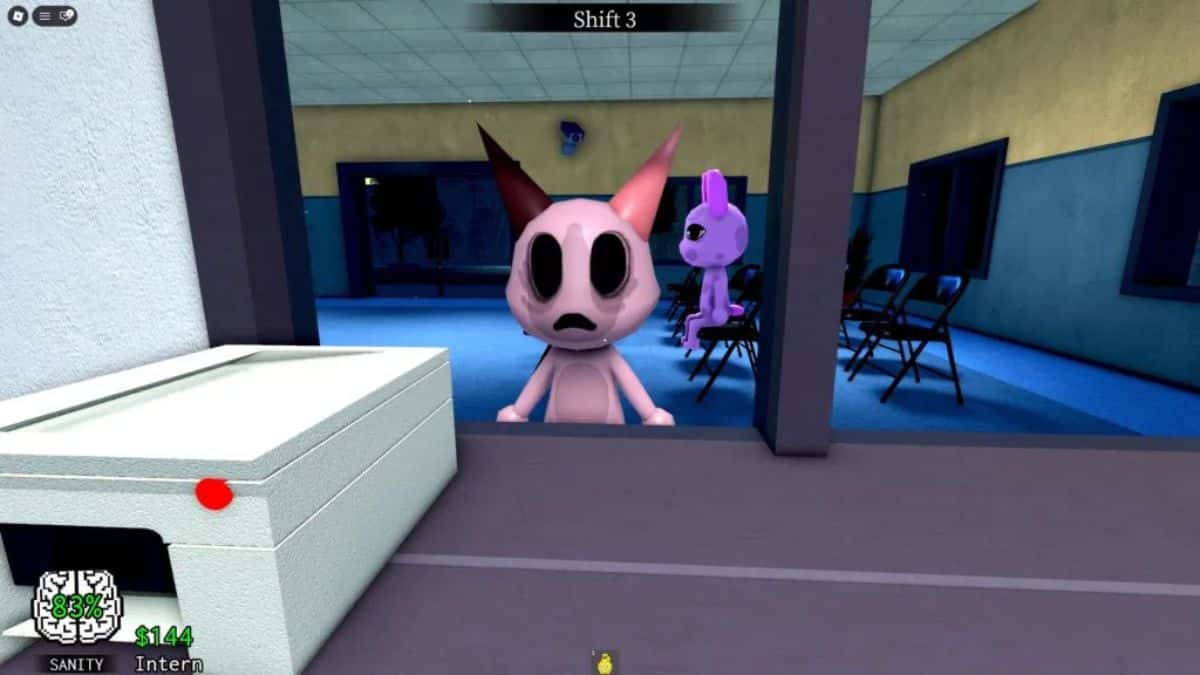
Animal Hospital has quickly become one of Roblox‘s more unsettling horror-survival hits, and as of July 2026, the night shift only gets harder the longer you last. You clock in, take over the front desk, and start checking in patients, except some of them aren’t really animals at all. Learning how to tell a normal patient from an anomaly is the single most important skill in Animal Hospital’s class system, since the wrong class can leave you blind to certain warning signs.
The stakes are real: letting an anomaly through the check-in window doesn’t just cost you a bit of Sanity, it can spiral into a Skinwalker attack that kills patients and drags your shift to an early end. Developer Animal Anomaly has steadily expanded the anomaly roster since launch, and a new update is expected as soon as mid-July, which likely means at least one fresh anomaly type to memorize. Below, you’ll find every confirmed anomaly currently in the game, organized by how you actually spot them.
What Are Anomalies in Roblox Animal Hospital?
Anomalies are disguised threats that show up at your check-in window pretending to be ordinary patients. The game splits them into three categories based on how they’re identified: Appearance anomalies you can catch with a direct look, Photo anomalies that only reveal themselves once you print and inspect the patient’s photograph, and Security Camera (CCTV) anomalies that look completely normal at the window but show something wrong on camera.
Once you’re confident a patient is an anomaly, hit the red Shutters button next to the check-in desk to deny them entry. If one slips past you, the Taser (unlocked after your third or fourth shift, depending on patch) or a purchased Gun can neutralize it before it turns into a Skinwalker.
All Animal Hospital Anomalies
1. Wide Eyes and Sharp Teeth
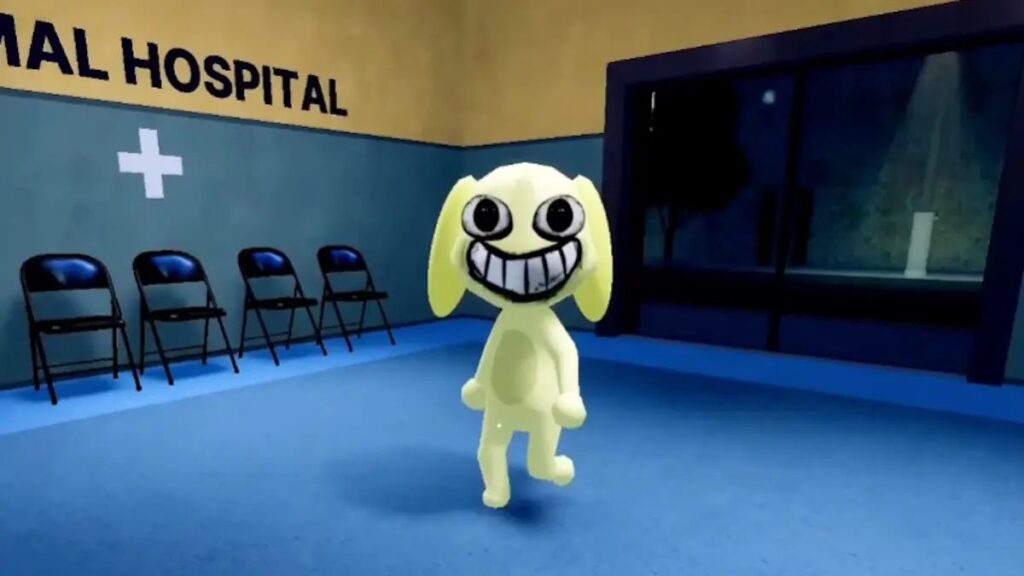
- Type: Appearance
- How to spot: Exaggerated, oversized eyes paired with a crooked, distorted smile and rows of sharp teeth. The head may track your movement slightly, which only adds to how unnatural it looks.
- What to do: Deny entry immediately. This is one of the quickest appearance anomalies to catch on sight.
2. Three Eyes
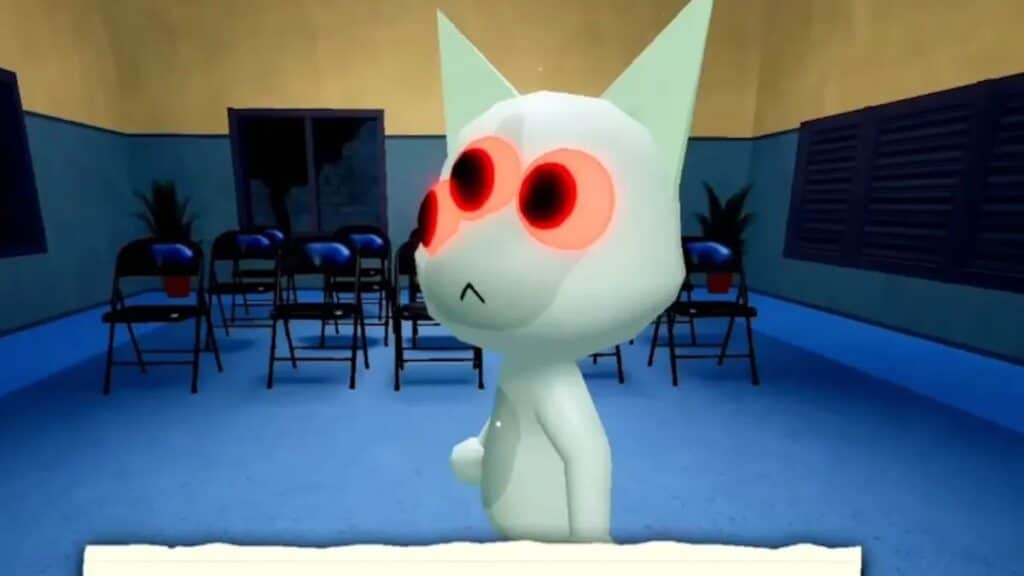
- Type: Appearance
- How to spot: A glowing, orange-outlined third eye sits where it shouldn’t. Sometimes the patient’s real eyes are still visible underneath.
- What to do: This is considered the most recognizable anomaly in the game. Close the shutters the moment you see it.
3. Hollow Face
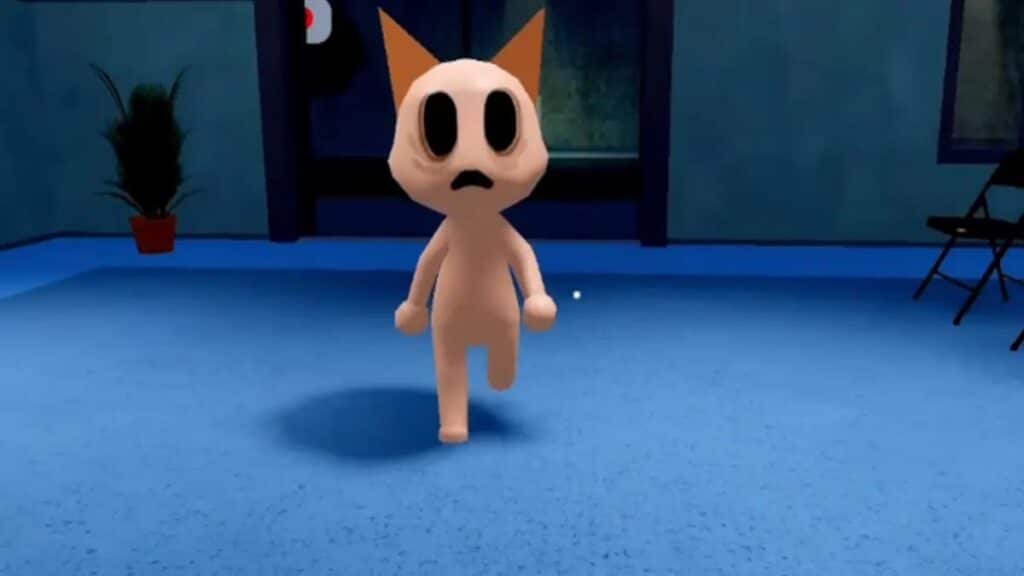
- Type: Appearance
- How to spot: Empty, hollowed-out eye sockets and a lifeless, hunched expression. Some variants twitch slightly, making the effect even creepier.
- What to do: Reject on sight. Letting a Hollow Face through is linked to triggering dangerous events later in the shift.
4. Unnatural Facial Appearance
- Type: Appearance
- How to spot: This one has two known variants. The first shows big eyes, black pupils, prominent eyebags, and a large drawn-on smile that vanishes after being tased. The second shows small, wide circular eyes with black pupils paired with unsettlingly realistic human teeth.
- What to do: Both variants are always anomalies regardless of which version you see, so deny entry.
5. Twitching
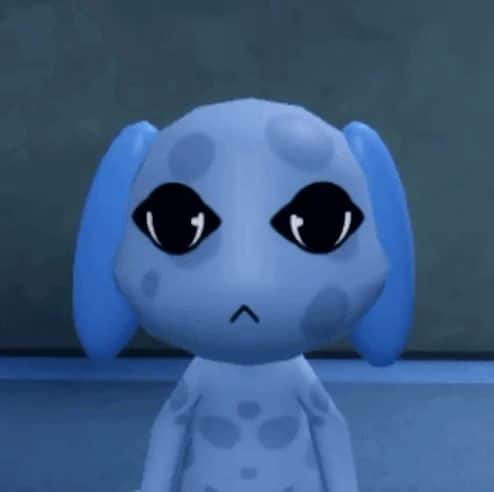
- Type: Appearance
- How to spot: Short, jerking movements around the neck, arms, or body. This is one of the easier anomalies to miss if you rush through check-ins, so watch each patient for four to five seconds before deciding.
- What to do: If you’re unsure, take the extra few seconds rather than admitting them on a guess.
6. Incorrect Photo (Different Eyes or Ears)
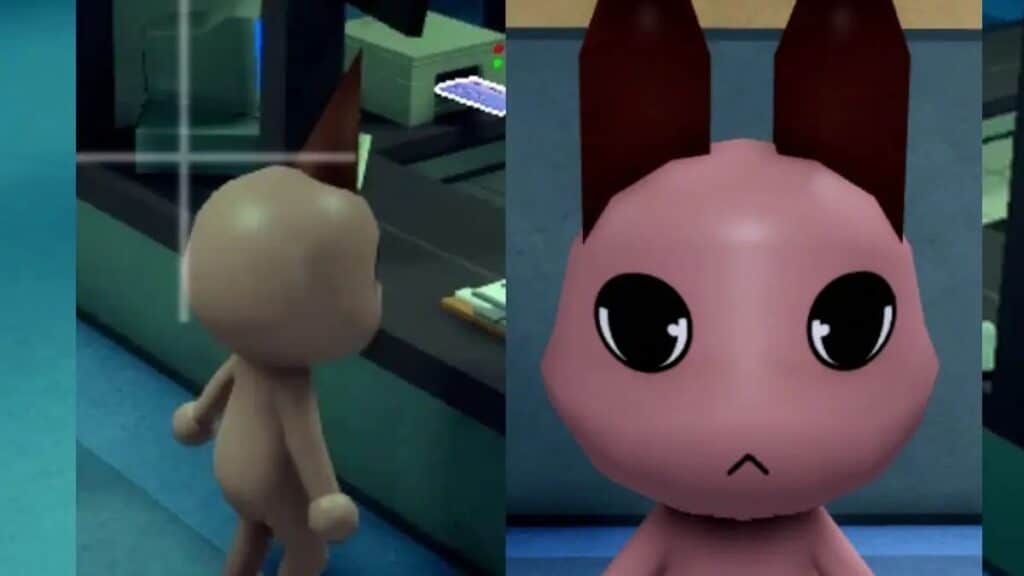
- Type: Photo
- How to spot: The printed photo shows subtly different eyes, ears, or markings compared to the patient standing at the window. Mismatched ears or eyes is regularly flagged as one of the hardest anomalies to catch because the differences can be genuinely tiny.
- What to do: Compare the photo against the live patient carefully before checking them in, not from memory.
7. Unnatural Photo
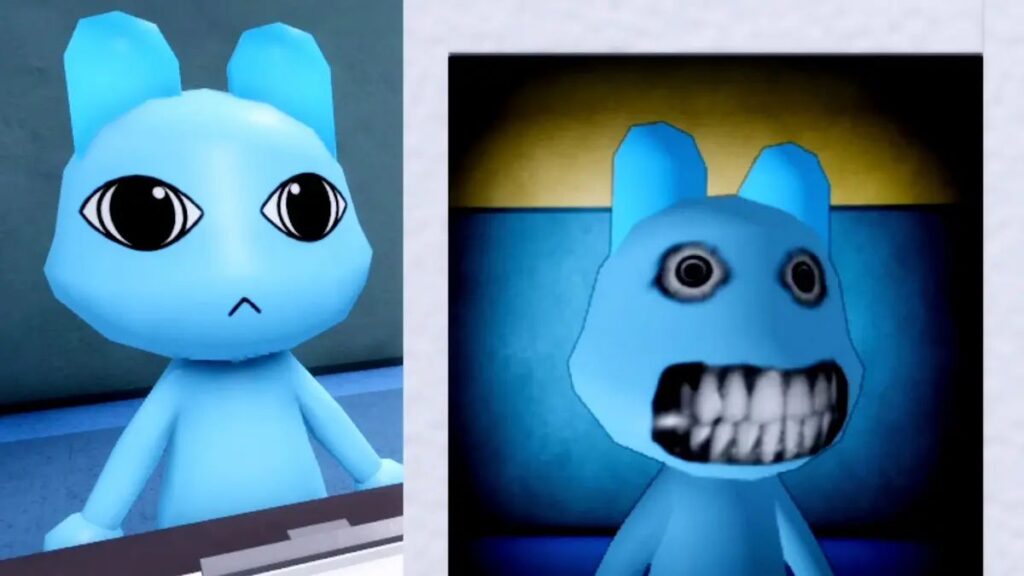
- Type: Photo
- How to spot: The patient looks completely normal at the window and in person, but the developed photo shows an eerie, unnaturally realistic face.
- What to do: Wait for the photo to fully develop before inspecting it. You lose Sanity for staring at a cursed image, so check it from the table rather than picking it up.
8. Static or Cursed Photo
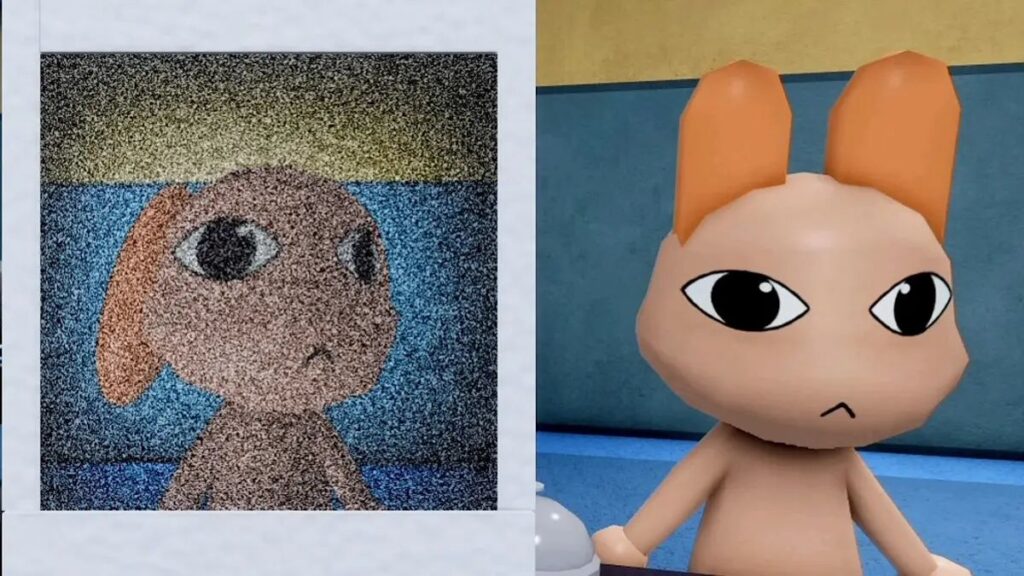
- Type: Photo
- How to spot: The photo shows heavy static, bloodshot eyes, or a disturbing grin instead of a clean image.
- What to do: Treat any static or cursed photo as an automatic anomaly and deny entry. Picking up a cursed photo costs 10 Sanity, so leave it on the table once you’ve confirmed the tell.
9. Black Eyes / Void Body
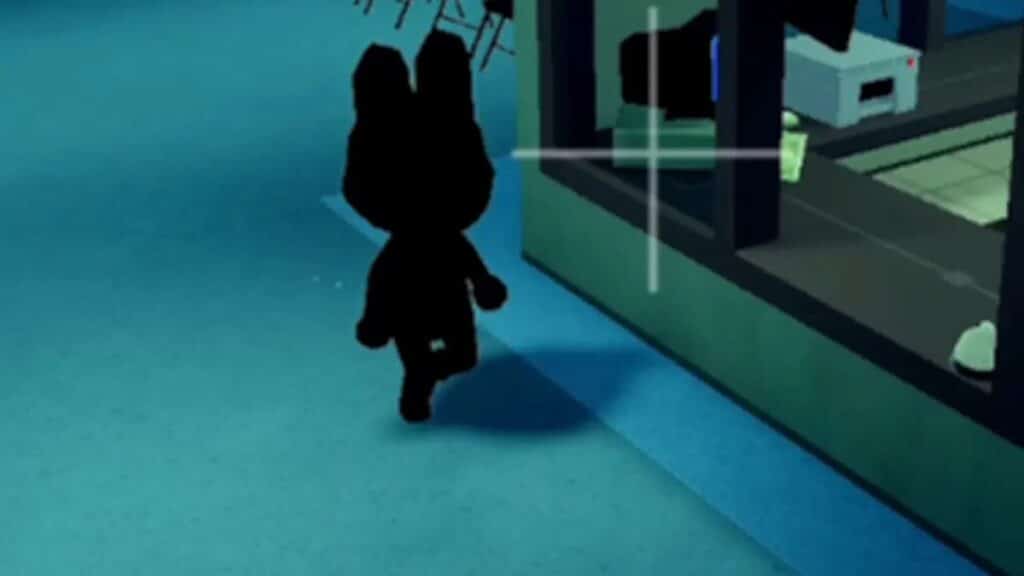
- Type: Security Camera
- How to spot: The patient’s body appears completely black on camera, stripping out every visible feature: no eyes, no face, no mouth. This one only tends to show up starting a few shifts in.
- What to do: It’s one of the simplest CCTV anomalies to catch precisely because there’s nothing else to see. Deny the moment you spot the silhouette.
10. Staring at Camera
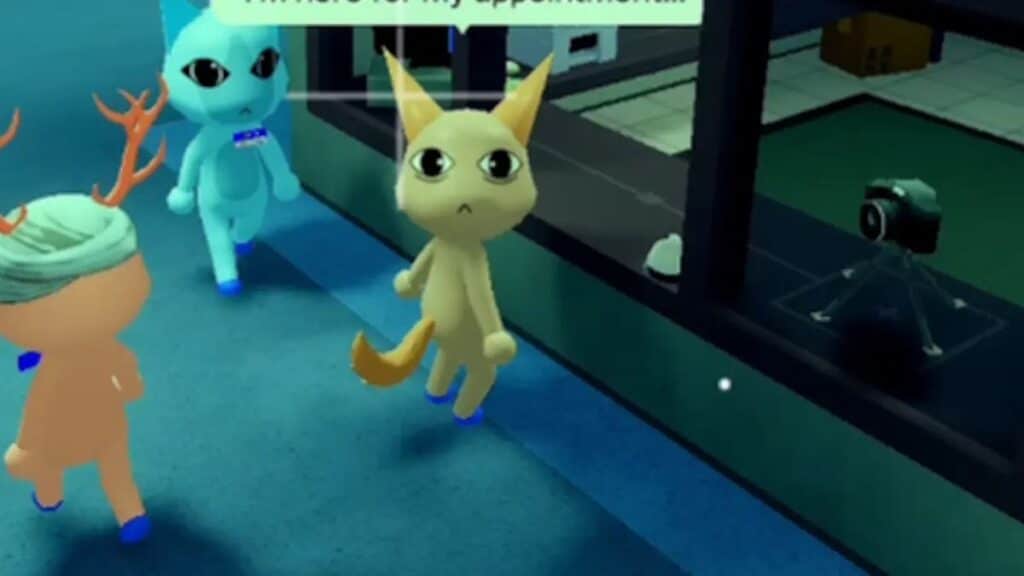
- Type: Security Camera
- How to spot: Normal patients face the reception desk. This anomaly, sometimes nicknamed “the starer,” keeps its eyes locked on whichever CCTV camera you’re viewing, even if you switch feeds.
- What to do: Once you know the tell, a quick camera sweep before admission catches it easily.
11. Unnatural Body
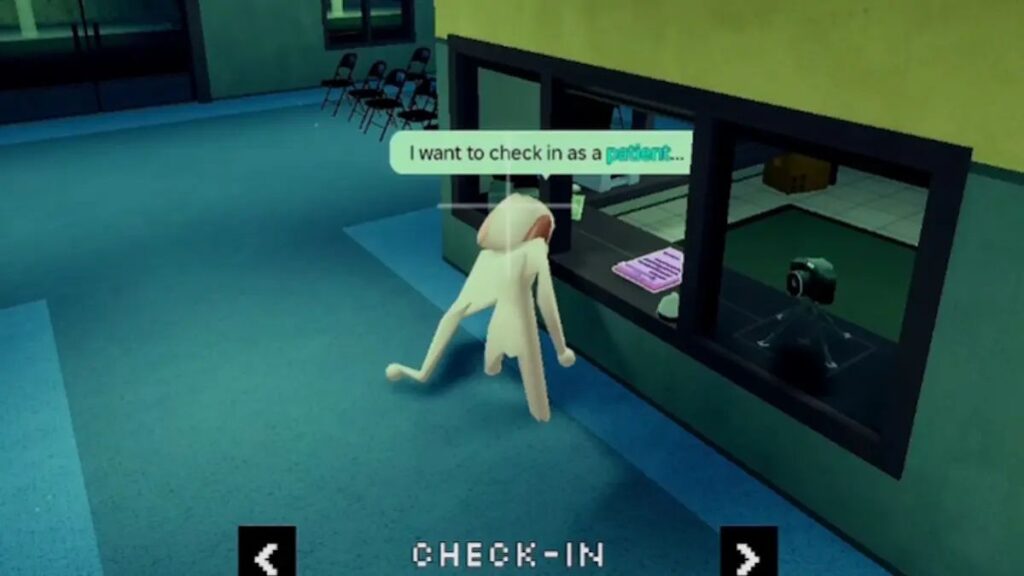
- Type: Security Camera
- How to spot: The patient’s proportions look subtly wrong or shift shape between camera checks, even though they appear ordinary at the window.
- What to do: Cross-reference with the lobby camera angle if you’re unsure. Side-on views tend to expose this one faster.
12. Skinwalker (Disguised)
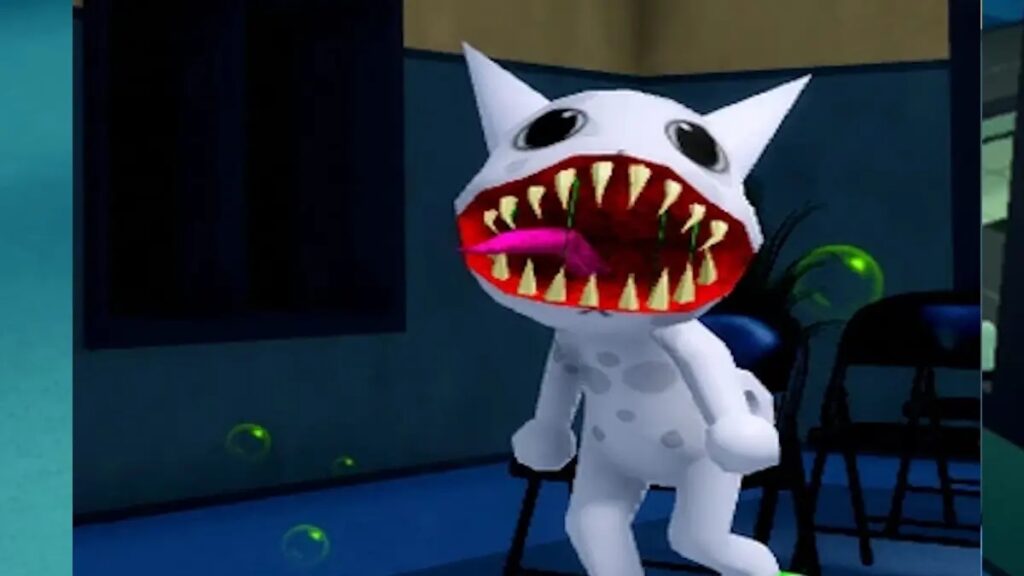
- Type: Security Camera
- How to spot: Appears completely normal at the window and in the photo, but reveals itself only through the security feed. Checking the ears specifically can help, since anything that looks slightly off is a strong signal.
- What to do: This is a high-priority deny. If a Skinwalker-tagged anomaly gets through check-in, it can transform into a full hostile enemy that attacks patients and staff alike.
Special Cases: Barney and the Head Banger
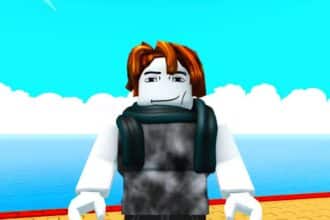
Not everything at the window fits neatly into the three categories. Barney is a recurring character who shows up asking for favors rather than medical treatment, often requesting coffee. You can turn him away by closing the shutters, but helping him through his requests rewards you with a second coffee machine, which brews on a slower cooldown but gives your team more Sanity-recovery options over a long shift.
The Head Banger is another edge case: it won’t leave when the shutters are closed the normal way, and you instead have to be holding a coffee and let it take a sip or two before it wanders off.
Tips for Spotting Anomalies Faster
Run through appearance, photo, and camera checks in that order every single time, even on patients who look fine at first glance, since some anomalies only reveal themselves on the last check. Wait for photos to fully develop before looking rather than yanking them off the printer early, as that’s when cursed images do the most Sanity damage. Rotate through all four camera feeds (check-in, lobby, medical, and the emergency camera once it unlocks) instead of relying on just one angle, since several anomalies, like the disguised Skinwalker, only expose themselves from specific angles.
Wrapping Up
Animal Hospital’s anomaly roster has grown steadily since launch, and Animal Anomaly has already teased new content for an update expected around mid-July 2026, based on official Roblox event listings. Given the pattern of past patches, that update will almost certainly bring at least one new anomaly type alongside class and item changes, so it’s worth revisiting this list once the patch goes live to confirm nothing’s changed.
Bookmark this page, as we’ll update the list as soon as new anomalies are added to Animal Hospital.
Appearance anomalies are visible directly at the check-in window, Photo anomalies only show up once you develop the patient’s photograph, and Security Camera anomalies look normal in person but reveal themselves on CCTV.
Community trackers currently place the confirmed count somewhere between roughly a dozen and 17 depending on how enemies like Skinwalkers and the Bed Monster are counted, so treat any exact number as an estimate that shifts with each update.
Mismatched Ears or Eyes on the photo check is consistently flagged as one of the toughest to catch, since the visual differences from the real patient can be extremely subtle.
Admitting an anomaly can trigger dangerous shift events, drain your Sanity, or let the anomaly transform into a hostile Skinwalker that attacks patients and staff.
Not exactly. Barney is a special character who asks for favors rather than posing as a sick patient, and helping him through his request rewards you with a second coffee machine instead of penalizing you.
Level up your gaming: