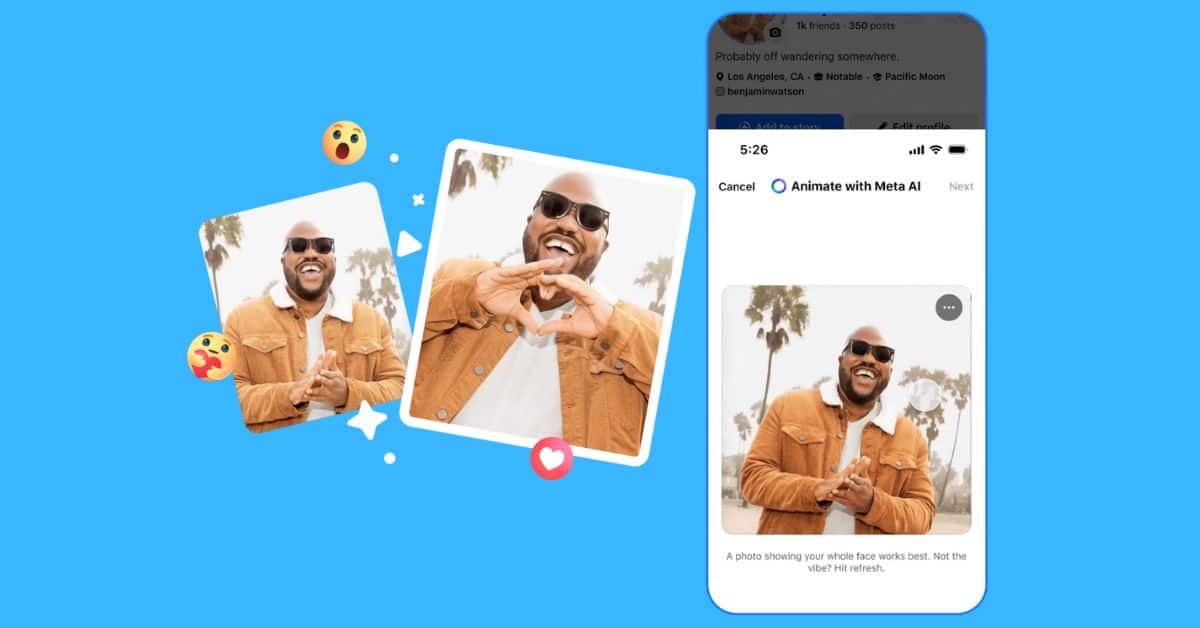
Facebook introduced new Meta AI features on February 10, 2026. These include animated profile pictures, restyling for Stories and Memories, and animated backgrounds for text posts. Today, we will look at why Meta is adding motion to profile photos, how profile animation works, and how you can animate your profile picture with Meta AI on Facebook.
Why Meta Is Adding Motion to Your Facebook Profile Picture
For those unaware, Facebook previously offered short looping profile videos, but it quietly removed them. Now, the platform has added a new feature that uses generative AI to create small animations from a single photo, so people do not need to record a video themselves.
This is part of Meta’s broader plan to add simple AI tools across its core apps.
Moreover, there is also a clear reason for adding these features: engagement. The company has already said that short videos make people spend more time on the platform, and even small motion in profile pictures can catch someone’s attention while they scroll.
We cannot ignore Facebook’s reach. According to the 2025 Pew Research Center survey, approximately 71% of U.S. adults use Facebook. Any new feature can therefore reach a large audience quickly.
How Facebook Profile Animations Work
Meta recommends using a photo of a single person facing the camera clearly, with no objects blocking the face. This is because the AI reads the face in the photo and predicts small movements such as blinking, nodding, or a subtle wave. It then creates a smooth looping animation that makes the image feel more natural without looking unusual.
Some animation styles only add gentle movement to the person, while others include fun effects like confetti or a party hat. The final result looks more engaging than a basic sticker but is still simpler and less distracting than a full video.
This feature is designed to grab attention quickly in social media feeds without requiring sound or long viewing time.
Related: How to Make Your Facebook Profile Private
How to Animate Facebook Profile Picture With Meta AI
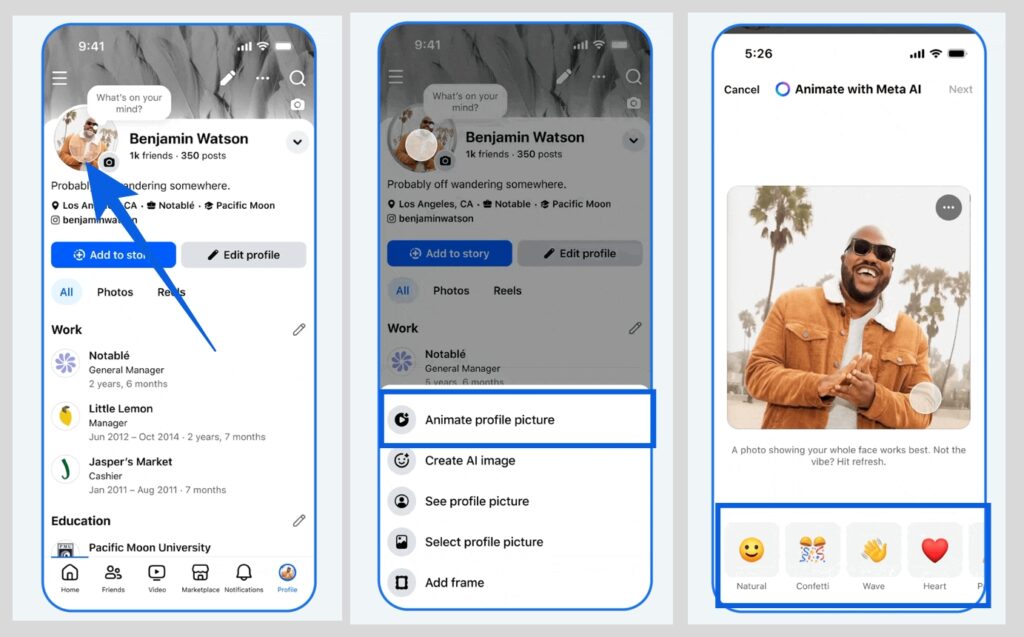
Turning your profile photo into an animation is easy. Here is how to do it:
- Open the Facebook app and go to your profile by tapping your profile icon.
- On your profile page, tap your profile photo. Do not tap the small camera icon.
- You will see multiple options. Tap Animate Profile Picture.
- Choose from preset animations like party hat, confetti, or heart, depending on how you are feeling.
- Once done, save the changes and share it on your feed if you like.
How to Restyle Facebook Stories and Memories With Meta AI
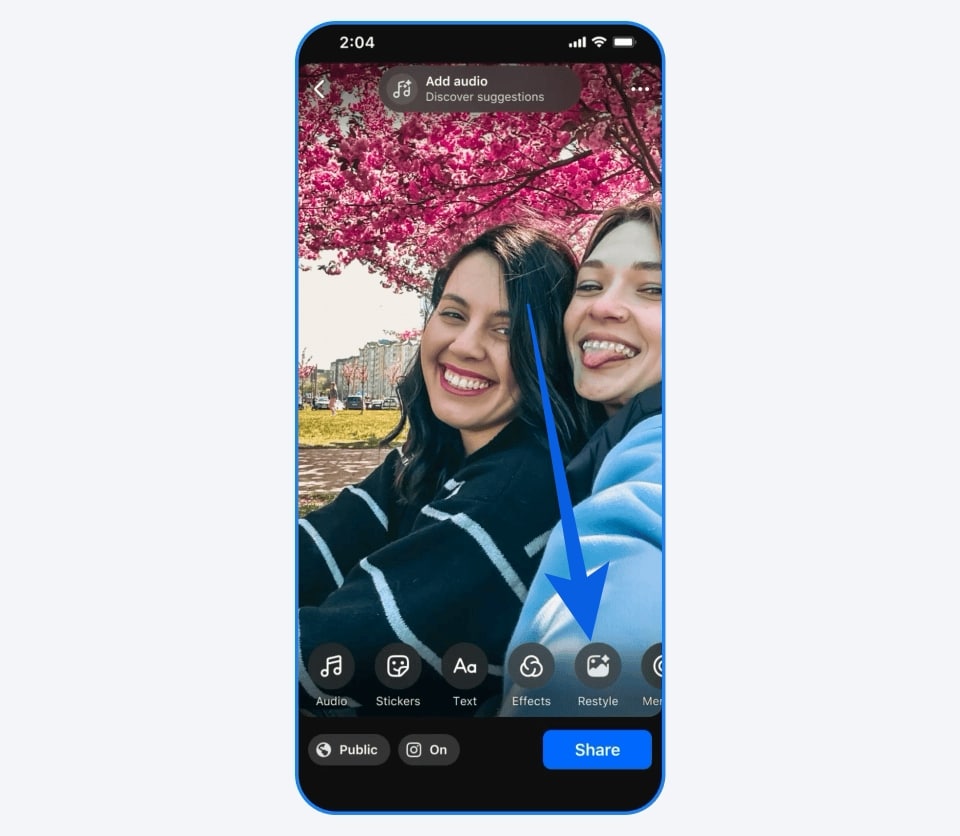
Alongside animating profile photos, Facebook has also added image restyling in Stories and Memories using Meta AI. This allows you to transform an image using preset style options or your own text-based AI prompt.
Here is how to do it:
- Open the Facebook app. Create a Story or open your Memories.
- Tap the Restyle option.
- Either tap “Describe your edit” to enter a custom prompt or select from styles, moods, lighting, colors, and backdrops.
Wrapping Up
Animating your profile picture with Meta AI is a great way to make your profile feel more lively and personal. The current presets already look realistic and fun, and with Meta planning to introduce more animation styles throughout the year, the feature is likely to improve even further.
You may not see the option because the feature is rolling out gradually and is not yet available on all accounts. Make sure your Facebook app is updated to the latest version and check again later.
Yes. Once you animate your profile picture with Meta AI and save the changes, other users can see the animated effect when they visit your profile or tap on your profile photo.
No. The Meta AI creative tools are currently focused on the mobile app. To animate your profile picture, you need to use the Facebook mobile app.
You may like to read: