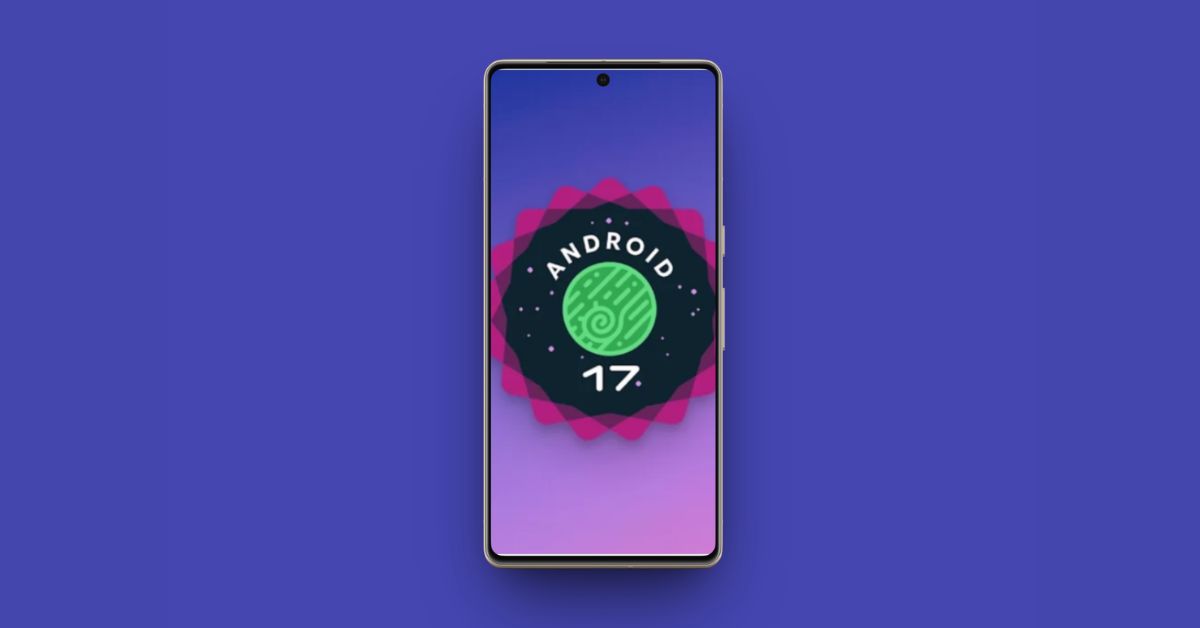
Android 17 Beta 2 arrives just two weeks after the first beta, and the focus is clear. Google is refining core behaviors. This update does not introduce a major visual redesign. Instead, it focuses on core behavior changes that affect multitasking, cross-device continuity, privacy controls, and overall system reliability. Platform stability is expected in March 2026, and a stable release is planned for June.
Here’s everything Android 17 Beta 2 introduced.
Floating App Bubbles Go System-Wide
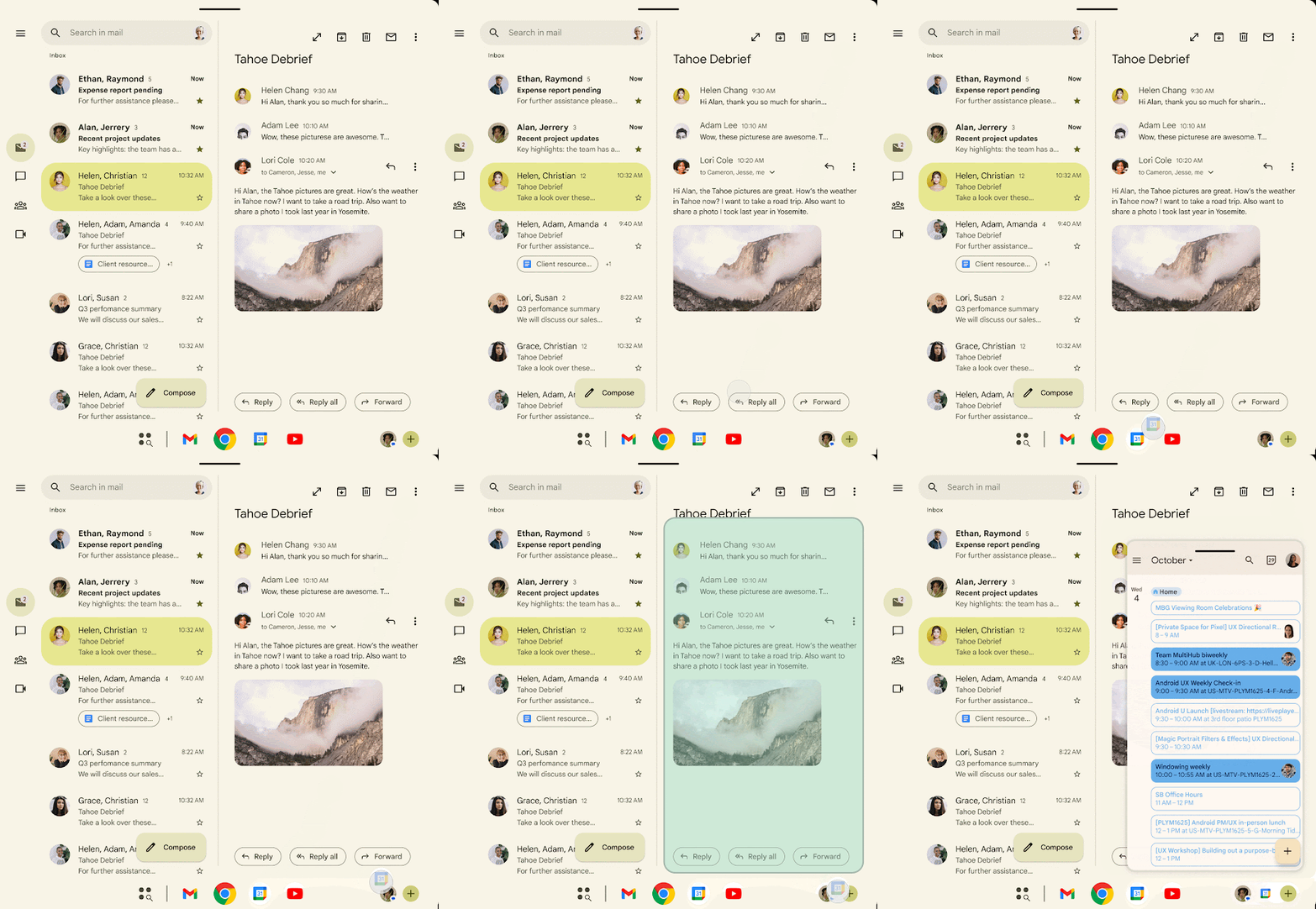
Bubbles features was introduced way back in 2019, for Android 10. However, until now, it was limited only to messaging apps. With Android 17, Bubbles are no longer limited to messaging apps.
You can now long-press a supported app in the launcher and tap “Bubble” to open it in a floating window. The window stays on top of your current app. Minimize it and it collapses into a draggable circular icon. Tap to reopen. Double-tap to expand full screen. When idle, it snaps to the screen edge.
On tablets and foldables, a dedicated bubble bar appears in the taskbar. You can organize multiple bubbles, move them between anchored positions, and switch quickly without returning to the app switcher.
The effect is simple. You can reply to a message, check notes, control media, or reference another app without breaking your workflow. Android also learns which apps you prefer in bubble mode and surfaces the option more often. Minimized bubbles pause heavy background activity to reduce battery drain.
Cross-Device Handoff Expands
Android 17 Beta 2 deepens cross-device continuity. You can start reading on your phone and continue on a tablet with scroll position preserved. The same applies to supported editing sessions, video calls, and other active tasks. Session state follows you between devices.
Google builds this on top of Nearby Share infrastructure with cloud-synced session data. Devices do not need to be on the same Wi-Fi network. Handoff typically completes within a few seconds.
This is Android moving toward a more connected ecosystem experience across phones, tablets, Chromebooks, and other Android-powered devices.
Privacy Indicators Get a Visual Update
Camera, microphone, and location indicators remain in the status area but now appear as separate circular icons instead of a green pill. Location activity shows in blue. Functionality is unchanged. Visibility is clearer.
A New System-Level Contacts Picker
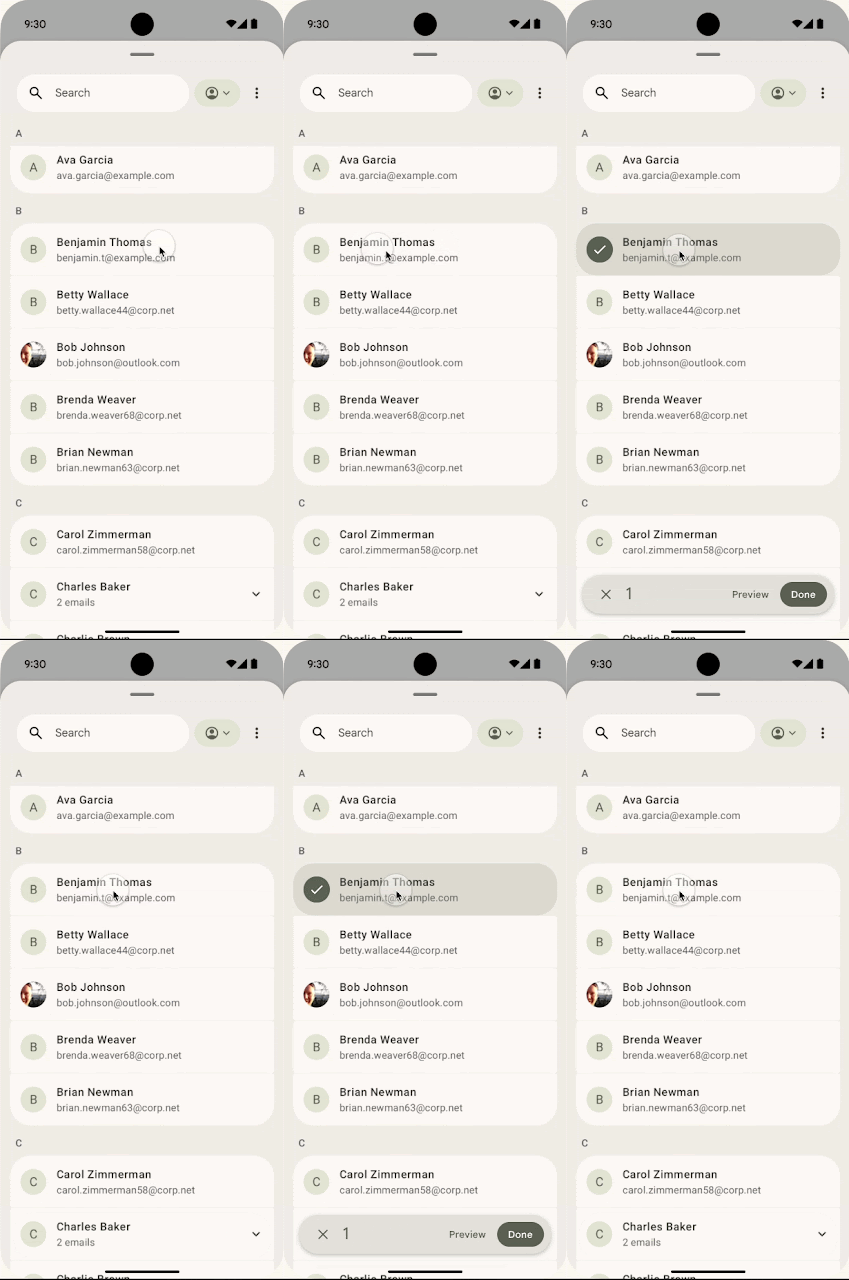
Android introduces a redesigned Contacts Picker that reduces reliance on the broad READ_CONTACTS permission. Instead of granting full contact list access, you:
- Select specific contacts manually
- Choose between personal and work profiles
- Grant only requested data fields
- Provide temporary session-based access
Apps only access what you explicitly approve. This limits background data exposure while preserving functionality.
EyeDropper API Without Screen Capture Access
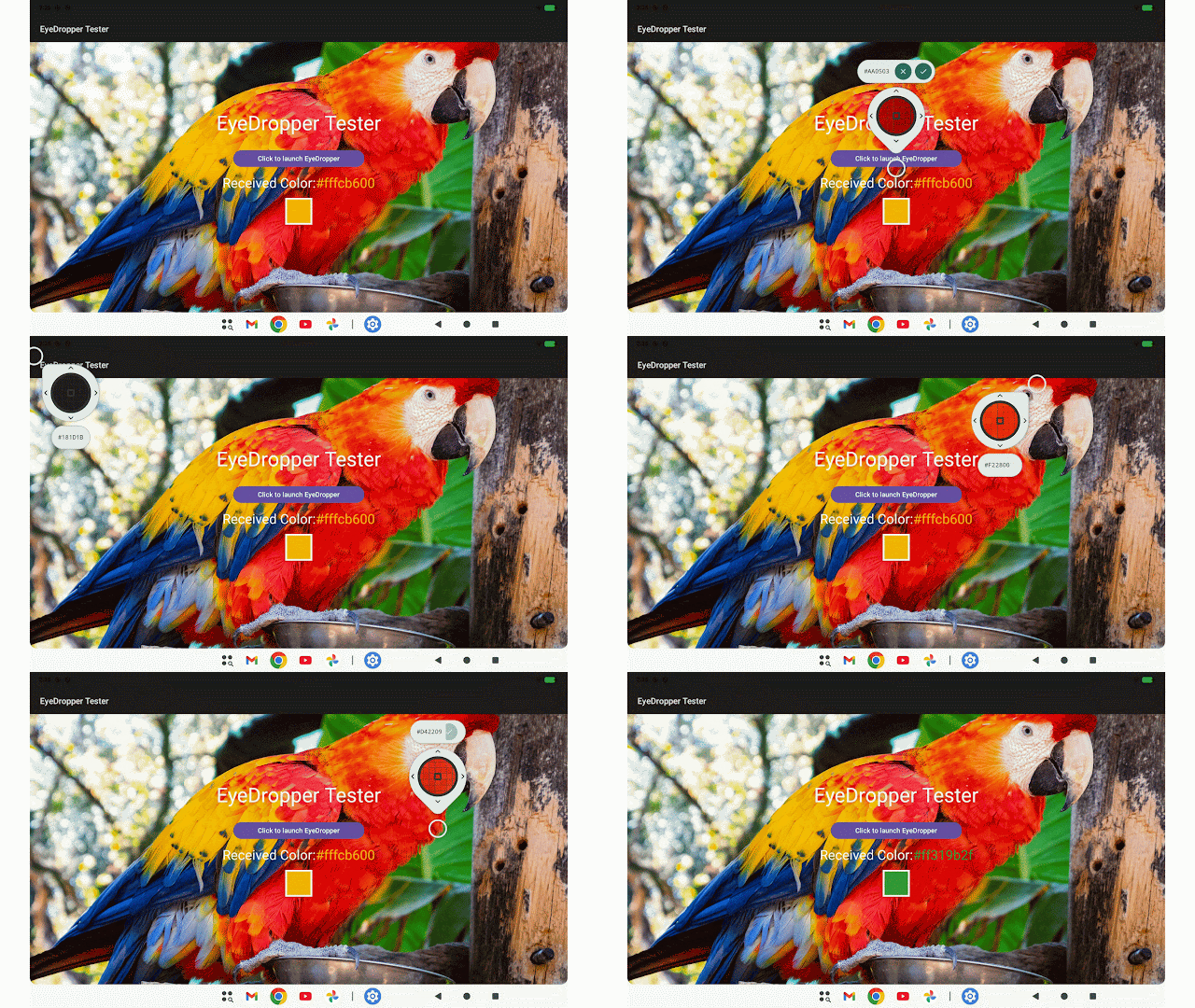
A new system-level EyeDropper API allows apps to sample color from any on-screen pixel without requesting full-screen capture permissions. Design and creative apps can extract color data while sensitive screen content remains protected.
Stronger OTP and SMS Protection
Android adds a mandatory three-hour delay for SMS access by apps that are not the default SMS handler or intended recipient. This applies to:
- Standard OTP SMS
- WebOTP messages
- SMS Retriever format messages
Verified apps and the default SMS app are exempt. The goal is to reduce OTP hijacking and unauthorized background reading of verification codes.
ACCESS_LOCAL_NETWORK Permission
Apps must now request the ACCESS_LOCAL_NETWORK permission before scanning devices on a local network. This reduces covert tracking and fingerprinting risks. Developers are encouraged to use system-mediated device pickers or explicit runtime permissions for smart home and casting interactions.
Pixel Launcher Search Bar Tweaks
Beta 2 restores the circular ring around the Pixel Launcher search bar and adds an AI Mode icon inside the circle. The heavy wallpaper-based styling introduced in Beta 1 is reduced.
Satellite Tile in Quick Settings
A new Satellite tile appears in Quick Settings, displaying the current satellite connectivity status directly in the dropdown panel.
Improved Pointer Capture for Gaming
Touchpad movements and scrolling gestures now behave like mouse input by default under pointer capture mode. This improves responsiveness in first-person games. Developers can still opt for absolute positioning if needed.
Unified “Accounts and Backup” Section
Settings merges “Back up or copy data” and “Passwords, passkeys & accounts” into a single “Accounts and backup” menu, simplifying account and backup management.
Stability and Bug Fixes
Google fixes 16 issues in Beta 2, including:
- App restarts and UI flickering regression
- System crashes and spontaneous reboots
- Lock screen unresponsiveness after Android Auto disconnect
- Display and Touch navigation crashes
- Wallpaper and Style settings crashes
- Ringtone preview failures
- Wireless Debugging QR scanner layout issues
- Clock 24-hour formatting bug
- GPU shader compiler issue on Pixel 6 Pro causing rendering artifacts
- Video streaming reliability problems
- Redundant post-update notifications
System reliability is improved compared to Beta 1.
Release Timeline and Supported Devices
Android 17 is about to enter its final stretch. Google says Platform Stability arrives in March 2026, which is the point where the core APIs stop changing. The SDK and NDK are locked, developers compile against SDK 37, and apps can be finalized without worrying about breaking changes in later betas.
From there, the stable release is scheduled for June 2026, with a broader public rollout expected in Q3 2026. If you want to try Beta 2 right now, it is available on the following devices:
- Pixel 10, 10 Pro, 10 Pro XL, 10 Pro Fold
- Pixel 9, 9 Pro, 9 Pro XL, 9 Pro Fold, 9a
- Pixel 8, 8 Pro, 8a
- Pixel 7, 7 Pro, 7a
- Pixel 6, 6 Pro, 6a
- Pixel Fold
- Pixel Tablet
How to Install the Android 17 Beta on Google Pixel
If you are already on Beta 1: Settings > System > Software Updates > System Updates.
If you are not enrolled, join the Android Beta Program using the Google account linked to your Pixel device. The update will arrive over the air after enrollment.
Rolling back from beta requires a full data wipe. To return to Android 16 QPR3 without wiping, you must do so before installing Beta 2.
Android 17 Beta 2 refines how Android works day to day, from multitasking and permissions to gaming input and system stability. With APIs nearly locked and rollout close, this is the version where Android 17 starts feeling ready.
Related articles worth reading: