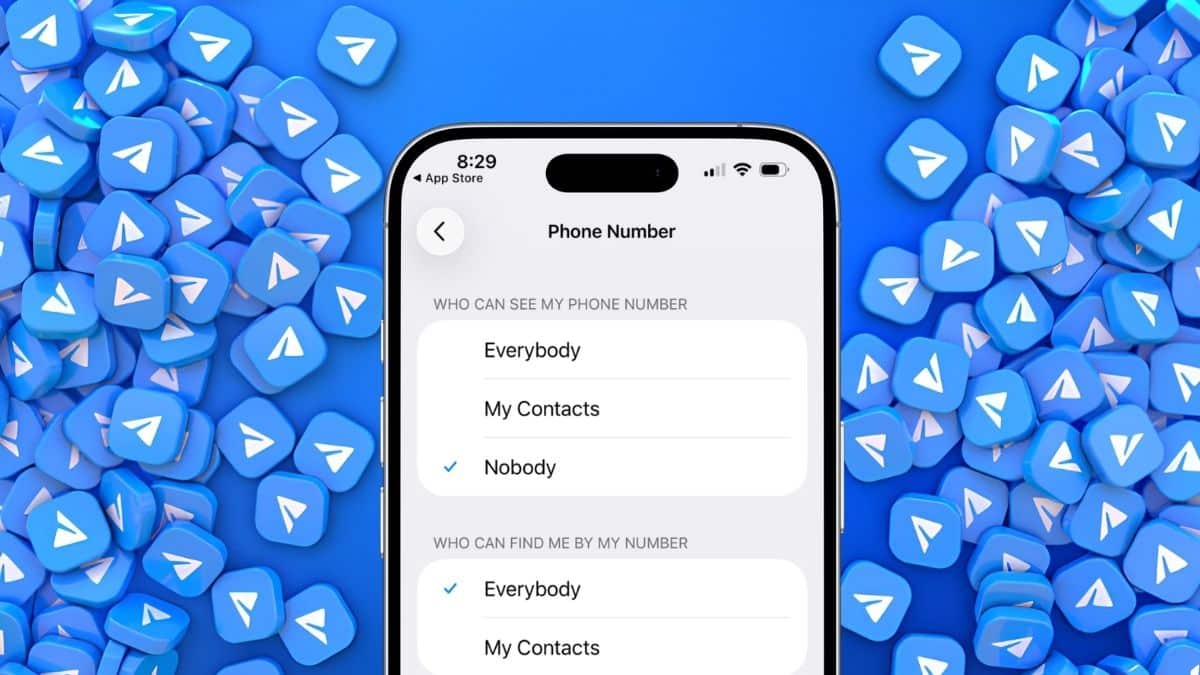
You added a stranger to a group chat last week, or replied to someone who slid into your DMs from a random channel, and a small worry crept in afterward: Can this person now see the phone number tied to your SIM card?
It’s a fair question, and Telegram actually answers it with a dedicated privacy control, not a buried toggle you need a tutorial to find. The setting lives right inside Settings > Privacy and Security > Phone Number, and it’s more layered than most quick-tip guides make it seem.
Most articles stop at “Select Nobody and you’re done.” That’s not exactly wrong, but it skips a second setting that quietly changes how people can still find you, plus one loophole no privacy menu can completely eliminate.
Here’s where the setting lives, what each option actually does, and why getting it right matters more today than it used to.
How to Find Telegram’s Phone Number Privacy Setting
On Android, open Telegram, tap the three-line menu in the top-left corner, and go to Settings.
On iPhone, tap the Settings tab at the bottom of the screen.
From there, the steps are identical on both platforms:
- Tap Privacy and Security.
- Select Phone Number.
- Under Who Can See My Phone Number, choose your preferred option.
- Tap the checkmark to save your changes.
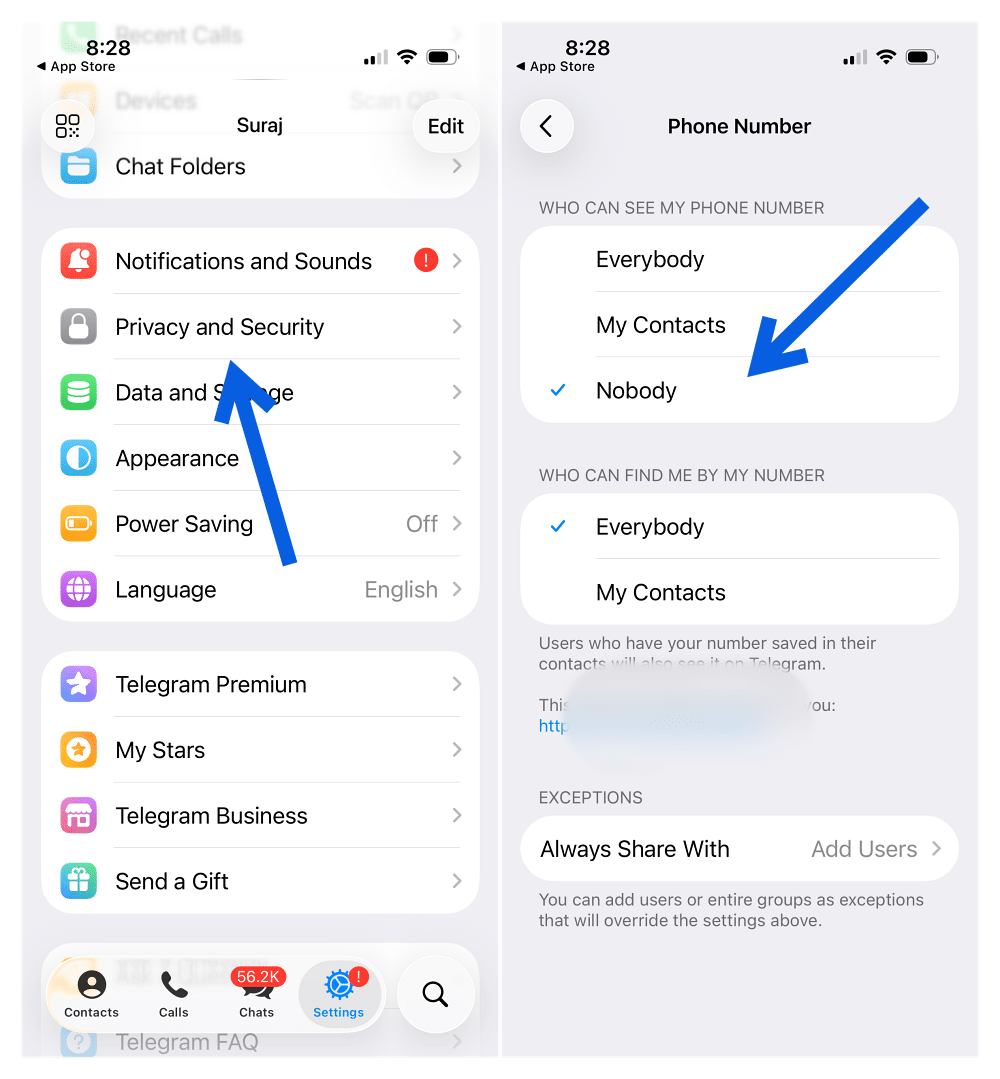
The same menu also exists on Telegram Desktop and Telegram for macOS, although the Settings layout looks slightly different.
This is the single setting that controls whether your phone number appears on your Telegram profile.
What “Everybody,” “My Contacts,” and “Nobody” Actually Mean
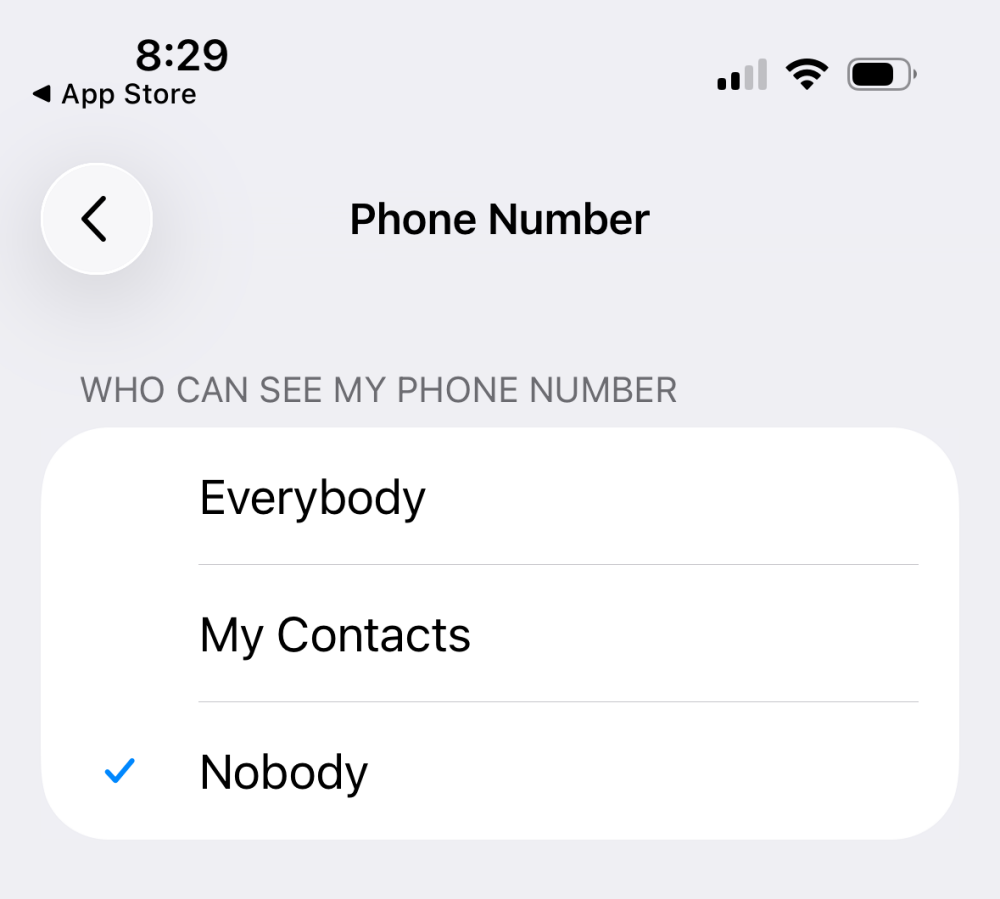
Telegram gives you three visibility options, and each behaves differently.
Everybody
Anyone who opens a chat with you, including strangers from public groups or channels, can see the phone number attached to your Telegram account.
My Contacts
Only people you’ve saved in your phone’s contacts, and who have also added you to theirs, can view your number.
Nobody
Your phone number stays hidden from everyone inside Telegram, including people who message you directly or discover your profile through groups or channels.
Here’s one detail that’s often misunderstood.
Many older tutorials still claim Everybody is Telegram’s default setting for new users. According to Telegram’s own FAQ, that’s no longer the case. By default, your phone number is only visible to people you’ve added to your address book as contacts, making the default behavior much closer to My Contacts.
Even so, it’s worth opening this menu yourself instead of assuming the setting hasn’t changed.
The Second Phone Number Setting Most People Miss
As soon as you change Who Can See My Phone Number from Everybody, Telegram reveals another setting underneath:
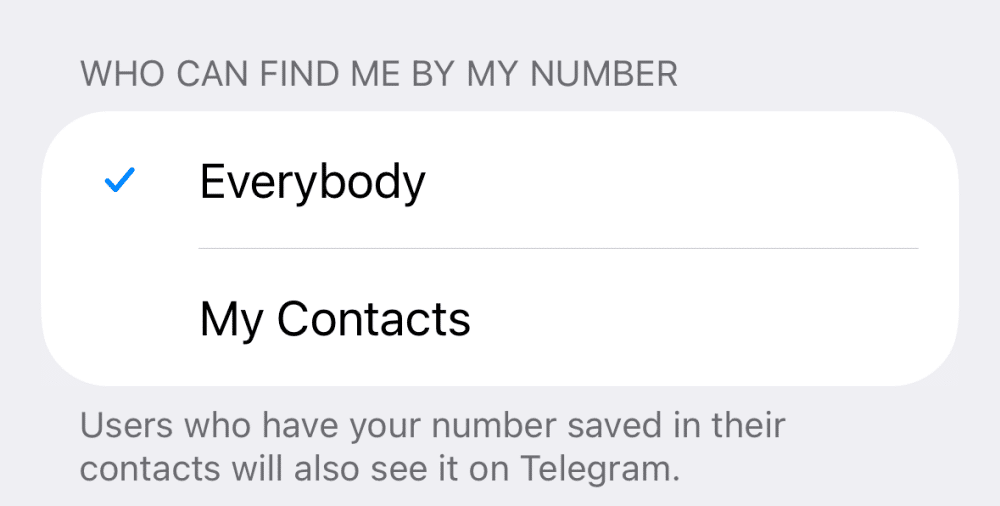
Who Can Find Me By My Number
This controls something completely different. Instead of deciding who can see your number, it decides who can find your Telegram account using a phone number they already have.
Here’s how it works.
Everybody
Anyone who already has your phone number saved in their contacts can discover your Telegram account simply by syncing their address book.
My Contacts
Only people you’ve mutually connected with can find your account using your phone number.
This second option is the one many privacy guides barely mention, even though it’s often the setting that allows people to discover your account after you’ve already hidden your number.
If your goal is maximum privacy, check both settings instead of stopping after the first one.
One Loophole Telegram Can’t Protect You From
This is the one limitation no privacy setting can solve. If someone already has your phone number saved in their contacts, they’ll continue to know your number regardless of how you configure Telegram.
Telegram states this clearly in its official FAQ:
People who already know your phone number and have saved it in their contacts will always continue to see it.
Your privacy settings prevent new people from discovering your number. They cannot erase information someone already had before you changed anything.
That’s why being selective about who receives your phone number in the first place remains one of the strongest privacy protections available.
Why This Setting Matters More Than Ever
This isn’t just theoretical.
In early 2026, reports surfaced claiming that a dataset containing more than 200 million Telegram user records had appeared on a data leak forum. The leaked information reportedly included usernames, names, email addresses, and phone numbers.
Telegram disputed those claims, stating that the records came from public information and contact imports rather than a breach of private user data. Independent researchers questioned that explanation, arguing that portions of the dataset appeared to include information that wasn’t publicly available.
Regardless of where that specific dataset originated, the incident highlights an important reality.
Phone numbers connected to messaging apps frequently end up circulating through spam lists, phishing campaigns, and data broker databases.
Changing your Telegram privacy settings won’t undo information that’s already leaked elsewhere, but it does prevent your Telegram profile from becoming the easiest place for strangers to connect your identity with your phone number.
Turn Off Contact Sync for Even Better Privacy
There’s another setting worth changing while you’re already in Telegram’s privacy menu: Contact Sync.
- On Android, go to: Settings > Privacy and Security > Sync Contacts.
- On iPhone, the path is: Settings > Privacy and Security > Data Settings > Sync Contacts.
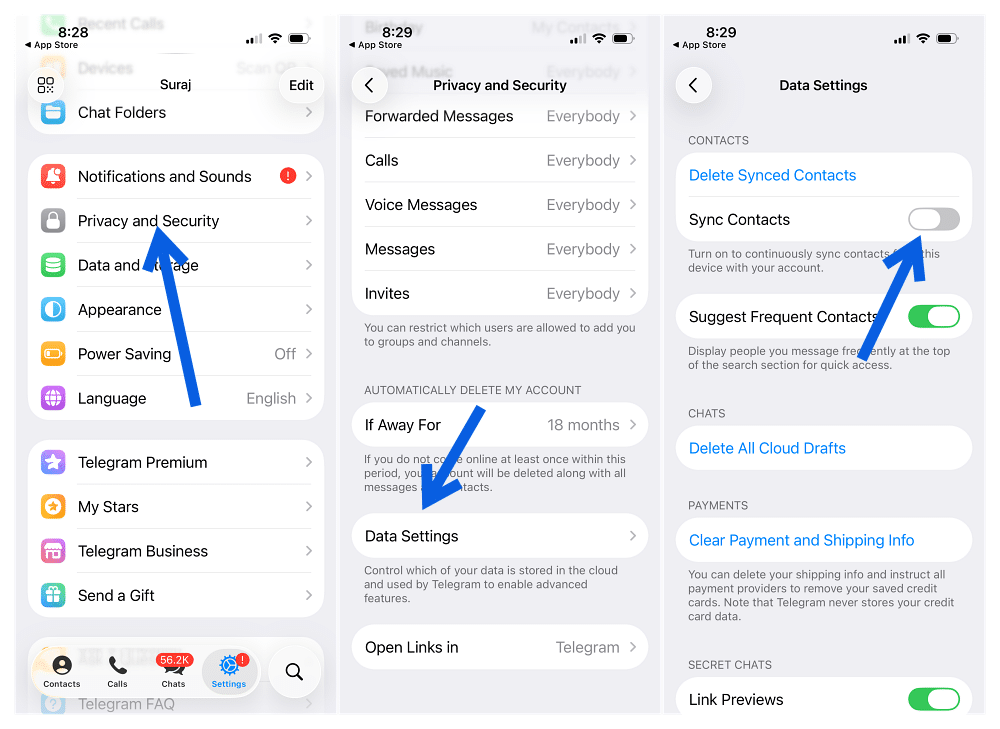
Turning this off prevents Telegram from continuously uploading your address book to its servers to check which of your contacts are using the app.
It’s worth understanding what this setting does, though.
Disabling Contact Sync doesn’t hide your phone number or replace the Phone Number privacy setting. Telegram still needs your number to authenticate your account. Instead, it simply stops your contact list from feeding Telegram’s people-discovery system in the background.
Think of it as another layer of privacy rather than a replacement for the main setting.
Use a Username Instead of Sharing Your Phone Number
If you regularly meet new people through Telegram, a username is a better long-term solution than relying only on privacy settings.
Once you’ve created a unique username, people can search for you, message you, and add you without ever needing your phone number. As long as your privacy settings are configured correctly, neither side will see the other’s phone number during the conversation.
That’s the real advantage.
Setting Nobody protects your number after you’ve shared it. A username helps prevent you from sharing it in the first place.
If you frequently join public groups, communities, or channels, using a username is easily the safest way to connect with new people.
Extra Telegram Privacy Settings Worth Checking
While you’re reviewing your privacy settings, it’s worth spending another minute checking a few other options that can reduce unwanted contact.
Consider reviewing these settings under Privacy and Security:
- Last Seen & Online: Limit who can see when you’re active.
- Profile Photos: Restrict your profile picture to contacts only.
- Forwarded Messages: Stop others from linking forwarded messages back to your account.
- Calls: Control who can call you through Telegram.
- Groups & Channels: Prevent strangers from adding you to random groups.
None of these directly hide your phone number, but together they make your Telegram account significantly harder for strangers to profile.
Final Thoughts
Telegram’s phone number privacy setting works exactly as advertised, but only if you understand both parts of it.
The first setting controls who can see your number. The second controls who can discover your account using that number. Configure both based on your comfort level, and remember that anyone who already has your phone number saved will continue to know it regardless of your privacy settings.
For the strongest protection, pair those settings with a Telegram username instead of sharing your phone number whenever possible. It won’t stop every privacy risk on the internet, but it does remove one of the easiest ways strangers can connect your identity to your Telegram account.
Not if you change Settings > Privacy and Security > Phone Number and set Who Can See My Phone Number to Nobody or My Contacts. Otherwise, strangers may be able to view it depending on your current privacy settings.
Yes, if Who Can Find Me By My Number is set to Everybody and they already have your number saved. To reduce this, change that setting to My Contacts.
No. People who already know your phone number and have saved it in their contacts can still associate it with your Telegram account. The privacy setting mainly prevents new people from discovering it.
No. Contact Sync only stops Telegram from uploading your address book. It doesn’t affect who can see your phone number. You’ll still need to configure the Phone Number privacy settings separately.
Don’t miss these related reads: