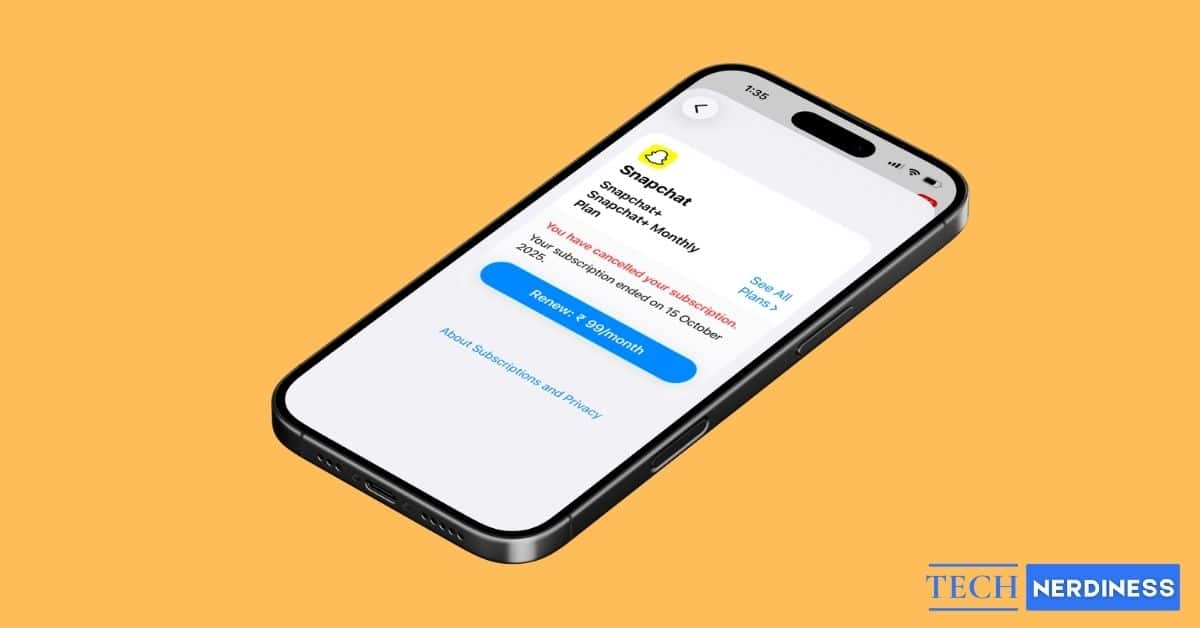
Snapchat is quite popular among Gen Z, with more than half of its users coming from younger age groups, especially those under 25. The platform is widely used by teens and young adults, which makes it one of the top social apps for this generation.
Snapchat also has a paid subscription called Snapchat+. It had over 16 million subscribers worldwide as of 2025. Premium users get access to several exclusive features that aren’t available to free users.
However, if you’re thinking about canceling your subscription, you’ve come to the right place. Here, we’ll tell you what happens when you cancel Snapchat+ and the steps to cancel the subscription on your iPhone or Android device.
What Happens When You Cancel Snapchat Plus?
Snapchat+ gives you access to several premium features. While the free version of Snapchat still gives many customizations and features, once you cancel the Plus membership, the following things will happen.
- You lose access to exclusive Snapchat+ features like custom app icons, story rewatch count, and special badges.
- Your existing account and snaps remain safe; nothing gets deleted.
- You can still use Snapchat for free, just without premium benefits.
- The subscription stays active until the current billing period ends, even after you cancel it.
- After the billing cycle finishes, your account will automatically switch back to the free version of Snapchat.
Related: How to Tell If Someone Has Snapchat Plus: 9 Clear Signs
How to Cancel Snapchat Plus on Android?
If you are using Snapchat on an Android device, you can cancel the subscription through the Google Play Store. Here’s how you can do it.
- Open the Google Play Store on your Android phone.
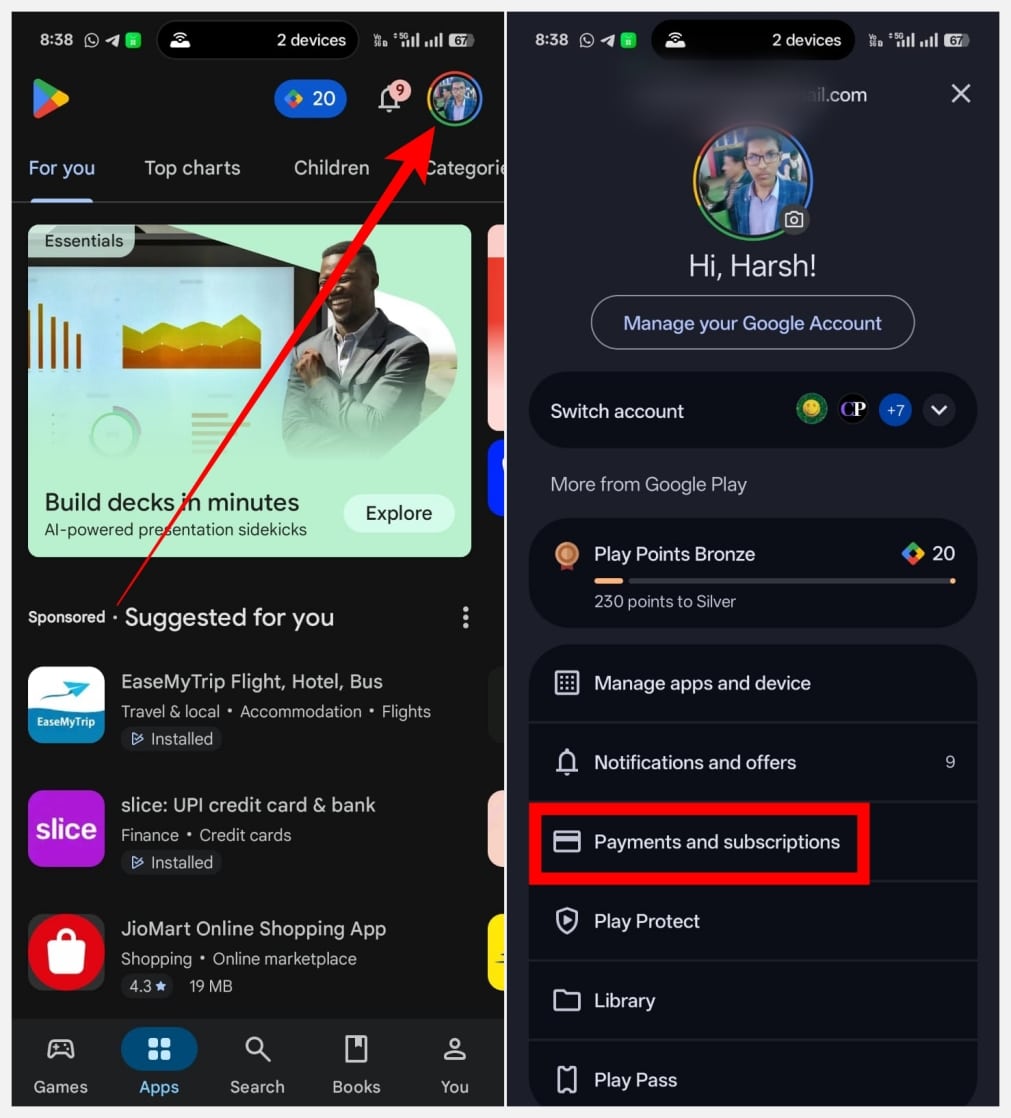
- Tap your profile picture icon at the top-right corner.
- Here, you’ll find multiple options; tap Payments and subscriptions.
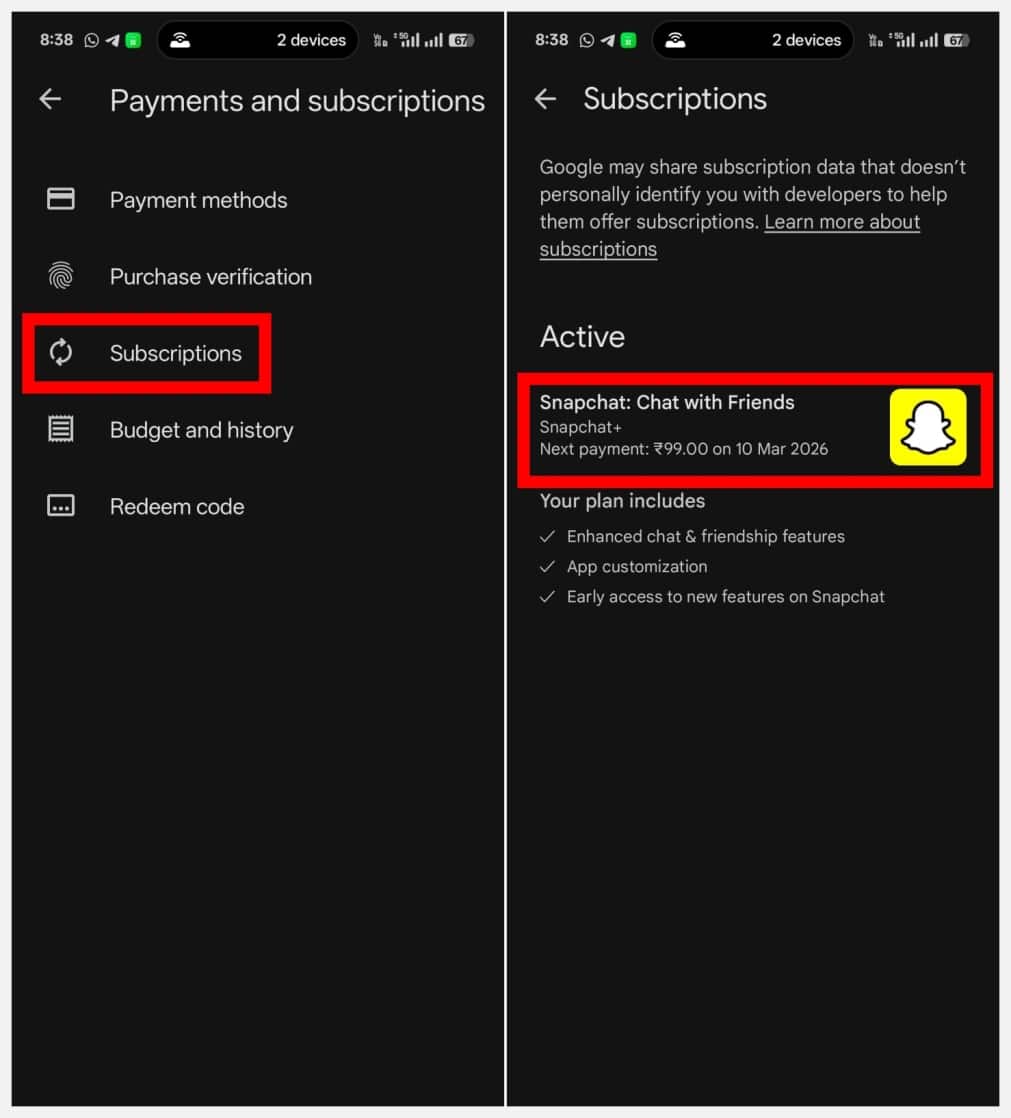
- Next, tap Subscriptions, then from the active subscriptions list, tap Snapchat.
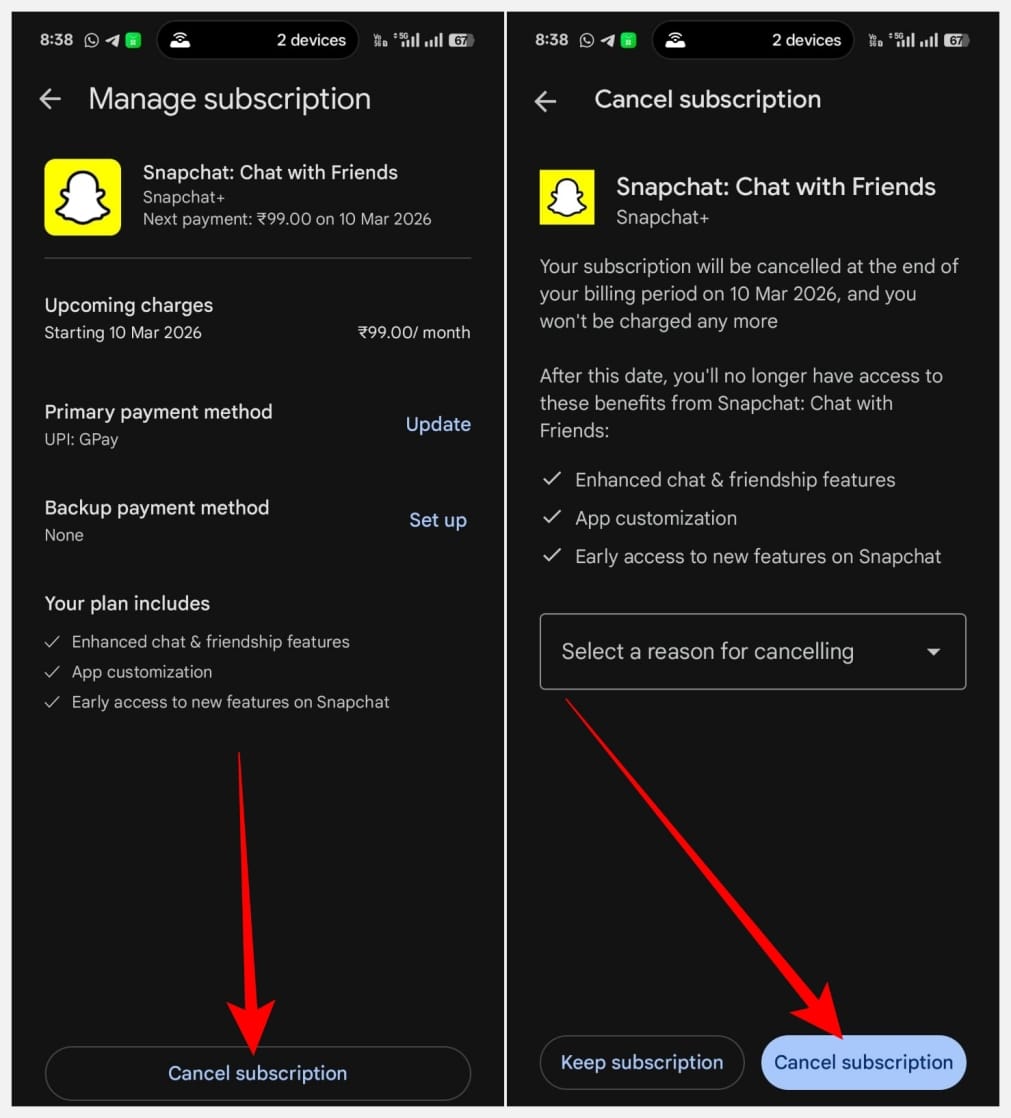
- Finally, you’ll see the Cancel subscription option; tap it, and confirm the action.
How to Cancel Snapchat Plus on iPhone?
If you own an iPhone, you can cancel the Snapchat Plus subscription either from the Settings app or the App Store. Here’s how you can do it.
Via Settings App
- Open the Settings app on your iPhone.
- Tap your Apple ID at the top below the search bar.
- On the next screen, tap Subscriptions and you’ll see the list of all the apps you’ve subscribed to. Tap Snapchat.
- Now, you will see the option to cancel the subscription; tap Cancel subscription.
- Finally, confirm the action by tapping Confirm.
Via App Store
- Open the App Store and tap your profile icon at the top-right corner.
- From the next screen, tap Subscriptions.
- Under the Active section, tap Snapchat.
- Finally, tap Cancel Subscription and confirm the action by tapping Cancel.
Wrapping Up
So, this is how you can cancel your Snapchat Plus subscription. It’s a simple process, isn’t it? Keep in mind that once you cancel the subscription, you won’t be able to use the premium features after the billing period ends.
Yes, you can. To do so, just head over to the Play Store or App Store, then navigate to Subscriptions and choose Snapchat. Finally, tap on Cancel subscription and confirm the action to cancel your subscription.
No. You can’t get a refund after canceling Snapchat+. However, your subscription will remain active until the current billing period, and you’ll be able to use Plus features until then.