Update: Added new Strike Back codes on July 26, 2026
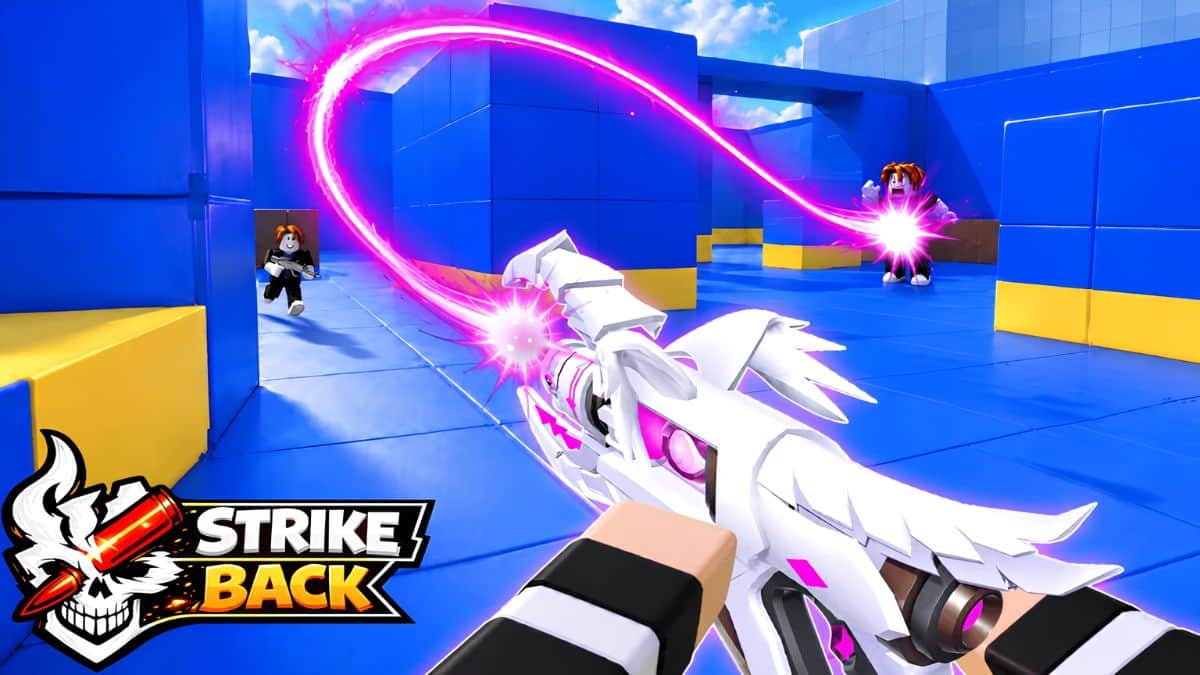
Strike Back has quietly become one of the more addictive third-person shooters on Roblox. If you’ve been teaming up for its fast-paced deathmatch and battle royale-style matches, you already know how much your loadout can influence the outcome of every fight. Developed by Strike Squad, the game leans into quick, satisfying combat while adding quality-of-life features you don’t often see in Roblox shooters, including Aim Assist to help newer players stay competitive and Revenge Vision, which highlights the player who recently damaged you so you can hunt them down.
That’s where Strike Back codes come in.
Instead of grinding match after match to unlock better gear, redeeming a code can instantly reward you with chests containing weapons, skins, or other useful equipment. At the moment, code drops remain fairly rare. The developers typically release them during major milestones or updates instead of handing out freebies every week, making every active code worth claiming while it’s still available.
Below, you’ll find every working Strike Back code, how to redeem it, and the best places to watch for future rewards.
All Active Strike Back Codes
- STRIKEBACK: 1 Skeleton Chest (NEW)
If you regularly jump between Roblox experiences, it’s also worth checking out our Roll to Defend codes and Peroxide codes guides, which are updated just as frequently as this one.
Expired Strike Back Codes
As of now, there are no expired codes for Strike Back.
How to Redeem Strike Back Codes
Redeeming Strike Back codes only takes a few seconds, and you’ll be back in a match almost immediately.
Here’s how to redeem Strike Back codes:
- Launch Strike Back on Roblox.
- Wait for the main menu to load.
- Open the Settings menu.
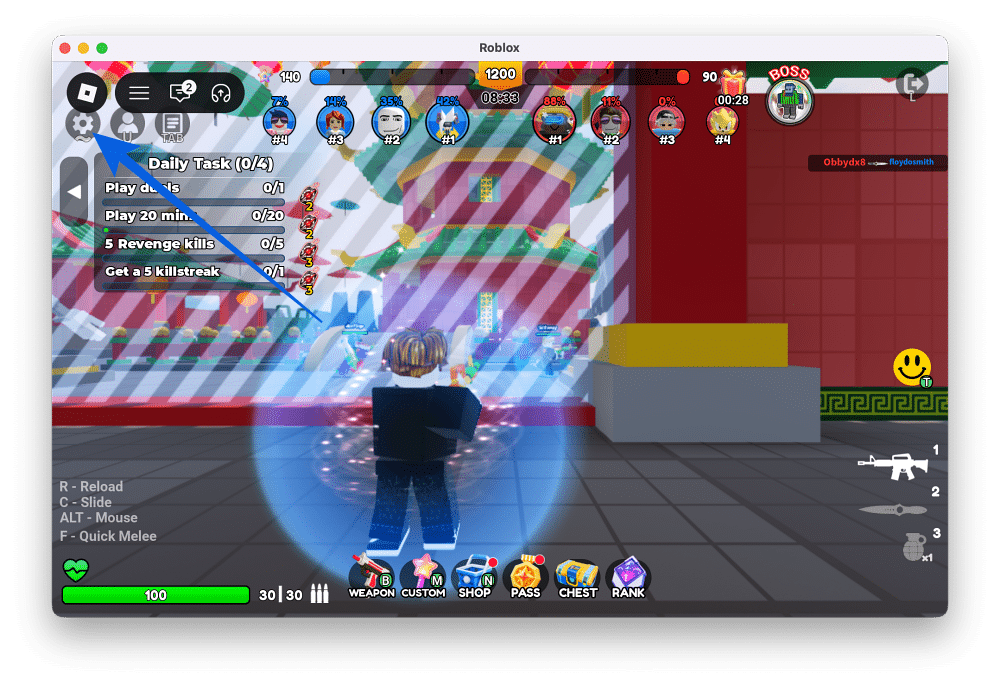
- Enter or paste a working code into the “Input Code Here” text box.
- Click Claim to redeem your reward.
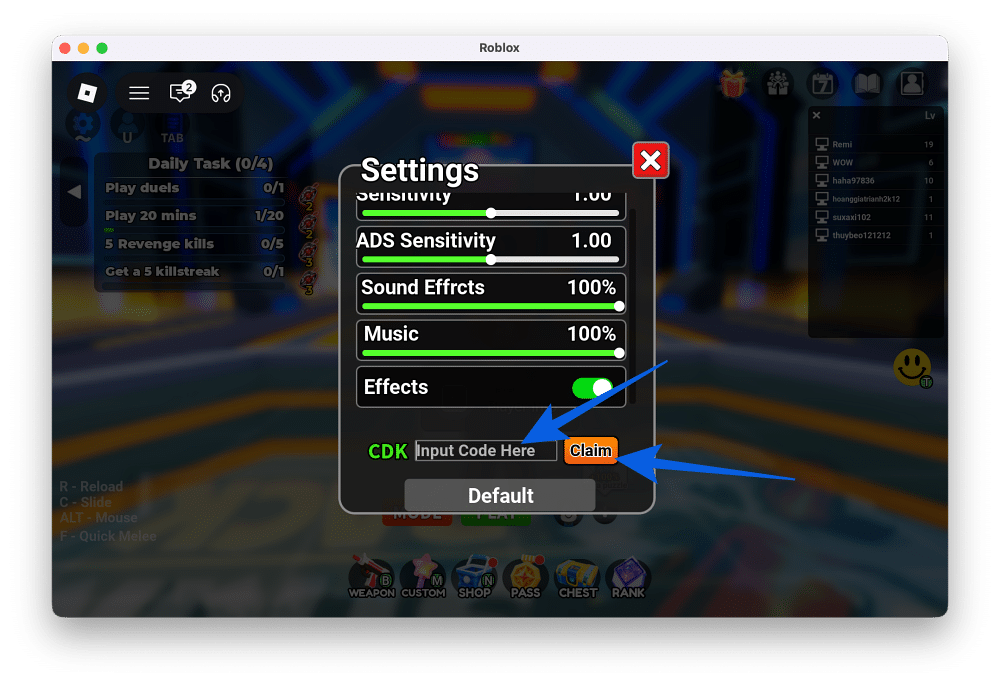
Your rewards should be added to your account instantly.
One small tip that can save you some frustration: copy and paste the code instead of typing it manually. Even a simple code like STRIKEBACK can fail if you accidentally add an extra space or mistype a letter, since Roblox redemption codes are case-sensitive.
Where to Find More Strike Back Codes
The best place to find new Strike Back codes is the official Strike Back Discord server, where the developers typically post them in the dedicated #codes channel. Most new codes are released alongside major updates, community milestones, or special events, so Discord is usually the first place they’ll appear.
Joining the server has another advantage beyond free rewards. Since Strike Back is built around team-based gameplay, it’s a great place to find active squadmates, coordinate matches, or join private servers if you’re looking to practice before jumping into competitive games.
If you’d rather not keep an eye on Discord, that’s exactly what this guide is for. We regularly check for new Strike Back codes, remove expired ones, and update this page whenever fresh rewards become available. Bookmark this article and check back every few days to make sure you don’t miss any freebies.
If you’re exploring other Roblox games, our Nightfall codes guide is maintained with the same regular updates.
Why Aren’t Your Strike Back Codes Working?
If a Strike Back code won’t redeem, don’t assume it’s expired right away. In most cases, the problem is something much simpler.
Check Your Internet Connection
A weak or unstable internet connection can occasionally interrupt the redemption process. Before trying anything else, make sure your Wi-Fi or mobile network is working properly.
Avoid Typing Mistakes
Strike Back codes are case-sensitive, so even a single incorrect letter or an extra space can cause the code to fail. The easiest way to avoid mistakes is to copy and paste the code directly from the active list above.
Restart the Game
If the code still doesn’t work, leave your current server and join another one. If that doesn’t help, completely close Roblox and launch the game again. Restarting your session often resolves temporary redemption issues.
The Code May Have Expired
If you’ve checked your connection, verified the spelling, and restarted the game without success, the code has most likely expired. Strike Squad doesn’t publish expiration dates, so rewards can disappear without prior notice. We’ll update this guide whenever that happens and add expired codes to the list above.
Wrapping Up
Strike Back doesn’t flood players with promotional rewards, but that’s exactly why every active code is worth redeeming. At the moment, there’s only one working code, yet it still grants a Skeleton Chest that can contain useful weapons, skins, or gear to strengthen your loadout before your next match.
Since Strike Squad usually releases new codes around updates and community milestones rather than on a fixed schedule, it’s a good idea to redeem active rewards as soon as possible. We’ll continue tracking every new Strike Back code and update this guide whenever fresh freebies become available.
Strike Back codes are promotional rewards released by Strike Squad that grant free in-game items. Most rewards come in the form of chests containing weapons, skins, or gear that help improve your loadout without requiring additional grinding.
Yes. Strike Back codes are case-sensitive, so it’s important to enter them exactly as they’re shown. Copying and pasting directly from the active codes list is the easiest way to avoid mistakes.
The developers primarily release new codes through the official Strike Back Discord server, usually in the #codes channel. New rewards are commonly tied to game updates, community milestones, or special events.
Level Up Your Gaming: