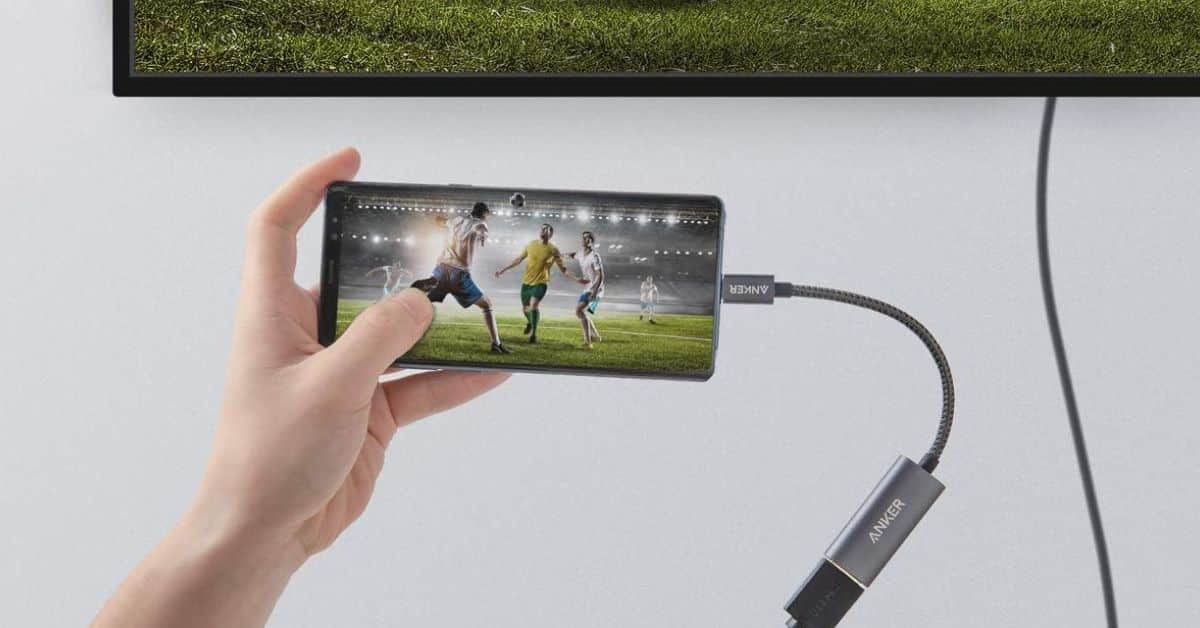
Watching content on your 14-inch laptop or 6.7-inch phone is neat, but what about watching it on a 65-inch TV? You can do this with a USB-C to HDMI adapter. These little devices can serve you in a pinch, and not many people know that they exist. Well, if you’re in the market for an adapter, here’s a list of some great options you can buy right now.
What are USB-C to HDMI Adapters?
As the name suggests, these are devices that take a signal from a USB-C device and convert it into an HDMI-compatible signal. Imagine plugging one end into your phone and the other end into your TV. The content on your computer screen will show up on the TV. This way, you can show a large group of people what you’re looking at. USB-C to HDMI adapters come in handy for people who want to project their movies, give presentations, and so on.
If you want to use an adapter, your device must support HDMI Out. This means that they can push out a signal that the adapter can change. If it doesn’t support it, then you’ll get a blank screen.
You should also know that the picture may not look exactly as you want on the TV. If the resolutions and aspect ratios of the two devices are wildly different, the final image could look odd. Plugging a 4:3 tablet into a 16:9 screen is a good example.
Be that as it may, using a wired connection is more reliable than a wireless one. For instance, the devices will transfer data to one another more quickly and with a higher resolution. When a device wirelessly transmits a signal, it must compress it. So, it will eliminate some of the details in the video so that it can actually send it.
The process of compressing and decompressing the signal takes time, so you’ll likely see a delay between the devices. Using a wired connection will greatly reduce the latency.
A Quick Comparison of the Adapters on This List
Here’s a quick rundown of the devices featured in this list. We’ll explain more about them below, but here’s a table for quick reference.
| Adapter | Price | Max Resolution / Refresh Rate | Best Use Case |
|---|---|---|---|
| Anker A8312 | $19.99 | 4K at 60Hz | MacBooks and laptops |
| Acer USB-C to HDMI Adapter | $18.99 | 4K at 30Hz | Laptops, phones, tablets |
| Smilebridge USB-C to HDMI Adapter | $13.99 | 4K at 60Hz | iPhones |
| BENFEI USB-C to HDMI Adapter | $8.59 | 4K at 60Hz | All devices |
| Mindorlen USB-C to HDMI Multiport Adapter | $9.99 | 4K at 30Hz | All devices |
What is the best USB-C to HDMI Adapter You Can Buy Today?
Now, we get into the meat and potatoes. While most adopters do much the same thing, we gathered some of the best devices you can find at a reasonable price. Some of them let you plug multiple devices in at once, while others are only for one device. What matters is that you find the right device for YOU.
1. Anker Aluminum USB-C to HDMI Adapter
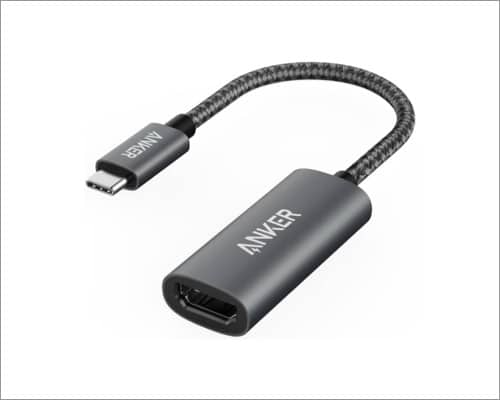
If you’re looking for a quality device, then Anker needs to be on your radar. Along with chargers, it also makes adapters, and this option will more than get the job done. This adapter will transfer a crisp 4K signal at 60Hz. So, it’s great if you want to stream your gameplay or some movies to your TV or monitor.
This adapter is perfect for your MacBook or laptop, but it will also work for smaller devices like phones and tablets. The compact construction means that you can pack it in a bag with you when it’s time to travel. It has a woven cloth cord and an aluminum build, which means that it’ll last you for years before showing any wear or tear. It’s one of the highest-quality adapters that you can buy.
2. Acer USB-C to HDMI Adapter (3-in-1 USB-C Hub)
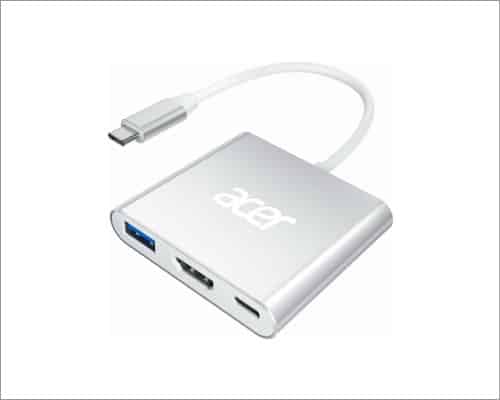
This is the kind of adapter for you if you need to connect multiple devices. Like the other options on this list, this device will convert a USB-C signal to an HDMI signal. Plug it into your laptop or phone, and you’ll be able to stream 4K video to a monitor or TV. If refresh rate is important, then you’ll need to keep in mind that it tops out at 30Hz. So, it’s more suitable for streaming presentations or images. However, that shouldn’t turn you away from it.
The beauty of the Acer USB-C to HDMI Adapter is its versatility. It’s not only an HDMI adapter. It also has a USB-A and USB-C port. So, you can connect more than one device to it at a time. That’s great if your computer is short on ports. You can’t argue with raw utility, and this device is like a digital Swiss army knife.
3. Smilebridge USB-C to HDMI Adapter (MFi Certified)
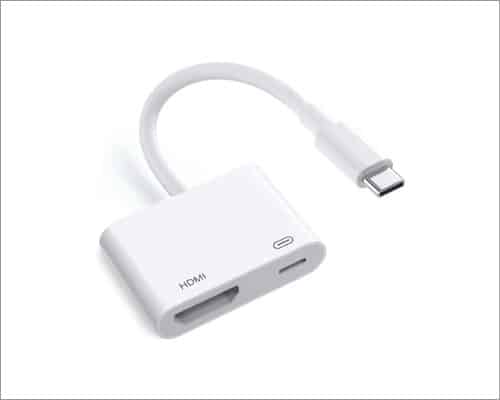
We all love devices that perform more than one task, which is where the Smilebridge USB-C to HDMI Adapter comes in. Starting off with the obvious, it’s also an HDMI adapter. So, it will convert your signal. It’s best for Apple products, so if you have a newer iPhone or MacBook, then this will be your best friend. It will convey a 4K signal at 60Hz to your compatible screen. While it’s great for iPhones, you can also use it with Android phones with an HDMI out.
That’s not all, as this adapter can charge your phone as well. Not only can it charge your phone, but it can pump A LOT of juice into your device. We’re looking at up to 100W. This doesn’t mean that it will charge the phone at 100W; it means that it will charge your phone at its maximum speed if it’s compatible with speeds up to 100W.
If your phone charges at 25W, the adapter won’t magically push its charging speed up to 100W. However, if your phone charges at 120W, then it will only push 100W.
4. BENFEI USB-C to HDMI Adapter 4K@60Hz
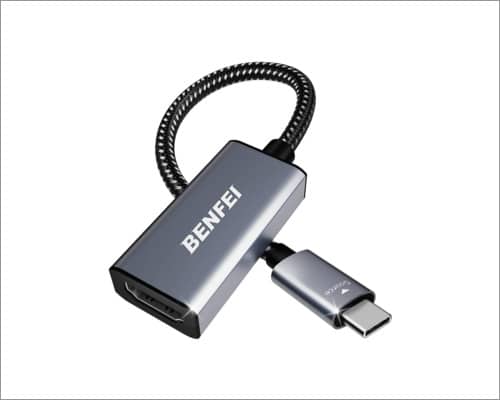
Here’s an option for you if you’re looking for a more affordable adapter. Coming in at just $8.59, the BENFEI USB-C to HDMI Adapter is one of the most inexpensive adapters you can find. Despite its price, you’re still getting a great product. You’ll still be able to push a 4K signal at 60Hz. So, it’s perfect for movie watching, video games, ETC.
There are limitations, as you can’t use it with the Nintendo Switch. It will work with all of the USB-C iPads, most MacBooks, most Surface devices, and most Android devices. It uses Thunderbolt 3, so be sure to check the Amazon listing if your device is supported. So, for the price of less than $9.00, you’re getting a versatile device that will last for a long time due to its high-quality build. If your device is compatible, then you should definitely consider it.
5. Mindorlen USB-C to HDMI Multiport Adapter with Charging Port
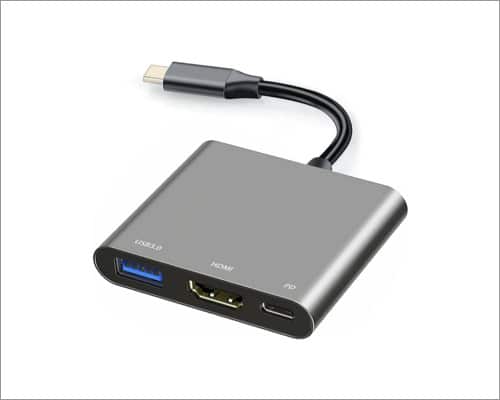
Those of you looking for the most bang for your buck will want to look at this adapter. As you can see, it’s not only designed for HDMI devices. You can plug in a USB-A device and a USB-C device. So, along with sending a 4K video signal to a monitor, it can also transfer data from one device to another. Say, you want to send files from your phone to your computer. The Mindorlen USB-C to HDMI Multiport Adapter is perfect for that. The beauty is that you don’t have to sacrifice a USB-C port to use it. Simply plug a device into the USB-C port on the side, and use it as you normally would.
While affordable, this adapter is also versatile. You can connect your console to it if you want to do some gaming. When work calls, you can connect devices like phones, tablets, laptops, and Chromebooks. It’s not just that it can do all of these things; it’s that it can do them at just $9.99. This is one of the most useful adapters that you can buy at this price.
What Should You Know Before Buying a USB-C to HDMI Adapter?
Okay, you know some of the best adapters you can buy, but don’t swipe your card just yet. There are still some things that you need to know first. Not all devices will support all adapters. You don’t want to order one only to find that it doesn’t work with your phone or tablet.
Firstly, it’s important to know about DisplayPort Alt Mode. This is a standard that your device needs to support if you want to stream to a 4K display, charge devices, and transfer data at the same time. If your device doesn’t support this standard, then the adapter you choose may not work.
Next, you’ll want to know the differences between USB-C and Thunderbolt. Both technologies use the same port, so a USB-C device and a Thunderbolt device will plug into a USB-C port. However, the Thunderbolt standard is more advanced. For example, a USB-C device will transfer data at up to 20Gbps, while a Thunderbolt device caps out at 40Gbps.
If your device doesn’t support the Thunderbolt standard, then you may not be able to use an adapter for multiple devices.
For the best experience, you’ll want to use a device that supports HDMI 2.1. Do you want to stream your crisp 4K content? Well, HDMI has a 40Gbps transfer speed, and that’s much higher than the 18Gbps speeds with HDMI 2.0.
Conclusion
Life’s much better when you can connect your devices. If you need to show off your photos, give a presentation, or put your games on the big screen, then you’ll be able to do so. These are some of the best adapters that you can get at an affordable price, and they’re well worth the money.
You may like to read: