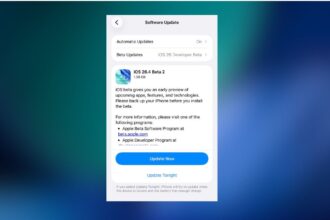
Apple has released iOS 26.4 beta 1 to developers, beginning the next phase of testing for iOS 26. Unlike earlier updates that introduced noticeable user-facing additions, this release is a smaller, groundwork-focused update aimed at improving messaging infrastructure and system stability.
To set expectations, iOS 26.4 beta 1 does not bring major interface redesigns, new system apps, or large Apple Intelligence features. Instead, Apple appears to be refining core technologies behind the scenes while preparing for bigger changes in future betas.
Here’s everything new in iOS 26.4 Beta 1 for iPhone so far.
New “Playlist Playground” Feature in Apple Music
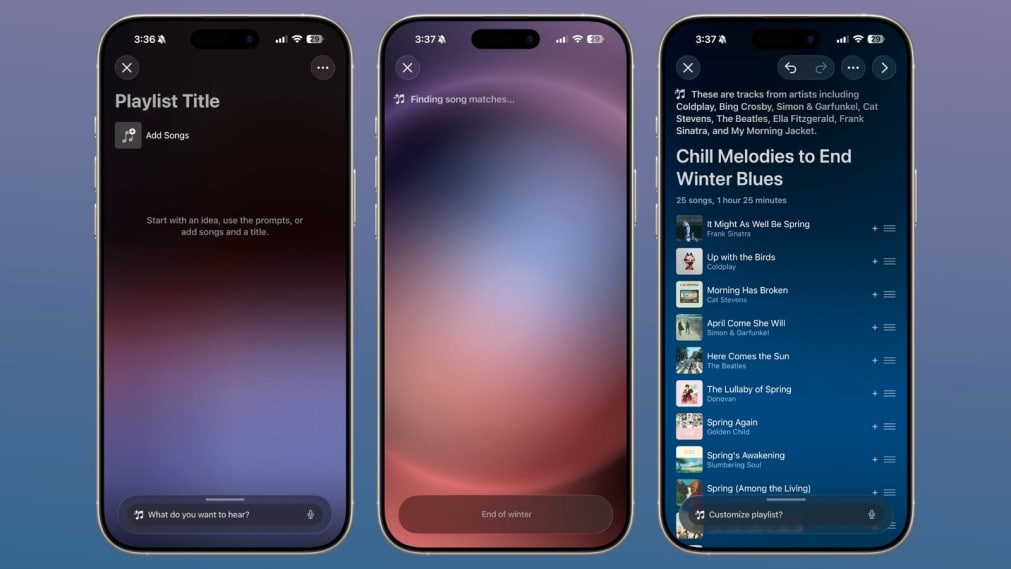
Apple Music introduces a new feature, Playlist Playground, that lets users generate playlists from text prompts.
Users can type an idea, mood, or activity, such as “morning coffee music” or “hip-hop party songs,” and Apple Music automatically creates a curated playlist of around 25 tracks along with a suggested title. The generated playlist can then be refined using additional prompts, custom artwork, and descriptions.
Apple has also redesigned album and playlist pages with immersive full-screen artwork.
Apple Music Adds “Concerts Near You”
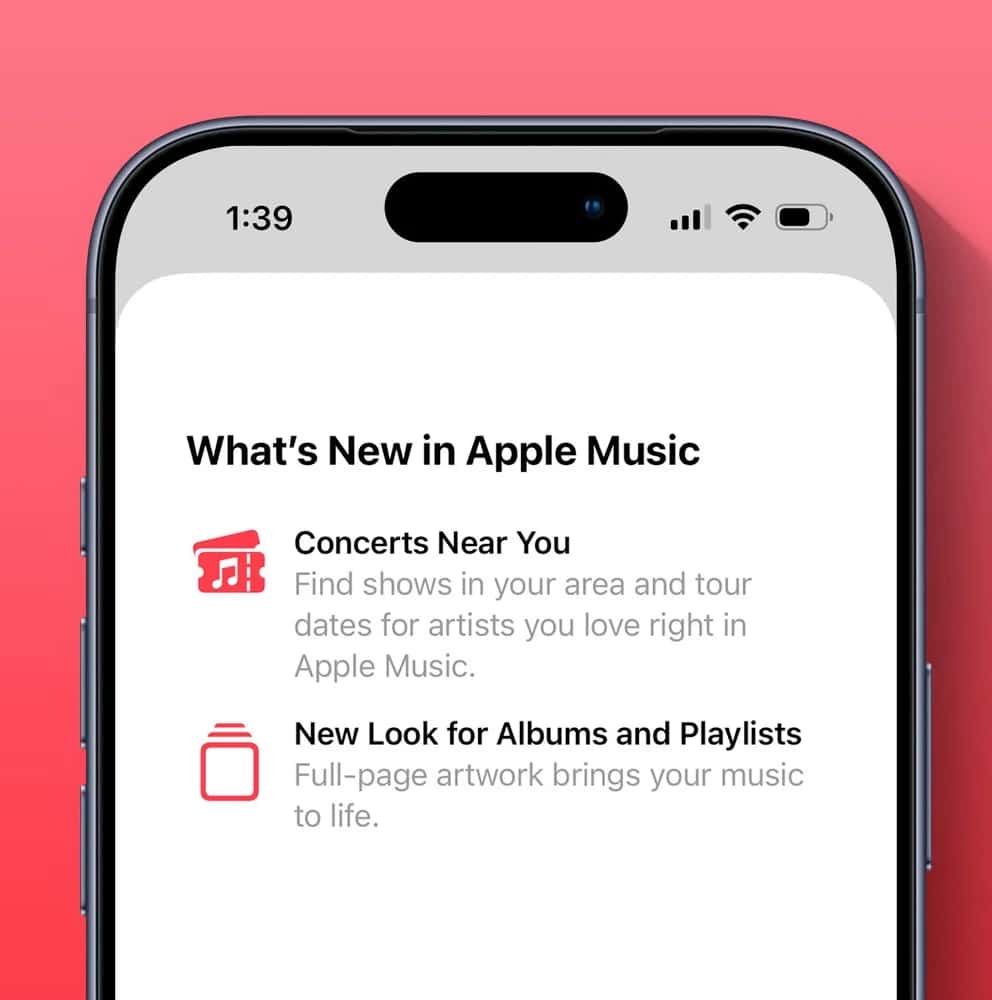
A new Concerts Near You section helps users discover live shows based on listening habits and favorite artists. The feature highlights upcoming tour dates and nearby performances directly inside Apple Music.
Video Podcasts Arrive in Apple Podcasts
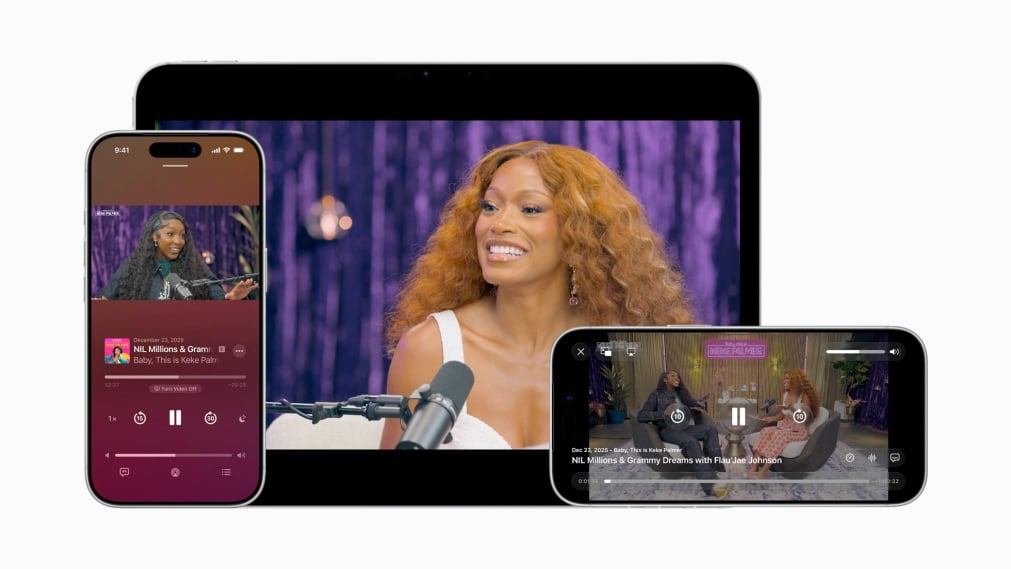
iOS 26.4 introduces video podcast support in the Apple Podcasts app via HTTP Live Streaming.
Listeners can seamlessly switch between audio and video playback, download video episodes for offline viewing, and continue receiving personalized recommendations. Apple says the system allows creators greater control over distribution and monetization while maintaining smooth playback across Wi-Fi and cellular networks.
Stolen Device Protection Now Enabled by Default
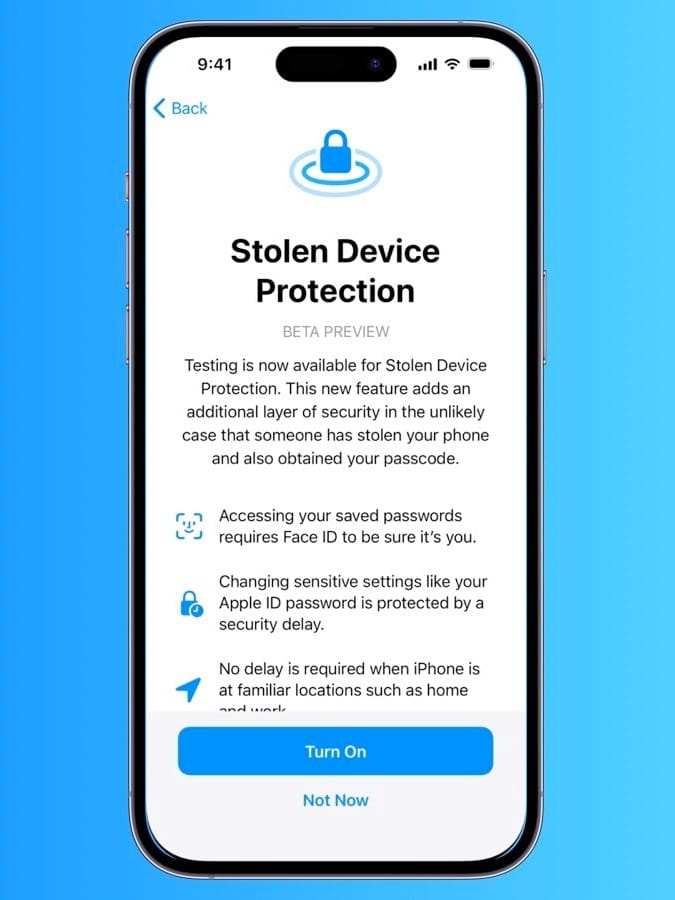
Apple has strengthened device security by turning on Stolen Device Protection by default for all users.
The feature adds biometric authentication requirements for sensitive actions such as accessing saved passwords, disabling Lost Mode, or making certain purchases. Some actions also trigger a 1-hour security delay when performed outside familiar locations, reducing the risk of passcode theft.
End-to-End Encryption Coming to RCS Messaging
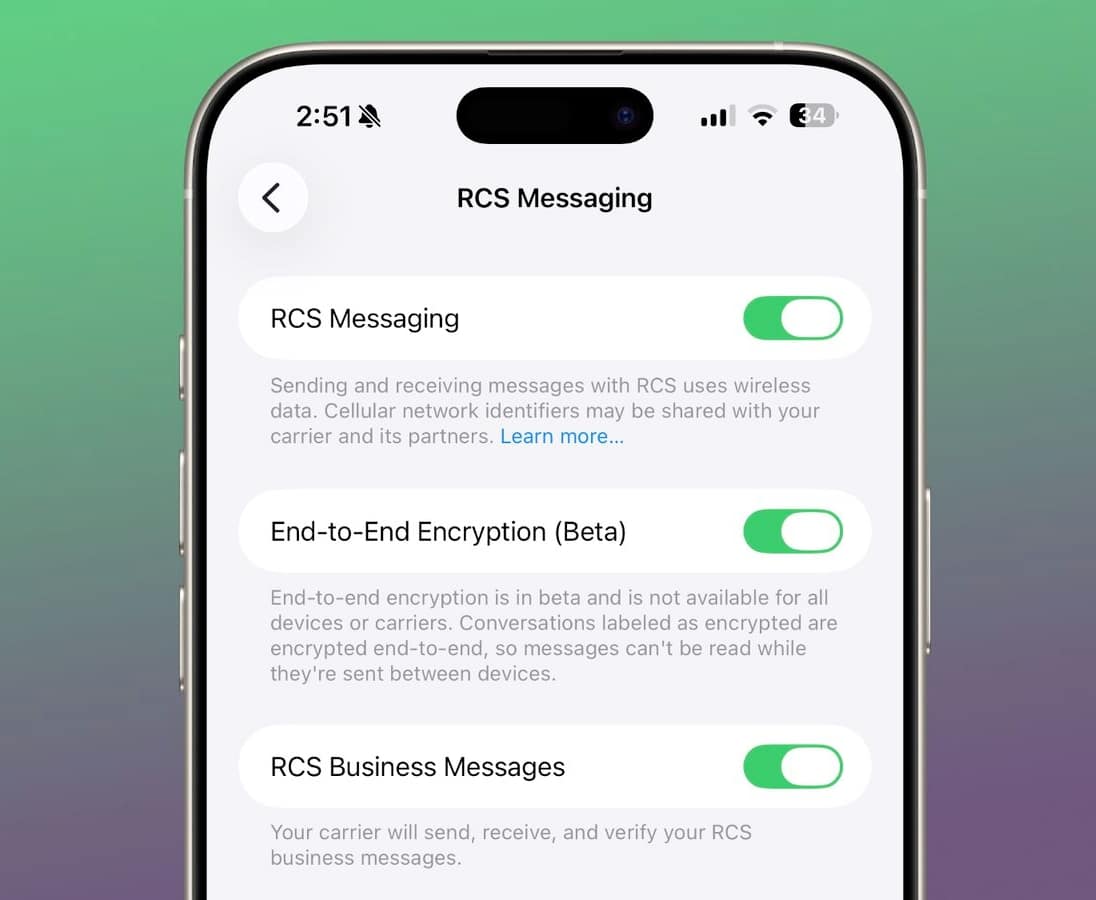
Apple is testing end-to-end encryption (E2EE) for RCS messages across iOS, iPadOS, and macOS.
This marks a major step toward secure cross-platform messaging between iPhone and Android users. Encrypted RCS conversations will display a lock icon in the Messages interface, similar to iMessage chats. The current beta tests encryption primarily between iPhones using RCS, with broader Android compatibility expected in a future update.
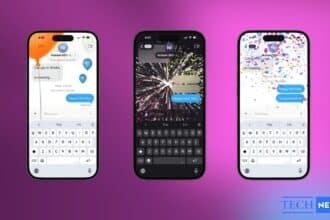
Messages App Gains New Animations
The Messages app includes subtle new animations when starting conversations and performing certain actions, adding more visual feedback throughout the interface.
Unified Apple Account Hub Across Apps
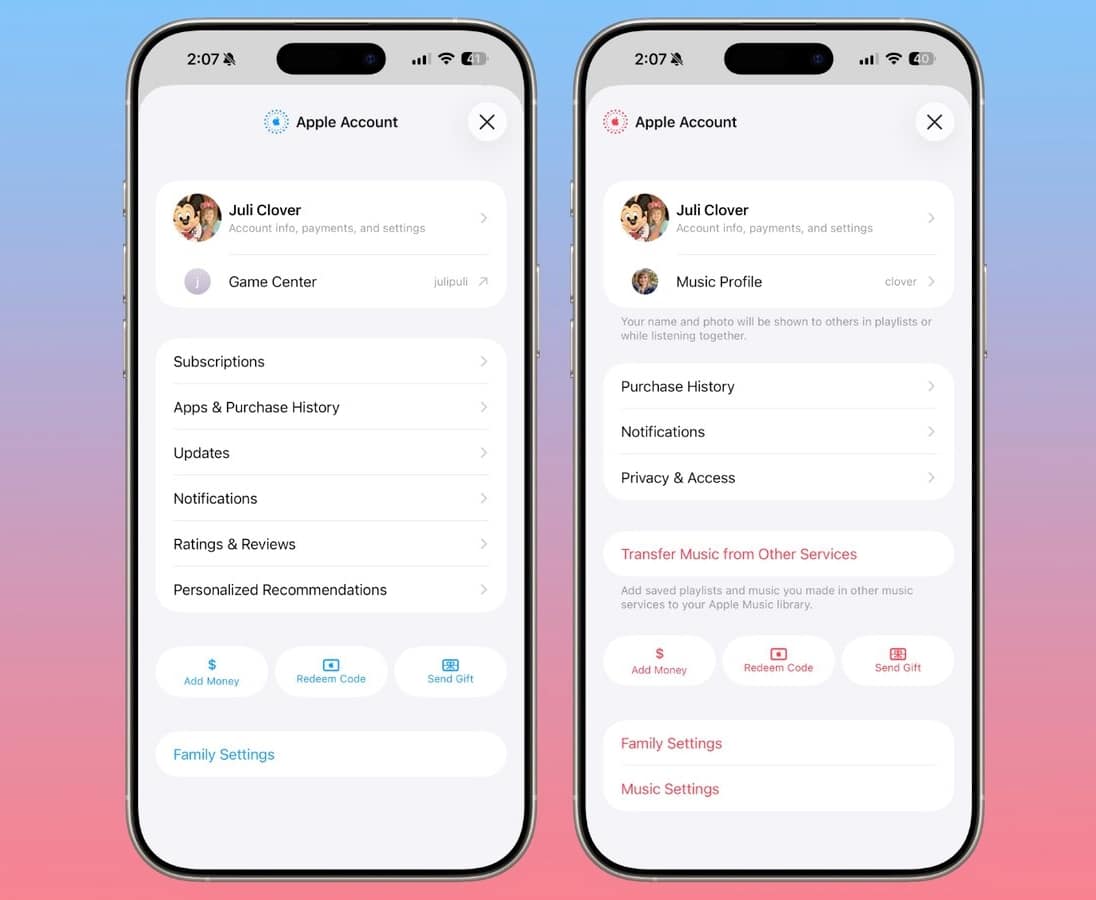
Apple is introducing a redesigned Apple Account hub that replaces individual profile sections across apps like the App Store and Apple Music.
The App Store interface has also changed:
- Apps and purchase history are merged
- App updates are now live in a dedicated section
- Search moves to a top-positioned search bar instead of a bottom tab
New Ambient Music Widget
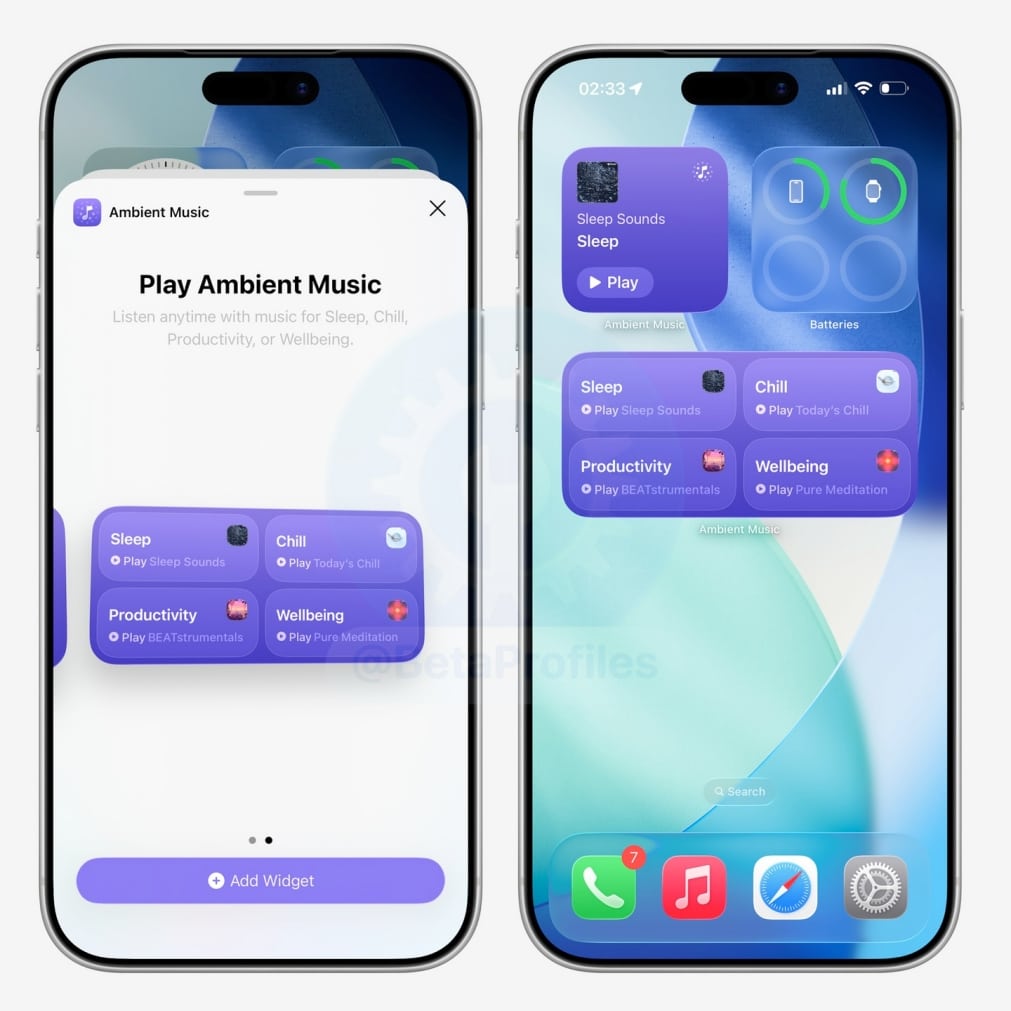
A new Ambient Music widget is available on both the Home and Lock Screens. It provides quick access to built-in sound environments designed for sleep, focus, relaxation, and wellbeing.
Redesigned Wallpaper and Watch Face Galleries
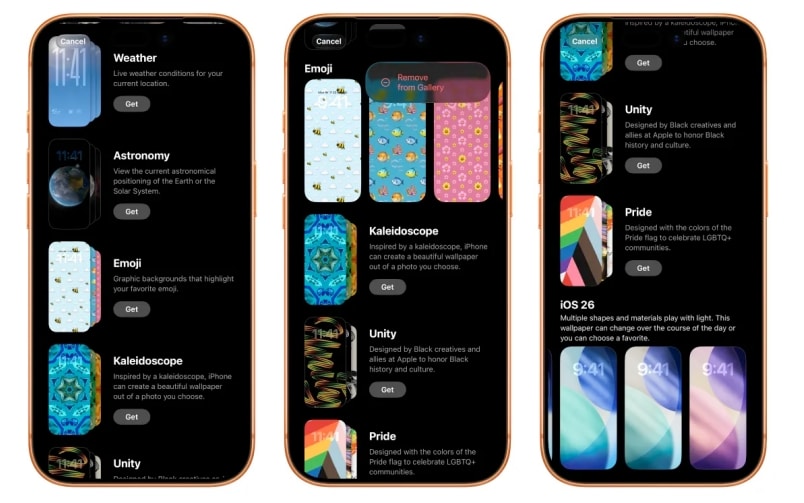
The Wallpaper Gallery now features an updated layout that allows wallpapers from categories like Weather, Astronomy, Emoji, and Colors to be downloaded directly.
A similar visual redesign appears in the Watch Face Gallery inside the Apple Watch app.
Related: How to Put Time Behind Wallpaper on iPhone (iOS 26)
Freeform Creator Studio Expands Creative Tools
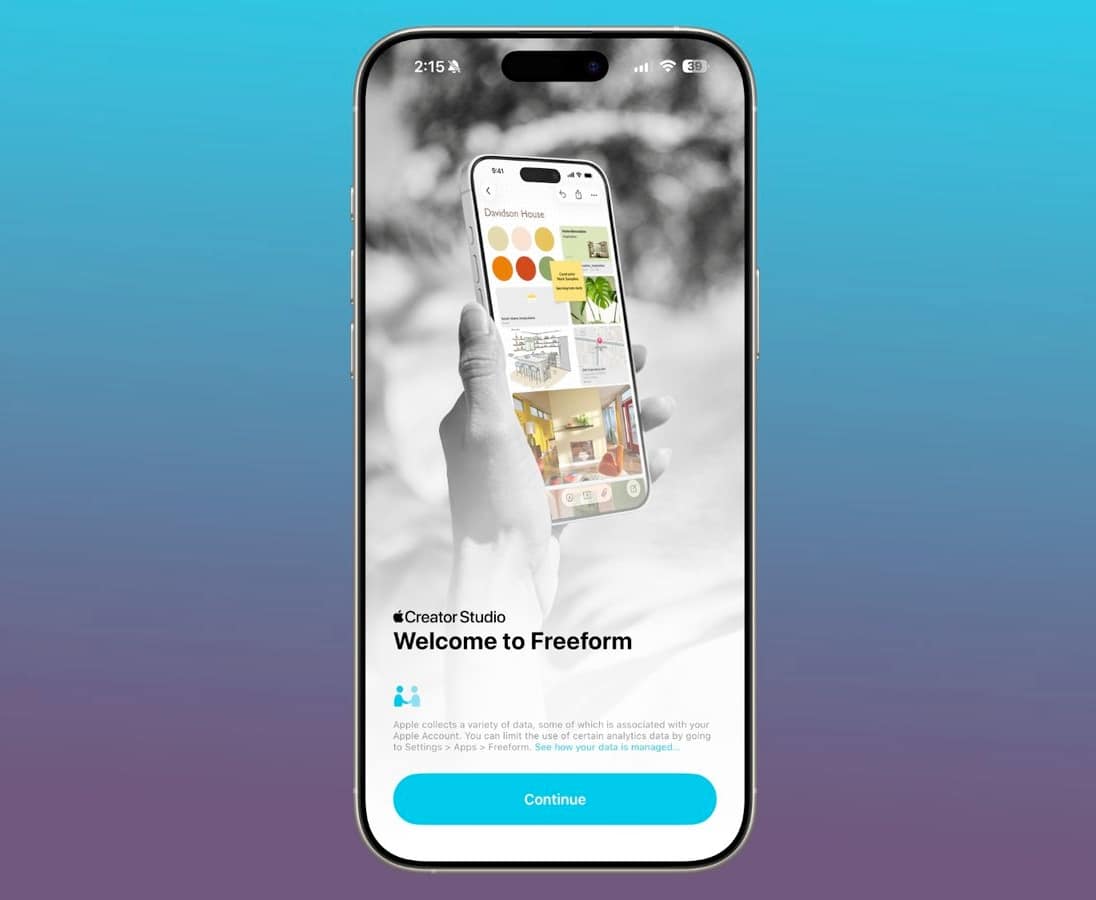
iOS 26.4 activates Freeform Creator Studio for subscribers, introducing a Content Hub filled with graphics, illustrations, and design assets. The update also adds AI-powered image creation and editing tools, along with a refreshed Freeform app icon.
Reminders Gets a New “Urgent” Category
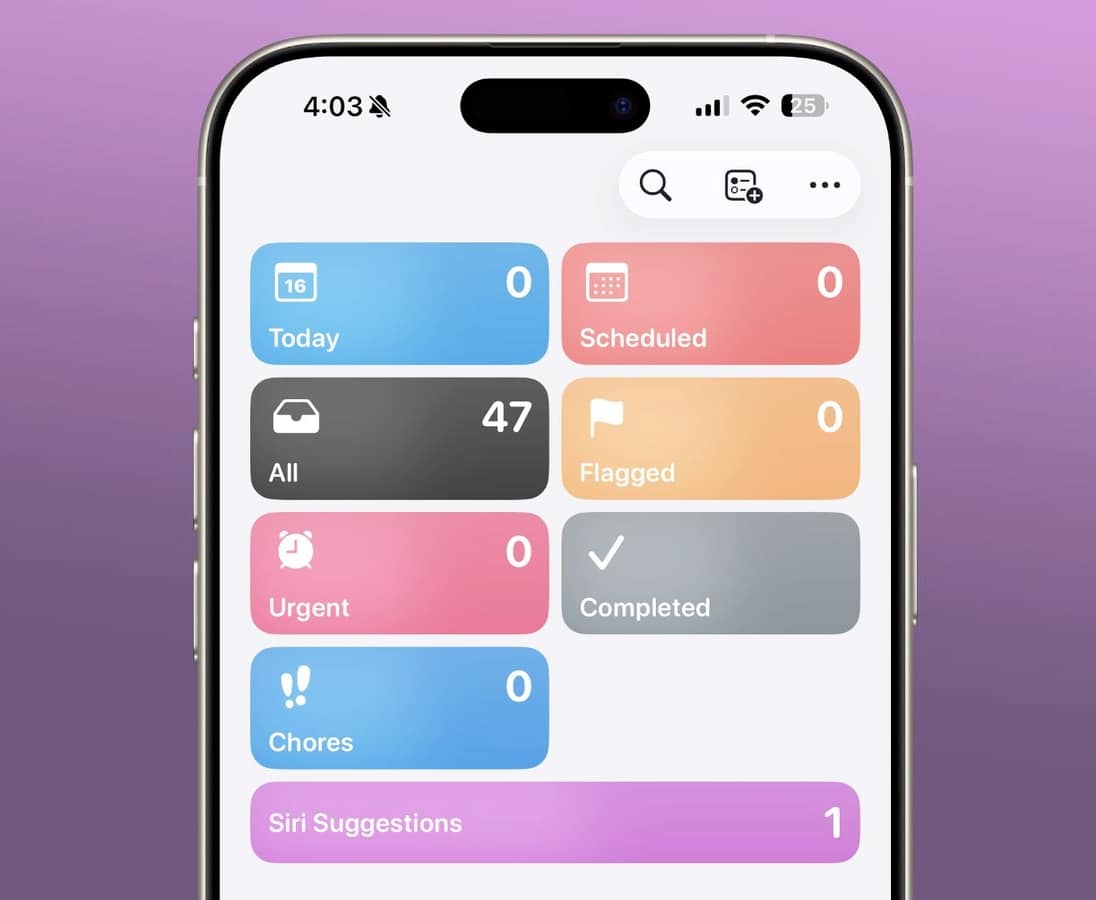
The Reminders app now includes an Urgent section. When enabled during reminder creation, urgent tasks automatically include an alarm and appear in a dedicated priority view.
Updated iCloud Web Settings
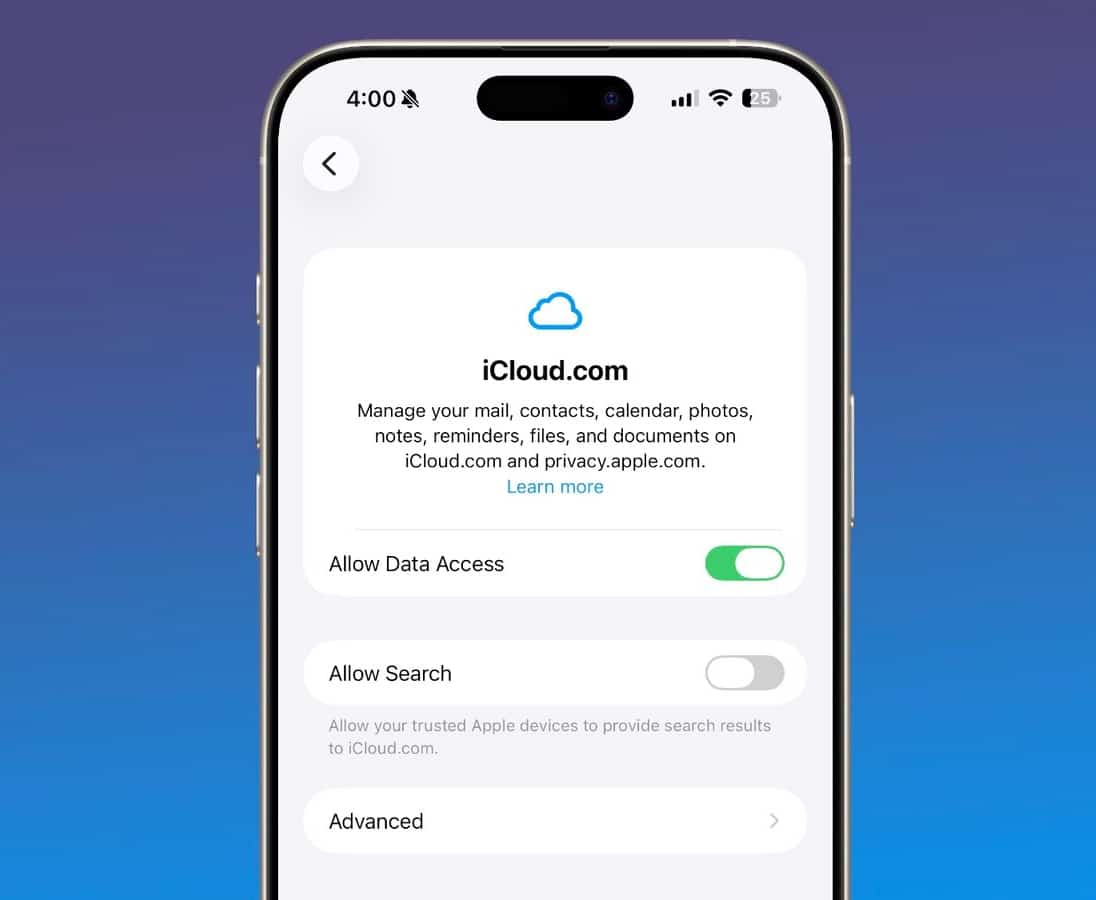
Apple has replaced the previous “Access iCloud Data on the Web” toggle with a new iCloud.com settings page. A new “Allow Search” option lets trusted Apple devices help surface search results on iCloud.com.
New Emoji Referenced in Code
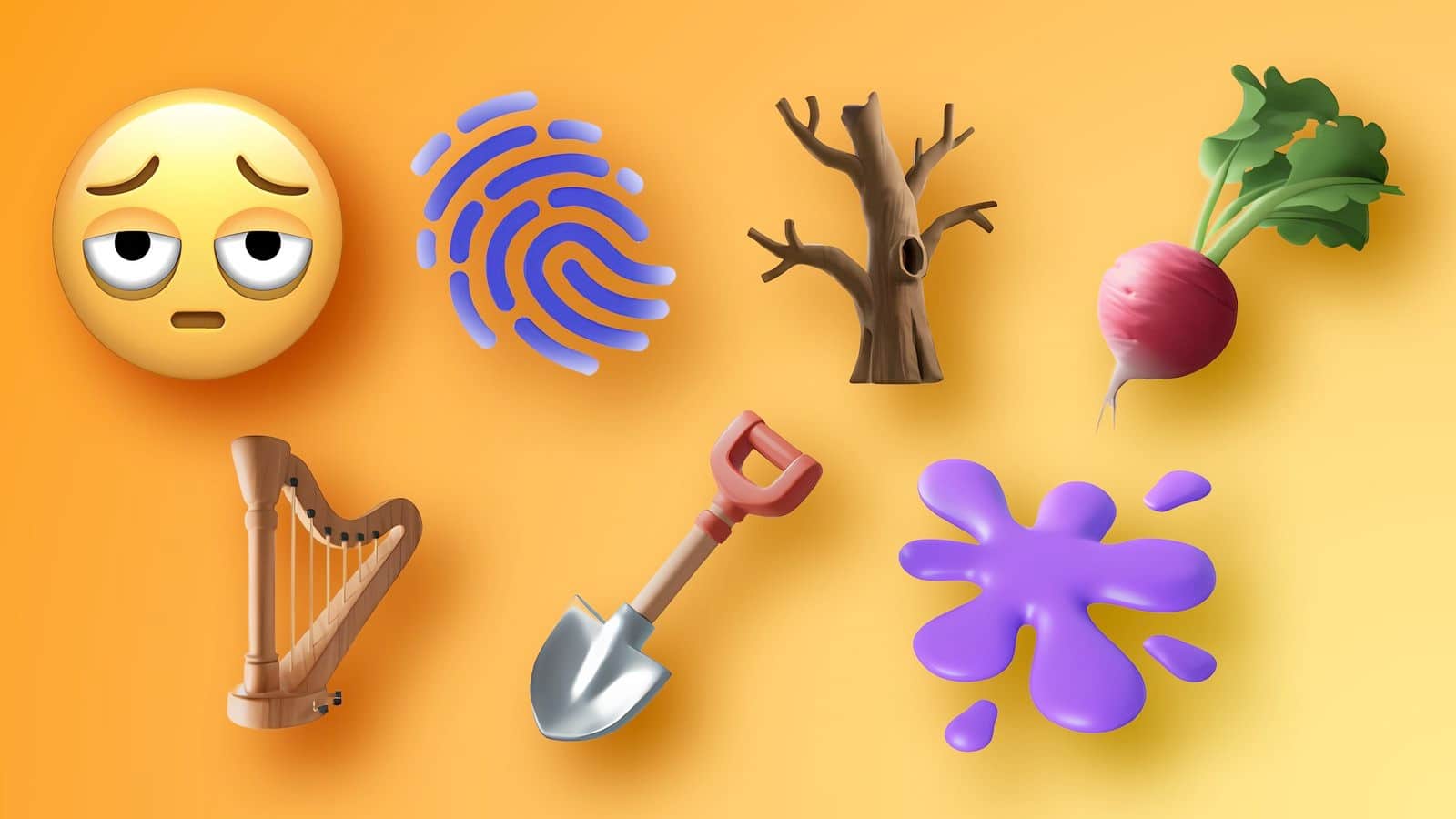
While no new emojis are available yet, iOS 26.4 contains references suggesting upcoming additions such as:
- Trombone
- Treasure chest
- Orca
- Apple core
- Landslide
- Ballet dancers
- Bigfoot-style creature
These are expected to appear in a later beta.
EU-Only Changes for Third-Party Wearables
Apple is continuing its work on expanded third-party wearable support in Europe, a set of changes that first appeared during the iOS 26.3 beta period but did not make it into the public release.
Notification Forwarding
One of the returning features allows an iPhone to send incoming notifications directly to a third-party wearable, including Android smartwatches.
Only one companion device can receive forwarded notifications at a time. When enabled for a third-party wearable, notification delivery to Apple Watch is paused. The setting is designed to create feature parity for alternative wearable ecosystems within the European Union.
Proximity Pairing for Accessories
Apple is also continuing to test Proximity Pairing for compatible third-party devices. The feature enables a quick pairing interface that appears automatically when an accessory is brought close to an iPhone or iPad, removing the need to manually navigate Bluetooth settings.
Both features remain restricted to EU regions and are still in testing, suggesting Apple is refining the experience before a broader rollout.
Performance Improvements and Bug Fixes
As expected for an early beta, Apple has made several system-level improvements:
- General performance optimizations
- Stability enhancements
- Bug fixes across system apps
- Updated internal frameworks for developers
These updates prepare iOS for larger features expected later in the release cycle.
The Siri Overhaul Is Still Missing
One notable absence in iOS 26.4 beta 1 is Apple’s next-generation Siri experience. Recent reports suggested Apple was working on deeper AI integration and smarter contextual responses. None of those upgrades appear in this beta, suggesting the company may introduce them in a later release.
For now, Siri remains unchanged compared to previous versions.
Release Timeline
iOS 26.4 beta 1 is currently limited to developers. A public beta is expected soon, followed by a wider rollout later this spring.
Should You Install iOS 26.4 Beta 1?
Developers and beta testers interested in early messaging improvements can install the update now. Regular users will notice very few visible changes, so it is reasonable to wait for later betas, where more features typically appear.
What do you think about this update and the missing Siri overhaul? Share your thoughts in the comments below.