
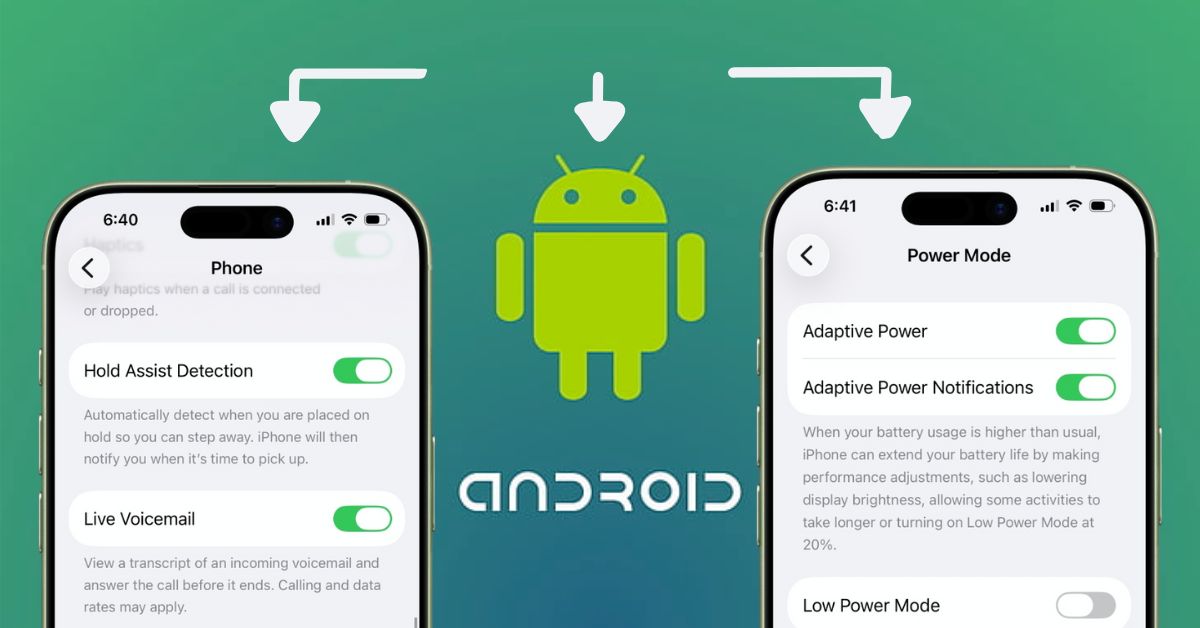


With iOS 26 and Android 16, Apple and Google feel closer than ever before. The gap that once clearly separated iPhones and Android phones is shrinking fast. Design choices, smart features, and AI-powered tools are now starting to look surprisingly similar.
This isn’t new. For years, Apple and Google have quietly borrowed ideas from each other. Some call it inspiration, others call it imitation. But for users, it usually means better features on both platforms.
In this article, we’ll walk through key iOS 26 features that Android users have enjoyed for years, compare them fairly with their Android counterparts, and explain why these similarities actually matter to everyday users.
8 iOS 26 Features Apple Borrowed From Android
According to Apple, iOS 26 offers major upgrades to native apps and includes numerous innovative features. However, Android users have been enjoying similar features for years.
1. Charging Time Estimation: New to iPhone, Standard on Android
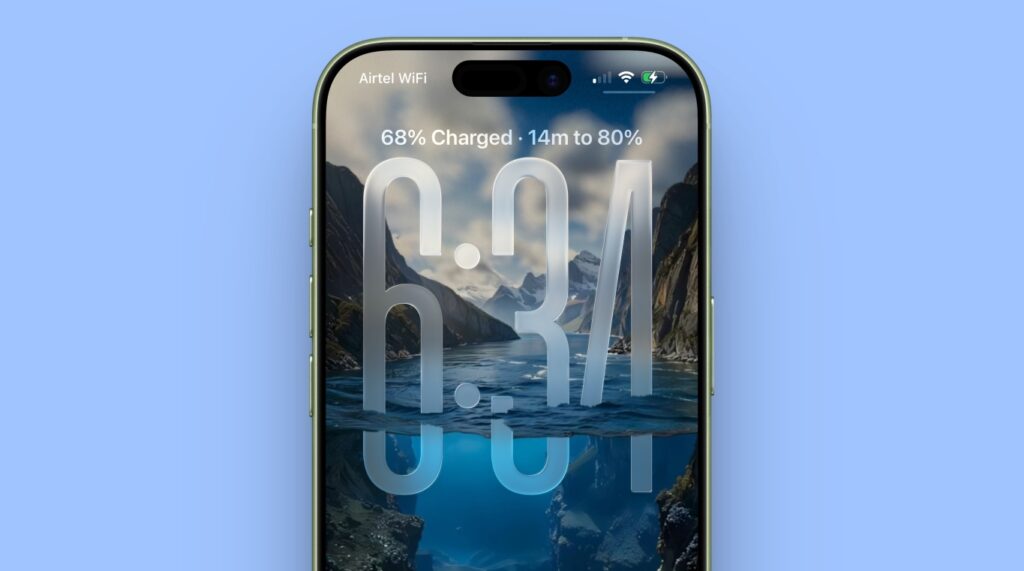
With iOS 26, Apple finally shows how long it will take for your iPhone to charge to 80%. Instead of guessing, you can see an estimated time remaining on the Lock Screen while charging. It’s super useful for planning your day, especially with different chargers giving varying speeds.
Android has had this for ages. On most Android phones, including Pixel and Samsung models, a “time to full charge” message appears on the lock screen or Always-On Display when plugged in. Android also adjusts estimates based on charger type (fast, wireless, or standard).
2. Adaptive Power: Is Android’s Android Battery the Same?
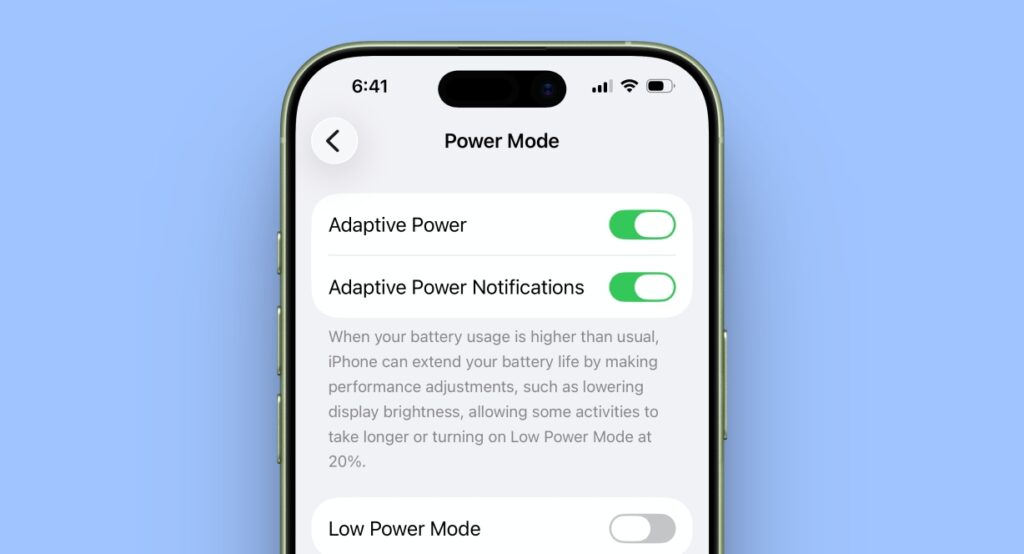
Adaptive Power is a new Apple Intelligence feature that adjusts your iPhone’s background activity, brightness, and performance when the power consumption usage is higher than usual to extend battery life. It uses on-device learning to limit power-hungry apps.
Android introduced Adaptive Battery back in Android 9. It analyzes your app usage and restricts background activity for apps you rarely open, extending battery life without you noticing much.
Apple clearly borrowed this iOS 26 feature from Android, understanding how essential AI-driven battery optimization has become for power users.
3. Call Screening: Google’s Call Screen is Way Ahead
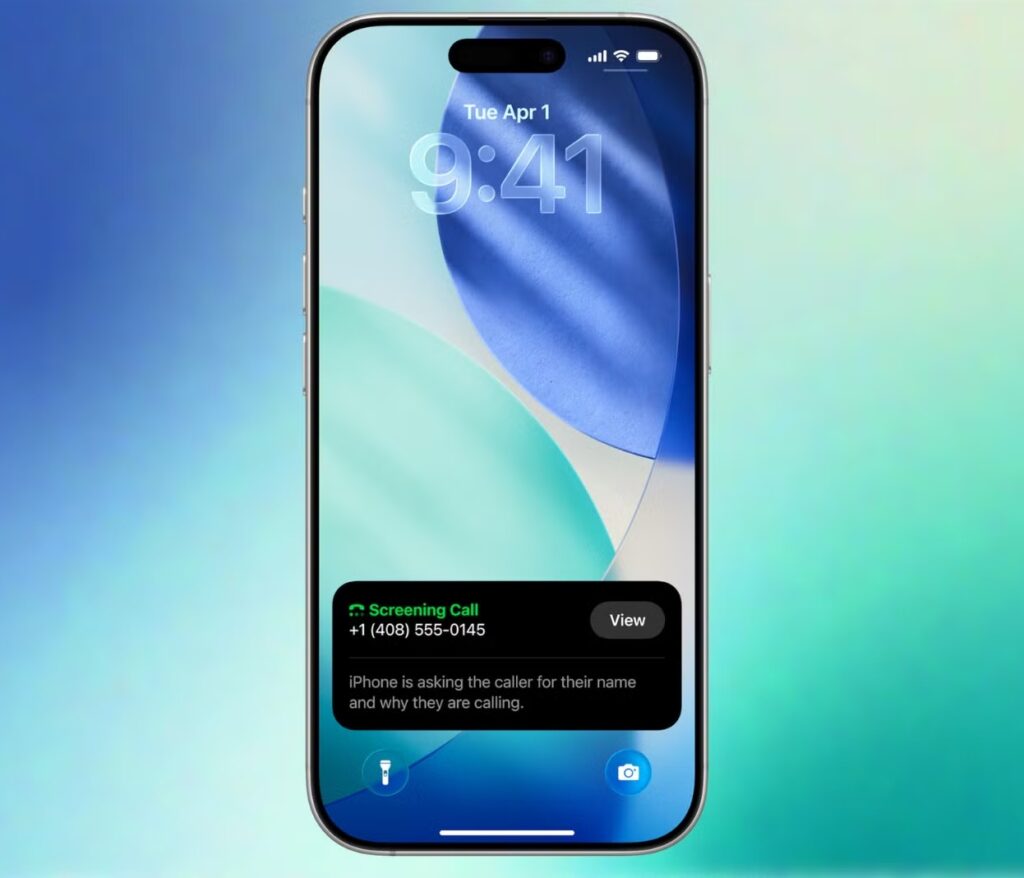
In iOS 26, Call Screening automatically answers unknown calls, asks the caller to identify themselves, and shows you a live transcript before you decide to pick up. It’s one of the highlighted features of the iPhone 17 series.
However, Google Pixel pioneered Call Screen back in 2018. Google Assistant answers calls, asks why they’re calling in a natural tone, and even provides contextual responses based on the other person’s responses. It also has automatic spam filtering.
Spam calls are a universal problem. Apple’s version brings much-needed relief to iPhone users, but Android has long been ahead in this area.
4. Hold Assist: Pixel’s Hold Me is Copied!
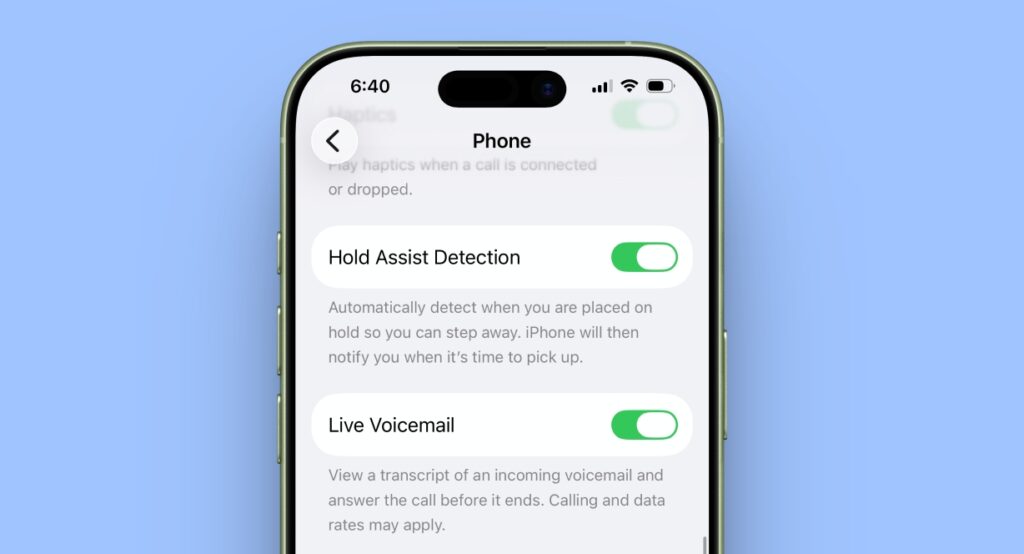
Do you know this important iOS 26 feature has already existed on Google Pixel for the past 5 years?
When you’re on hold, iOS 26 detects hold music and displays a “Hold This Call” prompt. If you enable it, your iPhone actively listens to the call, waits for a live agent to return, and notifies you.
Google’s Hold for Me feature does exactly this and has been a Pixel-exclusive favorite because nobody likes listening to hold music. This feature saves time and frustration, and Apple users are finally getting what Android users have long enjoyed.
5. Live Translation for Calls: Samsung Galaxy AI Got It First
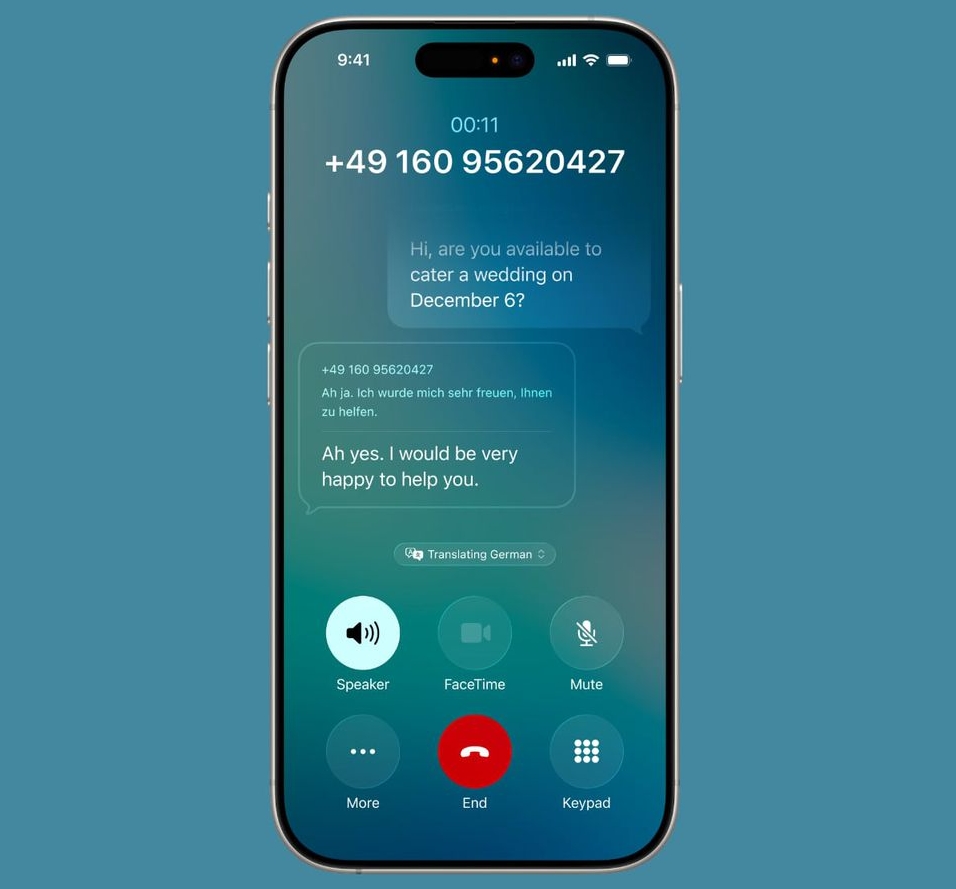
Apple’s Live Translation translates phone calls in real time, allowing two people speaking different languages to understand each other. Even if you’re wearing your AirPods 3, you will hear the translation in the other person’s voice.
However, Samsung has pioneered the feature with Galaxy AI. You need to download the required voice pack, and the call will be translated in real time on your device. However, the dubbed voice is the same for both callers, which may become confusing.
Therefore, Apple has adopted this Android feature and improved it, keeping user experience in mind.
6. Apple Maps Visited Places: Google Timeline Works Similarly
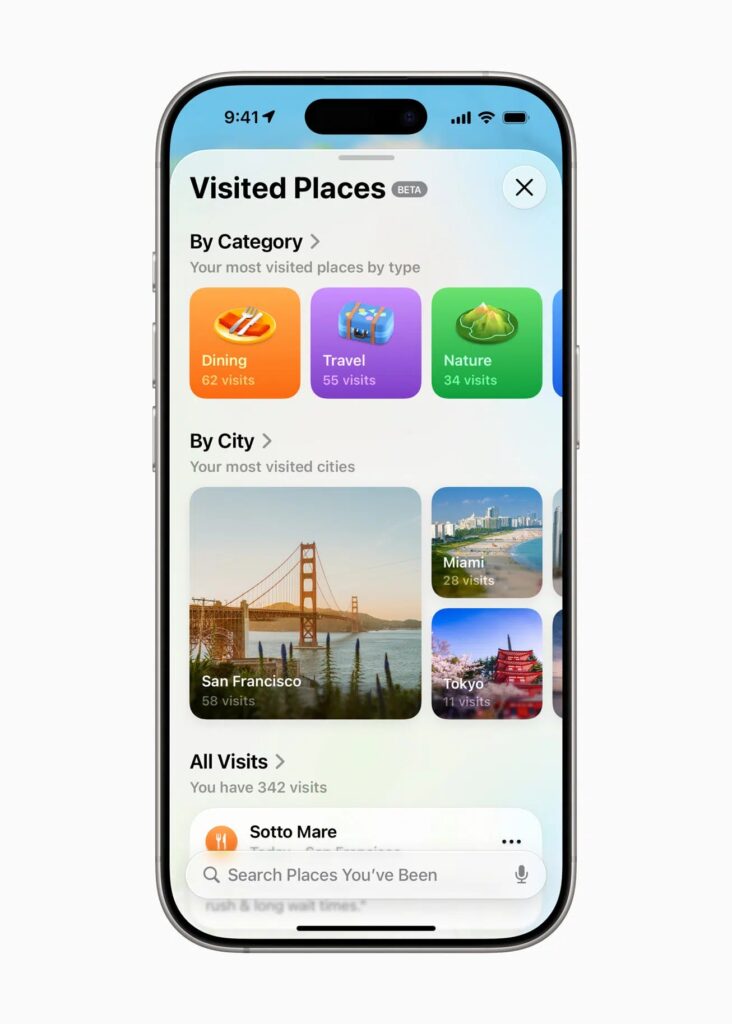
Location history is incredibly useful for travelers and professionals. So with iOS 26, Apple Maps now automatically tracks places you’ve visited, helping users revisit locations, remember trips, or organize travel history.
On the other hand, Google Maps’ Timeline has been doing this for over a decade. It provides detailed location history, including dates, routes, and time spent. You can also share your visited location with others or delete your timeline.
The only thing is that Apple’s version is more privacy-focused with end-to-end encryption, but the core idea clearly comes from Android.
Also Read: What Google Maps Icons and Symbols Mean? Complete Guide
7. Apple Wallet Digital IDs: Google Wallet’s Fresh Launch
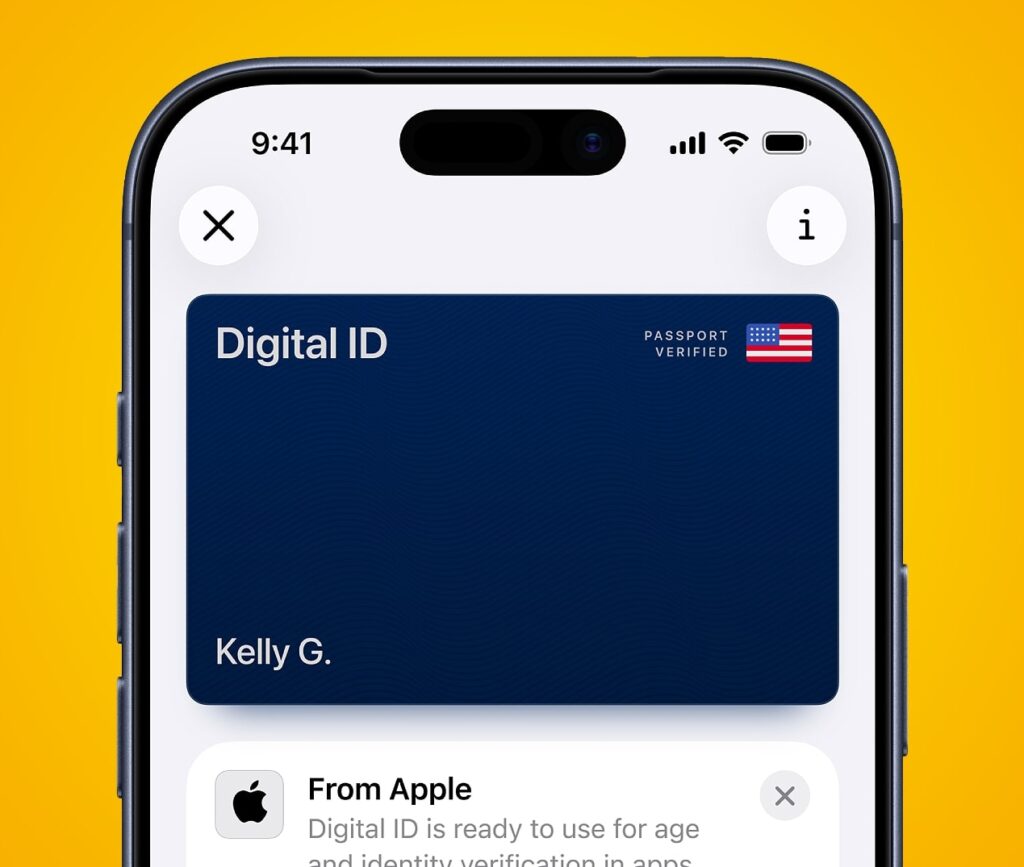
Carrying fewer physical cards is the future, so both iPhone and Pixel have rolled out support for digital IDs. In later versions of iOS 26, you can add your digital passport, usable at airports and official checkpoints.
Google Wallet got government-issued digital IDs and driver’s licenses earlier, partnering with U.S. states and expanding steadily. Apple’s implementation is polished and more integrated, but Android laid the groundwork first.
8. Highlight to Search: Circle to Search Is That You?
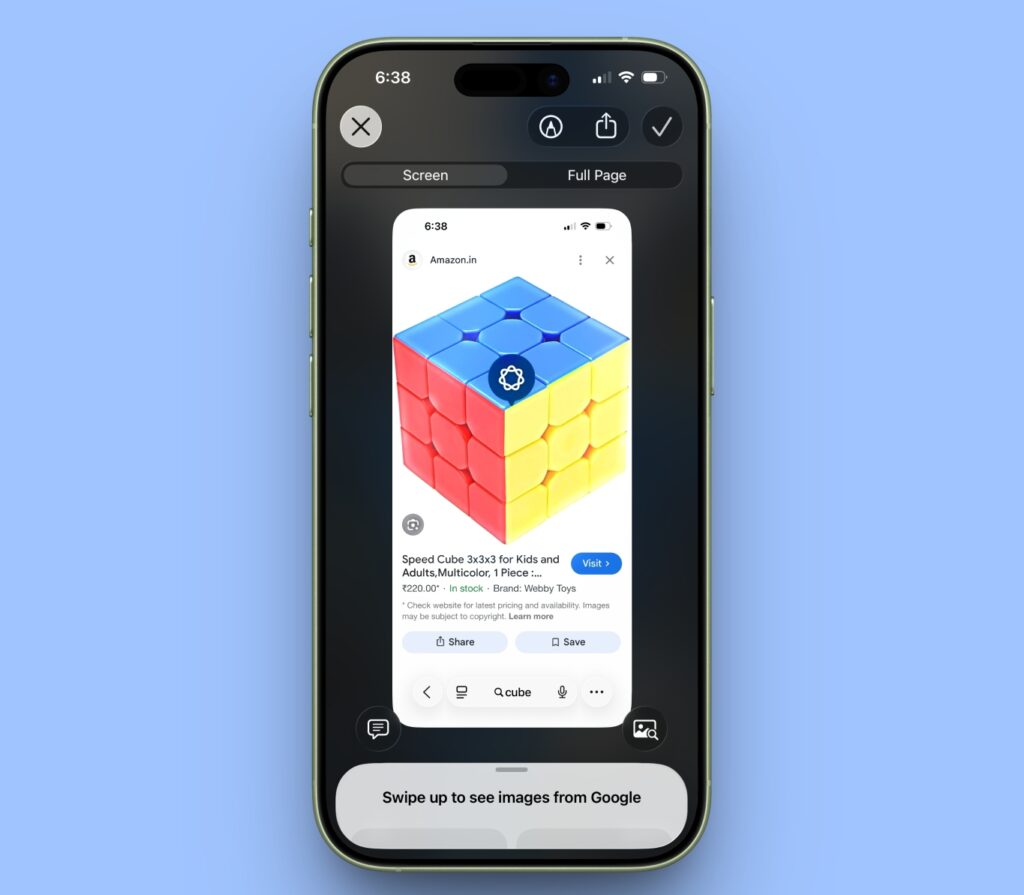
At the Awe Dropping event, Apple announced that users can highlight text, images, or objects on screen and instantly search for more information as a part of Visual Intelligence.
This closely mirrors Google’s popular Circle to Search feature, which lets users draw a circle around anything on screen to search it instantly. So, again, Apple’s apparently innovative iOS 26 feature is straight out of Android’s playbook.
Final Thoughts
iOS 26 makes one thing clear: Apple is no longer hesitant to adopt ideas that Android users already love. From call screening to adaptive battery management, many of these features have been tested, refined, and proven on Android first.
But this isn’t a bad thing. Competition between Apple and Google pushes both platforms forward. Android innovates first; later, Apple perfects it. Ultimately, consumers benefit from smarter phones, fewer annoyances, and practical features.
So, are you an Android person or an iOS fan? Let us know in the comments below!