Ever wondered why you instantly clicked with some friends on Snapchat while others feel harder to read? This curiosity is where Snapchat’s Astrological Profile fits in. This feature turns your birth details into an easy-to-read astrology snapshot and also shows how your signs align with friends. Most importantly, Snapchat presents your Astrological Profile through short, visual cards, so you do not need any astrology knowledge to make sense of it.
This post details everything you need to know about the Astrological Profile on Snapchat.
What Is an Astrological Profile on Snapchat and How It Works?
Snapchat uses the birth details you added to your account to generate your Astrological Profile. Based on the provided information, it calculates the positions of the sun, moon, and planets at the time you were born, then translates those positions into short descriptions.
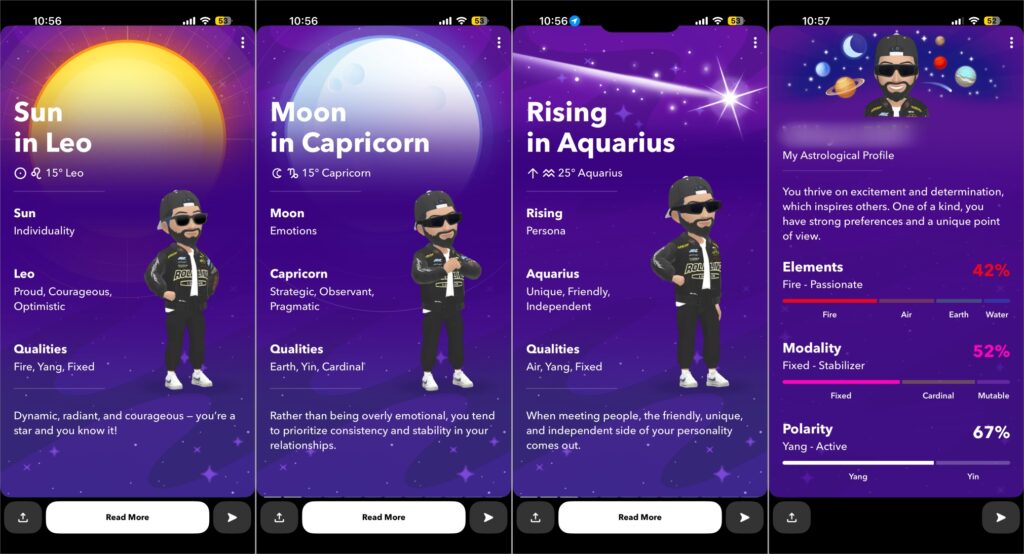
This feature has two main parts:
- The first is your personal Astrological Profile, which highlights your zodiac signs and planetary placements.
- The second is Astrological Compatibility, which shows how your signs interact with your friends who have also enabled Astrological Profile on Snapchat.
Your Astrological Profile includes your sun sign, moon sign, rising sign, and planets such as Mercury, Venus, and Mars, along with outer planets that represent broader life themes.
Instead of long text, which most users might find hard to interpret, everything is shown as visual, story-style cards. You can tap through them at your own pace, share specific cards, or just explore quietly.
How to Create Your Astrological Profile on Snapchat
You don’t need to do anything extra to create your Astrological Profile. Just add your birth date and related details, and Snapchat handles the rest automatically.
Here’s how you can do it:
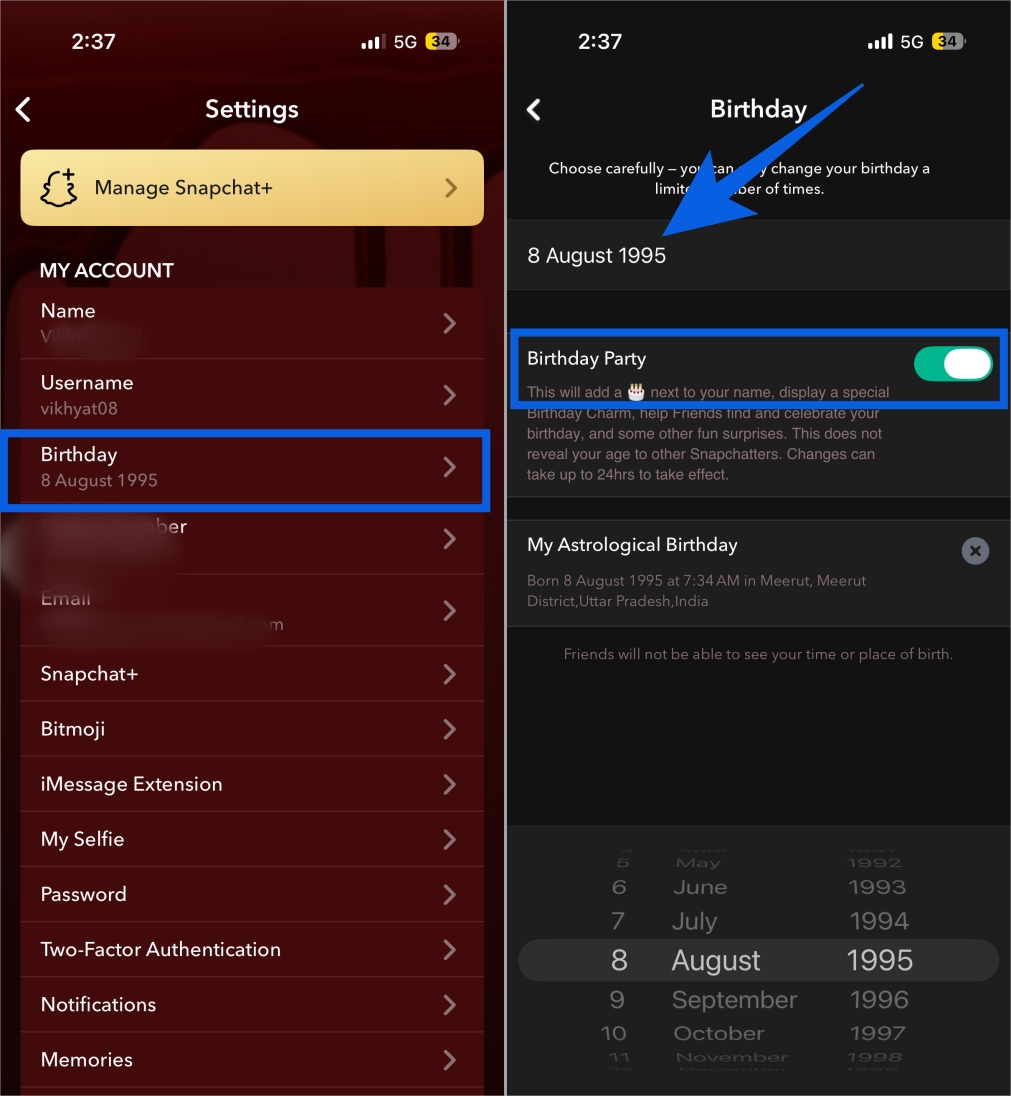
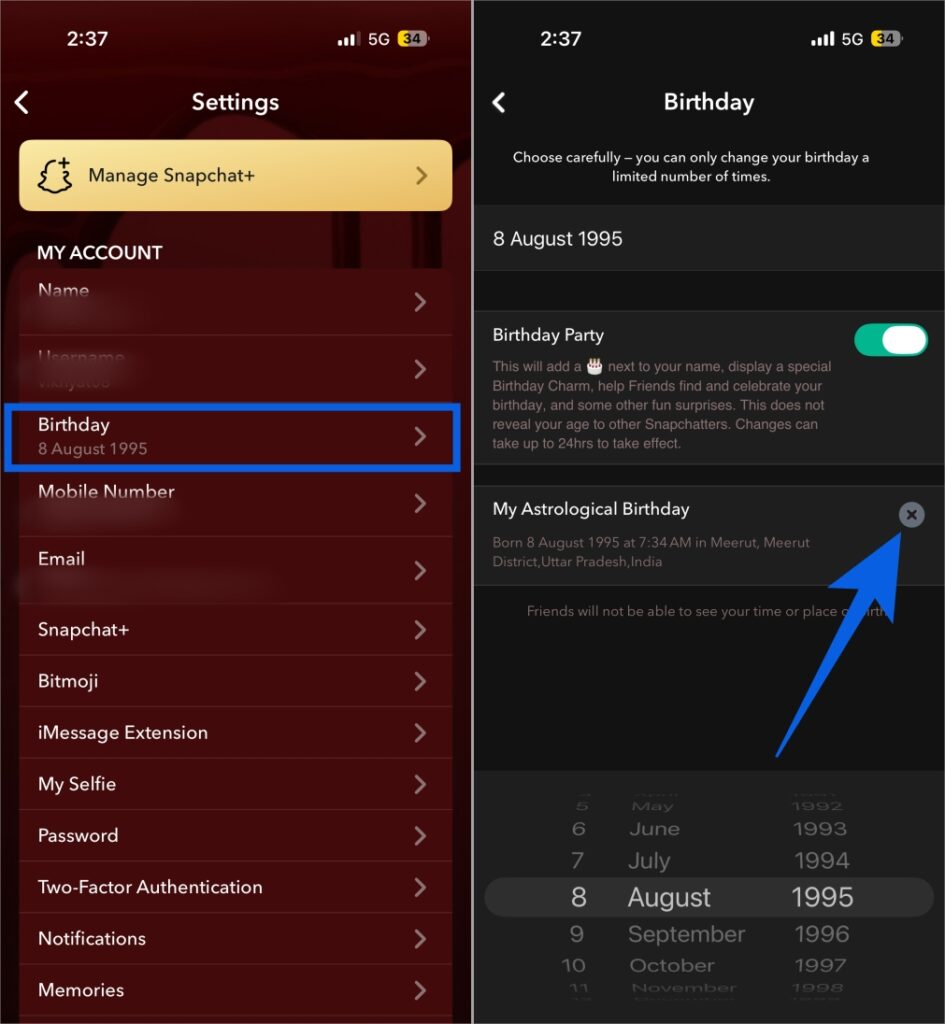
- Open the Snapchat app and head to Settings.
- Here, tap Birthday under My Account.
- Enter your birth date if you haven’t already, then tap Continue.
- Make sure that Birthday Party is enabled.
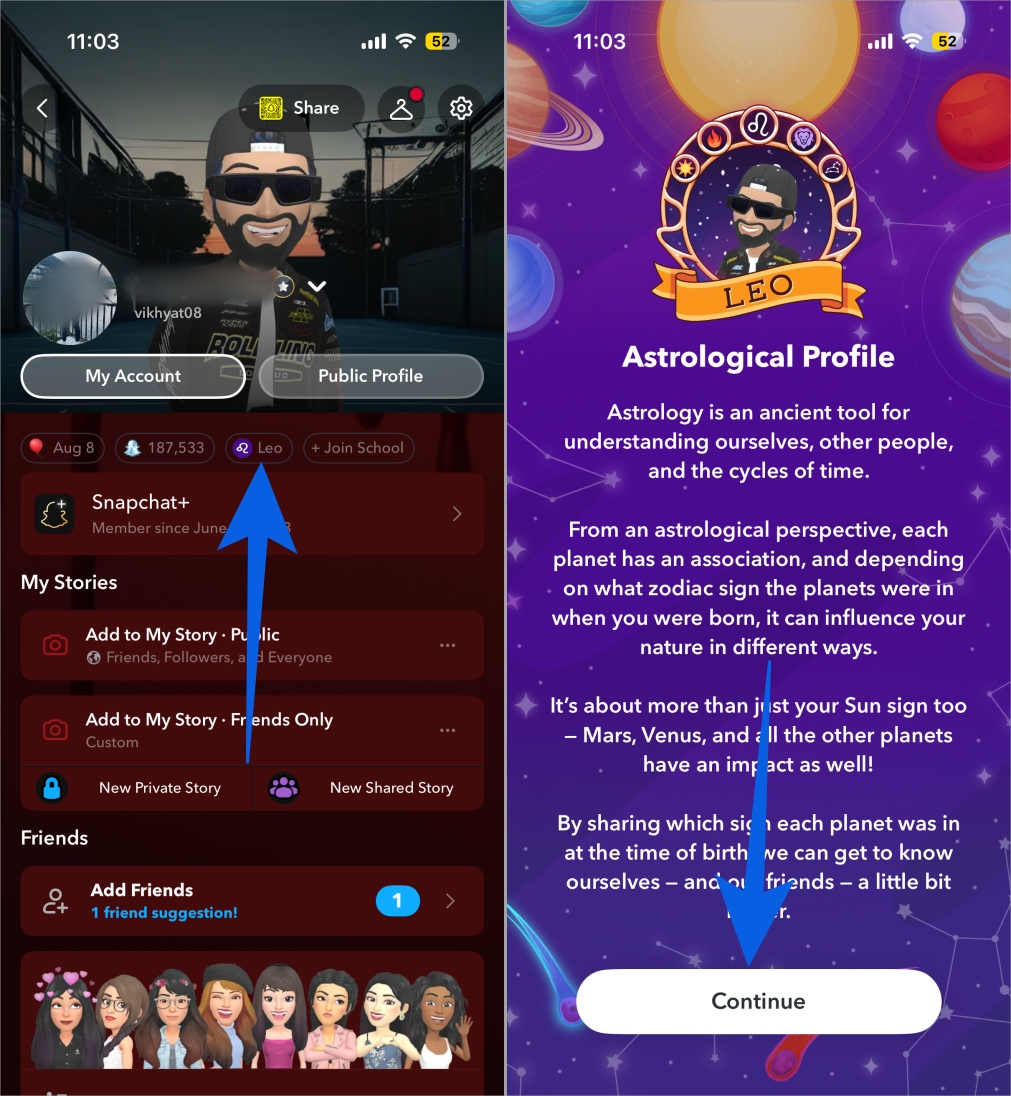
- Once done, head back to your Snapchat Profile.
- Tap your zodiac sign emoji under your profile name, and you’ll be greeted with the Astrological Profile introductory screen.
- Tap Continue.
- Enter your Time of Birth and Place of Birth, and tap Complete.
- Snapchat will start creating your Astrological Profile.
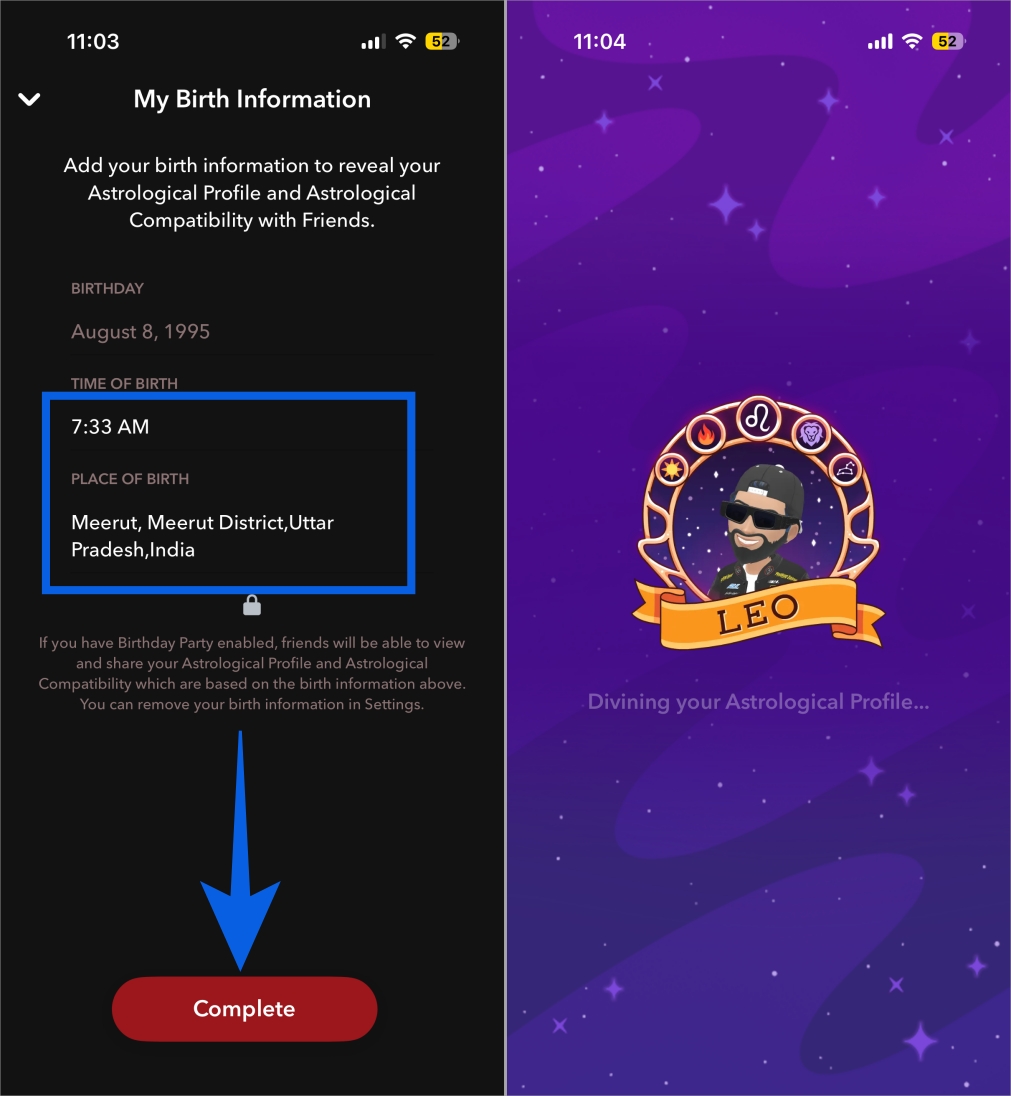
What Each Astrological Section Means
As mentioned above, Snapchat breaks astrology into simple sections so beginners can understand it without prior knowledge:
- Your Sun Sign represents your core personality. It reflects your basic traits, preferences, and how you generally approach life. This is the sign most people know.
- Your Moon Sign relates to emotions and inner moods. It explains how you process feelings, react emotionally, and what brings you comfort.
- Your Rising Sign describes how others see you. It influences first impressions, body language, and outward behavior.
- Mercury focuses on communication. It shows how you think, speak, learn, and express ideas.
- Venus is about relationships and highlights how you show affection, what you value in love, and what attracts you.
- Mars represents energy and motivation. It explains how you take action, handle anger, and pursue goals.
- Jupiter, Saturn, Uranus, Neptune, and Pluto address broader themes such as growth, discipline, change, imagination, and transformation. Snapchat includes these to add depth, but keeps interpretations short so they stay approachable.
Think of the profile as a personality overview rather than a prediction tool.
Related: What Does Snapchat Plus Do? A Complete Guide
How to Share Your Astrological Profile on Snapchat
Like viewing, sharing your Astrological Profile is pretty straightforward and can be done in just a few taps. Here’s how:
- Open Snapchat and head to your profile.
- Tap the zodiac sign emoji.
- Now, you can:
- Tap the Send button on individual astrology cards to share them directly with your friends or on your Story.
- Go all the way to your astrological summary and tap the Send button on it to share it.
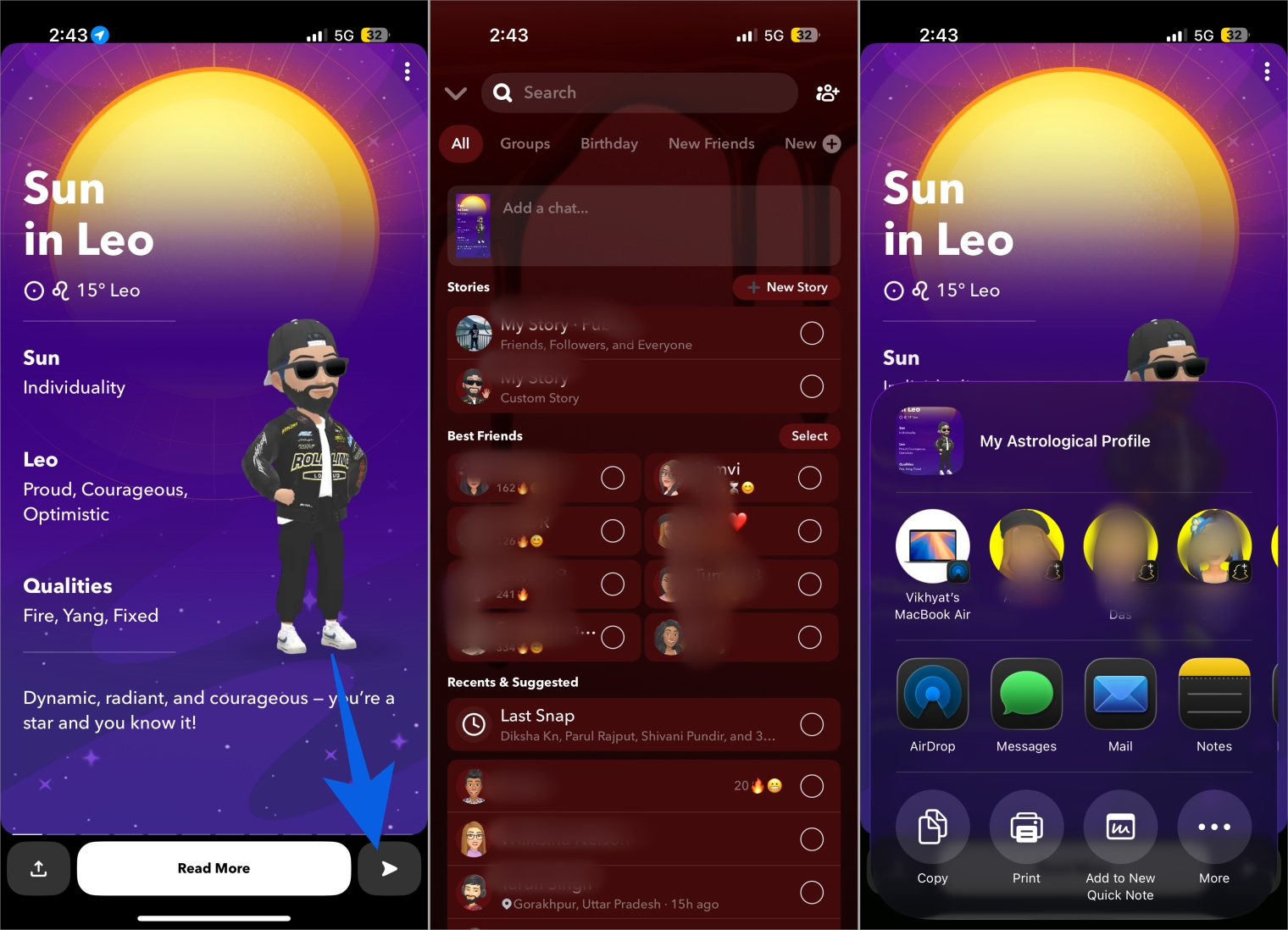
Alternatively, you can tap the Share button at the bottom left corner of the individual or summary card to share your Astrological Profile via other installed apps.
How to Save Your Snapchat Astrological Profile
Snapchat lets you save astrology cards to your Camera Roll to help you revisit your placements later or keep a personal record. Here’s how you can do it.
- Open Snapchat and head to your profile.
- Tap the zodiac sign emoji.
- Now, tap the three-dot button at the top right corner of the astrological card you want to save.
- Next, select the Save to Camera Roll option in the menu that appears.
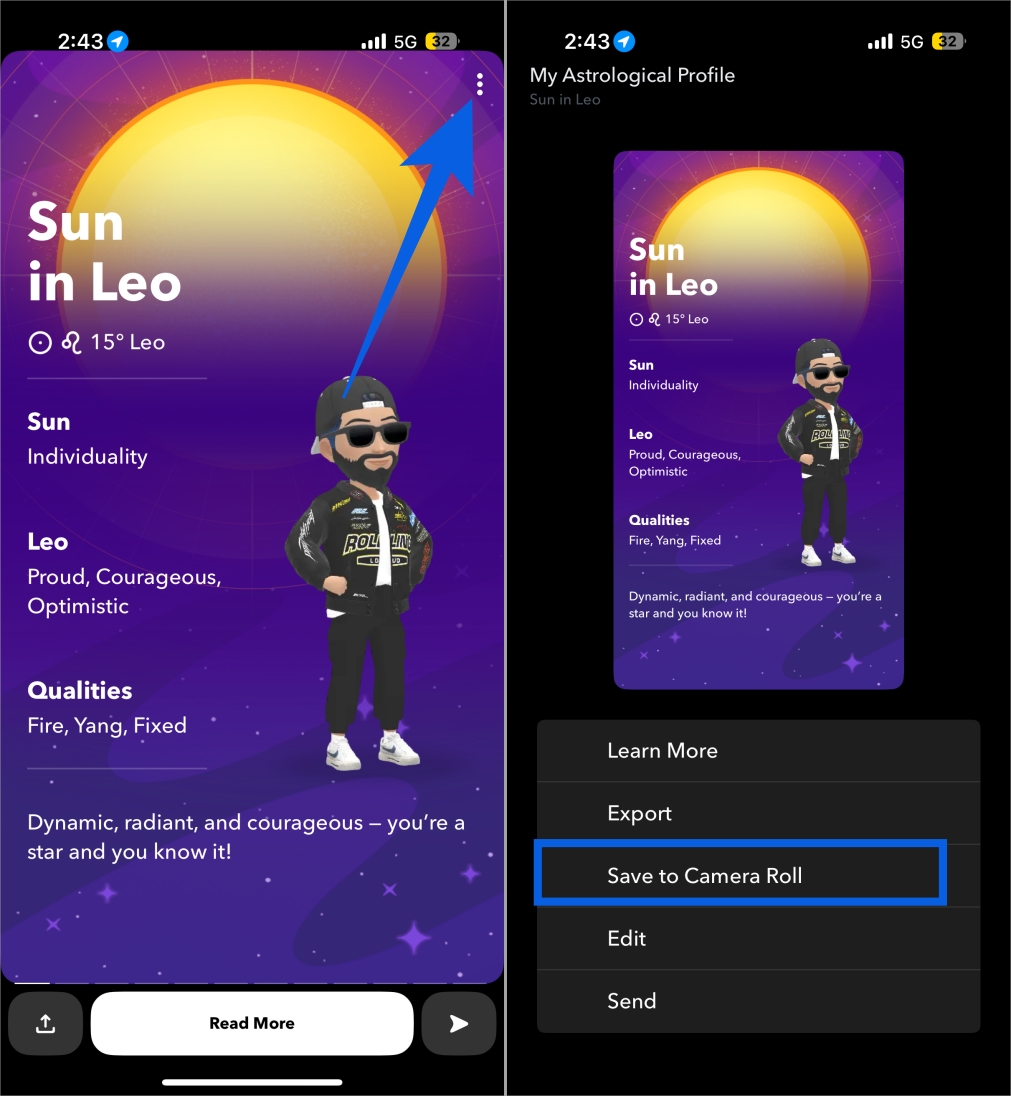
How to Edit or Delete Your Astrological Profile
To edit your details:
- Go to your Snapchat account settings.
- Tap Birthday under My Account.
- Tap My Astrological Birthday.
- Update your birth time or location, and tap Complete.
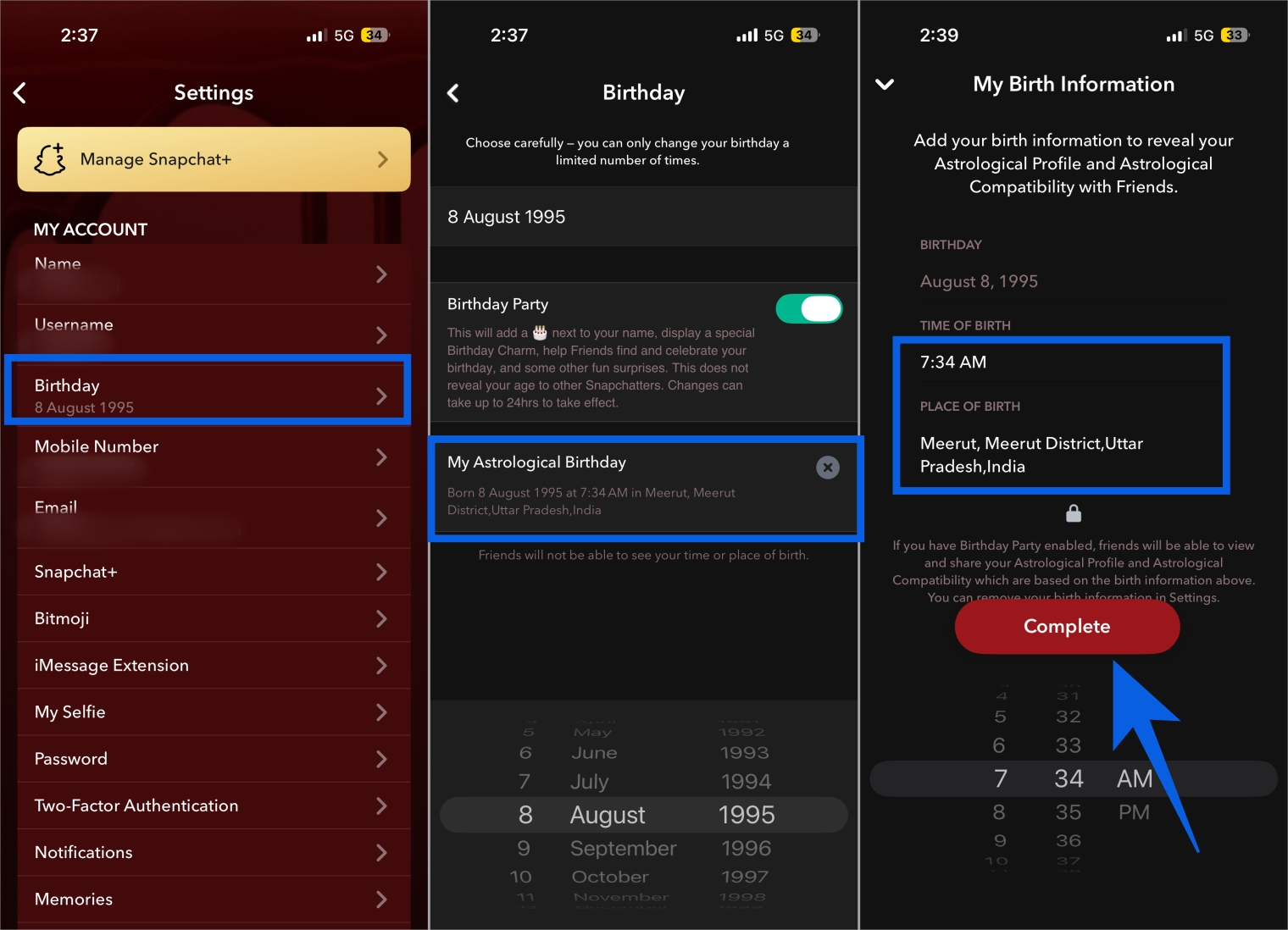
To delete your Astrological profile, simply tap the X button on the My Astrological Birthday tab. This hides your profile and removes compatibility from friend profiles.
How to View Your Astrological Compatibility with a Friend on Snapchat
Apart from showing you your Astrological Profile, Snapchat also lets you view your Astrological Compatibility, helping you understand why certain friendships feel harmonious while others do not. However, to do so, both you and your friend must have Astrological Profile feature enabled. If yes, here’s how you can do it:
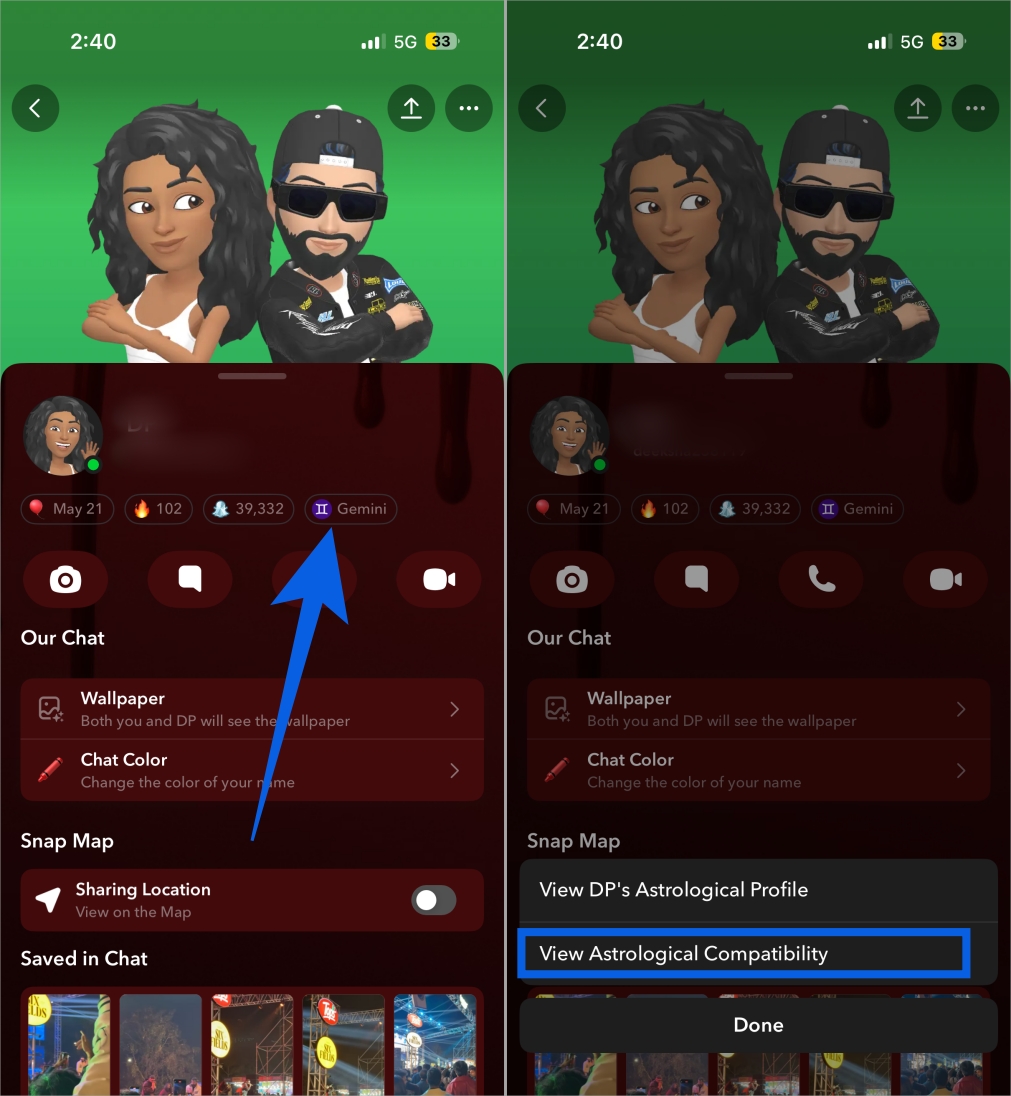
- Open Snapchat and head to the friend’s profile you want to view your Astrological Compatibility with.
- Tap the zodiac sign emoji underneath their name.
- Tap Astrological Compatibility in the pop-up menu that appears.
- Once done, Snapchat will show you a Compatibility Story, which contains a series of Snaps that cover five aspects (Attraction, Intensity, Tension, Support, and Harmony), along with a Compatibility Summary.
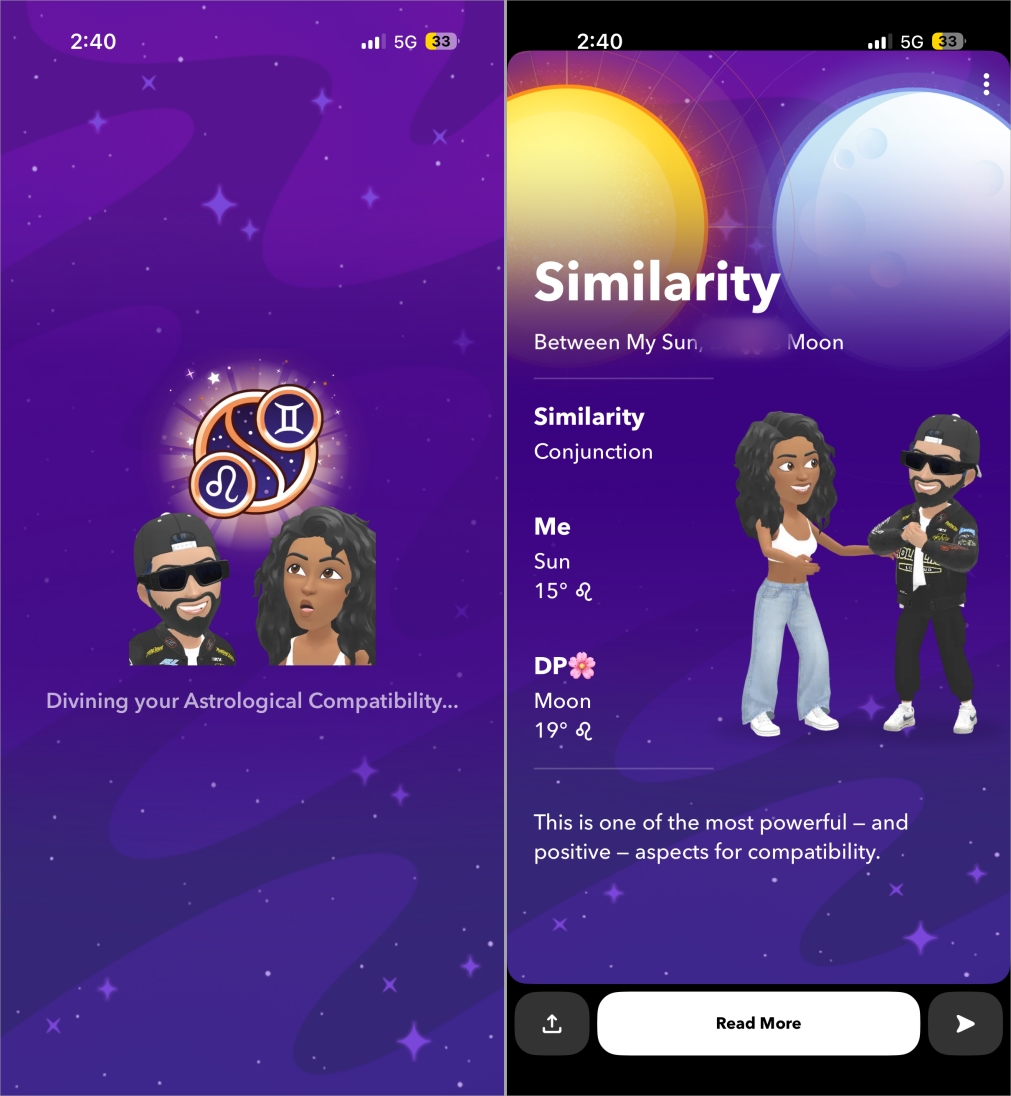
Furthermore, if you want, you can send these Snaps to your friends, post to your Story, and save them to your camera roll.
Related: Snapchat Emoji Meanings: What You Need to Know
Is the Snapchat Astrological Profile Accurate?
Astrology accuracy depends on belief and interpretation. Since Snapchat does use real birth chart calculations based on your data, the structure seems pretty legitimate. Think of it as entertainment built on real astrology fundamentals, not a substitute for professional readings.
Snapchat Astrology in a Nutshell
The Astrological Profile on Snapchat adds personality and curiosity to your profile without feeling complicated. It is easy to set up, visually engaging, and fun to explore alone or with friends. Even if you are new to astrology, the swipeable story cards make it easy to understand.
FAQs
Only friends can see it, and only if astrology is enabled.
No. It is either visible to all friends or turned off entirely.
They may not have enabled astrology or entered full birth details.
Go to Settings → Birthday → Tap the X next to My Astrological Birthday.