
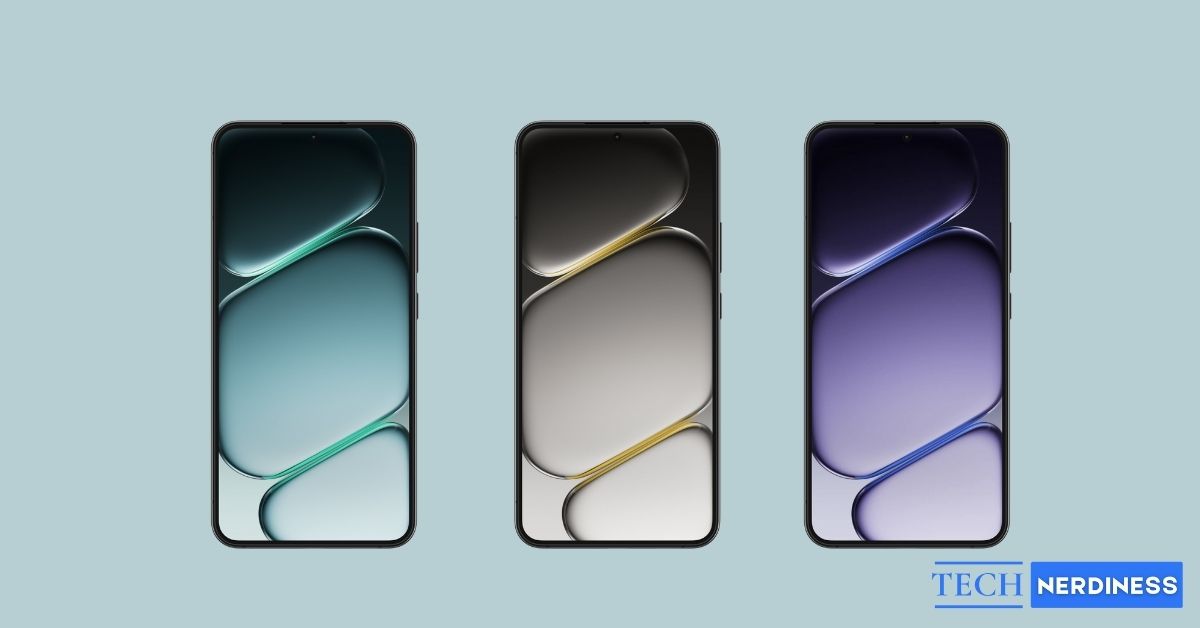


OnePlus has finally announced the launch date of its next flagship, the OnePlus 15R. The device has already teased remarkable features and, as usual, comes with a fresh set of stylish, high-quality wallpapers. If you want to upgrade your home screen or lock screen with a sharp new look, you’re in the right place.
Below, you can download the official OnePlus 15R wallpapers for free and learn how to apply them on any Android or iPhone.
OnePlus 15R Quick Specifications
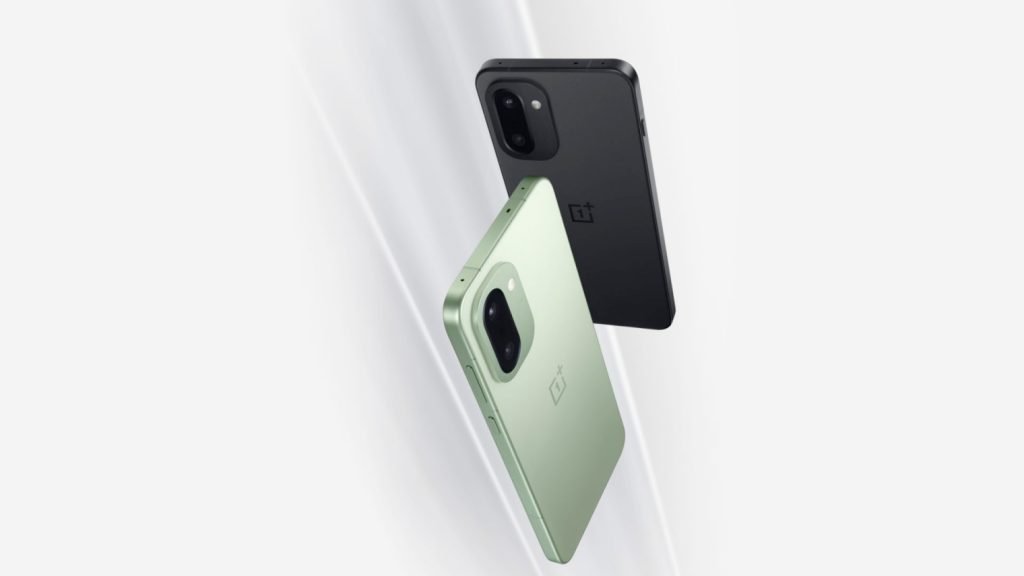
The OnePlus 15R continues the brand’s tradition of blending strong performance with clean design. It features a powerful Snapdragon 8 Gen 5 processor, a G2 Wi-Fi chip for blazing-fast connectivity, and always-on 120 FPS gameplay.
Moreover, you will get the segment’s first 165Hz AMOLED display, and a refined build that feels both modern and minimal. Similar to the OnePlus 15, it includes a set of signature wallpapers that match the device’s visual style.
These wallpapers are crafted to complement the phone’s UI colors, curved edges, and overall aesthetic. Whether you use them on the 15R itself or another smartphone, they’re designed to deliver a crisp, premium look.
Also Check: Download Official OnePlus 15 Wallpapers in 4K Quality
Download OnePlus 15R Stock Wallpapers (Official 4K)
The official OnePlus 15R wallpapers are available in ultra-high 4K resolution, ensuring maximum sharpness on modern displays, from a small smartphone screen to a large tablet.
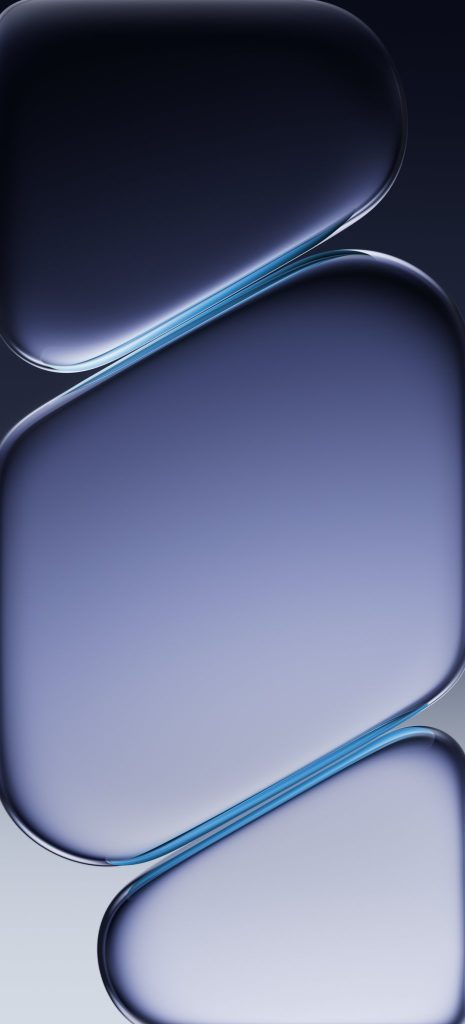
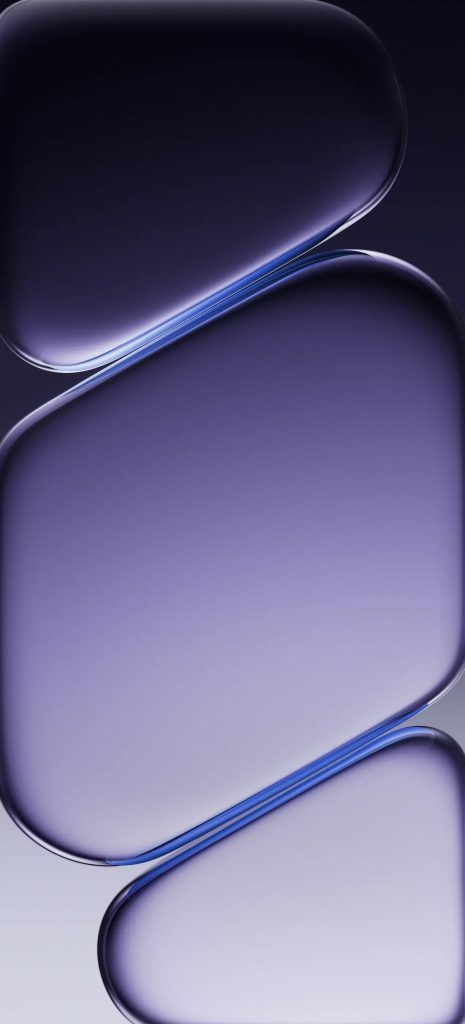
These wallpapers follow OnePlus’s signature ambient display style. You’ll notice smooth curves, soft reflections, and layered translucent shapes that give a 3D liquid-glass effect. The gradient colors blend with black shadow tones, creating a calming yet futuristic vibe.
You can choose from four color options: teal, purple, blue and grey. Simply tap the download button below and save the wallpaper you want to your device for free.


How to Apply OnePlus 15R Wallpapers on Any Phone
You don’t need a OnePlus phone to enjoy these 15R official wallpapers. Here’s how to set them on any device.
Apply OnePlus 15R Wallpapers On Android
- Download the wallpaper to your phone.
- Open the Gallery or Photos app.
- Tap the wallpaper > the three–dot icon and select Set as wallpaper.
- Choose Home screen, Lock screen, or Both.
- Adjust the crop if needed and confirm.
Most Android launchers also let you set wallpapers directly from their settings.
Apply OnePlus 15R Wallpapers On iPhone
- Save the wallpaper to your Photos app and open it.
- Choose the downloaded image, then tap the share icon in the bottom toolbar.
- Now, tap Use as Wallpaper.
- Adjust the preview, customize the clock style and widgets, and tap Add.
- Set it for the Lock Screen, Home Screen, or both.
Get a Glassy Vibe with OnePlus 15R Wallpapers!
The OnePlus 15R wallpapers feature a polished, flagship-grade design that looks beautiful across devices. With 4K clarity and a unique glass-like aesthetic, they instantly enhance your home or lock screen. Download them for free, apply them in a few taps, and enjoy a crisp new premium look on your phone.
If you want more official wallpapers from upcoming devices, feel free to ask!
You might also like: