Roblox is the one platform that, if used right, can unlock so many possibilities for new and old players alike. However, in recent times, the company has started to clamp down and restrict access to chat for younger players due to security reasons. But if you’re a 13+ player who wants to fire away, then worry not. Keep reading as we teach you how to verify your age and ID on Roblox and get back to it all.
Roblox Verify Age (Things You Need)
In order to successfully verify your age on Roblox, you will require a few things. These are:
- 13 years or older
- A Roblox account installed on your phone (Android/iOS) or access to a PC
- A valid government ID issued to you that confirms your age (Driver’s license, Passport, Residency card, etc.)
Once you have the account and the ID, keep on reading to learn what to do. If you’re not 13+, then well, come back when you are.
Roblox Age Verification (Step 1 of 2)
- Log in to your Roblox account.
- Navigate to Settings. If you don’t have a phone, then click here.
- Go to Account Info.

- Under the Personal category, click the Continue button to check your age.

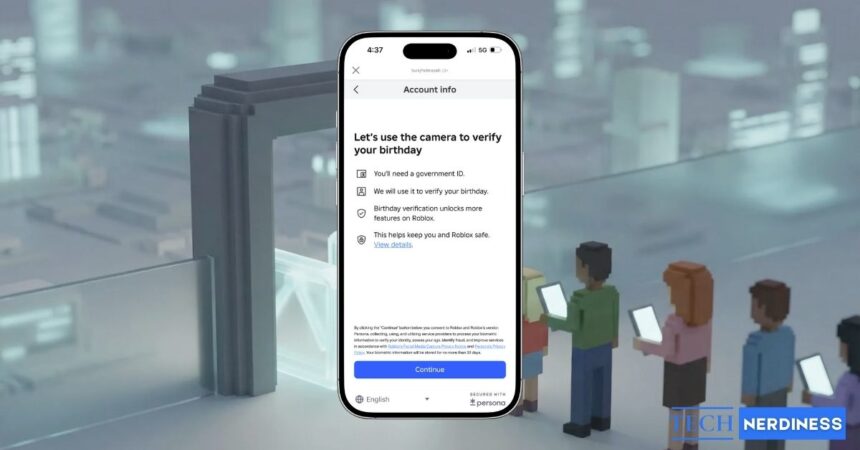
- Now comes the camera check. Simply click the Continue button, and the app will open up your camera.
- Now simply hold still at first and then turn your head slowly from left to right.

The Roblox app will do its own thing and give you an estimated age. Most times, it is very accurate. If you feel it is not, simply try again. Once we are done with this, let’s move on to ID verification.
Roblox ID Verification (Step 2 of 2)
Now that we are done with estimation, it’s time to get to the nitty-gritty. Whip out your government ID and follow the steps below.
- Navigate to the same settings we taught you earlier.
- Under birthday, click Continue to verify your ID.

- From the list, choose the option that matches your ID the closest.
- Now simply align the ID in the grid that shows up in the app.

As before, Roblox will scan and verify your ID, and you’re all done! If your identification is rejected, then simply try again with a different one or the same one.
Reasons for Roblox Age Verification Failing
There are a few reasons why your Roblox age verification might fail. Some of these are:
- Incorrect name or Date of Birth: The ID you submit must exactly match your govenment registered name and DOB. If Roblox detects a mismatch, it rejects it immediately.
- Poor Photo Quality: The reason I suggested trying the ID again is that sometimes a poorly taken photo is blurry and prone to being misread.
- Selfie doesn’t match your ID: The selfie you took in step 1 must match the ID photo you give in step 2. Roblox cross compares both of them to approve/reject you.
- Roblox sided error: While rare, there are times when Roblox servers themselves might be glitching. In those cases, it’s best to check Roblox status page and wait.
What Does a Verified Roblox Age and ID Grant You?
Besides declaring you as 13 or 18+, a verified Roblox ID grants you some features you’ll definitely need. These are:
- Trusted Connections: If you have a close Roblox buddy with whom you want to have unfiltered voice and text chats, you’ll need Trusted Connections. Being at least 13+ grants that to you. Got verified and want this? Check out how to get Trusted Connections in Roblox.
- Full Chat Access and Communication: Besides the Trusted Connections, verified Roblox gamers also get access to Expressive chat and party chat with ease.
- Access to Age-Gated Experiences: While most games on Roblox are kid-friendly, there are some experiences that you need to be an adult for. Getting verified solves this exact problem.
- Added account security: And of course, you will have the maximum level of security as the proven owner of your Roblox account.
Final Thoughts
As you can tell by now, verifying your age on Roblox is the advantage you should get. So make sure you read and re-read the steps above and get it done right away. Already done? Why not jump into some games and get rewards like Volleyball Legends codes and Weak Legacy 2 codes.