Every iPhone battery is lithium-ion, which means it naturally ages. So, after a few years, it can’t hold the same charge. You start noticing annoying problems like random shutdowns, slower app launches, or your phone barely lasts a few hours on a full charge.
If this sounds familiar, the best fix is not a new phone. Swapping the battery is usually the most affordable way to bring your iPhone back to life. In this article, we’ll explain when it makes sense to replace your iPhone battery and how you can do it safely.
6 Key Signs Your iPhone Battery May Need Replacement
Your iPhone usually gives you small hints when its battery is wearing out. Here are some common signs to watch for:
1. Swollen Battery
This is the big one. If you notice:
- The screen is lifting from the frame.
- A weird gap is forming between the screen and the body.
- A soft, spongy feel when pressing around the display.
Stop using the phone. A swollen battery is dangerous and needs urgent attention. Do not poke, squeeze, or attempt to remove it yourself.
2. Unexpected Shutdowns
Your phone shuts off while showing 20-30%. This is due to the fact that the aging battery is not capable of meeting the peak demand. But before you go ahead and change it, you can try a one-time calibration:
- Drain the battery to 0.
- Charge to 100% in one go.
- Restart the phone once it is full.
If the issue recurs, the battery is depleted.
3. Poor Performance (throttling)
The apps may take some time to load, the scroll may lag, or the phone may freeze. Older batteries sometimes cause the iPhone to reduce performance to avoid shutdowns.
4. Terrible Battery Life
If your phone drops from full charge to low battery within two hours, even with light use, the battery may be getting weak. However, older models, such as the iPhone 5s and earlier, are not throttled. They just drain extremely fast.
5. Only Works When Plugged In
Does your phone die instantly when unplugged? That means either the battery or the connector is failing. Replacement is usually the cure.
6. Overheating
If your iPhone is too hot to handle when in active use or while charging, it may mean that the battery is failing. Warmth and lithium-ion batteries do not go well together.
7. Battery Health is Low
Check whether the maximum capacity is significantly below 80%; the battery likely needs attention.
If you notice one or more of these signs, your iPhone battery may not be failing yet, but it’s definitely in need of help.
How to Check Your iPhone Battery Health
Apple makes it easy to check the health of your iPhone battery. You don’t need any extra apps; everything is built into your phone.
Just follow these simple steps:
- Open the Settings app.
- Tap Battery.
- Select Battery Health (Battery Health & Charging on older iPhone models).
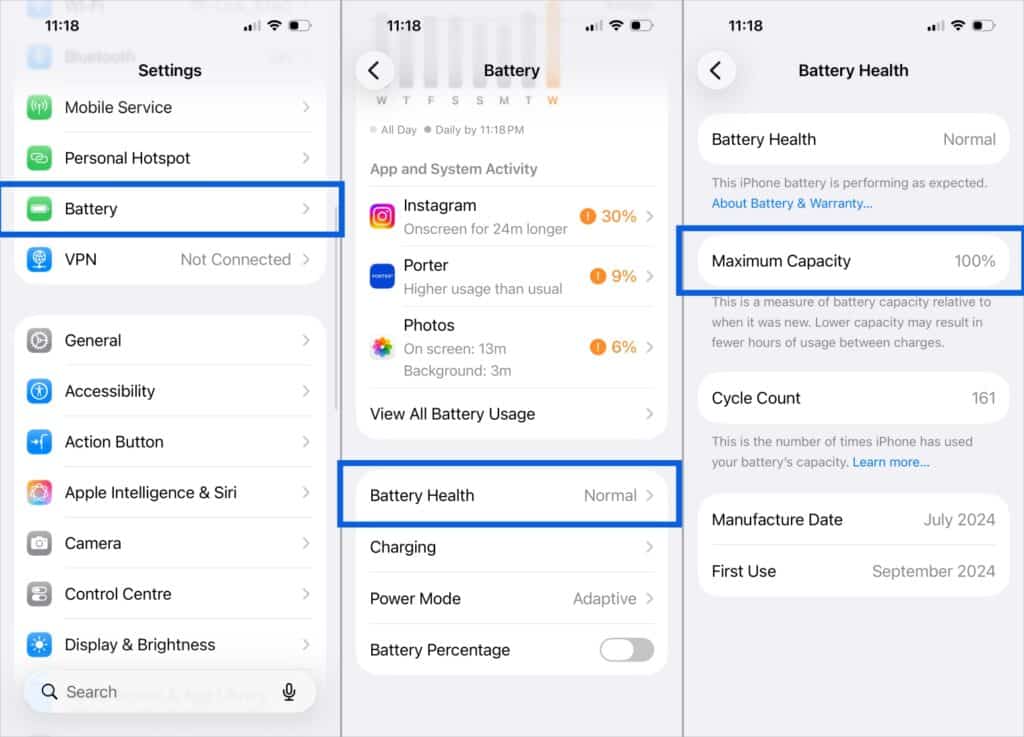
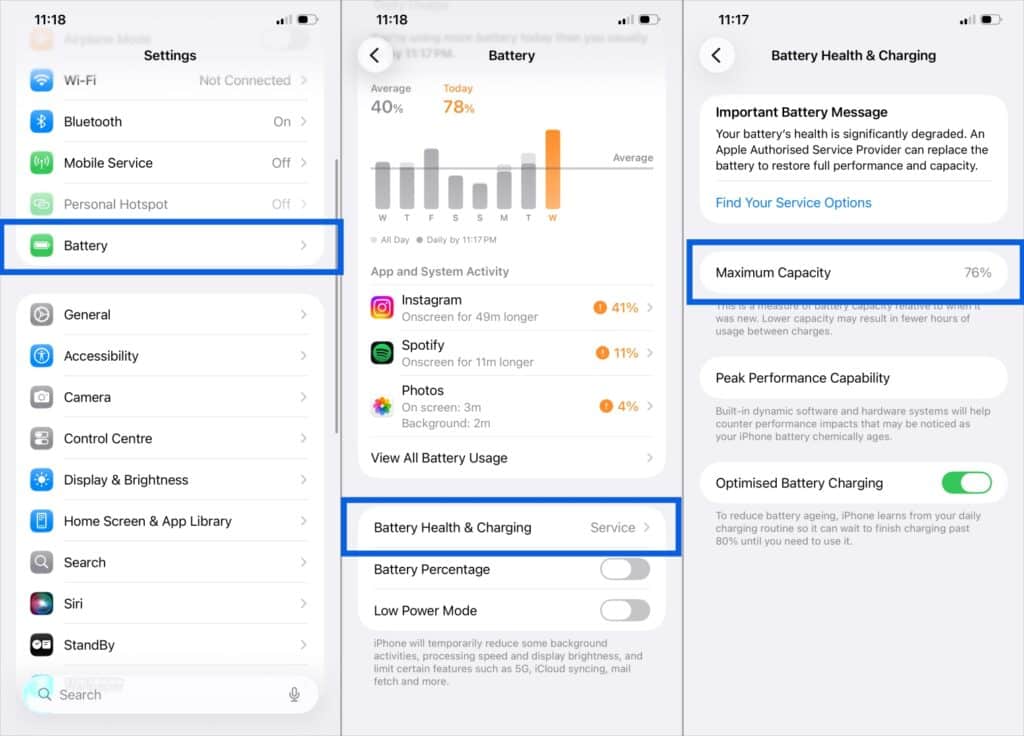
Here, you’ll see a section labeled Maximum Capacity. This number indicates how much capacity your battery has compared to when it was new.
- 90–100%: Battery is in great shape
- 80–89%: Battery is aging but still usable
- Below 80%: Performance is reduced. Apple recommends battery replacement.
You will see the Battery Health status at the top. If it shows Normal, your battery is still working well. However, if an important message banner appears recommending a battery replacement, it’s a clear sign that the battery is struggling.
On older devices, iOS displays Peak Performance Capabilities when battery health is severely degraded, and the iPhone may shut down unexpectedly.
If you are unsure, Apple can also do a remote diagnostics check through support.
iPhone Battery Replacement: What to Expect
Replacing your battery is less expensive than upgrading your iPhone, and it can extend the device’s life by another couple of years. It also bumps up your resale value, which is a nice bonus.
Here is how the process goes:
- A technician checks capacity, charge cycles, temperature, and voltage stability.
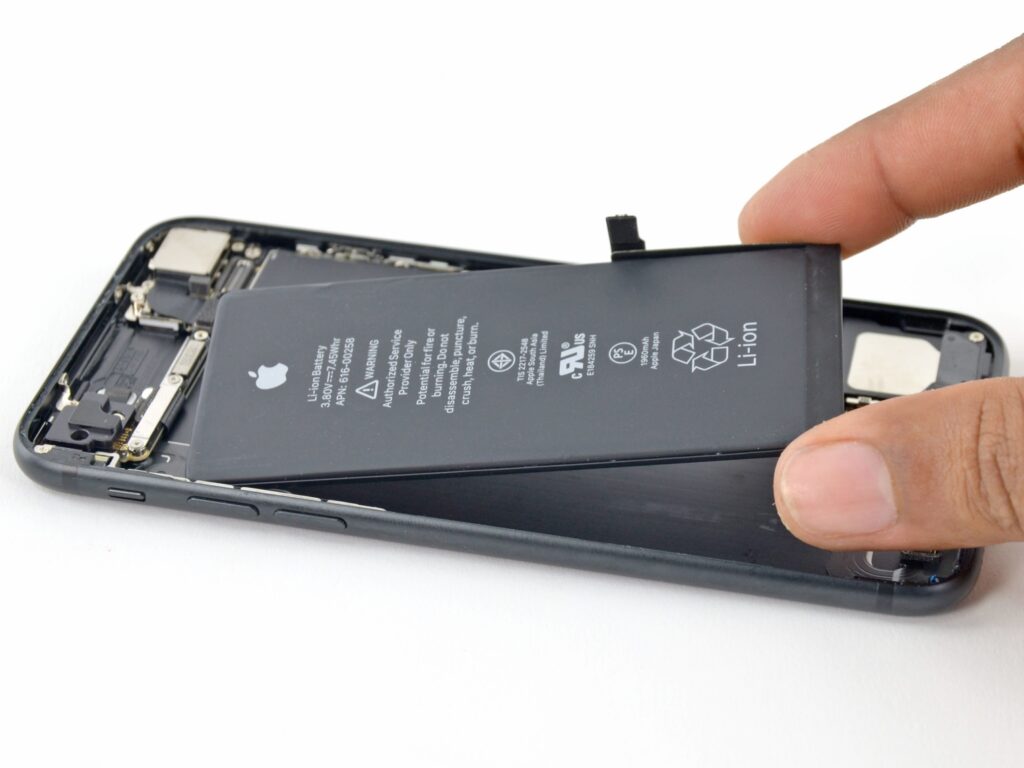
- The old battery is removed. This requires care because strong adhesives hold it down.
- A genuine or certified battery is installed.
- The phone is calibrated so iOS reads the charge percentage accurately.
- Final testing is done, usually with a short warranty.
In most cases, battery replacement takes 30 minutes to a few hours, depending on where you get it done. Some service centers may ask you to leave the phone for the day. And don’t worry; Battery replacement does not erase your data. Still, I recommend backing up your iPhone before any repair.
After replacement, your iPhone should last much longer on a single charge. You’ll notice fewer sudden shutdowns and more consistent performance with no lag throughout the day.
Best Places to Replace Your iPhone Battery
| Replacement Option | Best For | Cost Level |
|---|---|---|
| Apple Store or Apple Authorized Service Provider | Warranty or AppleCare+ users | High |
| Reputable third-party shop or website like ubreakifix.com | Out-of-warranty devices | Medium |
| DIY (Do It Yourself) | Experienced users only | Low |
Apple typically charges $49 to $69 out of warranty, depending on the model.
How to Make the New iPhone Battery Last Longer
To avoid repeating this process too soon, a few habits go a long way.
- Avoid heat at all costs. Do not leave your phone in hot cars or direct sunlight.
- Try not to let the battery drop below 10% regularly.
- Keeping it around 50% to 80% is ideal for most of the day.
- Enable Optimized Battery Charging in Battery Settings.
- Use certified chargers. Cheap knockoffs can damage the battery or cause heat issues.
- Regularly check your Battery Health stats to understand what’s draining it.
If you follow these tips, you can expect two to five years of healthy battery life.
Before You Buy New, Give Your iPhone a Second Life
An older iPhone does not necessarily mean you need to invest in a new one. If the only issue preventing you from using the phone is the battery, it would be best to replace it. Not only is it an economical and Eco-friendly choice, but it really gives the impression that you have a new iPhone.
Better check on your iPhone battery health and act now if it’s ailing! Your phone and your wallet will thank you.